





























Most social media tools say they have "roles". Far fewer let you say this person can draft for Brand A, cannot see Brand B, and cannot publish without sign-off. You won't find out from the feature page. You find out with eight checks on a trial, logged in as each role. Here they are, with the pass condition for each.
TLDR: Log in as a freelancer, a designer, a client and an intern, then run the eight checks below. Any tool that fails checks 1, 2 or 4 will cause an incident once you have more than two brands.
The eight checks
| # | Check | Pass condition |
|---|---|---|
| 1 | Brand-level access | A user added to Brand A cannot see Brand B's drafts, calendar or inbox |
| 2 | Publish vs draft | A role can create drafts but not publish |
| 3 | Approval gate | A post cannot go live until the named approver signs off |
| 4 | Wrong-account protection | The post shows which brand and profile it will go to before it is scheduled |
| 5 | Client access | A client can review without seeing other clients or your internal comments |
| 6 | Offboarding | Removing one user takes away access to every brand in one step |
| 7 | Change history | You can see who edited, approved or deleted a post, and when |
| 8 | Connection ownership | Social accounts stay connected when the person who linked them leaves |
Run each check yourself. Don't settle for a demo.
Why checks 1, 2 and 4 come first
Brand-level access is the difference between roles and real separation. A tool with only account-wide roles forces a choice: give someone everything or nothing. With ten brands, that means someone ends up seeing data they shouldn't.
Draft versus publish protects you from the Friday-afternoon mistake. Interns and freelancers should be free to draft and never able to publish.
Wrong-account protection stops a post meant for one brand from going out on another. Look for a clear brand label and a per-platform preview before scheduling. Mydrop's post preview shows how each platform will render the post, and workspaces keep brands apart.
What a permissions grid looks like in practice
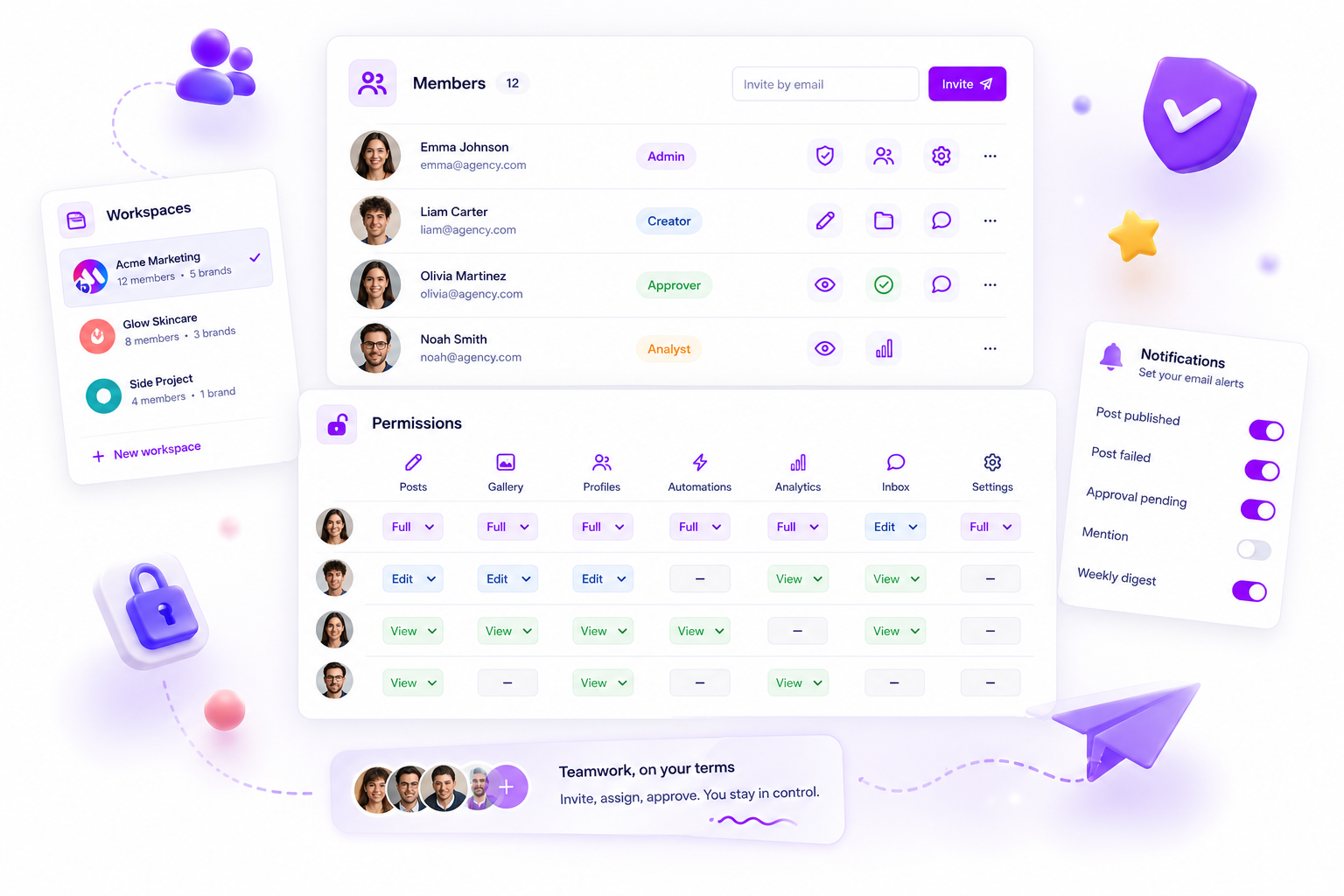
In Mydrop, each member gets a role (Admin, Creator, Approver or Analyst) and the permissions grid sets access by area: posts, gallery, profiles, automations, analytics, inbox and settings. Each area can be Full, Edit, View or hidden. That means an analyst can have view-only access to analytics and nothing else, which is exactly the kind of setting to look for in any tool you test.
About audit logs
Teams in regulated industries sometimes need a formal, exportable audit log. Ask each vendor, in writing, three things: which events are logged, how long they are kept and whether you can export them.
For most agencies, change history on the post itself is enough: who commented, who approved, and when. Mydrop keeps approvals and comments on the post, so you can see who signed off. If a formal, exportable audit log is a hard requirement for you, ask us and every other vendor the same way before you sign.
How roles should map to people
Keep it small. Four roles cover most teams:
- Admin: manages billing, connections and users.
- Manager: publishes and approves for assigned brands.
- Creator: drafts and comments, cannot publish.
- Client or reviewer: approves or comments on posts for one brand.
Our guide on assigning permissions across brand teams walks through who gets which role in a real agency. If you need to decide whether each brand deserves its own workspace, read when to create separate workspaces.
Check how the price changes with users
Permissions mean more users, so the billing basis matters. Some tools charge per seat, so every client reviewer or freelancer adds to the bill. Count your real number of people before you compare.
Mydrop pricing check, September 2026: the entry paid plans of the eight tools most often compared with Mydrop run from $6 per channel (Buffer) and $25 a month (Later) to $99 per user (Hootsuite) and $199 per seat (Sprout Social), read on each vendor's pricing page. Mydrop is free to start, then $19 a month flat, not per seat. Full table on Mydrop's compare pages.
A one-hour trial script
- Create two test brands and four test users (admin, manager, creator, client).
- Run checks 1 to 5 using each user's own login.
- Remove one user and run check 6.
- Disconnect nothing, but ask support what happens to a connection when its owner leaves (check 8).
- Make an edit and an approval, then look for both in the history (check 7).
If a tool passes all five steps in under an hour, it will survive your first quarter.
Next step: pick two tools, run the script on both and keep the score. To try the brand and role setup yourself, start free with Mydrop.

 Google review
 Trustpilot review
 Product Hunt comment




