






















Today's featured
Mailchimp vs Klaviyo vs Brevo vs Kit vs MailerLite (2026)
Which email tool fits which client: real November 2026 prices for Mailchimp, Klaviyo, Brevo, Kit and MailerLite, and the pick for shops, creators and local businesses.
Mydrop Blog
Browse practical playbooks, strategy breakdowns, and AI workflow ideas by what you need to improve next.
Today's featured
Which email tool fits which client: real November 2026 prices for Mailchimp, Klaviyo, Brevo, Kit and MailerLite, and the pick for shops, creators and local businesses.
Which AI helps plan social media: ChatGPT Enterprise, Lately or Mydrop? A job-by-job comparison and a 4-task test you can run in an afternoon.
A practical guide for solo social managers to choose between AI-generated and human-written captions, with use cases, workflows, and a simple decision framework.
Compare Mydrop, SocialBee and Zoho Social composers with a 5-step test on one real campaign, and see which team fits which tool.
Klaviyo is built for flows, not the weekly content email. Here is how to plan your Klaviyo newsletter next to your social posts and send it on time.
Why Mailchimp emails land in spam and the 15-minute fix: authenticate your domain with 2 DKIM records and 1 DMARC record. Plain steps, no jargon.
Pick your 3 best posts of the week, add one line of context each, and send them as one email. The 5-step method, a template, and the tools that do it from your calendar.
Which email tool fits which client: real November 2026 prices for Mailchimp, Klaviyo, Brevo, Kit and MailerLite, and the pick for shops, creators and local businesses.
Use a practical framework to solve best client portal tool for managing social media account access with clearer diagnosis, stronger proof, and a next step for.
Centralizing disparate ideas into actionable content workflows with a practical framework, proof asset, and next step for multi-brand social teams.
Klaviyo is built for flows, not the weekly content email. Here is how to plan your Klaviyo newsletter next to your social posts and send it on time.
Why Mailchimp emails land in spam and the 15-minute fix: authenticate your domain with 2 DKIM records and 1 DMARC record. Plain steps, no jargon.
5 ways to connect Mailchimp and social media in 2026: send your newsletter from your social calendar, post from Mailchimp, or automate it with Zapier or Make.
Pick your 3 best posts of the week, add one line of context each, and send them as one email. The 5-step method, a template, and the tools that do it from your calendar.
Implementing a standard ingestion cadence for multi-brand team creative workflows with a practical framework, proof asset, and next step for multi-brand social teams.
Use a practical framework to solve best social media content calendar for multi-brand teams with clearer diagnosis, stronger proof, and a next step for multi-brand.
Free 2026 benchmark report from Mydrop: median engagement by platform, format, caption length, hashtags and posting time, with the full method.
TikTok reports your followers' active hours in UTC, which trips up almost everyone. Convert them to your local time, test three windows, keep the winner.
Skip the 40-metric dashboard. Learn the six social media metrics worth tracking, where to find them, and what to change when each one moves.
Every image and video size for 2026 in one table: Instagram 1080x1350, TikTok 1080x1920, YouTube 1280x720, plus the safe zones that get your text cropped.
Caption character limits for all 9 platforms in one table: Instagram 2,200, TikTok 4,000, LinkedIn 3,000, plus where each feed cuts you off and what to write in 2026.
Decide whether to update or archive old social posts with a simple, repeatable process. Learn signals, workflows, and quick wins for solo social managers.
The ten mistakes that lose social media clients, from unsigned contracts to silent months, each with the fix and a deeper guide when you need one.
What a data-driven marketing team needs from a link in bio tool: per-button clicks, UTM tags in and out, GA4 wiring, and a 14-day attribution test.
When to make a guided walkthrough mandatory for your social media team, which usage signals to watch, and a 20-minute tour plan that sticks.
Every 2026 social media holiday worth a post, month by month, with the commercial dates confirmed and a rule for deciding which ones to skip.
A steal-able list of 75 social media post ideas, grouped by what each one does: teach, humanize, sell, spark replies, reuse, and film in ten minutes.
A practical guide for solo social managers to choose when to repost content unchanged and when to repurpose it into new formats to save time and grow reach.
The seven social media trends that changed how posts get seen in 2026, what each one means for your calendar, and the ones you can safely ignore.
Instagram caps you at 5 hashtags and 2,200 caption characters. Here are the real limits on all 9 platforms, plus how many tags to actually use.
Six changes that move engagement: hook in the first line, ask one real question, reply within an hour, post fewer and better, and test format before timing.
An honest look at 7 free social media tools in 2026: the real channel caps, post limits and missing features, plus which free plan fits your setup.
Bio link solutions with email capture forms and CRM integration: 5 setups compared by where leads land and which campaign data they keep.
A bio page that updates itself from your latest posts. 5 tools ranked by upkeep, a four-block setup and a five-minute monthly check.
Diagnose why branded content is underperforming with a practical framework, proof asset, and next step for multi-brand social teams.
Use AI to catch banned words, off-brand tone and platform errors before human approval. A four-layer check plan and 6 tools that run it.
Reduce brand voice inconsistencies in AI-generated posts with a practical framework, proof asset, and next step for multi-brand social teams.
Automate recurring client communications to improve reliability and transparency with a practical framework, proof asset, and next step for multi-brand social teams.
UTM gaps come from hand-typed links, mixed naming and untracked bio links. The five leaks, a naming rule and a checklist for choosing a tool.
Measure how effectively the agency delivers analytics to enterprise clients with a practical framework, proof asset, and next step for multi-brand social teams.
Track your team's social inbox response quality with five numbers and a 10-thread weekly review. Includes a scoring sheet and what to ask any inbox tool.
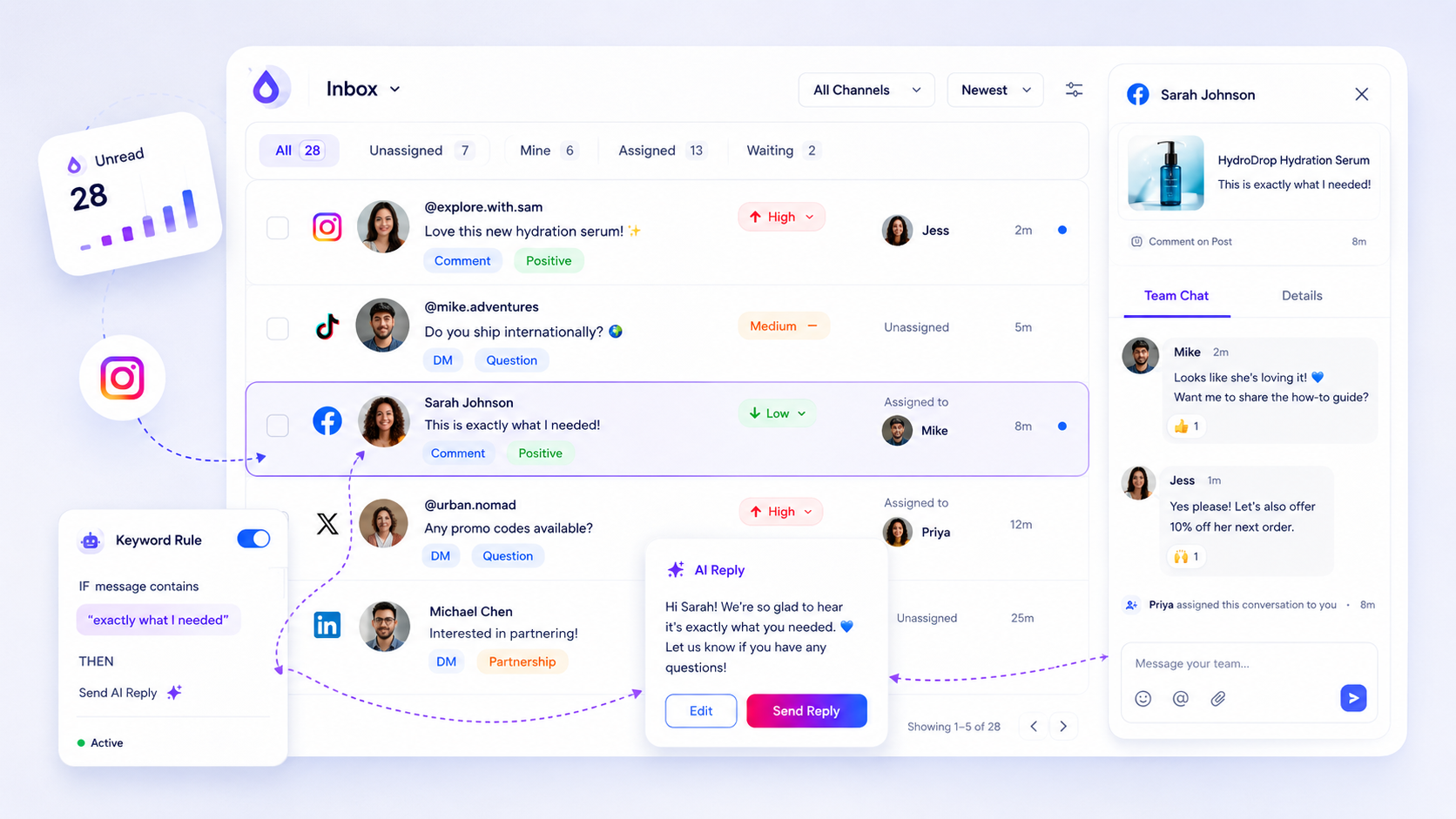
A working inbox workflow for agencies: one queue per client, a shared rota, a one-page rulebook per brand and an escalation ladder. Copy it in an hour.
Five signals that scattered platform inboxes are costing you replies, and what changes the day you move every account's messages into one queue.
Organizing workspaces for multiple clients with a practical framework, proof asset, and next step for multi-brand social teams.
Install a faster, more repeatable setup cadence with a practical framework, proof asset, and next step for multi-brand social teams.
Centralizing all brand-related context to make AI and creative tools more reliable with a practical framework, proof asset, and next step for multi-brand social teams.
Decide which creative assets to keep, repurpose, or stop investing in with a practical framework, proof asset, and next step for multi-brand social teams.
Repurpose a post when it beats your median by 1.5x, has an evergreen topic and has rested four weeks. Four triggers, three stop signs and a table.
Identify content with high 'residual value' to trigger mandatory repurposing tasks with a practical framework, proof asset, and next step for multi-brand social teams.
The eight documents multi-brand social teams keep asking for in chat, with where each should live so new hires stop pinging you for them.
One metric, reuse rate, shows which brand assets earn their place in your library. Learn how to calculate it and what to do with the bottom 20%.
Deciding when to centralize assets versus maintaining fragmented workflows with a practical framework, proof asset, and next step for multi-brand social teams.
Brand governance for agencies running many clients: tie colors, logos, tone and AI prompt rules to each profile so nothing gets created off-brand.
Establishing secure governance for multi-brand team collaboration with a practical framework, proof asset, and next step for multi-brand social teams.
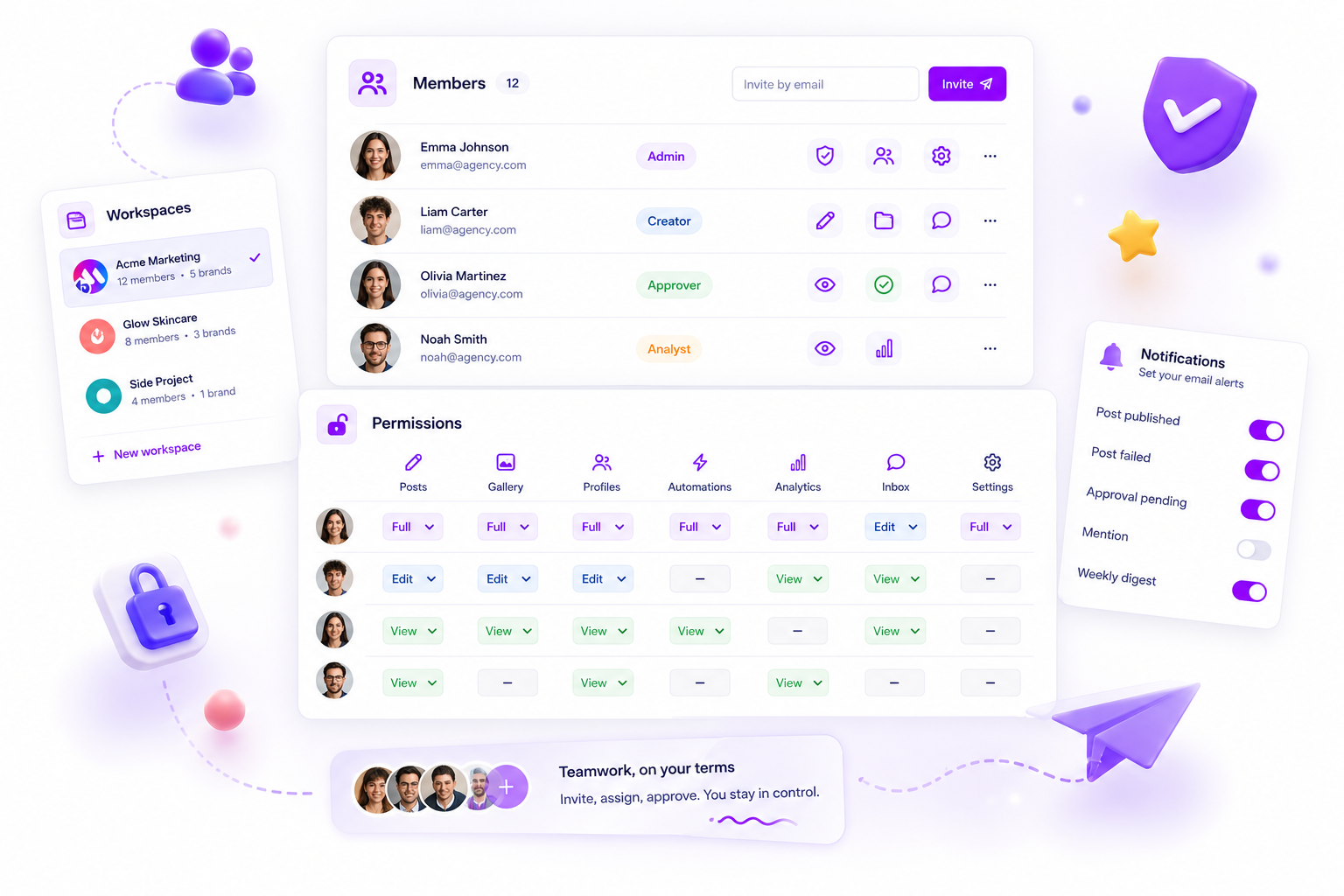
Use a practical framework to solve how to assign social media permissions across multiple brand teams with clearer diagnosis, stronger proof, and a next step for.
Fixing team handoffs and escalation paths for competitive strategy changes with a practical framework, proof asset, and next step for multi-brand social teams.
Diagnosing why content theme reports are no longer predictive or insightful with a practical framework, proof asset, and next step for multi-brand social teams.
Troubleshoot failed automation rules in the inbox with a practical framework, proof asset, and next step for multi-brand social teams.
Optimize conversion of social traffic with a practical framework, proof asset, and next step for multi-brand social teams.
Explore 8 best link-in-bio tools for social commerce and brands in 2026 with Mydrop first, then compare practical options for stronger social media workflows.
Followers tap your bio link and leave without buying. Find the five leaks, from link overload to message mismatch, and fix them in one sitting.
TikTok SEO in practice: find real search phrases, say them in the first 3 seconds, write them in the first caption line and on screen. A 6-step plan.
Not sure which platforms to keep? Score each on audience, format fit, results and effort, pick two to grow and set the rest to maintain.
Instagram reach flat? Run this 5-step weekend audit: check timing, format, hooks, shares and posting habits, then change one thing. No algorithm reset needed.
Turn Instagram followers into email subscribers with no website: a bio page with a signup form, comment-to-DM lead magnets, Stories and more.
You do not need 100k followers to sell. Five post types, a simple link-in-bio setup and the numbers to track so a small audience turns into orders.
Turn a following into first income in 30 days: week 1 offer, week 2 link-in-bio, week 3 five pitches, week 4 review. No big audience needed.
Show up when locals search near me on Instagram, TikTok and Google Business Profile. Location tags, profile fields, and local post ideas that get found.
Grow in three markets with a team of one. A weekly routine for choosing markets, writing in local language, and posting at the right local hour.
Targeting US followers from abroad: pick a US time zone, post in US daytime, write US English and plan around US dates. Includes a time-zone cheat sheet.
Get more user-generated content in five steps: ask at the happy moment, ask small, make sending easy, secure permission, and reuse fast.
Skip the influencer database. Find micro-influencers who drive sales by starting with your own buyers, tagged posts and niche hashtags, then vet each one.
How content whitelisting works on Meta and TikTok, how to pair it with affiliate links, which posts deserve ad spend, and the tools teams use to scale it.
A simple Mydrop tutorial for how to use workspace conversations for team feedback in mydrop, including setup steps, user value, and common mistakes to avoid.
Learn how to customize canva export options in mydrop with a practical walkthrough of where to click, what to set up, and how the feature helps your workflow.
A simple Mydrop tutorial for how to build automated social publishing workflows in mydrop, including setup steps, user value, and common mistakes to avoid.
A practical guide for solo social managers comparing native video versus reused video. Learn when to create fresh native clips and when to repurpose existing footage t...
When to automate comment moderation as a solo social manager. Practical rules, escalation templates, monitoring checklists, and client communication to reclaim hours e...
A practical 22-point pre-publish checklist for solo social managers using Mydrop to schedule posts for multiple clients. Prevent mistakes and protect brand voice.
Repurposing means reshaping content you already made into a new format. Recreating means building it again from scratch. The difference, and which one to pick.
A practical guide for solo social managers deciding when to favor raw authenticity or polished production. Clear rules, examples, and workflows to pick the right mix.
Practical caption hooks and caption formulas solo social managers can use to convert followers into clients. 12 templates, testing tips, and workflows to scale without...
A practical guide for solo social managers to choose between dashboards and one-off reports. Learn when each saves time, drives action, and keeps clients informed.
Decide when weekly or monthly social reporting gives real value. Practical cadence advice, templates, and hybrid workflows for solo social managers balancing clients...
Engagement rate is interactions divided by reach, times 100. The formula, what counts as low, average and high on each platform, and how to raise it.
Solo social managers leave money on the table with sloppy billing. Learn six common billing mistakes and simple, practical fixes to get paid faster and keep revenue st...
Avoid common contract mistakes that leave solo social managers underpaid, exposed, or trapped in scope creep. Practical fixes and sample clauses to use.
Client onboarding sets the tone for your work. Avoid 11 common mistakes that lose time, revenue, and clients, and get practical fixes to onboard faster and bill smarter.
Nine common moderation mistakes that turn engaged communities into hostile places. Practical fixes solo social managers can apply today to keep members safe and conver...
Practical guide showing seven common community engagement mistakes solo social managers make, plus clear fixes to boost real conversations, retention, and growth.
A practical guide to the best client proposal, contract, and payment tools solo social managers can use to win clients and get paid faster in 2026.
Practical, tested picks and workflows to generate reliable, on-brand content ideas fast. Tools, prompts, templates, and a repeatable pipeline to scale output.
A practical guide to the best AI video tools solo social media managers can use in 2026 to create, edit, and repurpose short videos fast and consistently.
Practical, time-saving content batching strategies solo social managers can use to publish more consistently. Plans, templates, platform mapping, and common mistakes t...
Seven practical automation workflows solo social managers can adopt to save time, stay consistent, and scale client work without hiring. Clear steps and tool-agnostic...
A practical 18-point checklist to keep your Mydrop automation healthy, reliable, and stress-free. Perfect for solo social managers who publish consistently.
A practical comparison of batching and real-time posting for solo social media managers. Learn when to batch, when to post live, and how to combine both for consistent...
A practical 30-point weekly workflow checklist that helps solo social media managers plan, create, schedule, and optimize content without burning out.
A practical, no-nonsense comparison for solo social managers weighing AI-assisted content against human-first approaches. Learn when to rely on AI, when to keep humans...
Learn how to start content creation in 2026 with a practical step-by-step plan for audience research, platform strategy, SEO, and consistent publishing.
Learn how to design a social media collaboration workflow that speeds up approvals, reduces chaos, and keeps your team moving. Practical steps, tools, and real examples.
Learn how to set up a fast, reliable social media approval workflow that keeps your team aligned and your brand safe, without bottlenecks or chaos.
Learn how to simplify and optimize the social media approval process for teams, ensuring faster workflows and better collaboration.
Learn how to design an AI-powered social media workflow that saves hours, boosts consistency, and keeps your unique brand voice intact.
Discover how AI can streamline your social media content creation process, saving time and boosting consistency across platforms.
Mydrop
Create. Schedule. Publish. Engage. Measure. Win.
Managing 14+ social platforms felt like a 2 a.m. nightmare until Mydrop. The AI brand-voice mapping is scary accurate, and the client approval portal saved me easily 15 hours this week alone. It's the ultimate set-and-forget workspace for busy agencies.
 Google review
A true automation tool for scheduling (and creating) social media content! It has saved me over 20 hours of work already in just my first couple weeks. A true game-changer for anyone in business, big or small!
 Trustpilot review
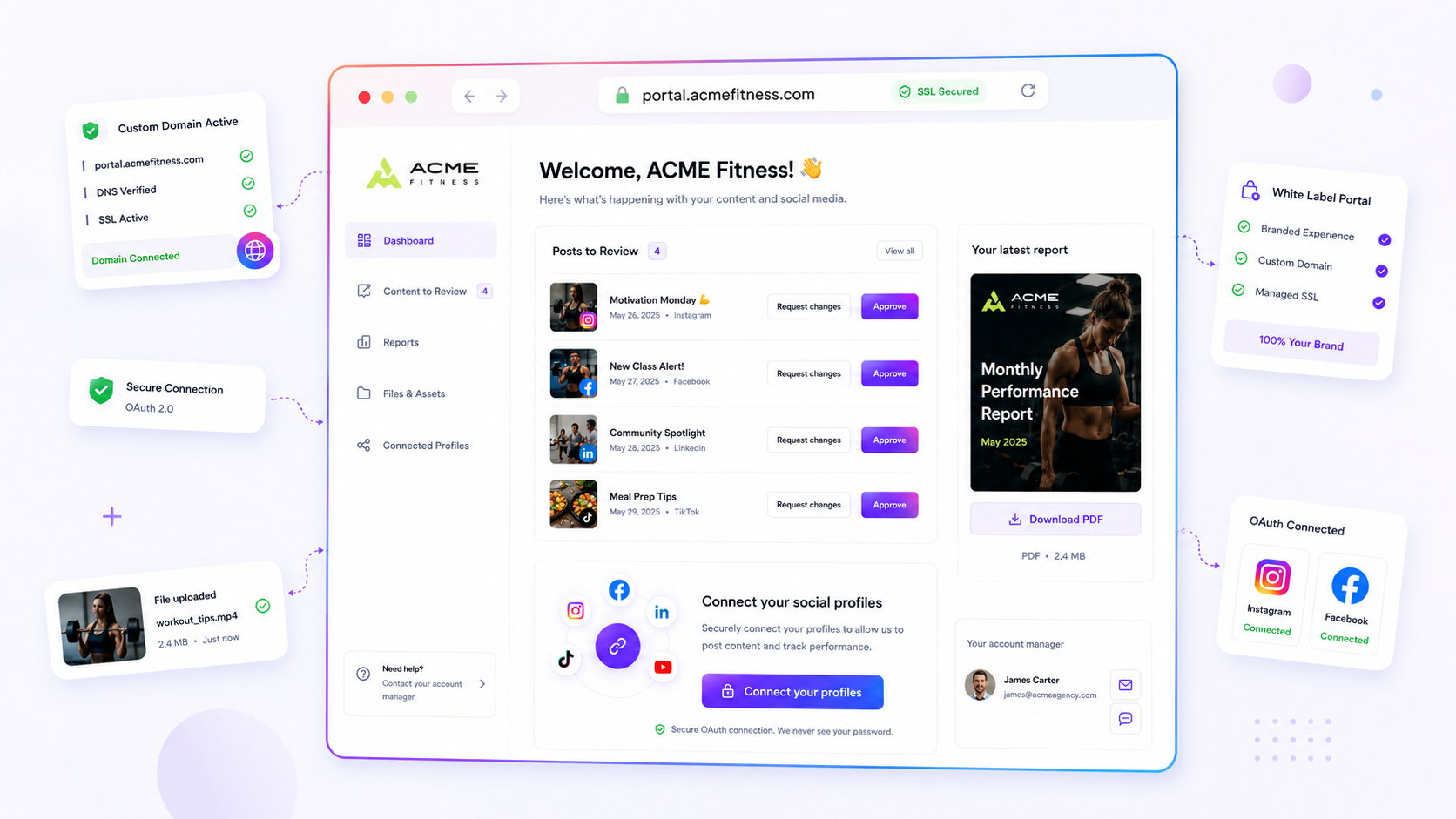
Finally tried Mydrop on a test client and the white-label portal on a custom domain actually looks legit, no Mydrop branding sneaking in. The OAuth setup saved me from the usual “what's my password” back-and-forth.
 Product Hunt comment
Absolute game-changer. Mydrop completely automated my content workflow. The scheduling is flawless, it actually feels intuitive, and it saved me 10+ hours in my very first week. Best decision I've made for my socials!
Google reviewMydrop AI has been an absolute game changer, it has saved me so much time and effort. It does what it promises. Easy to use, versatile, and the creator is really open to feedback. Very happy!
Trustpilot reviewI was looking through a bunch of management tools for my client, as it was getting out of control; after comparing every solution, I found Mydrop to be a no brainer.
Trustpilot reviewThis app helps me more than any other I have ever used. I've got all of my pages and accounts and I can drag and drop like I want. Mydrop has really been a huge asset to my business!
Google reviewI was looking for a scheduling tool as my clients were using more and more platforms. Mydrop does the job very well, and automations and forms are very useful and save me a lot of time. I recommend!
Google reviewLove that you baked in white-label portals from day one, that's a huge pain point for agencies.
Product Hunt commentLove this platform for scheduling social media posts! Easy and very intuitive to use! Highly recommend!
Google reviewVery nice tool, you will save a lot of time. Very easy to use, user friendly. I have used it for several months and it is very helpful.
Trustpilot reviewHelpful app if you are trying to streamline social content creation for clients.
Google review