














ClaudeChatGPTCursorGeminiWorks with your AI agentsChromeMydropTry Mydrop Chrome Extension
Reporting & Attribution

Client Reports Not Landing in Their Inbox? 6 Causes and Fixes

Client swears the report never came? Here are six places a scheduled social media report goes missing, a quick check for each, and a safer way to send it.

4 min read

Updated: Oct 31, 2026

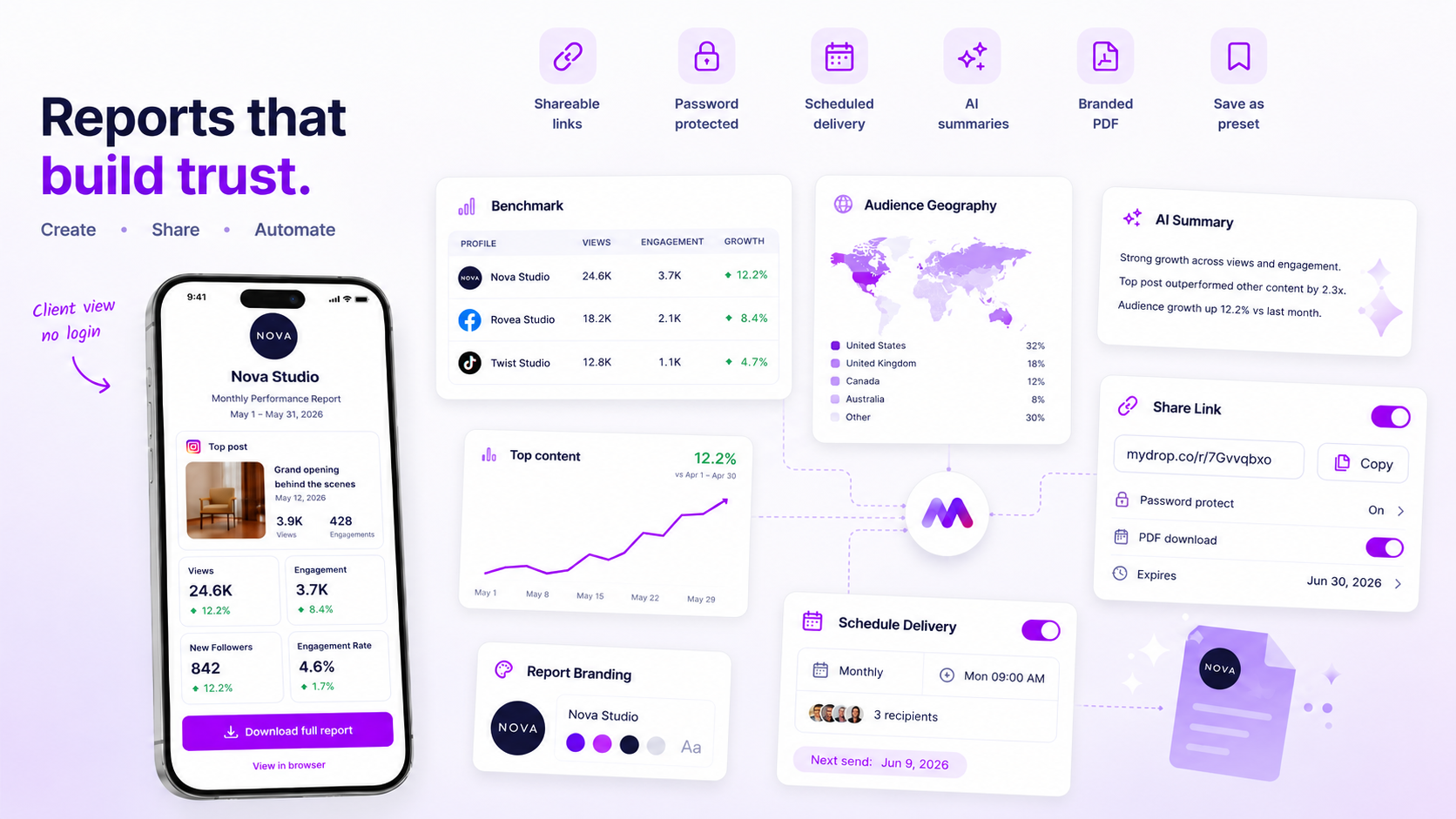
Mydrop analytics report sharing and delivery screen

When a client says the report never arrived, it's almost always one of six things, and the first three take under five minutes to check. Work down this list in order and stop as soon as you find it.

TLDR: Check the recipient address, then spam and quarantine, then attachment size. If none of those is it, stop emailing a PDF and send a share link instead, which dodges most corporate filters.

Check the three fast causes first

  1. The address is wrong or missing. One typo, or a recipient who's left the company, is enough. Open the schedule and read the address out loud against the client's last email.
  2. The message is in spam. Ask the client to search spam and quarantine for the sender and subject. This is the most common finding.
  3. The attachment is too big or blocked. Plenty of company mail systems cap attachments or strip PDFs. A report packed with charts gets big fast.

If the client finds it in spam, ask them to mark it as not spam and add the sender to their safe list. Do it once and it usually sticks.

Then check the three slower causes

Cause How to spot it Fix
The share link was disabled or expired Link opens an error instead of the report Create a fresh link and resend
The schedule is paused or has no recipients Nothing was sent on the due date Reopen the schedule, confirm recipients and date
A corporate firewall rewrites links Link works from your phone, not from their office Ask their IT to allow the domain, or send the PDF as a one-off

Send a link, not a file

A PDF attachment runs the gauntlet of every filter between you and the client. A link travels as plain text. For recurring reports the link is the better default, and the client always sees the latest numbers instead of an old file sitting in their inbox.

In Mydrop, social media reports can be shared by link and delivered on a schedule, with your branding on the white-label PDF. The numbers come from Performances, so the report and the dashboard always agree.

Add a delivery check to your own routine

Don't wait for the client to notice a missing report. On each delivery day:

  • Look at your own sent log or the schedule status.
  • For your top three clients, send yourself a copy and check it lands in the inbox.
  • Once a quarter, ask each client to confirm the address and who else should receive it.

This turns a silent failure into a two-minute check. Clients rarely tell you a report is missing, they just stop reading them.

A worked example: one report, three clients

Say you send the same monthly report to three clients and one says it never arrived. Here's how the diagnosis usually goes.

  • Client A received it. Nothing to fix.
  • Client B finds it in spam. Fix: safe-list the sender, then send a link next month.
  • Client C has a corporate mail system that quarantines PDFs. Fix: switch to a share link and ask their IT to allow the sending domain only if the link is also blocked.

Notice that the same report failed for two different reasons. That's why the order of checks matters: start with the cheap ones, and don't blame your tool before you've looked at the client's inbox.

What to tell the client while you fix it

Don't make the client wait for the diagnosis. Send the report right away as a share link, in a short message:

  1. One line with the link and the period it covers.
  2. One line saying the scheduled email may have been filtered.
  3. One line asking them to check spam and tell you if the link works.

Keep it short and neutral. Clients care that the numbers arrived, not why they were late. Then fix the schedule so next month doesn't need this message.

Keep a one-line delivery record per client

A small table in your notes saves hours the next time a client complains. Keep one row per client with four fields: the address on file, the delivery method (link or attachment), the date of the last confirmed open, and who to call if it fails. When a report goes missing, you read the row, not your memory. Update it every quarter when you confirm recipients, and it will also tell you which clients have stopped opening reports altogether.

Fix your worst client's delivery today

Pick the client who last said "I didn't get it". Walk the six causes above in order, then switch their schedule to a share link. If you want branded, scheduled reports set up once, get started in Mydrop. Free to start.

Free tools

Free Report Template

Fill in a month of numbers, get a one-page client report to print as a PDF.

FAQ

Quick answers

The usual suspects are a wrong or missing recipient address, the message landing in spam, or a company filter blocking a large attachment. Check the address first, then ask the client to look in spam and quarantine.

Links are safer. Plenty of company mail systems block or quarantine attachments, while a plain link usually gets through. A link also lets you see whether it was opened.

Send from a sender the client recognises, keep the subject plain, and ask them to add the sender to their safe list once. Avoid firing the same large file at lots of people at once.

Next step

Stop coordinating around the work

If your team spends more time chasing approvals, assets, and publish details than creating better posts, the problem is probably not your people. It is the workflow around them. Mydrop brings planning, review, scheduling, and performance into one calmer operating system.

Mydrop Editorial Team

About the author

Mydrop Editorial Team

Mydrop

The Mydrop Editorial Team writes the guides, comparisons, and playbooks on this blog. We cover social media planning, publishing, approvals, analytics, and multi-brand workflows, drawing on how teams actually use Mydrop to run their social programs. Every article is researched, edited, and maintained by the team behind the product.

View all articles by Mydrop Editorial Team

Managing 14+ social platforms felt like a 2 a.m. nightmare until Mydrop. The AI brand-voice mapping is scary accurate, and the client approval portal saved me easily 15 hours this week alone. It's the ultimate set-and-forget workspace for busy agencies.
A true automation tool for scheduling (and creating) social media content! It has saved me over 20 hours of work already in just my first couple weeks. A true game-changer for anyone in business, big or small!
Finally tried Mydrop on a test client and the white-label portal on a custom domain actually looks legit, no Mydrop branding sneaking in. The OAuth setup saved me from the usual “what's my password” back-and-forth.
Absolute game-changer. Mydrop completely automated my content workflow. The scheduling is flawless, it actually feels intuitive, and it saved me 10+ hours in my very first week. Best decision I've made for my socials!
Mydrop AI has been an absolute game changer, it has saved me so much time and effort. It does what it promises. Easy to use, versatile, and the creator is really open to feedback. Very happy!
I was looking through a bunch of management tools for my client, as it was getting out of control; after comparing every solution, I found Mydrop to be a no brainer.
This app helps me more than any other I have ever used. I've got all of my pages and accounts and I can drag and drop like I want. Mydrop has really been a huge asset to my business!
I was looking for a scheduling tool as my clients were using more and more platforms. Mydrop does the job very well, and automations and forms are very useful and save me a lot of time. I recommend!
Love that you baked in white-label portals from day one, that's a huge pain point for agencies.
Love this platform for scheduling social media posts! Easy and very intuitive to use! Highly recommend!
Very nice tool, you will save a lot of time. Very easy to use, user friendly. I have used it for several months and it is very helpful.
Helpful app if you are trying to streamline social content creation for clients.
Managing 14+ social platforms felt like a 2 a.m. nightmare until Mydrop. The AI brand-voice mapping is scary accurate, and the client approval portal saved me easily 15 hours this week alone. It's the ultimate set-and-forget workspace for busy agencies.
A true automation tool for scheduling (and creating) social media content! It has saved me over 20 hours of work already in just my first couple weeks. A true game-changer for anyone in business, big or small!
Finally tried Mydrop on a test client and the white-label portal on a custom domain actually looks legit, no Mydrop branding sneaking in. The OAuth setup saved me from the usual “what's my password” back-and-forth.
Absolute game-changer. Mydrop completely automated my content workflow. The scheduling is flawless, it actually feels intuitive, and it saved me 10+ hours in my very first week. Best decision I've made for my socials!
Mydrop AI has been an absolute game changer, it has saved me so much time and effort. It does what it promises. Easy to use, versatile, and the creator is really open to feedback. Very happy!
I was looking through a bunch of management tools for my client, as it was getting out of control; after comparing every solution, I found Mydrop to be a no brainer.
This app helps me more than any other I have ever used. I've got all of my pages and accounts and I can drag and drop like I want. Mydrop has really been a huge asset to my business!
I was looking for a scheduling tool as my clients were using more and more platforms. Mydrop does the job very well, and automations and forms are very useful and save me a lot of time. I recommend!
Love that you baked in white-label portals from day one, that's a huge pain point for agencies.
Love this platform for scheduling social media posts! Easy and very intuitive to use! Highly recommend!
Very nice tool, you will save a lot of time. Very easy to use, user friendly. I have used it for several months and it is very helpful.
Helpful app if you are trying to streamline social content creation for clients.
Smiling social media managerSmiling social media managerSmiling social media managerSmiling social media managerSmiling social media managerSmiling social media manager

4.8/5 · on Trustpilot & Google






