Community Management

Social DM Backlog: Clear It in One Afternoon, Then Keep It Clear

A backlog rescue plan for social DMs: sort the pile into 4 buckets, answer revenue messages first, then set a daily 20-minute sweep so leads stop slipping.

3 min read

Updated: Oct 23, 2026

Pink and white 3D chat bubbles floating above a pink smartphone

TLDR: Do not try to be caught up all day. Spend one afternoon sorting the backlog into four buckets, answer money messages first, then keep a 20-minute morning and afternoon sweep. Use one inbox so nothing hides in three apps.

An unread pile of DMs feels heavy because it mixes three kinds of work: messages that are worth money, messages that need help, and noise. Sort them and the pile gets smaller by itself.

This is a rescue plan for a backlog that already exists. If you want the ongoing system, see a simple system for faster replies.

Pull everything into one list

Start by getting every platform's messages in one place. Checking Instagram, Facebook, LinkedIn and TikTok separately is how DMs get lost.

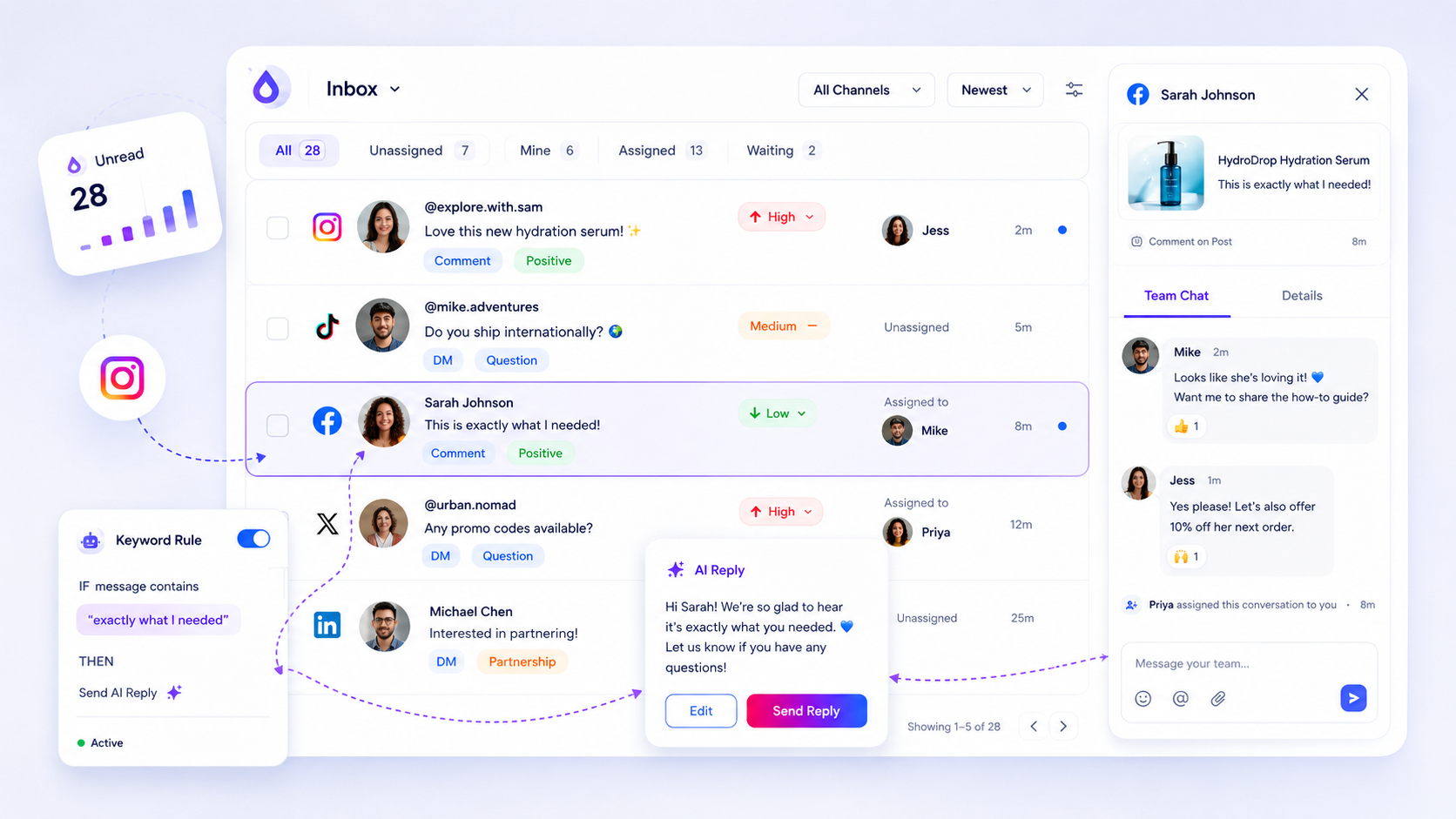
The Mydrop social inbox brings messages and comments from your connected channels into one queue where you can assign, label and reply. Work from that list for the whole afternoon.

Sort into four buckets

Bucket Examples Do this
Sales "Price?", "Do you ship to...", "Can you do a quote?" Reply today, personally
Support Problems with an order or a booking Reply today with the fix
Partnerships Collab or press requests Reply this week
Noise Emojis, spam, old chatter Archive, no reply

Count each bucket before you answer anything. The numbers tell you where the problem is.

Answer in the order of money

Take the sales bucket first, newest to oldest. Open with the delay, then the answer: "Sorry for the slow reply. Here is the quote you asked for." A short honest message beats a perfect one sent next week.

Then do support, then partnerships. When you reach noise, archive without replying. Nobody needs an answer to a thumbs up.

For a deeper method on which messages carry the most value, read how to prioritize high-intent social messages.

Write five saved replies

You will answer the same five questions all afternoon: price, availability, shipping or delivery, how to book, and where to find you. Write one saved reply for each and personalize the first line.

This is the quickest speed gain in the whole process. It keeps the tone yours and stops each reply from taking five minutes.

Keep it clear with a 20-minute sweep

Block 20 minutes in the morning and 20 in the afternoon. During each one:

  1. Open the queue and reply to sales first.
  2. Assign anything you cannot answer, with a deadline.
  3. Archive what is done.

Outside those blocks, mute notifications. If more than one person handles the inbox, assign threads so two people never answer the same message and none is left unclaimed.

Automations and trigger words can reply to common comments, such as "price" or "link", automatically, which keeps simple questions out of your DMs before they arrive.

Audit one week of replies

At the end of the first week, count how many sales messages got a reply within 24 hours. That single percentage is your inbox health score. The 5-minute reply audit shows how to run it.

Handle the messages you cannot answer today

Some DMs need a quote, a stock check or a decision from someone else. Do not leave them in the pile. Reply within the hour with a time: "I am checking this and will answer by tomorrow noon."

Then assign the thread, set the deadline on your calendar and move on. A promised time stops people from sending a second message, and it keeps the lead warm while you find the answer.

Clear the sales bucket before you close today's tab

Pull your channels into one queue, sort the sales bucket and answer the top five messages now. Start free in Mydrop to see every channel's DMs in a single inbox.


Free tools

Free tools

Calculators, templates and generators for social media teams.

FAQ

Quick answers

Sort the pile into four buckets: sales, support, partnerships and noise. Answer sales first, then support. Reply to the rest with a short saved message and archive what does not need an answer.

Not for a sales inquiry. A short, honest reply (sorry for the delay, here is the answer) still wins some of them back. Skip replying to messages that are months old and plainly about something that has passed.

Once or twice a day for 15 to 20 minutes works for most small teams. Set the times, put them on a calendar, and let everything else wait.

Next step

Stop coordinating around the work

If your team spends more time chasing approvals, assets, and publish details than creating better posts, the problem is probably not your people. It is the workflow around them. Mydrop brings planning, review, scheduling, and performance into one calmer operating system.

Mydrop Editorial Team

About the author

Mydrop Editorial Team

Mydrop

The Mydrop Editorial Team writes the guides, comparisons, and playbooks on this blog. We cover social media planning, publishing, approvals, analytics, and multi-brand workflows, drawing on how teams actually use Mydrop to run their social programs. Every article is researched, edited, and maintained by the team behind the product.

View all articles by Mydrop Editorial Team

Managing 14+ social platforms felt like a 2 a.m. nightmare until Mydrop. The AI brand-voice mapping is scary accurate, and the client approval portal saved me easily 15 hours this week alone. It's the ultimate set-and-forget workspace for busy agencies.
A true automation tool for scheduling (and creating) social media content! It has saved me over 20 hours of work already in just my first couple weeks. A true game-changer for anyone in business, big or small!
Finally tried Mydrop on a test client and the white-label portal on a custom domain actually looks legit, no Mydrop branding sneaking in. The OAuth setup saved me from the usual “what's my password” back-and-forth.
Absolute game-changer. Mydrop completely automated my content workflow. The scheduling is flawless, it actually feels intuitive, and it saved me 10+ hours in my very first week. Best decision I've made for my socials!
Mydrop AI has been an absolute game changer, it has saved me so much time and effort. It does what it promises. Easy to use, versatile, and the creator is really open to feedback. Very happy!
I was looking through a bunch of management tools for my client, as it was getting out of control; after comparing every solution, I found Mydrop to be a no brainer.
This app helps me more than any other I have ever used. I've got all of my pages and accounts and I can drag and drop like I want. Mydrop has really been a huge asset to my business!
I was looking for a scheduling tool as my clients were using more and more platforms. Mydrop does the job very well, and automations and forms are very useful and save me a lot of time. I recommend!
Love that you baked in white-label portals from day one, that's a huge pain point for agencies.
Love this platform for scheduling social media posts! Easy and very intuitive to use! Highly recommend!
Very nice tool, you will save a lot of time. Very easy to use, user friendly. I have used it for several months and it is very helpful.
Helpful app if you are trying to streamline social content creation for clients.
Managing 14+ social platforms felt like a 2 a.m. nightmare until Mydrop. The AI brand-voice mapping is scary accurate, and the client approval portal saved me easily 15 hours this week alone. It's the ultimate set-and-forget workspace for busy agencies.
A true automation tool for scheduling (and creating) social media content! It has saved me over 20 hours of work already in just my first couple weeks. A true game-changer for anyone in business, big or small!
Finally tried Mydrop on a test client and the white-label portal on a custom domain actually looks legit, no Mydrop branding sneaking in. The OAuth setup saved me from the usual “what's my password” back-and-forth.
Absolute game-changer. Mydrop completely automated my content workflow. The scheduling is flawless, it actually feels intuitive, and it saved me 10+ hours in my very first week. Best decision I've made for my socials!
Mydrop AI has been an absolute game changer, it has saved me so much time and effort. It does what it promises. Easy to use, versatile, and the creator is really open to feedback. Very happy!
I was looking through a bunch of management tools for my client, as it was getting out of control; after comparing every solution, I found Mydrop to be a no brainer.
This app helps me more than any other I have ever used. I've got all of my pages and accounts and I can drag and drop like I want. Mydrop has really been a huge asset to my business!
I was looking for a scheduling tool as my clients were using more and more platforms. Mydrop does the job very well, and automations and forms are very useful and save me a lot of time. I recommend!
Love that you baked in white-label portals from day one, that's a huge pain point for agencies.
Love this platform for scheduling social media posts! Easy and very intuitive to use! Highly recommend!
Very nice tool, you will save a lot of time. Very easy to use, user friendly. I have used it for several months and it is very helpful.
Helpful app if you are trying to streamline social content creation for clients.
Smiling social media managerSmiling social media managerSmiling social media managerSmiling social media managerSmiling social media managerSmiling social media manager

4.8/5 · on Trustpilot & Google