
Community Management

Social Media DM Response Time: A 3-Tier Reply System

Answer social DMs faster with three reply tiers, a 15-minute daily sweep, saved replies and one owner per thread. Set up in under an hour.

3 min read

Updated: Oct 23, 2026

Paper-cut pink profile silhouette with colorful speech bubbles and social icons

TLDR: Sort every DM into three tiers (money, problem, chatter), give each tier its own deadline, and give every thread one owner. Check the inbox twice a day for 15 minutes. Most teams that "ignore" DMs are not lazy. They have no rule for which message comes first.

Missed DMs cost you quiet money. A buyer asks "Do you ship to Canada?" and gets no answer for two days, so they buy somewhere else and never tell you. The fix is a short system, not more hours.

Sort every DM into money, problem or chatter

Read the first line and put the thread in one of three tiers. This takes five seconds per message once you have done it a few times.

Tier What it looks like Reply within Who answers
Money Price, availability, booking, "how do I buy" 4 hours Sales or the account owner
Problem Complaint, delivery issue, wrong item, angry tone 4 hours, first human line Support, with a manager looped in if public
Chatter Thanks, emoji, story reactions, general praise 24 hours Whoever is on the sweep

Money and problem threads share a deadline on purpose. Both lose value fast, and both are the messages people screenshot later.

Give every thread one owner before you give it a reply

A DM that "the team" is handling is a DM nobody is handling. The moment a thread arrives, one named person owns it. If they cannot answer, they hand it off by name, not by sending it back to the pile.

Keep the rule short: assign first, reply second. For a deeper look at assignment rules, see how to assign inbox threads to prevent response delays.

Run two 15-minute sweeps, not an always-on inbox

Checking DMs all day breaks your focus and still misses threads. Two fixed sweeps work better.

  1. Morning sweep (15 minutes): clear money and problem threads first, then assign anything you cannot answer.
  2. Late-afternoon sweep (15 minutes): answer what came in since morning and tag threads waiting on a customer.

Put both sweeps in the calendar like a meeting. If a thread has not had a reply by the second sweep, it is overdue and gets flagged.

Write six saved replies and edit the first line

Most DMs repeat. Write saved replies for the six questions you get every week: price, shipping or delivery, hours or booking, returns, how to get started, and "who do I talk to."

Change the first line each time so it names the person or the product. The rest can stay. This halves your typing without sounding like a bot.

Use a unified inbox so threads stop hiding in four apps

The most common reason DMs get ignored is that they live in the Instagram app, the Facebook page inbox, the LinkedIn notifications and a TikTok tab. You cannot sweep what you cannot see in one place.

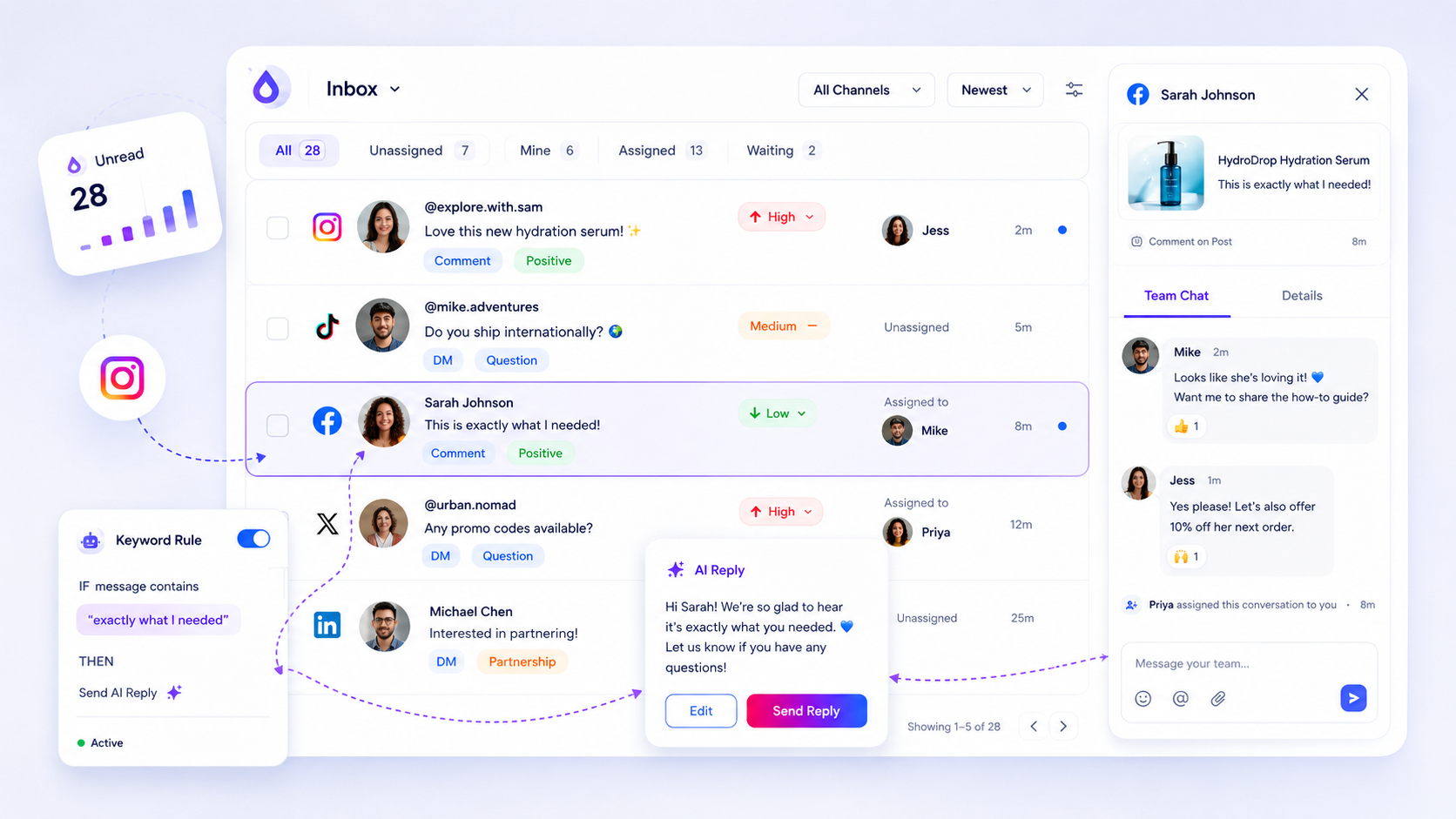
Mydrop's social inbox puts comments and messages from your connected channels in one list, with assignment and notes. Set up automations for the routine ones, such as an auto-answer to "price?" comments that points to a DM. Keep humans on the money and problem tiers.

Track two numbers every Friday

You do not need a dashboard. Count these two things once a week:

  • Median time to first reply on money and problem threads.
  • Threads older than 24 hours with no reply.

If the second number is above zero on Friday, your owner rule is broken somewhere. Fix that before you add any tool. For a fuller scorecard, see five response quality metrics and a weekly review.

Handle the awkward cases before they happen

Three DM types trip teams up. Write a one-line rule for each.

  • Angry public-then-private threads: answer once in public with an apology, then move to DMs and keep the owner the same.
  • Spam and scam links: never reply, report and hide.
  • Collaboration pitches: tag them and answer in the weekly slot, not in the sweep.

Rules like these stop a good person from guessing under pressure.

Set your three DM reply tiers today

Pick your six saved replies, put two sweeps in your calendar for tomorrow, and name one person as owner of money threads. Then start with Mydrop free if you want every channel in one inbox. That is the whole system. Run it for a week and look at the Friday numbers.

Free tools

Free tools

Calculators, templates and generators for social media teams.

FAQ

Quick answers

Aim for under 4 hours on weekdays for anything that looks like a buying question or a complaint, and under 24 hours for everything else. Speed matters most in the first hour of a sales question.

Pull every channel into one inbox, give each thread one owner, and run a fixed 15-minute sweep twice a day. Missed DMs are usually a routing problem, not an effort problem.

Yes, for the five or six questions you answer every week, like pricing, shipping, hours and booking. Edit the first line so it reads like a person wrote it.

Next step

Stop coordinating around the work

If your team spends more time chasing approvals, assets, and publish details than creating better posts, the problem is probably not your people. It is the workflow around them. Mydrop brings planning, review, scheduling, and performance into one calmer operating system.

Mydrop Editorial Team

About the author

Mydrop Editorial Team

Mydrop

The Mydrop Editorial Team writes the guides, comparisons, and playbooks on this blog. We cover social media planning, publishing, approvals, analytics, and multi-brand workflows, drawing on how teams actually use Mydrop to run their social programs. Every article is researched, edited, and maintained by the team behind the product.

View all articles by Mydrop Editorial Team

Managing 14+ social platforms felt like a 2 a.m. nightmare until Mydrop. The AI brand-voice mapping is scary accurate, and the client approval portal saved me easily 15 hours this week alone. It's the ultimate set-and-forget workspace for busy agencies.
A true automation tool for scheduling (and creating) social media content! It has saved me over 20 hours of work already in just my first couple weeks. A true game-changer for anyone in business, big or small!
Finally tried Mydrop on a test client and the white-label portal on a custom domain actually looks legit, no Mydrop branding sneaking in. The OAuth setup saved me from the usual “what's my password” back-and-forth.
Absolute game-changer. Mydrop completely automated my content workflow. The scheduling is flawless, it actually feels intuitive, and it saved me 10+ hours in my very first week. Best decision I've made for my socials!
Mydrop AI has been an absolute game changer, it has saved me so much time and effort. It does what it promises. Easy to use, versatile, and the creator is really open to feedback. Very happy!
I was looking through a bunch of management tools for my client, as it was getting out of control; after comparing every solution, I found Mydrop to be a no brainer.
This app helps me more than any other I have ever used. I've got all of my pages and accounts and I can drag and drop like I want. Mydrop has really been a huge asset to my business!
I was looking for a scheduling tool as my clients were using more and more platforms. Mydrop does the job very well, and automations and forms are very useful and save me a lot of time. I recommend!
Love that you baked in white-label portals from day one, that's a huge pain point for agencies.
Love this platform for scheduling social media posts! Easy and very intuitive to use! Highly recommend!
Very nice tool, you will save a lot of time. Very easy to use, user friendly. I have used it for several months and it is very helpful.
Helpful app if you are trying to streamline social content creation for clients.
Managing 14+ social platforms felt like a 2 a.m. nightmare until Mydrop. The AI brand-voice mapping is scary accurate, and the client approval portal saved me easily 15 hours this week alone. It's the ultimate set-and-forget workspace for busy agencies.
A true automation tool for scheduling (and creating) social media content! It has saved me over 20 hours of work already in just my first couple weeks. A true game-changer for anyone in business, big or small!
Finally tried Mydrop on a test client and the white-label portal on a custom domain actually looks legit, no Mydrop branding sneaking in. The OAuth setup saved me from the usual “what's my password” back-and-forth.
Absolute game-changer. Mydrop completely automated my content workflow. The scheduling is flawless, it actually feels intuitive, and it saved me 10+ hours in my very first week. Best decision I've made for my socials!
Mydrop AI has been an absolute game changer, it has saved me so much time and effort. It does what it promises. Easy to use, versatile, and the creator is really open to feedback. Very happy!
I was looking through a bunch of management tools for my client, as it was getting out of control; after comparing every solution, I found Mydrop to be a no brainer.
This app helps me more than any other I have ever used. I've got all of my pages and accounts and I can drag and drop like I want. Mydrop has really been a huge asset to my business!
I was looking for a scheduling tool as my clients were using more and more platforms. Mydrop does the job very well, and automations and forms are very useful and save me a lot of time. I recommend!
Love that you baked in white-label portals from day one, that's a huge pain point for agencies.
Love this platform for scheduling social media posts! Easy and very intuitive to use! Highly recommend!
Very nice tool, you will save a lot of time. Very easy to use, user friendly. I have used it for several months and it is very helpful.
Helpful app if you are trying to streamline social content creation for clients.
Smiling social media managerSmiling social media managerSmiling social media managerSmiling social media managerSmiling social media managerSmiling social media manager

4.8/5 · on Trustpilot & Google