














ClaudeChatGPTCursorGeminiWorks with your AI agentsChromeMydropTry Mydrop Chrome Extension
Community Management

Multi-Brand Inbox Triage: One Standard, Per-Brand Exceptions

Build one inbox triage standard for every brand: 5 shared tags, 4 priority lanes and a one-page override sheet per brand. Roll it out in a week.

4 min read

Updated: Oct 31, 2026

Mydrop social inbox interface showing a queue of comments and messages

A multi-brand inbox triage workflow needs two layers. Layer one is a shared standard: the same tags, priority lanes and hand-offs for every brand. Layer two is a one-page override sheet per brand for what really differs: tone, hours, escalation contacts. Teams that write only layer one send robotic replies. Teams that write only layer two end up running twelve different systems.

TLDR: Use five shared tags and four lanes across all brands, then give each brand a one-page sheet for voice, hours, escalation and "never auto-answer" topics. Pilot it on your two noisiest brands for a week before rolling it out.

Five tags that mean the same thing on every brand

Tags are what let you compare brands later. Keep the list short enough that nobody has to think.

Tag What goes in it Default lane
Buyer question "Price?", "Do you ship to...", "Can I book" Today
Support issue Order problem, login, refund, broken product Today
Complaint or risk Public anger, legal wording, safety, press Now
Praise or content Compliments, tagged photos, user content you may reuse This week
Noise Spam, emoji-only, giveaways, trolls Hide

If a message fits two tags, the higher lane wins. A buyer question that is also a public complaint is a complaint first.

Four lanes decide who touches a message first

Lanes answer one question: how fast, and by whom?

  • Now: a named senior person sees it within the hour of the brand's business day.
  • Today: the brand's community owner answers before close of business.
  • This week: batched. Thank, like, and flag content-rights requests for the brand lead.
  • Hide: moderators remove or hide it and log the rule that caught it.

The exact hours are yours to set. Our starting suggestion is the "within the hour / same day / same week" pattern above, then tighten it once you see real first-reply times. The guide to response time targets shows how to pick numbers from your own data.

One page per brand for what really differs

This is the layer most teams skip. Give every brand one page with the same six fields, so a person covering a brand for the first time can read it in two minutes.

Field Example entry
Voice reminder "Warm, no slang, never promise delivery dates"
Business hours and time zone "Mon to Fri, 9 to 18, Lisbon time"
Escalation contact Name, backup name, and where to reach them
Never auto-answer Medical claims, refunds above a limit, legal threats
Approved templates Shipping, opening hours, returns
Who approves replies Community owner, or the client for sensitive topics

Keeping brand voice in this sheet, not in people's heads, is also what stops it drifting when a freelancer or a new hire covers a brand. For the voice side, see our guide to spotting brand voice drift.

Write the rules once and let every brand inherit them

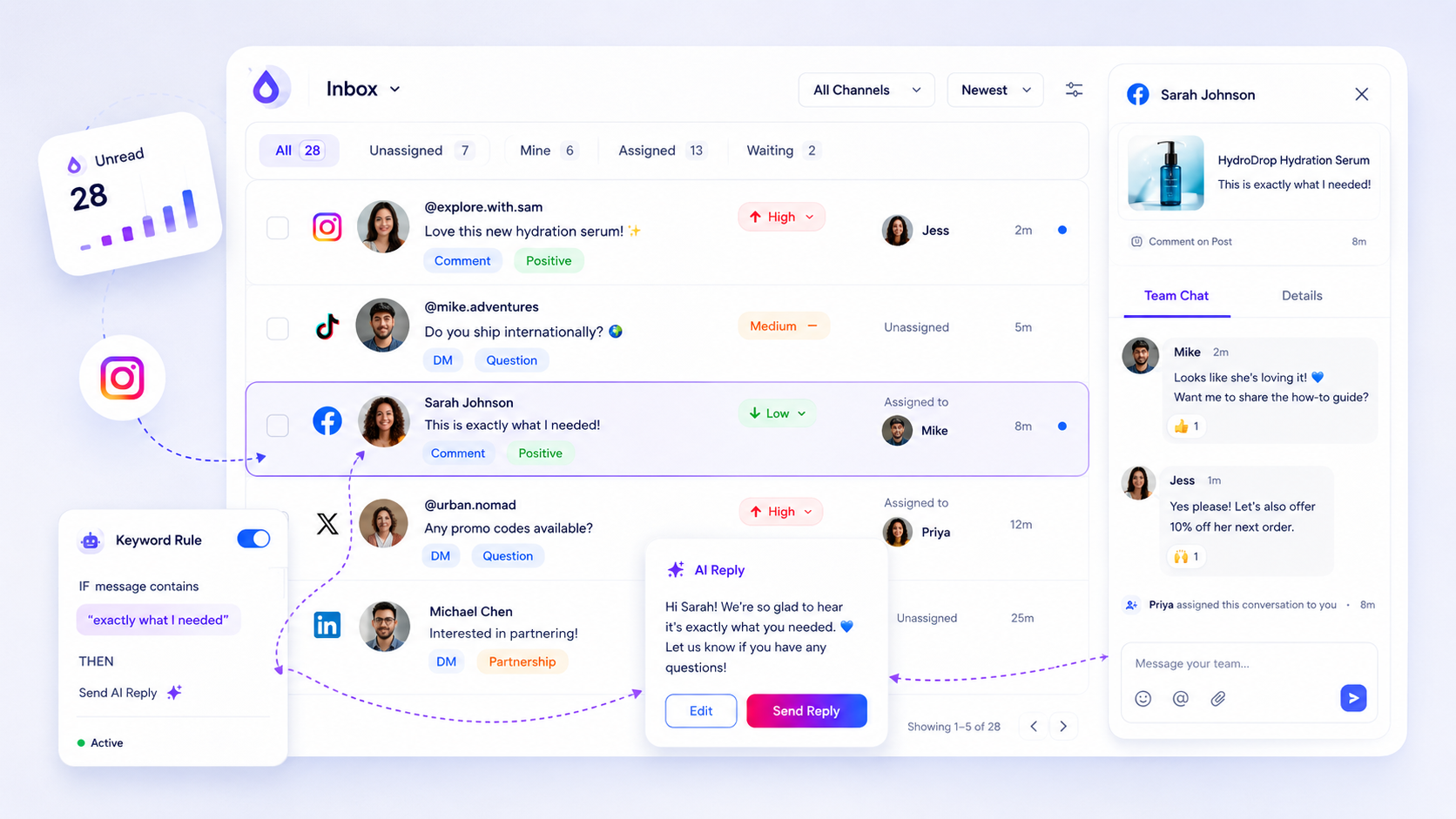
The shared layer should live in the tool, not in a document nobody opens. In Mydrop's social inbox, comments, DMs and mentions from every connected profile land in one queue. Each thread can carry an owner, status, priority, tags and internal notes, so the five tags and four lanes above map directly onto fields.

Keyword rules do the first pass. A rule matching "price", "book" or "refund" can tag the thread, assign it, or draft a reply, and you choose manual, automatic or hybrid approval per rule. Put "never auto-answer" topics on manual. A cooldown stops a rule replying twice to the same person.

Three numbers to review once a month

Export the inbox to CSV and check, per brand:

  1. Median time to first reply against the brand's own target.
  2. Share of threads with an owner inside the lane's time limit. Anything under 90% means the routing rule is wrong, not the people.
  3. Share tagged Noise. If it is climbing, add an exclusion or a hide rule.

Differences between brands are information. A brand with fast replies and low buyer-question volume may simply have a weak call to action in its posts.

Pilot it on your two noisiest brands this week

Pick the two brands with the most unanswered threads. Write their override sheets today (30 minutes each), set up the five tags, and run the lanes for five working days. Fix the tags that confused people, then copy the setup to the other brands. If you are on Mydrop, start free, connect those two profiles and build the rules once.

Free tools

Free Content Calendar Template

Plan a month of posts, then download it as a CSV or a printable calendar.

FAQ

Quick answers

Five is plenty: buyer question, support issue, complaint or risk, praise or content, and noise. More tags slow people down and make cross-brand reports unreadable.

Share the lanes, not the clocks. A restaurant and a B2B software brand need different hours and different targets, so put the numbers in each brand's override sheet.

Keep triage about routing (who touches it, how fast) and keep voice in a per-brand sheet with approved templates and topics that must never be auto-answered.

Next step

Stop coordinating around the work

If your team spends more time chasing approvals, assets, and publish details than creating better posts, the problem is probably not your people. It is the workflow around them. Mydrop brings planning, review, scheduling, and performance into one calmer operating system.

Mydrop Editorial Team

About the author

Mydrop Editorial Team

Mydrop

The Mydrop Editorial Team writes the guides, comparisons, and playbooks on this blog. We cover social media planning, publishing, approvals, analytics, and multi-brand workflows, drawing on how teams actually use Mydrop to run their social programs. Every article is researched, edited, and maintained by the team behind the product.

View all articles by Mydrop Editorial Team

Managing 14+ social platforms felt like a 2 a.m. nightmare until Mydrop. The AI brand-voice mapping is scary accurate, and the client approval portal saved me easily 15 hours this week alone. It's the ultimate set-and-forget workspace for busy agencies.
A true automation tool for scheduling (and creating) social media content! It has saved me over 20 hours of work already in just my first couple weeks. A true game-changer for anyone in business, big or small!
Finally tried Mydrop on a test client and the white-label portal on a custom domain actually looks legit, no Mydrop branding sneaking in. The OAuth setup saved me from the usual “what's my password” back-and-forth.
Absolute game-changer. Mydrop completely automated my content workflow. The scheduling is flawless, it actually feels intuitive, and it saved me 10+ hours in my very first week. Best decision I've made for my socials!
Mydrop AI has been an absolute game changer, it has saved me so much time and effort. It does what it promises. Easy to use, versatile, and the creator is really open to feedback. Very happy!
I was looking through a bunch of management tools for my client, as it was getting out of control; after comparing every solution, I found Mydrop to be a no brainer.
This app helps me more than any other I have ever used. I've got all of my pages and accounts and I can drag and drop like I want. Mydrop has really been a huge asset to my business!
I was looking for a scheduling tool as my clients were using more and more platforms. Mydrop does the job very well, and automations and forms are very useful and save me a lot of time. I recommend!
Love that you baked in white-label portals from day one, that's a huge pain point for agencies.
Love this platform for scheduling social media posts! Easy and very intuitive to use! Highly recommend!
Very nice tool, you will save a lot of time. Very easy to use, user friendly. I have used it for several months and it is very helpful.
Helpful app if you are trying to streamline social content creation for clients.
Managing 14+ social platforms felt like a 2 a.m. nightmare until Mydrop. The AI brand-voice mapping is scary accurate, and the client approval portal saved me easily 15 hours this week alone. It's the ultimate set-and-forget workspace for busy agencies.
A true automation tool for scheduling (and creating) social media content! It has saved me over 20 hours of work already in just my first couple weeks. A true game-changer for anyone in business, big or small!
Finally tried Mydrop on a test client and the white-label portal on a custom domain actually looks legit, no Mydrop branding sneaking in. The OAuth setup saved me from the usual “what's my password” back-and-forth.
Absolute game-changer. Mydrop completely automated my content workflow. The scheduling is flawless, it actually feels intuitive, and it saved me 10+ hours in my very first week. Best decision I've made for my socials!
Mydrop AI has been an absolute game changer, it has saved me so much time and effort. It does what it promises. Easy to use, versatile, and the creator is really open to feedback. Very happy!
I was looking through a bunch of management tools for my client, as it was getting out of control; after comparing every solution, I found Mydrop to be a no brainer.
This app helps me more than any other I have ever used. I've got all of my pages and accounts and I can drag and drop like I want. Mydrop has really been a huge asset to my business!
I was looking for a scheduling tool as my clients were using more and more platforms. Mydrop does the job very well, and automations and forms are very useful and save me a lot of time. I recommend!
Love that you baked in white-label portals from day one, that's a huge pain point for agencies.
Love this platform for scheduling social media posts! Easy and very intuitive to use! Highly recommend!
Very nice tool, you will save a lot of time. Very easy to use, user friendly. I have used it for several months and it is very helpful.
Helpful app if you are trying to streamline social content creation for clients.
Smiling social media managerSmiling social media managerSmiling social media managerSmiling social media managerSmiling social media managerSmiling social media manager

4.8/5 · on Trustpilot & Google






