


You can automate social media replies without hurting engagement if you follow one rule: automate questions that have one right answer, draft the ones that need judgment, and hand-write the ones that carry emotion. Replies fail when a bot answers a complaint, or when 200 people get the same canned line under a post.
TLDR: Sort every message into three buckets (automate, draft, hand-write). Use trigger words for link requests, give every automation a human exit, and review a sample of automated replies every week.
The 3-bucket rule
Look at the last 100 messages you received and sort them. Most teams find that half or more are the same ten questions.
| Bucket | Message type | What to do |
|---|---|---|
| Automate | Opening hours, shipping times, sizing, "where is the link?", simple thank-yous | Send an approved reply automatically |
| Draft, then a person sends | Product advice, pricing questions, partnership asks, mild complaints | AI or a template drafts it, a person edits and sends |
| Hand-write | Angry customers, refunds, safety, health, legal, press, anything with emotion | A named person replies, no automation at all |
The middle bucket is where most of the time saving hides. A draft that takes ten seconds to approve beats a bot and beats typing from scratch.
Use comment trigger words for link requests
The safest automation is the one the customer asks for. Under a post you write "Comment GUIDE and I will send you the checklist". When someone comments the word, they get a DM with the link. They requested it, so nobody feels spammed, and you also get a clear signal of who is interested.
Make it work:
- Say the keyword in the post and the caption, in capital letters.
- Reply publicly too, with a short line, so the thread shows activity.
- Check that the DM answers the question, not just delivers a link.
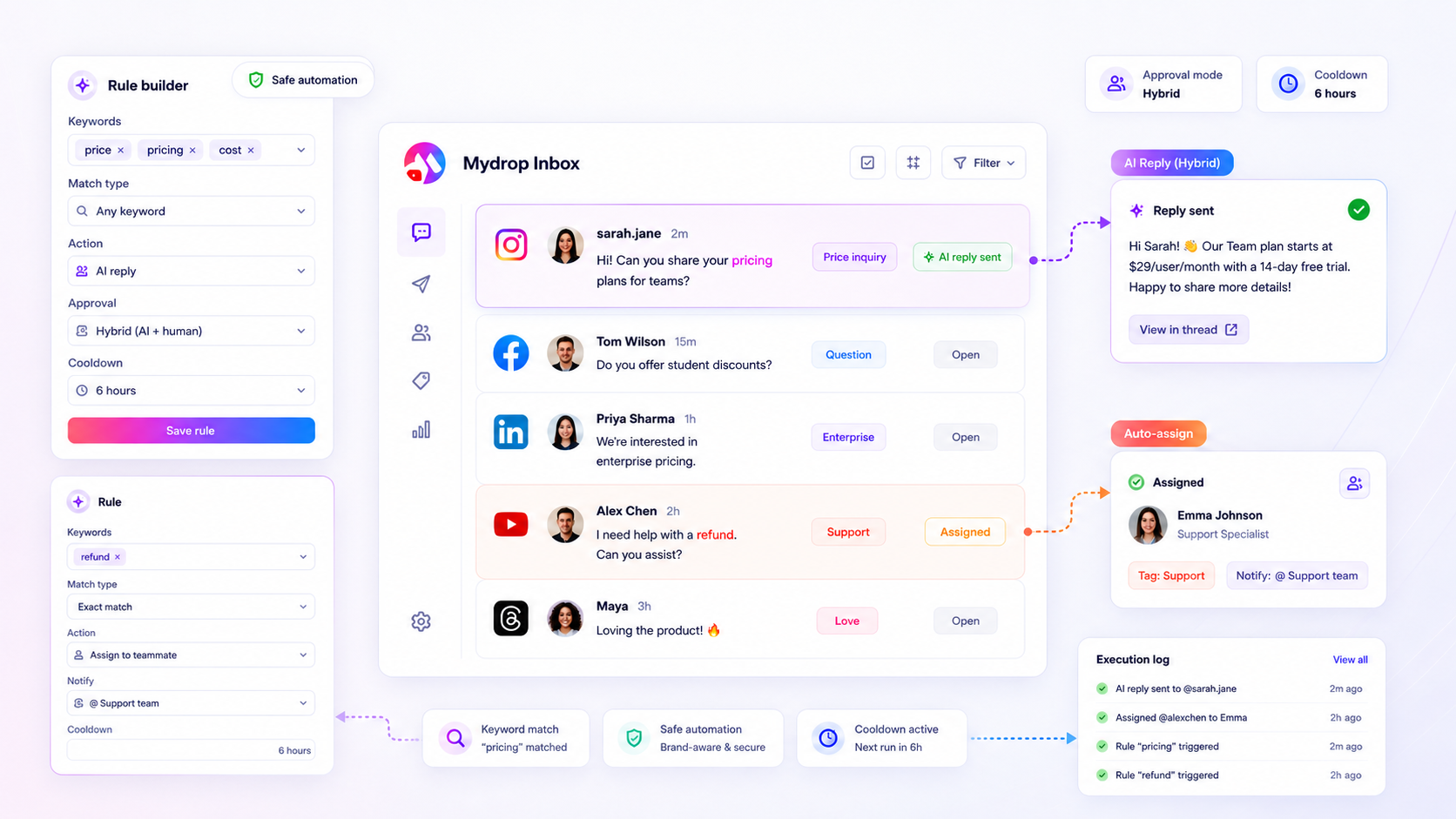
Mydrop's trigger-word automation handles this pattern for comments, and the same rules live alongside the social automations you set up for scheduling.
Five guardrails that keep automation from feeling robotic
- Never automate sensitive topics. Add a list of words (refund, injury, lawsuit, scam, cancel) that skip automation and flag a person instead.
- One automated reply per person per thread. Repeating the same line to someone who answers back is the fastest way to look like a bot.
- Write variants. Three or four versions of each reply stop a comment section from looking copy-pasted.
- Give a human exit. End longer automated flows with "Reply HUMAN and we will pick it up". Then honour it quickly.
- Sample weekly. Open 20 automated replies every week and read them as a customer. Fix anything that sounds wrong. For rules on when a person must step in, see when to require human review.
What to measure instead of "engagement"
Engagement counts include the likes on your own reply, which tells you little about whether automation is working. Track three things:
- Share of messages resolved without a person, so you know the time saved.
- Time to first human reply on the messages you did not automate. It should fall, not rise.
- Complaints that mention a bot or "no real answer". If you see even a few, a reply needs rewriting.
Set a baseline for a month before you turn anything on, otherwise the comparison is guesswork.
A first week plan
- Day 1: sort your last 100 messages into the three buckets.
- Day 2: write approved answers for the top five repeat questions, with three variants each.
- Day 3: list the words that always route to a person.
- Day 4: switch on automation for those five questions only.
- Days 5 to 7: read every automated reply sent. Fix, then add the next five questions.
Starting with five is slow on purpose. It finds a bad template while only a handful of people have seen it.
Next step: do the Day 1 sort today. If you want the trigger-word and inbox pieces in one place, start free with Mydrop and try them on one account first. See also how a social inbox keeps the human bucket organised.


 Google review
 Trustpilot review
 Product Hunt comment




