






























If you need your boss to review posts before publishing, use a scheduler with a built-in approval step: you draft the post, your manager gets a link, taps approve, and the post goes out on time. For a small in-house team, the right tool is the one your boss will actually open, so judge it from the approver's side, not yours.
TLDR: Pick a tool where your boss can approve from a phone, without learning the app, and where an unapproved post cannot publish by accident. Mydrop, Loomly, Buffer, Planable, Hootsuite and Sprout Social all have an approval step; they differ in how much your manager has to learn.
Mydrop pricing check, September 2026: the entry paid plans of the eight tools most often compared with Mydrop run from $6 per channel (Buffer) and $25 a month (Later) to $99 per user (Hootsuite) and $199 per seat (Sprout Social), read on each vendor's pricing page. Mydrop is free to start, then $19 a month flat, not per seat. Full table on Mydrop's compare pages.
What your boss needs to approve a post in 30 seconds
Most owners do not want a new dashboard. They want to see the post, say yes or no, and get back to work. Four tests:
- A real preview. Your boss judges the post, not a caption in a spreadsheet. The bad image crop and the cut-off caption are what they will catch.
- One-tap approval from a phone. Sign-off happens between meetings. If approving needs a laptop and a password, it waits until evening.
- A hold that really holds. A post that is not approved must not publish. "Pending" should pause the schedule, not just add a coloured tag.
- Comments on the post. "Change the second line" belongs next to the post, not in a text message you have to dig up on Friday.
6 tools where a manager signs off before publishing
| Tool | How the boss approves | Best fit |
|---|---|---|
| Mydrop | Review link with a live preview, no login: approve, hold or suggest edits, also from WhatsApp | An owner or manager who will not learn a new app |
| Loomly | Approves inside the app, with comments on each post | Teams happy to give the boss a seat |
| Buffer | Contributors submit drafts, an admin approves before they queue | Very small teams already on Buffer |
| Planable | Reviews posts in a feed-style preview and approves there | Teams that like a visual, feed-like review |
| Hootsuite | Posts from members who need approval wait in a queue | Larger teams already on Hootsuite |
| Sprout Social | Message approval workflows inside its publishing tools | Bigger marketing departments |
Approvals often sit on specific plans, so confirm on each vendor's pricing page before you commit.
Why the approval link matters more than the feature list
Every tool above can route a post to a manager. The difference shows up in week three, when your boss is busy.
If approving means logging in, finding the right workspace and opening the post, approvals pile up. In our experience the post then goes out late, or someone skips the step "just this once", and that is exactly the post that causes trouble.
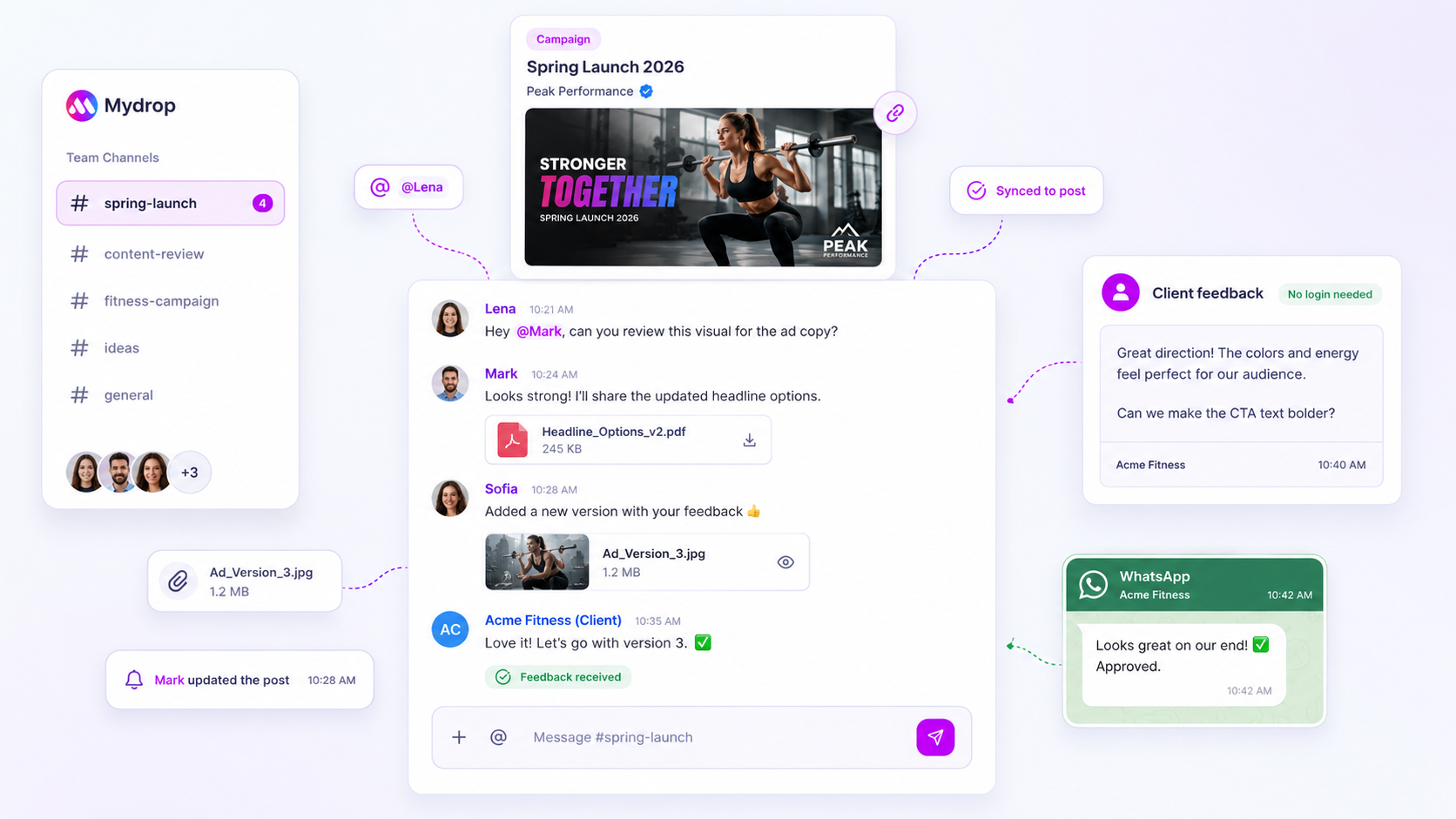
That is why Mydrop's approval workflow sends each post as its own review link. Your manager sees a true-to-platform preview of the post on Instagram, LinkedIn or TikTok, taps approve, hold or suggest edits, and the feedback lands in the post's chat. No account, no password. If your boss lives in WhatsApp, the request can arrive there instead.
Set up boss approval in 15 minutes
- Decide what needs sign-off. Not everything does. A common split: anything with a price, a promise, a customer's face or a reply to a complaint goes to the boss; routine reposts do not.
- Give your boss the approver role and nothing more. They should be able to approve, not accidentally move the calendar around. In Mydrop, members and permissions are set per workspace.
- Batch the requests. Send the whole week's posts on Monday morning, not one at a time. One review session beats seven interruptions.
- Agree on a deadline. For example: anything not approved by Wednesday noon moves to next week. Turn on approval reminders so the tool does the chasing, not you.
- Keep the decision on the post. If your boss replies by text anyway, paste the note into the post's comments so the history stays in one place.
How fast your boss's sign-off should be
Mydrop's own numbers give a useful baseline. On posts that went through a client approval on Mydrop with both timestamps recorded, the median time from submission to approval was 6 hours, and 66% were approved within 24 hours. A manager down the hall should be able to beat an outside client.
If posts wait days, fix the route, not the boss. Two warning signs:
- Posts regularly go out after their planned date because sign-off came late.
- You re-send the same post because feedback arrived in three different places.
Plan a backup approver for when the boss is away
Pick a backup before you need one. A deputy, a co-founder or a senior teammate gets the same approver role, and posts route to them while the boss is on holiday or travelling.
Our backup approver plan covers who to pick and how to hand over.
Start today: write down the three types of post that need your boss's eye. Then create a free Mydrop account, connect your profiles and send this week's posts as one review batch. Your boss approves from their phone, and nothing publishes without a yes.


 Google review
 Trustpilot review
 Product Hunt comment




