ClaudeChatGPTCursorGeminiWorks with your AI agentsChromeMydropTry Mydrop Chrome Extension
Community Management

Automate Social Support Safely: What to Auto-Reply, What Not

Automate the easy 60% of social support and keep humans on the rest. A 4-tier safety map, plus guardrails that protect brand voice and complaints.

4 min read

Updated: Oct 31, 2026

Person at a laptop answering customer messages with a headset nearby

Automate the first touch and the routing, never the judgment. A safe setup has four tiers: auto-reply, auto-reply with review, draft only, and human only. Sort your incoming messages into them once, and the risky ones never get an automated answer.

TLDR: Tag every message type by risk. Auto-reply only to questions with one correct answer, draft the middle tier for a human to send, and route complaints and legal topics straight to a named person. Review the replies every month.

The four tiers, from safest to riskiest

The idea is to decide in advance, not message by message. Put each type of inbound message in a tier and write the rule down.

Tier Message type What the system does
1. Auto-reply "Where is the link?", opening hours, shipping times Sends a pre-written answer instantly
2. Auto-reply, then review Product questions, simple how-tos Sends an answer, a person checks within 24 hours
3. Draft only Pricing, availability, partnership asks Prepares a draft, a person edits and sends
4. Human only Complaints, refunds, safety, press, legal Tags and routes to a named owner

When you are unsure about a message type, put it one tier higher. Moving a type down later is easy. Cleaning up one bad auto-reply in public is not.

Start with comment-to-DM replies, the easiest tier 1

The cleanest automation is the one the customer asked for. Someone comments a keyword like "GUIDE", and a link arrives in their DMs. There is no guessing involved and no tone to get wrong.

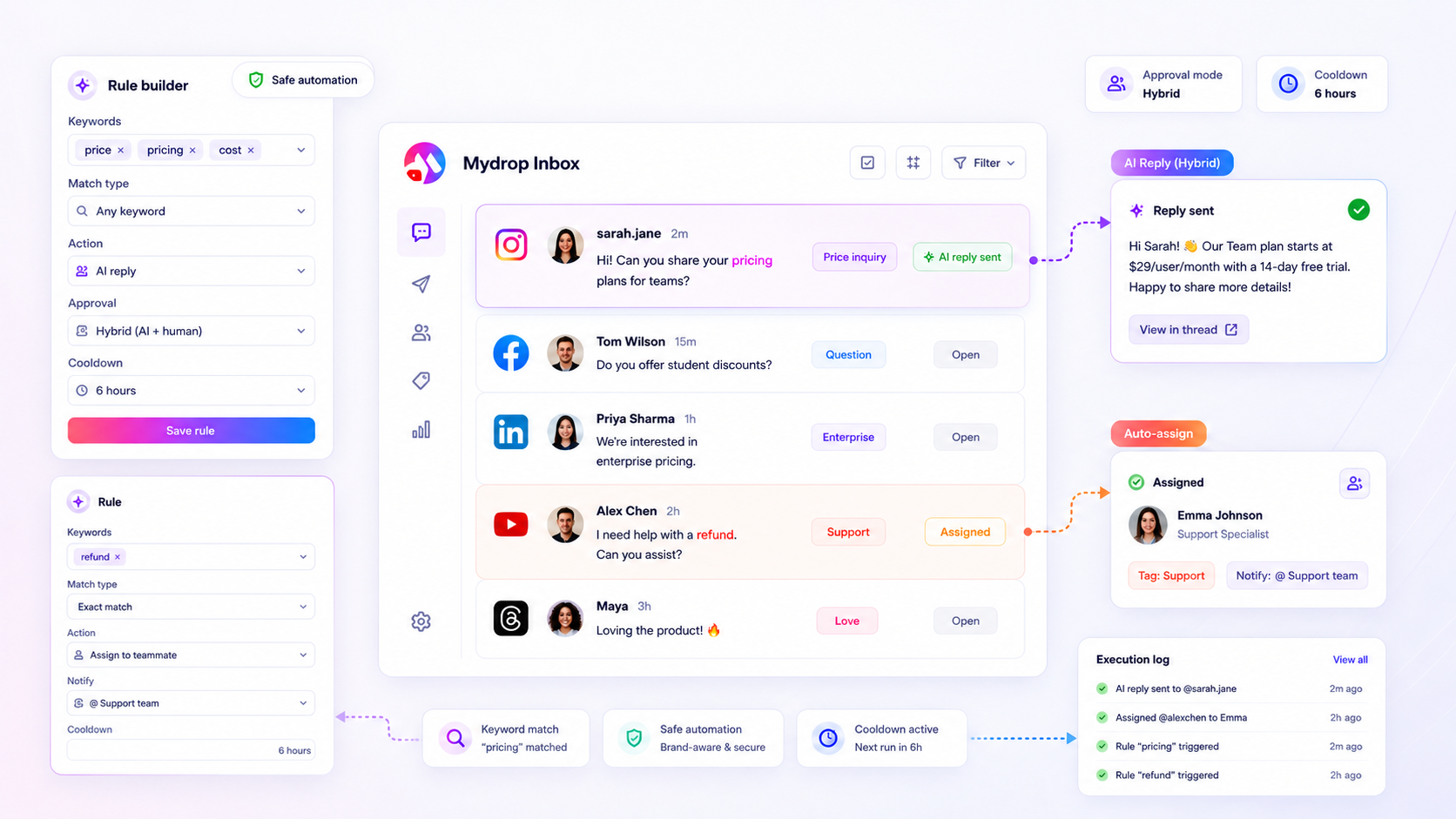
Trigger-word comment automation in Mydrop does exactly this. You choose the word, write the reply once, and every matching comment gets it. It is a good first rule because the person opted in by typing the word.

Write replies once, in a real voice

Robotic replies come from copy written by a committee. Write each tier 1 reply as if you were typing to one person.

  • Use a first name or the brand's human sign-off.
  • Answer in the first sentence, then add one helpful line.
  • Never say "Dear valued customer" or "your query has been logged".
  • Keep it under 280 characters where you can. Shorter replies read as human.

Keep all of them in one response library so the wording stays consistent across brands and teammates.

Add four guardrails that catch the dangerous cases

Rules fail on the edge cases, so build the safety net before the first reply goes out.

  1. Keyword blocklist: words like "refund", "lawyer", "scam", "injured" or "cancel" bypass automation and go to tier 4.
  2. Sentiment check by eye: a person scans the auto-replied threads once a day for the first two weeks.
  3. Reply cap: one automated reply per person per thread. Never let two bots chat with each other or answer the same person twice.
  4. Off switch: during a crisis or a launch glitch, pause all tier 1 and tier 2 rules in one click.

Our triage guide covers the daily five-minute review that keeps the voice consistent.

Route the rest to a named owner

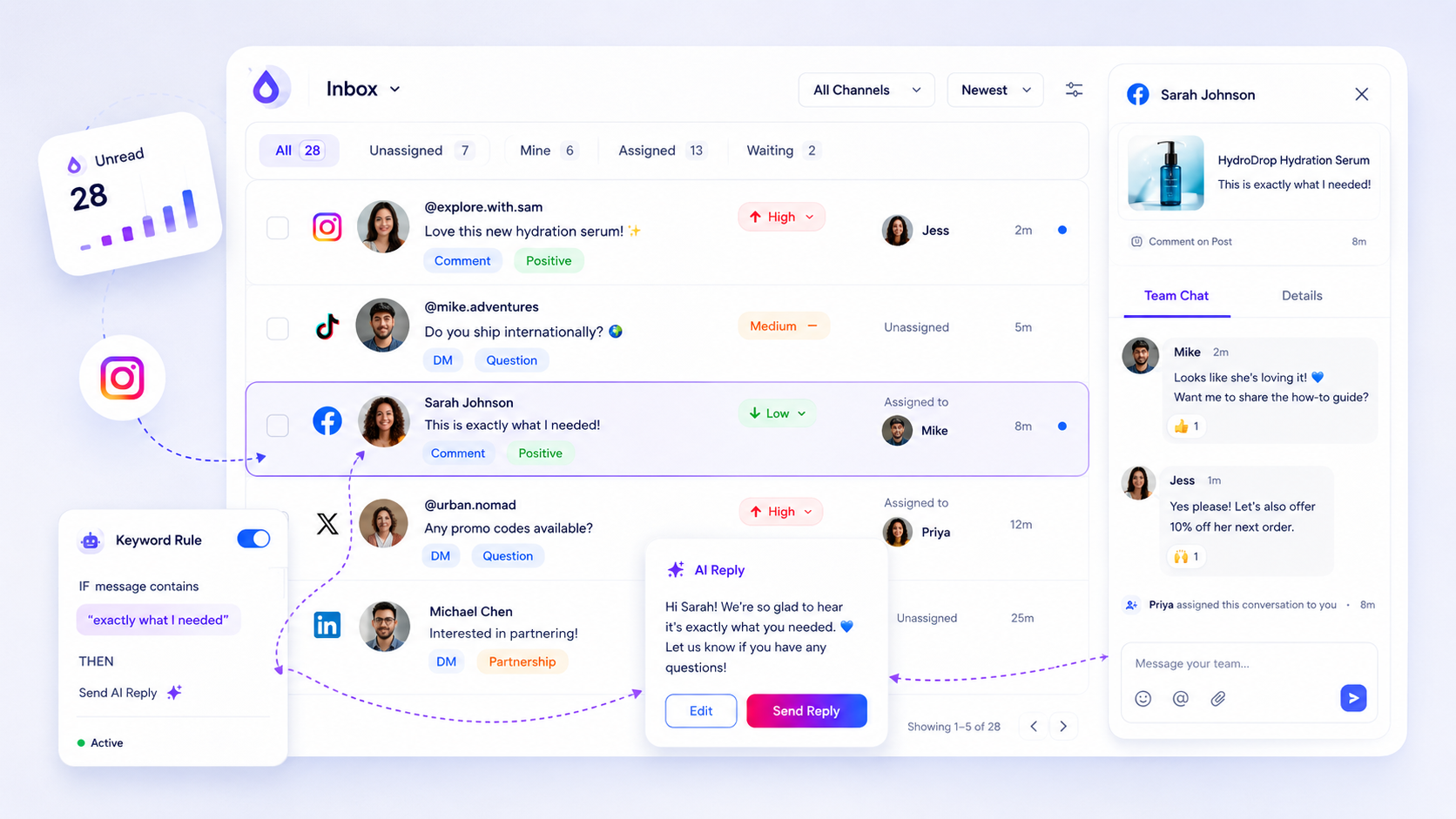
Tier 4 only works if someone owns it. Assign each message type to a person and set a response target, for example 2 hours on weekdays for complaints. Mydrop's social inbox pulls comments and messages from your connected accounts into one place, so you can assign threads instead of hoping someone notices.

Review the rules monthly

Once a month, open the ten most-used automated replies. Ask three questions: did customers follow up with "that did not answer my question", did any reply fire on the wrong message, and is anything out of date. Fix or retire any rule that fails.

A worked check: one week of messages through the tiers

Take last week's 50 messages and sort them. In most inboxes the pile splits into a large tier 1 group of repeat questions, a handful of tier 3 pricing or availability asks, and two or three tier 4 complaints. Count your own split.

If more than a third of your messages land in tier 4, automation is not your bottleneck. Your product or process is generating the complaints, and a faster reply will not fix that. Share the tagged list with whoever owns the fix.

Your next step: list your ten most common inbound messages, put each in a tier, and automate only tier 1 this week. Add tier 2 after two clean weeks. You can set up the first keyword rule free at app.mydropai.com.

Free tools

Free Content Calendar Template

Plan a month of posts, then download it as a CSV or a printable calendar.

FAQ

Quick answers

Questions with one right answer: opening hours, shipping times, where to find a link, comment-to-DM link delivery. Anything with emotion, money disputes or legal risk should go to a person.

Write each canned reply once in your real voice, name the sender, and keep it short. Review the five most-used replies monthly and retire the ones people respond to with a follow-up question.

Complaints, refund or billing disputes, safety issues, press, legal threats and anything mentioning a minor or a health problem. Route them to a named person with a clear response target.

Next step

Stop coordinating around the work

If your team spends more time chasing approvals, assets, and publish details than creating better posts, the problem is probably not your people. It is the workflow around them. Mydrop brings planning, review, scheduling, and performance into one calmer operating system.

Mydrop Editorial Team

About the author

Mydrop Editorial Team

Mydrop

The Mydrop Editorial Team writes the guides, comparisons, and playbooks on this blog. We cover social media planning, publishing, approvals, analytics, and multi-brand workflows, drawing on how teams actually use Mydrop to run their social programs. Every article is researched, edited, and maintained by the team behind the product.

View all articles by Mydrop Editorial Team

Managing 14+ social platforms felt like a 2 a.m. nightmare until Mydrop. The AI brand-voice mapping is scary accurate, and the client approval portal saved me easily 15 hours this week alone. It's the ultimate set-and-forget workspace for busy agencies.
A true automation tool for scheduling (and creating) social media content! It has saved me over 20 hours of work already in just my first couple weeks. A true game-changer for anyone in business, big or small!
Finally tried Mydrop on a test client and the white-label portal on a custom domain actually looks legit, no Mydrop branding sneaking in. The OAuth setup saved me from the usual “what's my password” back-and-forth.
Absolute game-changer. Mydrop completely automated my content workflow. The scheduling is flawless, it actually feels intuitive, and it saved me 10+ hours in my very first week. Best decision I've made for my socials!
Mydrop AI has been an absolute game changer, it has saved me so much time and effort. It does what it promises. Easy to use, versatile, and the creator is really open to feedback. Very happy!
I was looking through a bunch of management tools for my client, as it was getting out of control; after comparing every solution, I found Mydrop to be a no brainer.
This app helps me more than any other I have ever used. I've got all of my pages and accounts and I can drag and drop like I want. Mydrop has really been a huge asset to my business!
I was looking for a scheduling tool as my clients were using more and more platforms. Mydrop does the job very well, and automations and forms are very useful and save me a lot of time. I recommend!
Love that you baked in white-label portals from day one, that's a huge pain point for agencies.
Love this platform for scheduling social media posts! Easy and very intuitive to use! Highly recommend!
Very nice tool, you will save a lot of time. Very easy to use, user friendly. I have used it for several months and it is very helpful.
Helpful app if you are trying to streamline social content creation for clients.
Managing 14+ social platforms felt like a 2 a.m. nightmare until Mydrop. The AI brand-voice mapping is scary accurate, and the client approval portal saved me easily 15 hours this week alone. It's the ultimate set-and-forget workspace for busy agencies.
A true automation tool for scheduling (and creating) social media content! It has saved me over 20 hours of work already in just my first couple weeks. A true game-changer for anyone in business, big or small!
Finally tried Mydrop on a test client and the white-label portal on a custom domain actually looks legit, no Mydrop branding sneaking in. The OAuth setup saved me from the usual “what's my password” back-and-forth.
Absolute game-changer. Mydrop completely automated my content workflow. The scheduling is flawless, it actually feels intuitive, and it saved me 10+ hours in my very first week. Best decision I've made for my socials!
Mydrop AI has been an absolute game changer, it has saved me so much time and effort. It does what it promises. Easy to use, versatile, and the creator is really open to feedback. Very happy!
I was looking through a bunch of management tools for my client, as it was getting out of control; after comparing every solution, I found Mydrop to be a no brainer.
This app helps me more than any other I have ever used. I've got all of my pages and accounts and I can drag and drop like I want. Mydrop has really been a huge asset to my business!
I was looking for a scheduling tool as my clients were using more and more platforms. Mydrop does the job very well, and automations and forms are very useful and save me a lot of time. I recommend!
Love that you baked in white-label portals from day one, that's a huge pain point for agencies.
Love this platform for scheduling social media posts! Easy and very intuitive to use! Highly recommend!
Very nice tool, you will save a lot of time. Very easy to use, user friendly. I have used it for several months and it is very helpful.
Helpful app if you are trying to streamline social content creation for clients.
Smiling social media managerSmiling social media managerSmiling social media managerSmiling social media managerSmiling social media managerSmiling social media manager

4.8/5 · on Trustpilot & Google