Multi Brand Operations

Move a Multi-Brand Content Calendar Off Spreadsheets: 5 Steps

A 5-step migration from spreadsheet content calendars to one multi-brand calendar: columns to keep, what to drop and how to cut over in a week.

3 min read

Updated: Oct 22, 2026

Hand drawing a content management system diagram with arrows and labels

A spreadsheet calendar breaks when a second person edits it or a third brand joins. The move off it takes about a week: audit the columns, set up one brand, copy two weeks of posts, run both in parallel, then retire the sheet. You do not need to migrate the history.

TLDR: Keep only the columns you actually use (brand, date, channel, copy, asset, status, approver). Move one brand first, rebuild only the next 2 to 4 weeks, run the sheet and the new calendar side by side for one week, then archive the sheet.

Step 1: count the signs the sheet is failing

You do not need a crisis to move. Any one of these is enough:

  • Two people have edited the same row and one change was lost.
  • A post went to the wrong brand's account.
  • Someone asked "is this approved?" and had to scroll through email to find out.
  • Nobody trusts the "status" column.

If none apply, a sheet is fine. If one does, the cost is already showing up in rework.

Step 2: keep seven columns, drop the rest

Spreadsheets grow columns nobody reads. List what your team really uses and carry only those over.

Keep Why
Brand The filter that makes multi-brand work
Date and time Becomes the calendar slot
Channel Decides ratio and caption limit
Copy The caption, per channel if it differs
Asset The file or a link to it
Status Draft, in review, approved, scheduled
Approver One named person per brand

Anything else (campaign notes, old comments, links to tabs) goes in a brief or in a comment on the post.

Step 3: set up one brand first

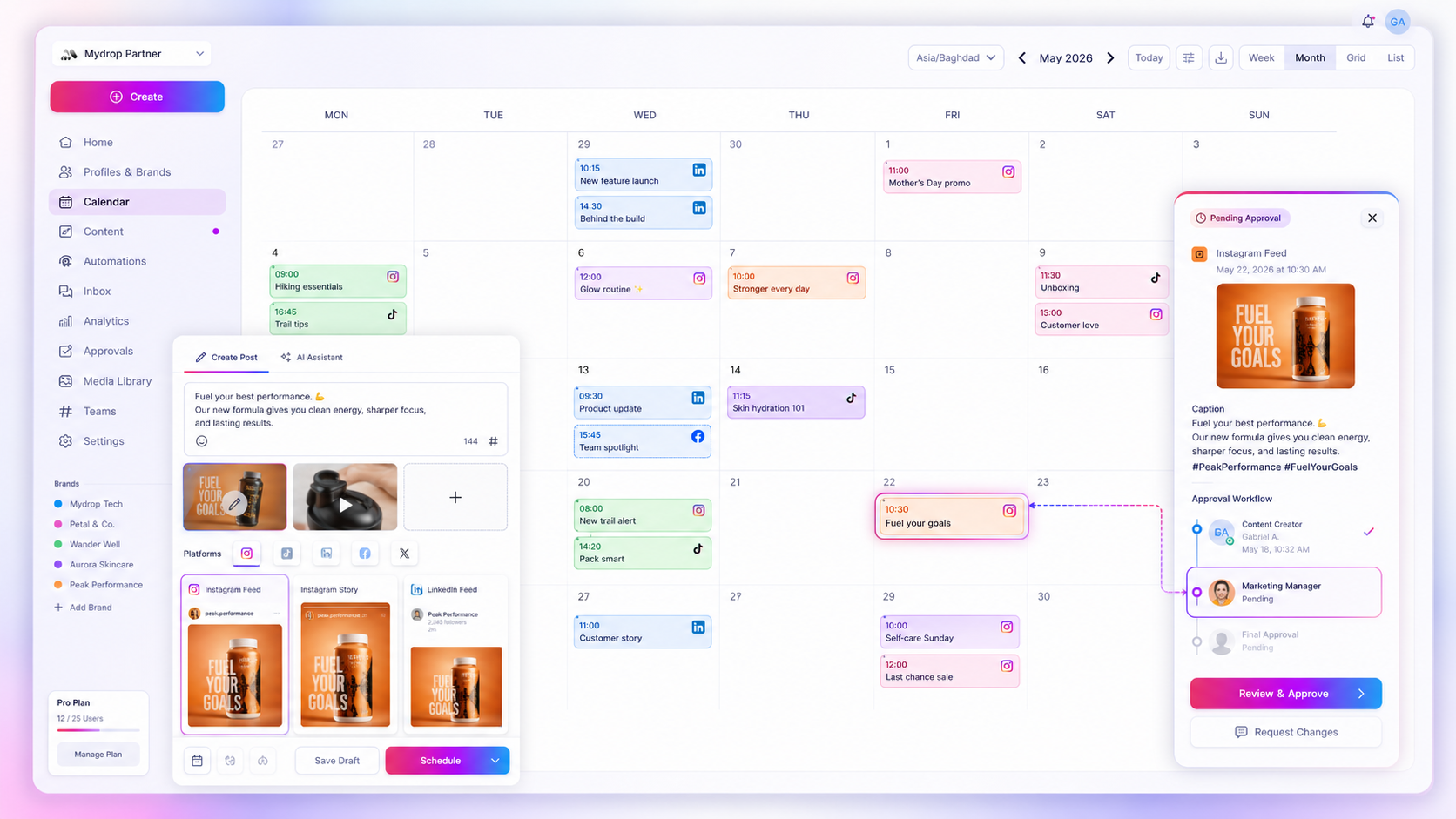
Don't move all brands on day one. Pick the one with the most posts and the most confusion. Connect its accounts, set its approver and recreate the next 2 to 4 weeks of posts. In Mydrop, workspaces and brands keep each brand's accounts and team separate, while the multi-brand calendar lets you view them one at a time or together. If you have a stack of rows to bring over, bulk creation saves retyping.

Step 4: run both for one week

For seven days, publish from the new calendar but keep the sheet open. At the end of the week compare: did every post go out on the right account at the right time? Did anyone ask "is this approved?" The answers tell you whether to move the next brand or fix something first.

Approvals are usually the biggest win. With approval flows and a no-login client portal, the status lives on the post itself, not in an email thread. In Mydrop's data on posts that went through client approval, the median time from submission to approval was 6 hours.

Step 5: retire the sheet on a fixed date

Pick a date, tell the team, and make the old sheet read-only. Leaving it editable means someone will update it and nobody will check it. Move the remaining brands one per week, each time using the same checklist.

Mistakes to avoid during the switch

Moving everything at once. Three brands in one day means three sets of mistakes at the same time. One brand per week is slower and far safer.

Copying the old chaos. If the sheet had nine status labels, don't recreate nine. Use four: draft, in review, approved, scheduled.

Skipping the owner for each brand. A calendar with no named approver per brand quickly becomes the same pile of waiting posts, now with a nicer look.

Forgetting the clients. If clients used to comment in the sheet, tell them where to go instead. A no-login review link is easier for them than a new account.

Start this week with your messiest brand

Today, pick the brand that caused the last mix-up and write its seven columns. Tomorrow, start free with Mydrop, connect its accounts and rebuild two weeks of posts. For how to keep the calendar itself clean once it is set up, see a repeatable content calendar for multiple brands.

Free tools

Free Content Calendar Template

Plan a month of posts, then download it as a CSV or a printable calendar.

FAQ

Quick answers

Use one calendar with a clear view per brand, so every post, status and approver is in one place. Keep brand voice and accounts separate, and filter by brand when you plan.

When two people edit the same sheet, when posts go out on the wrong account, or when you lose time asking what is approved. Any one of those is enough.

Plan to rebuild the next 2 to 4 weeks of posts by hand or with bulk creation rather than importing old rows. Upcoming posts are the only ones that matter.

Next step

Stop coordinating around the work

If your team spends more time chasing approvals, assets, and publish details than creating better posts, the problem is probably not your people. It is the workflow around them. Mydrop brings planning, review, scheduling, and performance into one calmer operating system.

Mydrop Editorial Team

About the author

Mydrop Editorial Team

Mydrop

The Mydrop Editorial Team writes the guides, comparisons, and playbooks on this blog. We cover social media planning, publishing, approvals, analytics, and multi-brand workflows, drawing on how teams actually use Mydrop to run their social programs. Every article is researched, edited, and maintained by the team behind the product.

View all articles by Mydrop Editorial Team

Managing 14+ social platforms felt like a 2 a.m. nightmare until Mydrop. The AI brand-voice mapping is scary accurate, and the client approval portal saved me easily 15 hours this week alone. It's the ultimate set-and-forget workspace for busy agencies.
A true automation tool for scheduling (and creating) social media content! It has saved me over 20 hours of work already in just my first couple weeks. A true game-changer for anyone in business, big or small!
Finally tried Mydrop on a test client and the white-label portal on a custom domain actually looks legit, no Mydrop branding sneaking in. The OAuth setup saved me from the usual “what's my password” back-and-forth.
Absolute game-changer. Mydrop completely automated my content workflow. The scheduling is flawless, it actually feels intuitive, and it saved me 10+ hours in my very first week. Best decision I've made for my socials!
Mydrop AI has been an absolute game changer, it has saved me so much time and effort. It does what it promises. Easy to use, versatile, and the creator is really open to feedback. Very happy!
I was looking through a bunch of management tools for my client, as it was getting out of control; after comparing every solution, I found Mydrop to be a no brainer.
This app helps me more than any other I have ever used. I've got all of my pages and accounts and I can drag and drop like I want. Mydrop has really been a huge asset to my business!
I was looking for a scheduling tool as my clients were using more and more platforms. Mydrop does the job very well, and automations and forms are very useful and save me a lot of time. I recommend!
Love that you baked in white-label portals from day one, that's a huge pain point for agencies.
Love this platform for scheduling social media posts! Easy and very intuitive to use! Highly recommend!
Very nice tool, you will save a lot of time. Very easy to use, user friendly. I have used it for several months and it is very helpful.
Helpful app if you are trying to streamline social content creation for clients.
Managing 14+ social platforms felt like a 2 a.m. nightmare until Mydrop. The AI brand-voice mapping is scary accurate, and the client approval portal saved me easily 15 hours this week alone. It's the ultimate set-and-forget workspace for busy agencies.
A true automation tool for scheduling (and creating) social media content! It has saved me over 20 hours of work already in just my first couple weeks. A true game-changer for anyone in business, big or small!
Finally tried Mydrop on a test client and the white-label portal on a custom domain actually looks legit, no Mydrop branding sneaking in. The OAuth setup saved me from the usual “what's my password” back-and-forth.
Absolute game-changer. Mydrop completely automated my content workflow. The scheduling is flawless, it actually feels intuitive, and it saved me 10+ hours in my very first week. Best decision I've made for my socials!
Mydrop AI has been an absolute game changer, it has saved me so much time and effort. It does what it promises. Easy to use, versatile, and the creator is really open to feedback. Very happy!
I was looking through a bunch of management tools for my client, as it was getting out of control; after comparing every solution, I found Mydrop to be a no brainer.
This app helps me more than any other I have ever used. I've got all of my pages and accounts and I can drag and drop like I want. Mydrop has really been a huge asset to my business!
I was looking for a scheduling tool as my clients were using more and more platforms. Mydrop does the job very well, and automations and forms are very useful and save me a lot of time. I recommend!
Love that you baked in white-label portals from day one, that's a huge pain point for agencies.
Love this platform for scheduling social media posts! Easy and very intuitive to use! Highly recommend!
Very nice tool, you will save a lot of time. Very easy to use, user friendly. I have used it for several months and it is very helpful.
Helpful app if you are trying to streamline social content creation for clients.
Smiling social media managerSmiling social media managerSmiling social media managerSmiling social media managerSmiling social media managerSmiling social media manager

4.8/5 · on Trustpilot & Google