Publishing Workflows

Social Media Deadline Reminders: A T-Minus Ladder for Teams

Set four reminders at T-3 days, T-1 day, T-2 hours and T-0 so drafts, approvals and assets arrive before the post goes live.

3 min read

Updated: Oct 24, 2026

Diverse coworkers smiling and waving while taking a group selfie at a desk

Missed deadlines on social are rarely about effort. They happen because nobody was reminded of the right thing at the right time. A four-step reminder ladder fixes that: T-3 days, T-1 day, T-2 hours, T-0.

TLDR: Give every post four reminders, each with one owner and one action: assets (T-3 days), approval (T-1 day), final check (T-2 hours), publish confirmation (T-0). Do it on the calendar, not in chat.

If you only need the approval part, the 3-step nudge schedule covers it. This post covers the whole life of a post.

The four reminders and who gets each one

Each reminder answers one question: what is still missing, and whose job is it? Here is the ladder.

When Question Owner
T-3 days Are copy and assets in the post? Content creator
T-1 day Is it approved? Approver or client
T-2 hours Is the preview right on each platform? Scheduler
T-0 Did it go live? Scheduler

Notice that no reminder says "check the post". Each one asks for a specific check. A vague reminder gets snoozed.

Write each reminder so it can be done in 2 minutes

A reminder you cannot finish quickly gets ignored. Compare these two:

  • Weak: "Review Friday's post."
  • Strong: "Approve or comment on the Friday carousel. Link: calendar item."

Put the link in the reminder. Name the single action. If a reminder takes ten minutes to understand, it will wait until the deadline has passed.

Put reminders where the work already lives

A separate reminder app creates a second system to forget. Put the dates on the calendar the team already opens every day. If your team also lives in Google Calendar, a calendar sync workflow keeps both in step.

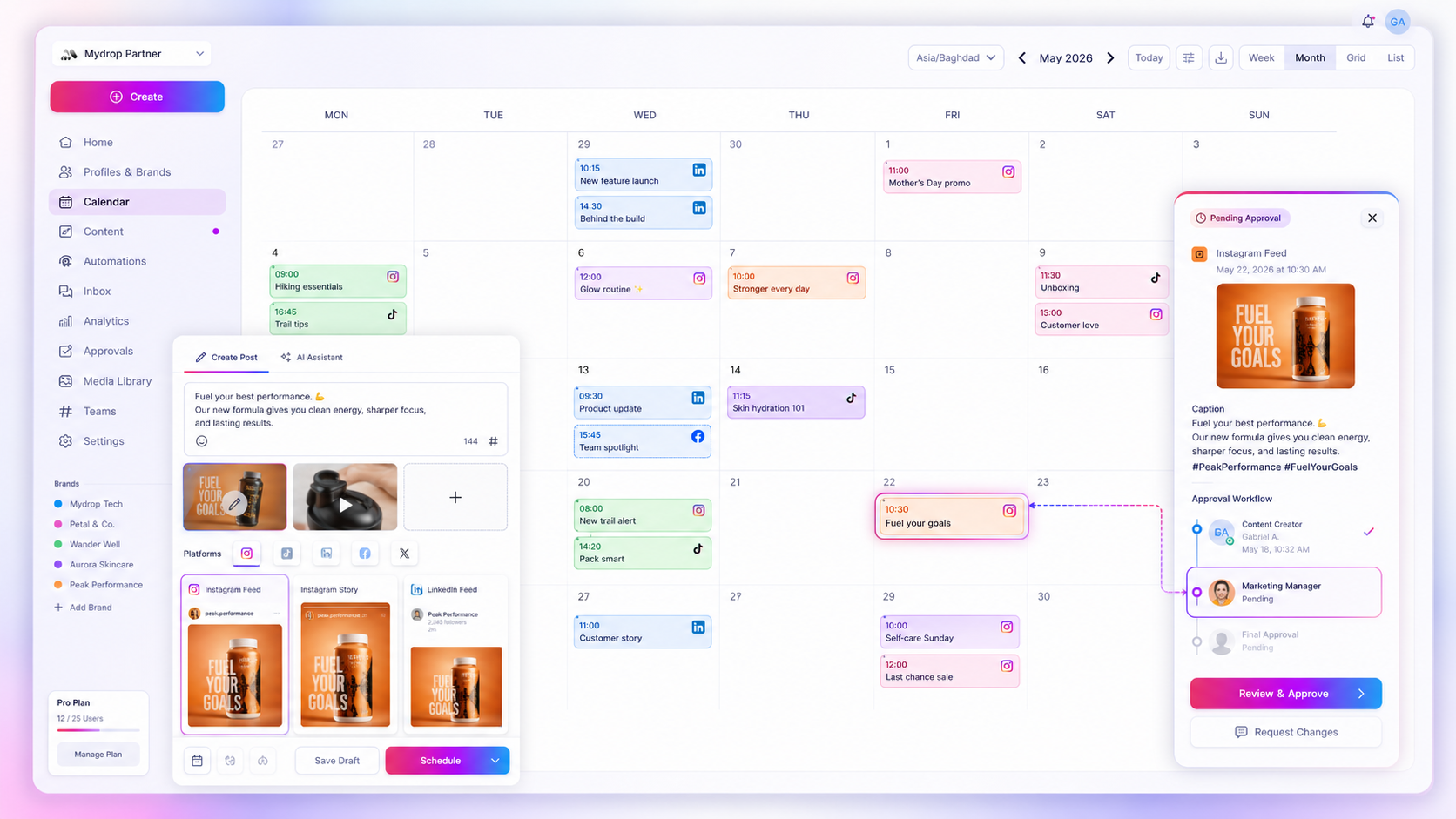
In Mydrop, you set up reminders on the shared content calendar, and approval workflows show who still owes a sign-off. See the step-by-step setup.

Escalate once, then stop

A reminder that repeats forever turns into noise. Use a simple rule: remind once, remind again at the next rung, then escalate to one named person. Two reminders and one escalation is enough. After that, move the post to a later slot instead of publishing something half-checked.

Check that the post actually went out

The last reminder at T-0 matters more than it looks. Posts can fail for reasons nobody sees until someone checks. The most common cause is an expired platform connection.

Mydrop data, September 2026: in the 30 days to 16 September 2026, 98.5% of posts published through Mydrop went live at the first attempt. The most common warning was a YouTube custom thumbnail rejected because the channel was not phone-verified; the most common hard failure was an expired platform connection. Method in the Mydrop social media benchmarks.

So reconnect your accounts before a big week, and glance at the publish status after the T-0 slot.

Match the ladder to the size of the post

Not every post needs all four rungs. A quick story can run on T-1 day and T-0. A client campaign with a video needs the full ladder, and you should start it at T-7 days so the editing has room.

A useful rule: the more people who touch a post, the earlier the first reminder. Count the hands. Two people means T-3 days is fine. Four people means T-5 days. This keeps small posts light and stops big ones from turning into last-minute rushes.

Add the ladder to next week's posts

Open next week's calendar. For each post, add the four reminders and name an owner for each. It takes about 10 minutes for a week of content, and it is the cheapest deadline fix you will find. You can try it free at app.mydropai.com.
Free tools

Free Content Calendar Template

Plan a month of posts, then download it as a CSV or a printable calendar.

FAQ

Quick answers

Attach four reminders to every post: three days before, one day before, two hours before and at publish time. Each reminder names one owner and one action, so nobody has to guess.

Usually the deadline lives in one person's head or in a chat thread that scrolled away. A date on a shared calendar with a named owner fixes most of it.

Give each task one owner, one due date and one status, and keep all of it on the same calendar as the posts. Add reminders only for the steps that tend to slip: assets, approval and final check.

Next step

Stop coordinating around the work

If your team spends more time chasing approvals, assets, and publish details than creating better posts, the problem is probably not your people. It is the workflow around them. Mydrop brings planning, review, scheduling, and performance into one calmer operating system.

Mydrop Editorial Team

About the author

Mydrop Editorial Team

Mydrop

The Mydrop Editorial Team writes the guides, comparisons, and playbooks on this blog. We cover social media planning, publishing, approvals, analytics, and multi-brand workflows, drawing on how teams actually use Mydrop to run their social programs. Every article is researched, edited, and maintained by the team behind the product.

View all articles by Mydrop Editorial Team

Managing 14+ social platforms felt like a 2 a.m. nightmare until Mydrop. The AI brand-voice mapping is scary accurate, and the client approval portal saved me easily 15 hours this week alone. It's the ultimate set-and-forget workspace for busy agencies.
A true automation tool for scheduling (and creating) social media content! It has saved me over 20 hours of work already in just my first couple weeks. A true game-changer for anyone in business, big or small!
Finally tried Mydrop on a test client and the white-label portal on a custom domain actually looks legit, no Mydrop branding sneaking in. The OAuth setup saved me from the usual “what's my password” back-and-forth.
Absolute game-changer. Mydrop completely automated my content workflow. The scheduling is flawless, it actually feels intuitive, and it saved me 10+ hours in my very first week. Best decision I've made for my socials!
Mydrop AI has been an absolute game changer, it has saved me so much time and effort. It does what it promises. Easy to use, versatile, and the creator is really open to feedback. Very happy!
I was looking through a bunch of management tools for my client, as it was getting out of control; after comparing every solution, I found Mydrop to be a no brainer.
This app helps me more than any other I have ever used. I've got all of my pages and accounts and I can drag and drop like I want. Mydrop has really been a huge asset to my business!
I was looking for a scheduling tool as my clients were using more and more platforms. Mydrop does the job very well, and automations and forms are very useful and save me a lot of time. I recommend!
Love that you baked in white-label portals from day one, that's a huge pain point for agencies.
Love this platform for scheduling social media posts! Easy and very intuitive to use! Highly recommend!
Very nice tool, you will save a lot of time. Very easy to use, user friendly. I have used it for several months and it is very helpful.
Helpful app if you are trying to streamline social content creation for clients.
Managing 14+ social platforms felt like a 2 a.m. nightmare until Mydrop. The AI brand-voice mapping is scary accurate, and the client approval portal saved me easily 15 hours this week alone. It's the ultimate set-and-forget workspace for busy agencies.
A true automation tool for scheduling (and creating) social media content! It has saved me over 20 hours of work already in just my first couple weeks. A true game-changer for anyone in business, big or small!
Finally tried Mydrop on a test client and the white-label portal on a custom domain actually looks legit, no Mydrop branding sneaking in. The OAuth setup saved me from the usual “what's my password” back-and-forth.
Absolute game-changer. Mydrop completely automated my content workflow. The scheduling is flawless, it actually feels intuitive, and it saved me 10+ hours in my very first week. Best decision I've made for my socials!
Mydrop AI has been an absolute game changer, it has saved me so much time and effort. It does what it promises. Easy to use, versatile, and the creator is really open to feedback. Very happy!
I was looking through a bunch of management tools for my client, as it was getting out of control; after comparing every solution, I found Mydrop to be a no brainer.
This app helps me more than any other I have ever used. I've got all of my pages and accounts and I can drag and drop like I want. Mydrop has really been a huge asset to my business!
I was looking for a scheduling tool as my clients were using more and more platforms. Mydrop does the job very well, and automations and forms are very useful and save me a lot of time. I recommend!
Love that you baked in white-label portals from day one, that's a huge pain point for agencies.
Love this platform for scheduling social media posts! Easy and very intuitive to use! Highly recommend!
Very nice tool, you will save a lot of time. Very easy to use, user friendly. I have used it for several months and it is very helpful.
Helpful app if you are trying to streamline social content creation for clients.
Smiling social media managerSmiling social media managerSmiling social media managerSmiling social media managerSmiling social media managerSmiling social media manager

4.8/5 · on Trustpilot & Google