
















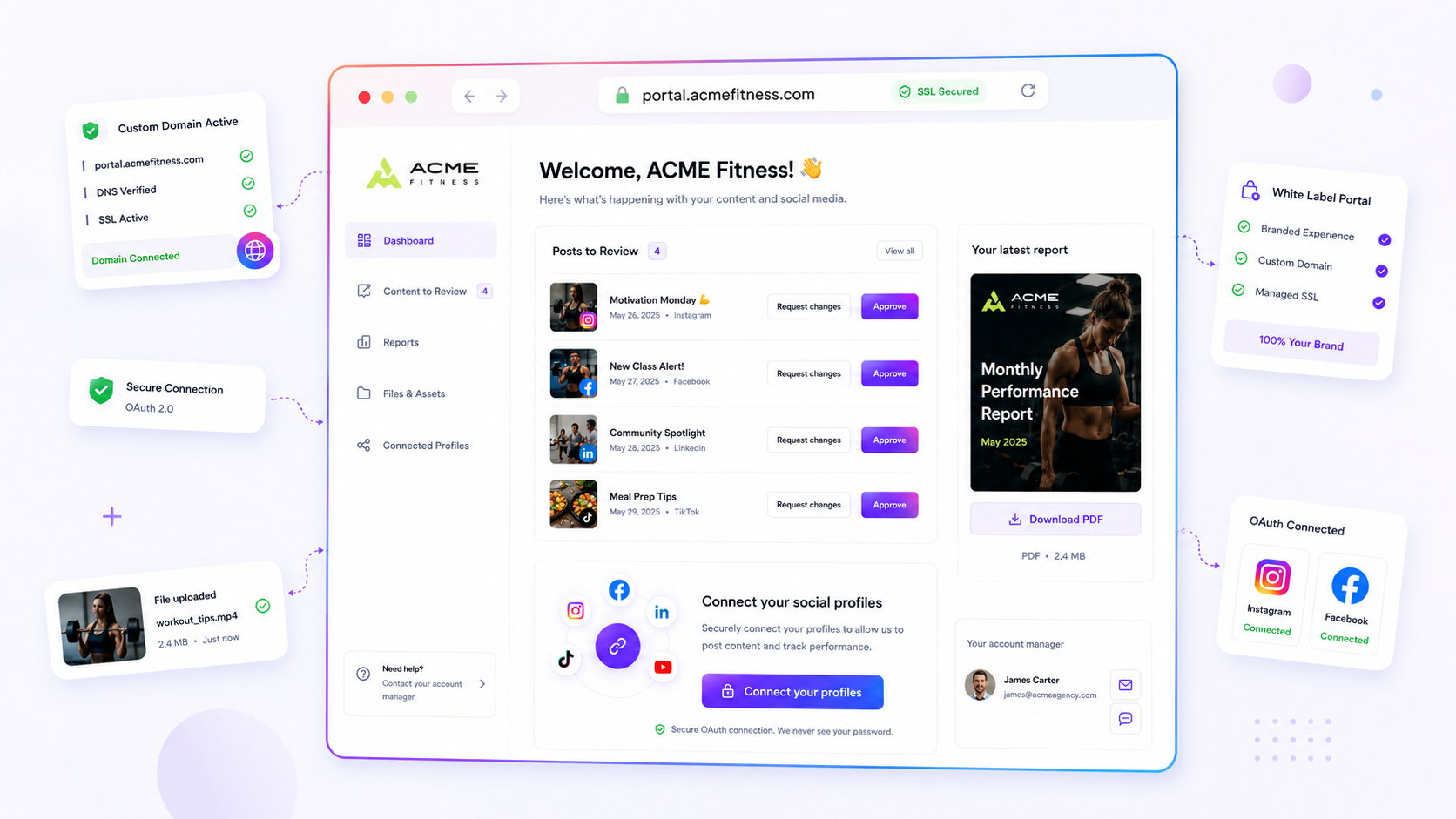
A branded domain audit is a table with one row per client and five checks. Run it once a quarter and you'll catch mismatched names, expired certificates and old links before a client or their customer does.
TLDR: Check five things per client: which domain each surface uses, that the names match, that SSL is valid, that DNS points where you think, and that old addresses redirect. Put it all in one table, mark each cell green or red, and fix the red ones first. A custom-domain feature on each brand makes the audit shorter because the setup lives in one place.
Mydrop pricing check, September 2026: the entry paid plans of the eight tools most often compared with Mydrop run from $6 per channel (Buffer) and $25 a month (Later) to $99 per user (Hootsuite) and $79 per seat (Sprout Social), read on each vendor's pricing page. Mydrop is free to start, then $19 a month flat, not per seat. Full table on Mydrop's compare pages.
What "inconsistent" looks like in real client work
The problem is rarely one broken page. It's a small drift that builds up across tools. A client's portal sits on reports.clientname.com. Their link in bio sits on go.clientname.co. The email link for approvals still shows a vendor's address. Each choice made sense on the day. Together they look careless.
Customers notice. A link that changes names between a post and the page it opens makes people hesitate. So does an expired certificate warning, which stops them completely.
The five checks
| # | Check | What to look for | Red flag |
|---|---|---|---|
| 1 | Surface map | List every client-facing address: portal, link in bio, short links, report links | A surface with no owner |
| 2 | Name match | Same root domain and same naming style across all surfaces | Two spellings or two domains |
| 3 | SSL | Certificate valid and not about to expire | Browser warning or under 14 days left |
| 4 | DNS | Records point to the right host, no leftovers from old setups | A record that no one can explain |
| 5 | Old addresses | Retired domains and paths redirect to the current one | Dead pages or a 404 |
Take each check for each client and mark it. Twenty clients with five checks is 100 cells. Most will be green, and the audit takes an afternoon.
Build the audit sheet in 10 minutes
Make a sheet with these columns: client, portal address, link-in-bio address, short-link address, SSL expiry date, DNS last checked, redirect status, owner. Fill it in from what's live, not from memory.
Two habits make it stick:
- Put an owner on every row. Domain work stalls when it belongs to "the client's IT person" and nobody follows up.
- Add the renewal date. Most failures are a date nobody had written down.
If a certificate fails, the fix is usually a DNS record that moved. Our checklist for what to check when your custom domain SSL fails walks through it in order.
Fix at the source: one domain setup per brand
The more places a client's brand name is typed by hand, the more it drifts. A tool that attaches the domain to the brand once, then uses it everywhere, removes most of the drift.
In Mydrop, each brand can use its own domain for the client portal and link-in-bio pages, so the surface map in check 1 gets shorter. See client portals and link in bio for how the two surfaces work, and brands for how each client is set up as its own brand.
Ask three questions of any multi-brand tool you evaluate:
- Can each brand have its own domain, or only the account?
- Is the same domain used for the portal and the bio page?
- Does the tool tell you when a domain stops verifying?
What to do with the red cells
Sort the red cells by what the customer sees first. A certificate warning goes to the top, because it blocks the click. A mismatched name comes second. A stale record nobody notices comes last.
Send each client a short message: "We found X on your domain. Here is the one change needed on your side." Attach the exact DNS record, not a link to a long guide. The faster the ask is to do, the sooner the cell turns green.
Run it before your next client review
Open a sheet today and list the five clients with the most public traffic. Check all five columns for them, fix what's red, and show the table at the next review. Clients like to see a clean grid, and it makes the case for managing their domains inside one workspace. If you want to see the per-brand setup, you can create a free workspace at app.mydropai.com/register.
 Google review
 Trustpilot review
 Product Hunt comment





