
















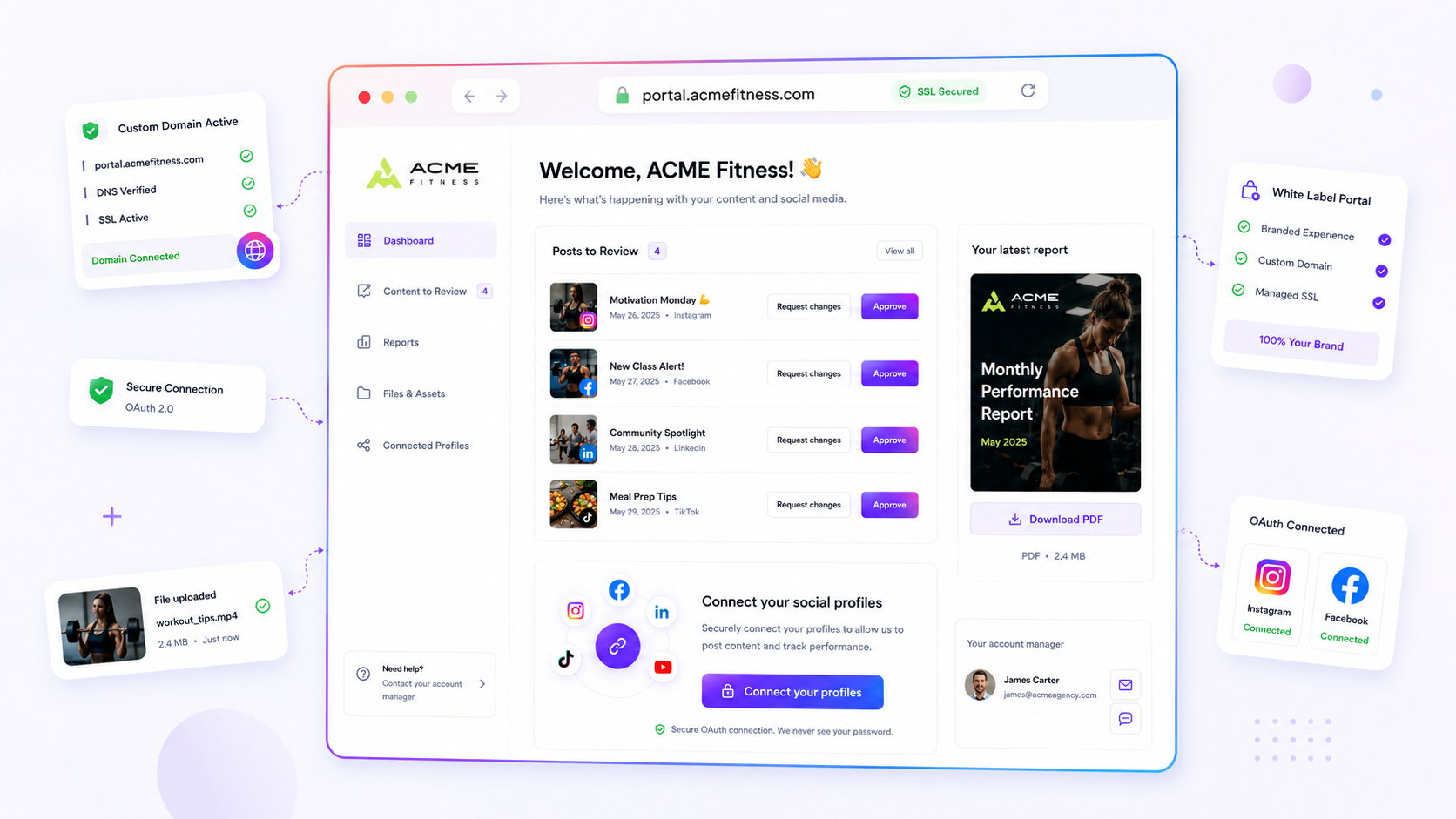
If your custom domain shows a "Not Secure" warning after you've pointed your DNS to the platform, your DNS records are probably fine, but the handshake between your host and the certificate authority has stalled. Most agencies assume this is a platform bug, but it's almost always a configuration race condition: your domain is technically pointing to the right place, yet Mydrop's host dispatch settings are still looking for a previous target assignment.
We get it. You've got a client waiting, a brand portal to launch, and now the URL is throwing a security error. It's exactly the kind of bottleneck that turns a smooth campaign rollout into a high-stakes technical standoff with the IT department. You're not alone here. We've seen this across hundreds of brand deployments. It's rarely the platform itself, but rather a "ghost" record or a lingering assignment that needs clearing before the managed SSL can finalise.
What changed before the numbers moved

Most SSL provisioning delays start with a small, innocent change in your DNS control panel. You might have updated a CNAME record to point to the Mydrop host, but if a stale A record is still hanging around, or your TTL (Time to Live) settings are high, the global DNS cache will keep serving old routing instructions for hours.
The real trouble starts when you try to force a fix. Lots of teams start hammering the "Refresh SSL" button, thinking they're waking the system up. In fact, you're often interrupting an automated background job that was already halfway through provisioning.
To break the cycle of error messages, run this quick audit of your current DNS state. This checklist spots the most common gaps between a "configured" domain and a "provisioned" one.
5-Point DNS/SSL Health Checklist
- Propagation Check: Have your
CNAMErecords fully propagated across global nameservers? (Use a tool like DNSChecker to verify).- Record Cleanliness: Have you purged all legacy
Arecords that point the domain to your old server?- Assignment Lock: Is the domain currently assigned to a different active surface in Mydrop?
- Host Conflict: Is the domain currently being claimed by another workspace or a reserved public host?
- Provisioning Window: Have you allowed at least 15 minutes for the automated cron job to detect the new DNS status before stepping in manually?
If your DNS status is verified but your sslState is still flagging an error, you're probably looking at a target assignment conflict. This happens when the platform tries to provision a certificate for a domain that's being pointed at a link-in-bio surface and a brand-portal surface at the same time.
Clear the conflict by unassigning the domain entirely in your Domain Settings, confirming the "DNS Verified" status again, then re-assigning it to the specific target you need. Think of it as a hard reset for the host dispatch layer: it clears the routing cache and lets the managed SSL lifecycle start fresh.
Most teams don't have a technical failure; they have a coordination debt, where the domain configuration and the platform routing are simply out of sync. Once you've verified the record, let the system handle the handshake. Patience is your best diagnostic tool.
The failure patterns to check first

When your domain is stuck in a "Not Secure" state, the issue almost always comes down to a race condition between your DNS record and our provisioning service. We see this trip up agencies all the time. You update the DNS, hit the button in your dashboard, and expect an instant handshake. But DNS is a fickle beast. It often propagates in patches, leaving some servers seeing your new CNAME while others are still looking at your old infrastructure or an empty void.
The most common culprit is a lingering, invisible stale record. You might have updated your CNAME for portal.clientbrand.com, but forgotten to delete an old A record pointing to a legacy server. That creates a split-brain scenario. When our managed SSL service tries to verify ownership, it occasionally hits the old server instead of our routing layer, and provisioning times out.
Common mistake: Relying on your browser's refresh button. Your browser caches DNS responses aggressively. Clear your cache or, better still, use a server-side check before assuming the record is actually live globally.
Another frequent blocker is a conflicting target assignment. If that domain was previously pointed to a different workspace, or was reserved as a system-level host, the internal routing logic will block the SSL process as a safety measure. It won't let you attach a certificate to a host that isn't fully claimed by your current workspace. You end up in a "pending" state that never clears, because the underlying dispatch service is essentially saying, "I don't recognise this as yours yet."
The proof that separates signal from noise
Stop guessing whether the platform is "just slow" and start auditing the actual signal. We built our internal DNS check tool to be the single source of truth for exactly this reason. If it returns a "pending" or "conflict" status, no amount of clicking "Refresh SSL" will change the outcome.
Use this 5-point DNS/SSL Health Checklist to run a quick audit before you open a support ticket or ping your dev team.
| Step | Audit Item | Action if Fail |
|---|---|---|
| 1 | Propagated CNAME |
Use dig or nslookup to confirm the record points to our host, not your old server. |
| 2 | No Conflicting A Records |
Remove any A records for the same subdomain. These are the #1 cause of handshake timeouts. |
| 3 | Host Availability | Make sure the host isn't already assigned to another workspace in your settings. |
| 4 | SSL State Signal | Check the dashboard for specific sslError codes; DNS_PENDING means wait, AUTH_FAILURE means fix records. |
| 5 | Cron Sync | Wait at least 15 minutes. Our background workers pulse the domain status; manual refreshes can sometimes reset that timer. |
The golden rule of SSL: If the DNS check fails, SSL provisioning is effectively paused. The platform won't try to fetch a certificate for a domain it can't definitively prove belongs to you. Treat the DNS check as the gatekeeper. Once it returns green, the managed SSL lifecycle kicks in automatically. If you see a DNS_PENDING error, it's almost certainly a propagation delay. Walk away, grab that coffee, and let the network catch up. If you see an AUTH_FAILURE, you've got a configuration ghost to hunt down in your DNS provider's console.
What to fix this week
If you're currently staring at a failed SSL status, stop retrying the button and start with your DNS records. The most common fix is surprisingly simple: make sure your CNAME or A records aren't conflicting with a ghost host. Often, an old A record pointing to a legacy server, or a root-level redirect, is still active at your DNS provider, and our provisioning service hits a wall.
Clear the path by auditing your DNS settings. If you're using Mydrop to manage your custom domain, confirm that the CNAME points exactly to the public custom domain target provided in your workspace settings. If it points anywhere else, our managed SSL lifecycle can't verify ownership, and provisioning will stall indefinitely.
5-Step DNS and SSL Recovery Checklist
- Check for duplicate records: Delete any conflicting
AorAAAArecords that might compete with yourCNAMEfor the same host. - Verify target alignment: Confirm your
CNAMEpoints to the exact public target specified in your domain settings. - Wait for propagation: Give the internet time to catch up. DNS changes can take a few minutes or, in rare cases with stubborn global resolvers, up to an hour.
- Clear host conflicts: Make sure no other workspace or inactive portal is currently claiming that same host.
- Manual refresh: Once you're sure the records are clean, trigger a manual refresh in your Mydrop Domain Settings.
If you've cleared your records and it still fails, check whether the host is a reserved public host or already assigned to another workspace. This is a frequent issue in large teams, where one department might have "borrowed" a domain for a landing page six months ago and forgotten to release it.
When to stop diagnosing and change the workflow
If you find yourself troubleshooting SSL certificates more than once a month, you've got a coordination problem, not a technical one. The best teams don't wait for the "Not Secure" warning to realise their domain is misconfigured. They build a "verify-first" culture that treats domain provisioning as a distinct, gated phase of the project lifecycle.
Most agencies make the mistake of handing a branded URL to a client before the DNS is fully propagated and the SSL is active. That creates a high-stakes bottleneck when the client visits the link and sees a browser warning right at launch time. Instead, adjust your internal operating habit: treat "Domain Ready" as a mandatory checkbox before any link-in-bio page or client portal goes into a campaign deck.
Operator rule: Never include a custom domain in a client-facing communication or launch schedule until the Mydrop DNS check returns a confirmed "Verified" status signal.
By moving verification earlier in your project workflow, you remove the last-minute stress of chasing DNS updates. It turns SSL provisioning from a technical standoff into a routine, automated background process. When you standardise the "verify-first" rule, you stop being an IT troubleshooter for your own marketing surfaces and start being the team that launches on time, every time.
Conclusion
SSL failures in a multi-tenant environment like Mydrop are almost never about the platform failing. They're artefacts of a DNS record that doesn't quite match the expected host dispatch, or a configuration race condition where a domain is being pulled in two directions. Once you understand that SSL is just the final handshake in a long chain of DNS verification, the "error state" stops being a mystery. Audit your records, clear the ghosts, and enforce a verify-first policy for every new brand portal. Your team, and your clients, will appreciate the seamless experience of a site that's secure, branded, and ready to work the moment they land on the page.



 Google review
 Trustpilot review
 Product Hunt comment





