














ClaudeChatGPTCursorGeminiWorks with your AI agentsChromeMydropTry Mydrop Chrome Extension
Reporting & Attribution

Standardise One Reporting Template Across 40 Client Accounts

One report template for 25 or 40 clients: a fixed core, one flexible block and a rule for commentary. Build it once, then deliver on a schedule.

4 min read

Updated: Oct 31, 2026

Mydrop analytics report builder showing report templates

The best way to standardise a report across 25 or 40 clients is to fix about 80% of it for everyone and leave two parts open: one metric block that matches the client's own goal, and one written note. Everyone gets the same structure, the same date range and the same order. Nobody gets a copy-paste story.

TLDR: Lock the metrics, order, date range and branding in one template. Allow one flexible block and one note per client. Send on a fixed date from the template, not from a fresh spreadsheet each month.

Why 40 custom reports break around client number 12

A custom report per client feels like good service. It stops scaling fast. Each one has its own metrics, its own order and its own export steps. When a teammate is away, nobody else can produce it.

Standardising fixes three things at once:

  • Anyone on the team can build any report. The steps are identical.
  • You can compare clients. The same metric means the same thing in every report.
  • Clients know where to look. After two months they open page one and know where reach is.

The cost is that some clients want something different. The flexible block below handles that.

The 80/20 split: what is locked and what is open

Write this table once and put it where the whole team can see it.

Part of the report Locked or open Rule
Date range Locked Previous calendar month, always
Branding Locked Client logo and colours from their profile
Core metrics (5 to 7) Locked Same list, same order for every client
Top posts Locked Top 3 by engagement, same layout
Goal block Open One metric tied to this client's goal (leads, calls, saves)
Note Open 2 to 3 sentences written per client

A good core list: reach, impressions, engagement rate, follower change, top three posts, and posts published. Add one platform-specific metric only in the goal block, such as Google Business Profile calls for a local shop or Pinterest saves for a retail brand.

Write the note rule so notes stay short and useful

The note is the only part a human has to write, so it needs a rule. Use this three-line shape:

  1. What moved: "Reach was up 18% after the carousel on the 12th."
  2. Why we think so: "Carousels have outperformed single images for this account all quarter."
  3. What we do next: "We'll publish two more carousels next month."

Anything longer than that gets skimmed. Anything vaguer than that, such as "great month overall", teaches the client that the note does not matter.

Build it once in a tool that applies it to every client

A template only helps if it applies itself. If someone has to copy last month's file, the 80% drifts by month three.

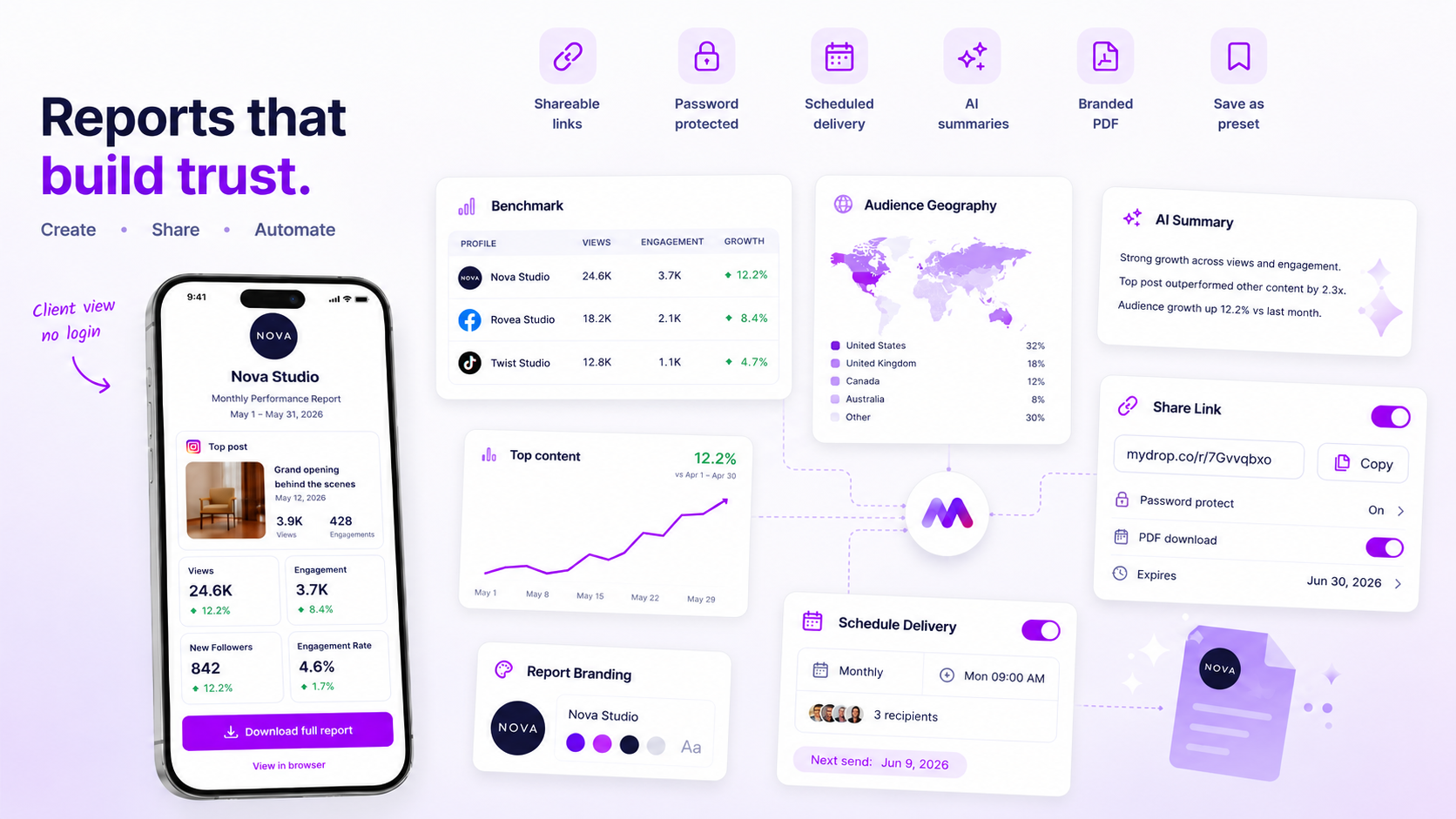
Mydrop's social media reports let you build a white-label report template once, pick the clients it applies to, and send it as a PDF or a share link on a schedule. The data comes from each client's connected profiles, so you're not pasting screenshots. The client sees their own logo, and you see the same layout for every account.

If you also want a no-login link they can open on their phone, the client portal works the same way, without making them create an account.

Roll it out to your 25 or 40 accounts in a week

Don't switch everyone at once. A staged rollout finds the problems on five accounts, not forty.

  • Day 1: write the locked list and the note rule. Get one teammate to challenge it.
  • Day 2: build the template and test it on one account you know well.
  • Day 3: apply it to five accounts with different goals. Note which goal blocks don't fit.
  • Day 4: fix the template, then apply it to the rest.
  • Day 5: set the delivery date. Pick one day, such as the 3rd of each month, and keep it.

Tell clients once that reports now arrive on the 3rd in the same format. Most agencies hear nothing back, which is the point.

Check the template after its first full cycle

After the first month, ask three questions: did any report take more than 15 minutes, did any client ask for a metric that isn't in the core list, and did any note run past three sentences?

If two clients ask for the same metric, add it to the core. If none do, leave the template alone. Our guide to automating branded client reports covers the delivery side in more detail.

Your next move: write the locked metric list today, seven items at most, and build it as a template for your five most active clients first.


Free tools

Free Report Template

Fill in a month of numbers, get a one-page client report to print as a PDF.

FAQ

Quick answers

Fix about 80% of the report (metrics, order, date range) and leave one block per client for their own goal plus a short note. That keeps every report comparable and still relevant.

Five to seven. Any more and clients stop reading, and your team spends the month pulling numbers nobody asked for.

The same structure, yes. The same commentary, no: one specific sentence per client about what changed and what you'll do next is what they remember.

Next step

Stop coordinating around the work

If your team spends more time chasing approvals, assets, and publish details than creating better posts, the problem is probably not your people. It is the workflow around them. Mydrop brings planning, review, scheduling, and performance into one calmer operating system.

Mydrop Editorial Team

About the author

Mydrop Editorial Team

Mydrop

The Mydrop Editorial Team writes the guides, comparisons, and playbooks on this blog. We cover social media planning, publishing, approvals, analytics, and multi-brand workflows, drawing on how teams actually use Mydrop to run their social programs. Every article is researched, edited, and maintained by the team behind the product.

View all articles by Mydrop Editorial Team

Managing 14+ social platforms felt like a 2 a.m. nightmare until Mydrop. The AI brand-voice mapping is scary accurate, and the client approval portal saved me easily 15 hours this week alone. It's the ultimate set-and-forget workspace for busy agencies.
A true automation tool for scheduling (and creating) social media content! It has saved me over 20 hours of work already in just my first couple weeks. A true game-changer for anyone in business, big or small!
Finally tried Mydrop on a test client and the white-label portal on a custom domain actually looks legit, no Mydrop branding sneaking in. The OAuth setup saved me from the usual “what's my password” back-and-forth.
Absolute game-changer. Mydrop completely automated my content workflow. The scheduling is flawless, it actually feels intuitive, and it saved me 10+ hours in my very first week. Best decision I've made for my socials!
Mydrop AI has been an absolute game changer, it has saved me so much time and effort. It does what it promises. Easy to use, versatile, and the creator is really open to feedback. Very happy!
I was looking through a bunch of management tools for my client, as it was getting out of control; after comparing every solution, I found Mydrop to be a no brainer.
This app helps me more than any other I have ever used. I've got all of my pages and accounts and I can drag and drop like I want. Mydrop has really been a huge asset to my business!
I was looking for a scheduling tool as my clients were using more and more platforms. Mydrop does the job very well, and automations and forms are very useful and save me a lot of time. I recommend!
Love that you baked in white-label portals from day one, that's a huge pain point for agencies.
Love this platform for scheduling social media posts! Easy and very intuitive to use! Highly recommend!
Very nice tool, you will save a lot of time. Very easy to use, user friendly. I have used it for several months and it is very helpful.
Helpful app if you are trying to streamline social content creation for clients.
Managing 14+ social platforms felt like a 2 a.m. nightmare until Mydrop. The AI brand-voice mapping is scary accurate, and the client approval portal saved me easily 15 hours this week alone. It's the ultimate set-and-forget workspace for busy agencies.
A true automation tool for scheduling (and creating) social media content! It has saved me over 20 hours of work already in just my first couple weeks. A true game-changer for anyone in business, big or small!
Finally tried Mydrop on a test client and the white-label portal on a custom domain actually looks legit, no Mydrop branding sneaking in. The OAuth setup saved me from the usual “what's my password” back-and-forth.
Absolute game-changer. Mydrop completely automated my content workflow. The scheduling is flawless, it actually feels intuitive, and it saved me 10+ hours in my very first week. Best decision I've made for my socials!
Mydrop AI has been an absolute game changer, it has saved me so much time and effort. It does what it promises. Easy to use, versatile, and the creator is really open to feedback. Very happy!
I was looking through a bunch of management tools for my client, as it was getting out of control; after comparing every solution, I found Mydrop to be a no brainer.
This app helps me more than any other I have ever used. I've got all of my pages and accounts and I can drag and drop like I want. Mydrop has really been a huge asset to my business!
I was looking for a scheduling tool as my clients were using more and more platforms. Mydrop does the job very well, and automations and forms are very useful and save me a lot of time. I recommend!
Love that you baked in white-label portals from day one, that's a huge pain point for agencies.
Love this platform for scheduling social media posts! Easy and very intuitive to use! Highly recommend!
Very nice tool, you will save a lot of time. Very easy to use, user friendly. I have used it for several months and it is very helpful.
Helpful app if you are trying to streamline social content creation for clients.
Smiling social media managerSmiling social media managerSmiling social media managerSmiling social media managerSmiling social media managerSmiling social media manager

4.8/5 · on Trustpilot & Google






