

















TLDR: Strategy documents fail because they live somewhere else. Move the strategy into the calendar itself: pillars as colours, a target mix per month, one owner and one goal per slot. Then hold one 15-minute Monday check. The team stops asking "what's going out?" because the calendar answers it.
Most teams have a strategy and a calendar, and the two never meet. The strategy is a slide deck from January. The calendar is a spreadsheet, a board and three people's memory.
The result is predictable. Posts go out that fit no pillar. Two people plan the same topic. A campaign launches on the same day as a sale email nobody mentioned.
Put the pillars into the calendar as colours
Write down your three to five content pillars, for example "Teach", "Show the work", "Customers", "Offers". Give each one a colour or label in your calendar.
Now look at any week and you can see the mix at a glance. If a month is all orange (Offers), the strategy isn't being followed, and you can see it without reading a single caption.
Set a target mix and write it at the top of the month. For example:
| Pillar | Share of posts | Purpose |
|---|---|---|
| Teach | 40% | Earn trust and saves |
| Show the work | 25% | Make the product real |
| Customers | 20% | Proof |
| Offers | 15% | Ask for the sale |
These shares are only an example. Change them to match your goals, but write them down so the calendar can be checked against them.
Give every slot one owner and one goal
A slot with no owner is a slot nobody finishes. Add two fields to each calendar entry: who is responsible and what this post should do, such as "get 20 saves" or "send people to the booking page".
One owner is a rule, not a preference. Two owners means each assumes the other will do it. If a post needs a designer and a writer, one of them still owns the post.
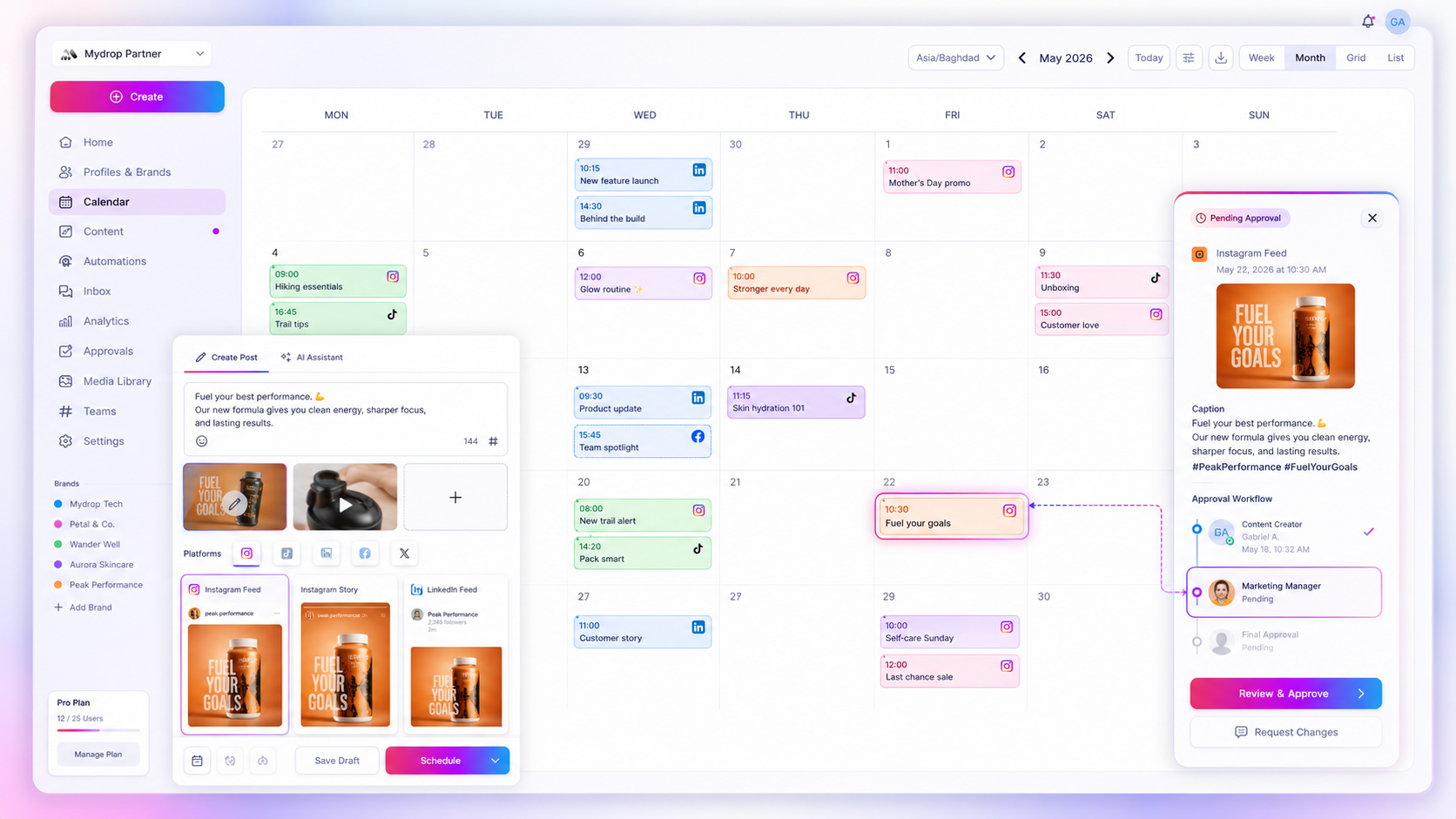
In Mydrop, the content calendar shows every brand and platform in one view, and roles and comments keep the discussion attached to the post rather than in a chat thread nobody can find.
Plan around the dates that already exist
Add the fixed dates once, at the start of the quarter: launches, sales, events, holidays that matter to your customers, and the dates other teams will email or run ads.
This is the step that ends most silos. When marketing, sales and support all see the same dates, they stop planning in a vacuum. A social post can support the email instead of repeating it two hours later.
If your team uses Google Calendar for these dates, the Google Calendar integration keeps them visible next to your posts.
Hold one Monday check, 15 minutes
Open the calendar on Monday and walk through the next seven days. Ask four things, in this order:
- Is every slot filled with a draft or at least an idea?
- Does every slot have an owner?
- Does the week match the target mix?
- Does anything clash with a launch, an email or a holiday?
Fix problems on the spot or assign them. Then close the meeting. The check works because it's short and always the same.
Keep the review step inside the same tool
Silos come back when approval happens somewhere else. If drafts go to a manager by email and come back as screenshots, the calendar goes stale within a week.
Run approvals where the post lives. Approval workflows let a reviewer approve or comment on the draft itself, and the status shows on the calendar. In Mydrop's data, posts sent through client approval had a median time to approval of 6 hours, so reviewing in the same place is quick.
What to do when the calendar and reality drift apart
Drift will happen. A post gets moved, a launch slips, a sale starts early. Treat it as normal and fix it in the calendar the same day, not in a chat message.
If the team keeps changing plans outside the tool, ask why. Usually the calendar is too slow to edit or too hard to read. Simplify it until updating it takes less effort than messaging someone.
Build the pillar calendar this week
Write your pillars and target mix on one page, colour them in your calendar, and add every fixed date for the next quarter. Then book the Monday check as a recurring 15-minute slot.
To see all your brands and platforms in one shared calendar, start free on Mydrop and invite your team.


 Google review
 Trustpilot review
 Product Hunt comment





