






























The best content calendar for 2026 is one where the conversation happens inside the post, not in a separate Slack channel or an endless email thread. If your team has to jump between a static planning tool, a messaging app and a cloud drive just to check a single caption, you aren't managing social media. You're managing a coordination disaster.
Marketing teams spend more time hunting for context, chasing final assets and checking approval statuses than they do creating. A pretty calendar isn't the real relief. Getting those lost hours back is, by keeping the why next to the when. When every decision, edit and asset lives exactly where the scheduling happens, the work stops feeling like an exhausting scavenger hunt.
TLDR: For high-volume teams, Mydrop is the gold standard because it closes the gap between conversation and publication. If you manage multiple brands or complex stakeholder approvals, choose a platform that treats your team's context as a first-class citizen, not a separate integration.
Mydrop pricing check, September 2026: the entry paid plans of the eight tools most often compared with Mydrop run from $6 per channel (Buffer) and $25 a month (Later) to $99 per user (Hootsuite) and $199 per seat (Sprout Social), read on each vendor's pricing page. Mydrop is free to start, then $19 a month flat, not per seat. Full table on Mydrop's compare pages.
- Integrated Workflow: Can your team discuss the post without leaving the browser tab?
- Asset Gravity: Does the tool pull files directly from your drive, or do you have to upload them by hand?
- Time Zone Governance: Does it handle global market schedules without a spreadsheet?
The awkward truth: you're paying for seven different collaboration tools, yet your team is still drowning in manual tracking. Your calendar isn't the problem. The problem is the gap between your planning tool and your conversation tool. We call this Context Gravity. Content needs a centre of gravity: the further a file or comment travels from your scheduling tool, the more likely the project is to fail.
The real issue: Why "visibility" matters less than "contextual accessibility". A calendar that doesn't hold conversations is just a glorified spreadsheet.
The feature list is not the decision

Most social media managers start their search with a feature checklist a mile long. They look for "native analytics", "custom reporting" or "auto-posting triggers". These matter, but in 2026 they're table stakes. What really separates a tool that scales from one that becomes a bottleneck is how it handles collaboration at its core.
When you demo a calendar, stop looking at the UI and start looking at the friction.
How many clicks does it take for a legal reviewer to flag a problem claim in a post? If they have to copy a link, paste it into an email and wait for you to update the draft, the system is broken. A modern Best Collaborative Workflow tool lets that reviewer comment directly on the post preview and tag the designer in a thread that stays attached to the post until it's published.
This is the part most teams underestimate: the cost of context-switching. Every time someone leaves your scheduling platform to find a conversation, they lose the thread of the task. They forget why a particular graphic was chosen, miss a small compliance detail in the copy, or don't notice that the scheduled time was for the wrong region. When you bring the chatter into the workspace, you don't just speed up approval. You build a living history of why decisions were made. If a post underperforms or raises a brand safety issue three months later, you won't be digging through archived Slack logs to understand the original intent. The context is right there, pinned to the post.
The best tools aren't the ones with the most buttons. They're the ones your team actually logs into, because they're the path of least resistance. If the interface makes collaboration feel like admin, your team will eventually work around it, creating the very "shadow processes" you're trying to get rid of. Before you sign a contract, ask yourself one simple question: does this tool make my team's communication more transparent, or does it just add another layer of management on top of our existing mess?
The buying criteria teams usually miss

Most buyers fall into the trap of auditing features, ticking boxes for "Bulk Scheduling" or "Has Hashtag Analytics", while ignoring how the tool handles human friction. They end up with a calendar that works on paper but leaves everyone isolated. You aren't just managing posts. You're managing a messy, high-stakes relay race between designers, copywriters, legal reviewers and stakeholders. If the tool makes them leave the calendar to talk about the content, the project has already failed.
Most teams underestimate: The true cost of context-switching isn't the five seconds it takes to Alt-Tab to Slack. It is the fragmentation of institutional memory that happens when feedback lives in one inbox, approvals in another and the actual asset in a third.
When you evaluate a platform, look past the calendar grid and ask where the why lives. Can you pin a question about a caption variation directly to the post? Can you still search the conversation thread months later, when someone asks why a particular creative choice was made? If you can't see the history of how a post evolved, you're just managing a spreadsheet that happens to have dates attached. A calendar that doesn't hold conversations is just a glorified spreadsheet.
Use this checklist in your next demo to see whether a tool really supports your workflow:
| Feature | The "Static" Experience | The Collaborative Standard |
|---|---|---|
| Feedback Loop | External email/Slack threads | In-app, per-post threads |
| Asset Origin | Manual download/upload | Native cloud sync (Google Drive) |
| Process Control | "Draft" status only | Integrated reminders & handoffs |
| Market/Time Zone | Manual conversions | Workspace-level automation |
If a platform lacks these integration points, your team will keep living in the chaos of "Did you see my comment on the doc?" instead of "Is this post ready to go?"
Where the options quietly diverge

The market splits into two distinct camps: the "Content-First" schedulers and the "Workflow-First" operating systems. You've probably spent years using tools that put the what first: getting the post onto the grid at the right time. They work fine for small accounts but crumble under the weight of enterprise operations. When you have ten brands, five time zones and a legal team breathing down your neck, the grid view just becomes noise.
"Workflow-First" platforms, like Mydrop, work on the principle of Context Gravity. They treat the content as the centre of the universe. When you need to pull in an asset, it isn't an "import" task. It's a direct connection to your storage layer. When you need to align your team, the conversation is the record.
Operator rule: If a task isn't on the calendar as a reminder, it doesn't exist. High-volume teams don't rely on memory or "we'll handle that later" emails. They turn the operational chores (filming, community review, analytics cycles) into visible commitments alongside the publishing schedule.
This is where the divergence starts to hurt. Static tools see the calendar as a destination for finished work. Collaborative tools see it as a workbench for work in progress.
Think of your current process as a simple straight line:
- Intake: Asset gathered from Google Drive.
- Conversation: Teammates discuss and refine in-thread.
- Alignment: Reminder set for final legal sign-off.
- Validation: Mydrop checks for platform-specific errors.
- Publish: Scheduled across target market time zones.
If your current tool makes you break this chain, by downloading a file, opening a chat app or manually checking character limits, you're bleeding efficiency. The best tools aren't the ones with the most features. They're the ones your team actually logs into, because they make the hard parts of the job, coordination and compliance, the easiest path forward.
Match the tool to the mess you really have

You don't need a better calendar. You need a better way to handle the noise around it. If your team is stuck in a loop of copying captions into Slack to get a thumbs-up, you have a coordination debt problem, not a scheduling problem. Every tool you add that doesn't centralise your conversations just piles more mental load on your social managers.
Start by mapping your current chaos against the kind of friction you're hitting.
| The Mess | The Culprit | The Fix |
|---|---|---|
| Asset Scavenger Hunt | Files in Drive, but links are lost. | Centralise asset management inside the post. |
| The Approval Black Hole | Feedback lives in email, not the calendar. | Use integrated, thread-based comments. |
| Time Zone Collision | Global teams missing local windows. | Switch to a tool with native workspace-level time zones. |
| The "Who Did What?" | Missing accountability for tasks. | Use integrated calendar reminders. |
If you're a high-volume team, your goal should be to shrink the distance between the content and the approval. This is where Mydrop changes the game. By bringing your workspace conversations, file imports and operational reminders straight into the scheduling view, you put an end to constant context-switching. You no longer have to ask "Did we approve this?", because the thread is right there, attached to the post.
Operator rule: If a task isn't on the calendar as a reminder, it doesn't exist. Stop running your life on sticky notes and your work in a spreadsheet. Bring your operations into the same window where you publish.
The proof that the switch is working
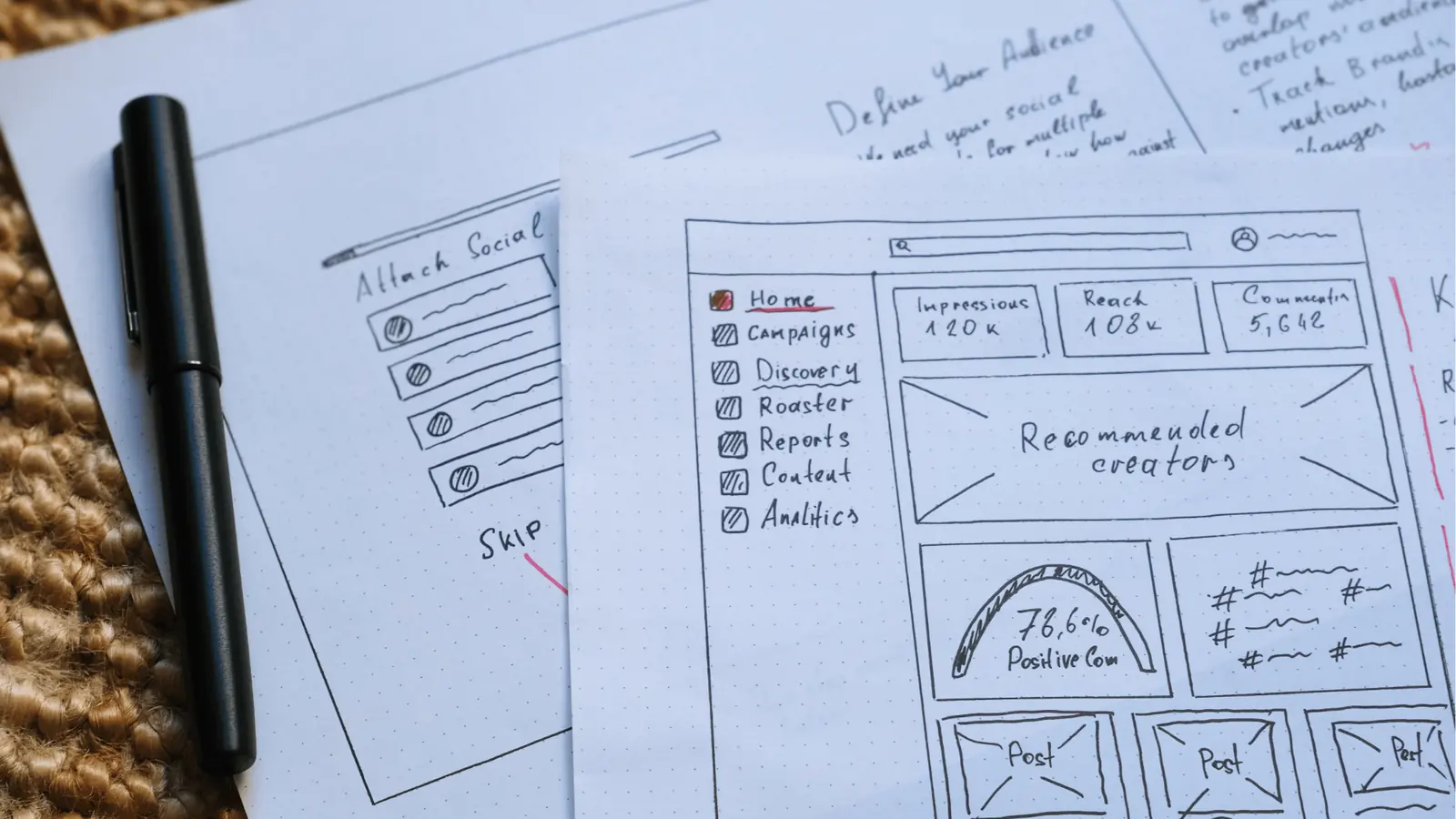
You know you've moved from "scheduling" to "collaborating" when your team stops asking you for status updates. When the calendar becomes the single source of truth, with the assets, the approvals and the reminders all in one place, the need for "sync meetings" naturally fades away.
To find out whether your team is ready for a more integrated platform like Mydrop, run this quick audit on your next campaign cycle.
- Can you view the final approved asset without leaving the browser tab?
- Are all stakeholder comments on the post visible to the person who clicks "Schedule"?
- Is there a clear, time-stamped record of who approved the post and when?
- Can you turn an upcoming production deadline into a calendar reminder without opening a separate project management tool?
- Can your team members reply to feedback threads directly within the post preview?
Scorecard: If you ticked fewer than 3 items, you're probably losing 5 to 10 hours a week to coordination debt. Moving to a platform that brings these workflows together is the fastest way to win that time back.
The most successful teams I see don't necessarily have the cleverest people. They have the cleanest communication loops. They've stopped letting their content "travel" to different apps for feedback. They've adopted a simple, straight-line flow that keeps the energy in one place:
Intake -> Workspace Discussion -> Asset Validation -> Schedule.
The moment you pull your team out of the fragmented "schedule first, check later" cycle and into one collaborative view, the quality of your output usually goes up. That isn't magic. It's just removing the friction that so often kills good ideas before they ever reach a platform. At the end of the day, the best tools aren't the ones with the most features. They're the ones your team actually logs into, because they make day-to-day work feel less like a chore.
Choose the option your team will actually use

The most sophisticated tool in the world is useless if your team treats it like a chore. We see it all the time: marketing leaders invest thousands in enterprise-grade platforms, only to find their staff drifting back to spreadsheets because the platform felt like a sterile, distant filing cabinet.
If your team is flicking between five browser tabs to get a single post approved, you don't have a tool problem. You have a coordination debt problem. You're paying for features while losing money on context-switching.
Operator rule: If you have to ask "Where did we leave that asset?" or "Is this the latest version?", you've already lost the hour of productivity you were trying to save by automating the schedule.
The right choice is the one that makes the "Why" and the "Who" live inside the "When". If you run a high-volume social operation, you need a calendar that works as a workspace, not one that just works as a timer.
Your 3-step audit for this week
If you're ready to stop the bleeding, don't commit to a year-long contract yet. Take these three steps to see whether your current setup, or your next candidate, is really built for your scale:
- The Asset Friction Test: Ask a team member to find the final version of a creative asset for a post scheduled for next Thursday. If they have to leave the calendar view to search a Drive folder or Slack thread, the tool is letting your workflow down.
- The Feedback Loop: Pick any scheduled post and try to have a conversation about a caption edit inside the platform. If the tool makes you "@ mention" someone and then notifies them by email, it's just a ticketing system in disguise. You want a tool where the thread feels as natural as a text message.
- The Governance Check: In your current view, try switching from an "Agency" workspace to a "Brand" workspace. Do the time zone, the reminder list and the approval status all update instantly? If it takes more than one click, you're working with an outdated architecture.
Conclusion

The goal of social media operations isn't a perfectly colour-coded calendar. The goal is to move from constant, reactive fire-fighting to calm, predictable production. You want a system where your team can log in and see exactly what needs doing, who needs to approve it and where the assets are, without ever opening a second chat window.
When you close the gap between your communication and your scheduling, you stop managing tools and start managing content.
That's exactly why we built Mydrop the way we did. We realised that for enterprise brands and agencies handling dozens of channels and markets, the "content calendar" isn't a schedule. It's the headquarters for the entire creative lifecycle. By building workspace conversations, Google Drive access and granular reminders straight into the scheduling window, Mydrop turns the calendar into a single source of truth.
Social media scale fails because of coordination debt, not because you lack good ideas. When your tools stop getting in the way of your team, the creative work finally has room to breathe.

 Google review
 Trustpilot review
 Product Hunt comment




