
















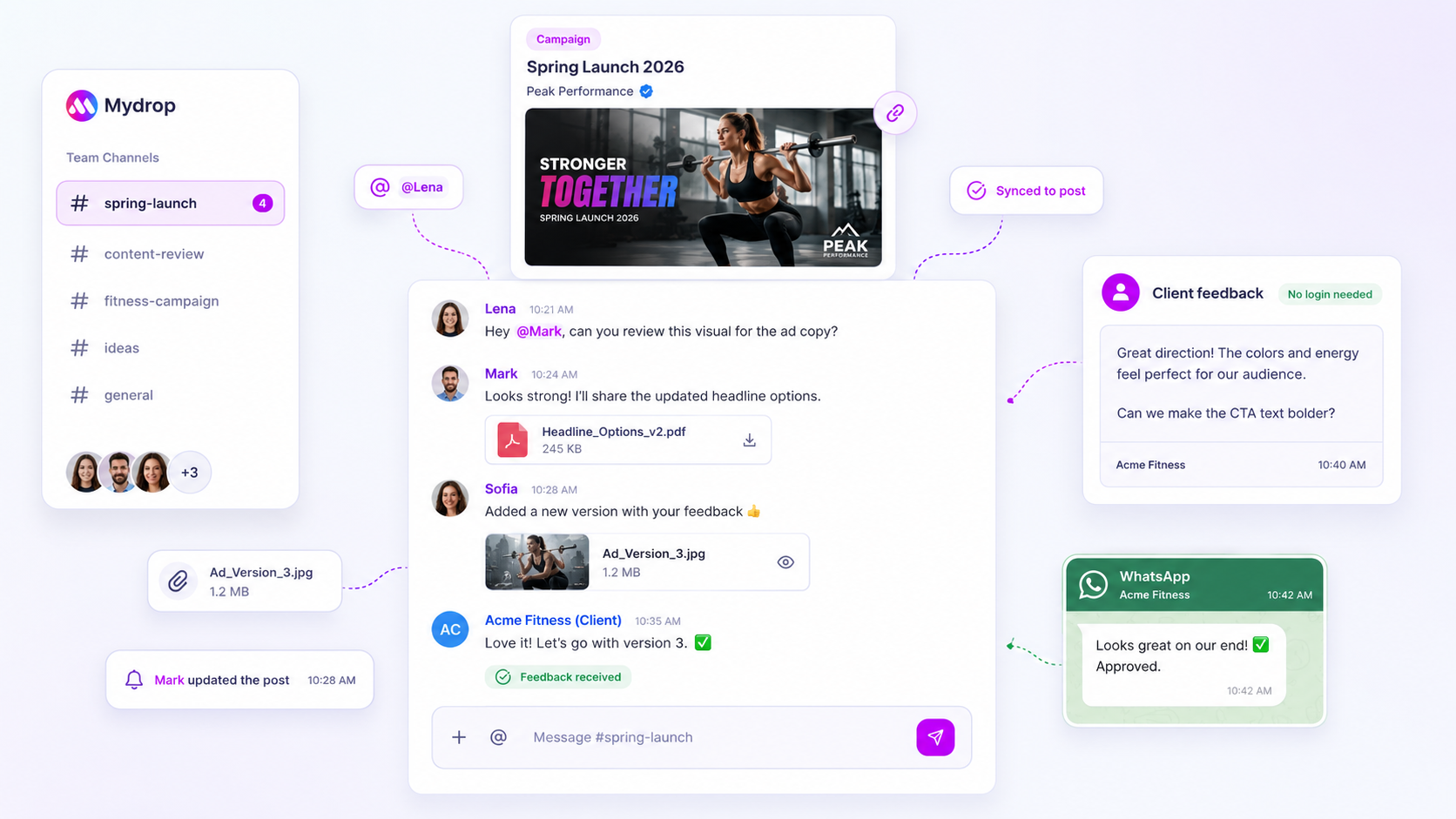
The best way to automate approval reminders is a fixed three-step schedule: a gentle nudge at 24 hours, a direct ask at 48 hours, and a personal escalation at the deadline. The first two go out automatically. The third comes from a person. This page gives you the timing, the wording and the setup.
TLDR: Automate two reminders, keep the third personal. Each message names the post, the deadline and one action, with a link that works without a login. Measure it by the share of posts approved within 24 hours.
Mydrop data, September 2026: across posts that went through a client approval on Mydrop, the median time from submission to approval was 6 hours, and 66% were approved within 24 hours. Method in the Mydrop social media benchmarks.
Why reminders fail
Most reminder setups fail in one of three ways. They fire too often, so reviewers mute them. They arrive with no link, so the reviewer has to go hunting for the post. Or they ask "any update?" instead of asking for a clear action.
A good reminder is timed, specific, and one click away from the decision.
The three-step nudge schedule
| Step | When | Sent by | What it says |
|---|---|---|---|
| 1. Gentle nudge | 24 hours after the request | Automatic | "A post is waiting for your review. It takes about a minute." |
| 2. Direct ask | 48 hours after the request, or 24 hours before the deadline | Automatic | "This post needs a yes by [date] to publish on schedule." |
| 3. Escalation | At the deadline | Account manager, by message or call | "Is there something blocking this? I can adjust or switch to the backup approver." |
Adjust the hours to suit your cadence. If you publish daily, halve everything. If your clients review once a week, move to a weekly reminder tied to a fixed review day.
Wording that gets a click
Keep reminders under 30 words. Three templates:
- Nudge: "[Client], one post is ready for review: [post title]. Approve or suggest edits here: [link]."
- Direct ask: "This post goes out on [date] if approved by [time]. One click to approve: [link]."
- Escalation: "I noticed [post title] is still pending. Want me to walk through it on a 10-minute call, or should [backup name] review it?"
Don't apologise, and don't write "just checking in". Say what's waiting and what happens next.
Send it where the reviewer actually is
Email is the most common channel and the most ignored. Match the reminder to the reviewer:
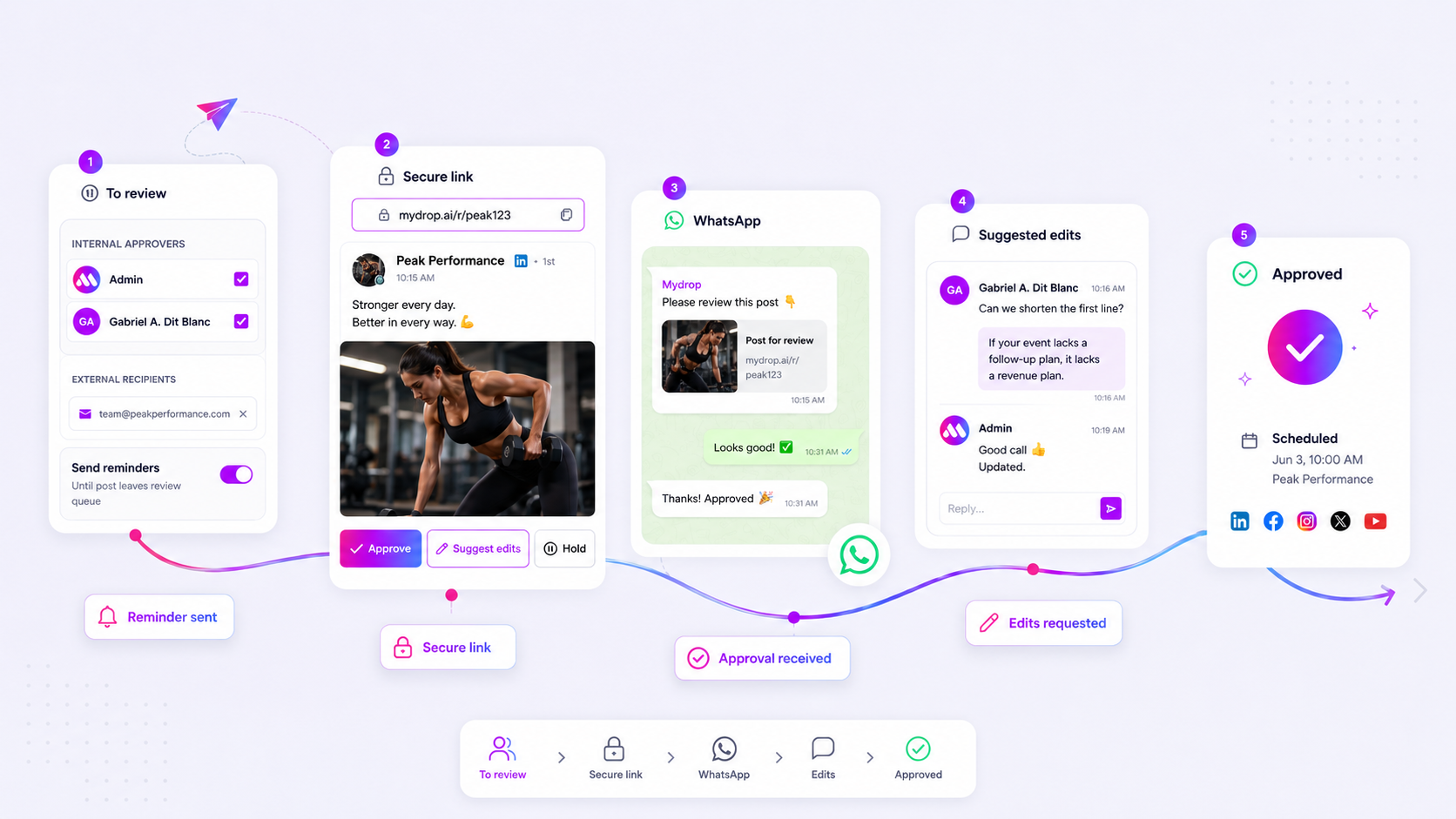
- Clients who live in WhatsApp: a WhatsApp message with approve and suggest-edits actions gets answered in the app they already have open. See when to use WhatsApp for client approvals.
- Internal approvers: a workspace notification or email with a direct link.
- Executives and legal: a short digest, once a day, instead of one message per post.
In Mydrop's approvals, approval reminders can be scheduled or triggered when a post is overdue, and they go to the approvers and recipients on that post. Clients answer through the per-post review link or WhatsApp, with no login.
Set the rules before you switch them on
- One approver per post. A reminder sent to four people is a reminder none of them owns.
- A deadline on every request. Without a date, "overdue" has no meaning.
- A silence policy. Decide in advance whether an unapproved post is held or published. For client work, holding is the safe default.
- A quiet window. No reminders at night or at weekends unless a post is going out then.
Measure whether it works
Track one number: the share of posts approved within 24 hours of the request. Mydrop's data above gives a baseline, with a median of 6 hours and 66% approved within a day. Compare yours before and after you start the schedule.
If the number doesn't move, the problem isn't the reminders. Look at who the approver is, whether the post is easy to preview, and whether the deadline is real. The campaign approval workflow guide covers the structure around reminders.
Next step: write your three messages today, pick the deadline rule, and run the schedule on one client for two weeks. Mydrop is free to start at app.mydropai.com if you want the reminders built into the approval flow.
 Google review
 Trustpilot review
 Product Hunt comment





