ClaudeChatGPTCursorGeminiWorks with your AI agentsChromeMydropTry Mydrop Chrome Extension
AI Content Operations

AI Images Off-Brand? 7 Checks to Run Before You Regenerate

AI-generated images or video not matching your brand? Run these 7 checks in order, from the prompt to the approval step, and stop re-rolling blindly.

4 min read

Updated: Oct 31, 2026

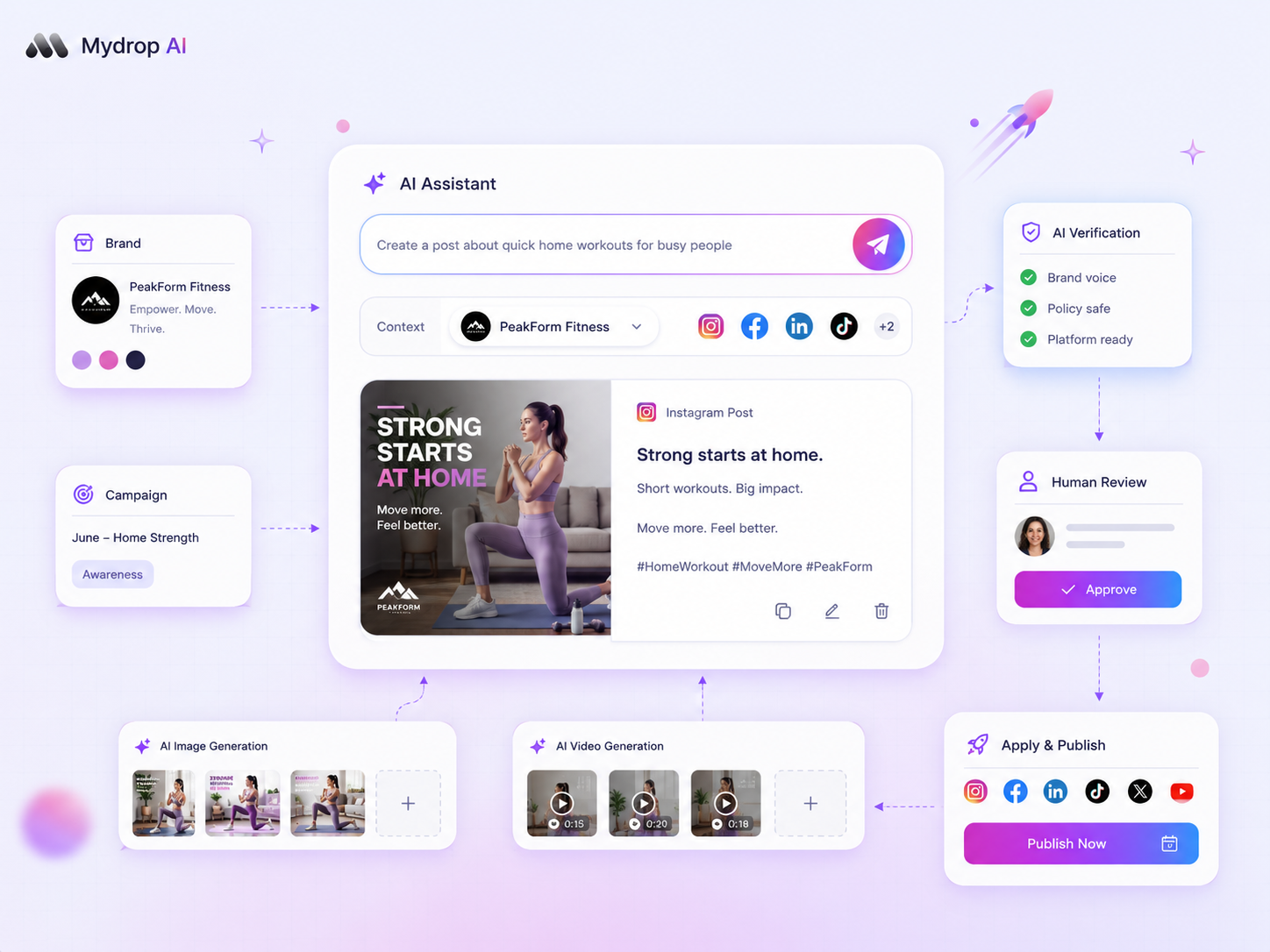
Mydrop AI image and video generation screen

When AI-generated media looks off-brand, the model is rarely the problem. The prompt left out something your brand rules take for granted, or nobody checked the output against a written standard. Work through the seven checks below in order, and only regenerate once you've fixed the first one that fails.

TLDR: Check seven things in order: the prompt, the reference image, colour, type and logo, people and products, tone of the caption, and the approval step. Most off-brand output fails on the first two, so fix the input before you re-roll the output.

Seven off-brand image checks, cheapest first

# Check What "off-brand" looks like The fix
1 Prompt Generic stock look, wrong mood Add 3 fixed brand words and 2 banned ones
2 Reference image Style drifts from post to post Attach the same 1 to 3 approved reference images every time
3 Colour Palette is close but not yours Name hex codes in the prompt, then correct in an editor
4 Logo and type Warped logo, invented lettering Never generate them. Add the real logo and text afterwards
5 People and products Wrong product shape, uncanny faces Use real product photos, generate only the background
6 Caption tone Image fine, copy sounds like a robot Rewrite with your voice notes, not a fresh prompt
7 Approval Off-brand image published anyway Make a named person approve before scheduling

Check 1 and 2: fix the input before you re-roll

Re-generate ten times with the same prompt and you'll get ten versions of the same problem. Open the prompt and ask what a stranger would assume about your brand from it.

  • Use three fixed brand words ("warm, plain, daylight") and two banned ones ("neon", "futuristic") in every prompt.
  • Keep one saved prompt per content type, so a product shot and a quote card each have their own.
  • Attach the same approved reference images each time. Style consistency comes from references far more than from adjectives.

Check 3 to 5: some things AI should not make

Generators are weakest at exact details. Colour is approximate, logos warp, and any lettering inside an image is a gamble.

  • Colour: put hex codes in the prompt, then check the result against your palette side by side. Correct the last 10% in an editor.
  • Logo and type: treat them as overlay-only. Generate the picture, then place the real logo and real text on top. If you build in Canva, Mydrop connects with Canva so the finished design flows into scheduling.
  • People and products: a product that's slightly the wrong shape is a claim you didn't approve. Photograph the real product and generate only what surrounds it.

Check 6: the caption can be the off-brand part

Sometimes the image passes and the caption is the leak. AI copy tends to sound the same across brands: a stock opener, a stock close. Keep a short voice note (three sentences you would say, three you never would) and paste it above every caption request. Then edit the first line by hand, because that's the line readers judge you on.

Check 7: a named person says yes before it schedules

Every other check can fail, so the last one is a gate. Put one named approver between "generated" and "scheduled", and give them a one-line standard: Would we put this next to last month's best post?

In Mydrop, drafts go through approval workflows with comments on the draft, and you can see how it looks per platform in post preview before it's queued. That makes the approver's job a 30-second look, not an email thread. For multi-brand teams, our template-to-drift audit shows how to catch slow drift across many accounts.

Put the standard in writing once

Teams repeat these checks every week because the standard lives in someone's head. Write a one-page AI media standard with five lines: brand words, banned words, palette hex codes, the logo rule and the approver's name. Paste it above every generation request.

Keep a small folder of 5 approved examples and 3 rejected ones, with a sentence each on why. New people learn the standard from those eight images faster than from any guideline document.

Next step: take the last off-brand image you rejected and run it through the seven checks. Note which one failed, and write that line into your one-page standard. To generate, review and approve in one place, try Mydrop free.


Free tools

Free tools

Calculators, templates and generators for social media teams.

FAQ

Quick answers

Usually the prompt and references are too generic. Fixed brand words, banned words and the same approved reference images each time fix most of it.

No. Generators warp logos and invent lettering. Generate the image, then add the real logo and text on top in an editor.

Put one named approver between generation and scheduling, with a one-line standard to judge against.

Next step

Stop coordinating around the work

If your team spends more time chasing approvals, assets, and publish details than creating better posts, the problem is probably not your people. It is the workflow around them. Mydrop brings planning, review, scheduling, and performance into one calmer operating system.

Mydrop Editorial Team

About the author

Mydrop Editorial Team

Mydrop

The Mydrop Editorial Team writes the guides, comparisons, and playbooks on this blog. We cover social media planning, publishing, approvals, analytics, and multi-brand workflows, drawing on how teams actually use Mydrop to run their social programs. Every article is researched, edited, and maintained by the team behind the product.

View all articles by Mydrop Editorial Team

Managing 14+ social platforms felt like a 2 a.m. nightmare until Mydrop. The AI brand-voice mapping is scary accurate, and the client approval portal saved me easily 15 hours this week alone. It's the ultimate set-and-forget workspace for busy agencies.
A true automation tool for scheduling (and creating) social media content! It has saved me over 20 hours of work already in just my first couple weeks. A true game-changer for anyone in business, big or small!
Finally tried Mydrop on a test client and the white-label portal on a custom domain actually looks legit, no Mydrop branding sneaking in. The OAuth setup saved me from the usual “what's my password” back-and-forth.
Absolute game-changer. Mydrop completely automated my content workflow. The scheduling is flawless, it actually feels intuitive, and it saved me 10+ hours in my very first week. Best decision I've made for my socials!
Mydrop AI has been an absolute game changer, it has saved me so much time and effort. It does what it promises. Easy to use, versatile, and the creator is really open to feedback. Very happy!
I was looking through a bunch of management tools for my client, as it was getting out of control; after comparing every solution, I found Mydrop to be a no brainer.
This app helps me more than any other I have ever used. I've got all of my pages and accounts and I can drag and drop like I want. Mydrop has really been a huge asset to my business!
I was looking for a scheduling tool as my clients were using more and more platforms. Mydrop does the job very well, and automations and forms are very useful and save me a lot of time. I recommend!
Love that you baked in white-label portals from day one, that's a huge pain point for agencies.
Love this platform for scheduling social media posts! Easy and very intuitive to use! Highly recommend!
Very nice tool, you will save a lot of time. Very easy to use, user friendly. I have used it for several months and it is very helpful.
Helpful app if you are trying to streamline social content creation for clients.
Managing 14+ social platforms felt like a 2 a.m. nightmare until Mydrop. The AI brand-voice mapping is scary accurate, and the client approval portal saved me easily 15 hours this week alone. It's the ultimate set-and-forget workspace for busy agencies.
A true automation tool for scheduling (and creating) social media content! It has saved me over 20 hours of work already in just my first couple weeks. A true game-changer for anyone in business, big or small!
Finally tried Mydrop on a test client and the white-label portal on a custom domain actually looks legit, no Mydrop branding sneaking in. The OAuth setup saved me from the usual “what's my password” back-and-forth.
Absolute game-changer. Mydrop completely automated my content workflow. The scheduling is flawless, it actually feels intuitive, and it saved me 10+ hours in my very first week. Best decision I've made for my socials!
Mydrop AI has been an absolute game changer, it has saved me so much time and effort. It does what it promises. Easy to use, versatile, and the creator is really open to feedback. Very happy!
I was looking through a bunch of management tools for my client, as it was getting out of control; after comparing every solution, I found Mydrop to be a no brainer.
This app helps me more than any other I have ever used. I've got all of my pages and accounts and I can drag and drop like I want. Mydrop has really been a huge asset to my business!
I was looking for a scheduling tool as my clients were using more and more platforms. Mydrop does the job very well, and automations and forms are very useful and save me a lot of time. I recommend!
Love that you baked in white-label portals from day one, that's a huge pain point for agencies.
Love this platform for scheduling social media posts! Easy and very intuitive to use! Highly recommend!
Very nice tool, you will save a lot of time. Very easy to use, user friendly. I have used it for several months and it is very helpful.
Helpful app if you are trying to streamline social content creation for clients.
Smiling social media managerSmiling social media managerSmiling social media managerSmiling social media managerSmiling social media managerSmiling social media manager

4.8/5 · on Trustpilot & Google