
















Stop sending raw report links as if they were simple calendar invites. If your performance data touches anything proprietary or sensitive, you need to swap those open-access URLs for password-protected share tokens right now.
We get it. You're juggling a dozen stakeholders across different time zones, and the pressure to deliver "just one more chart" by 6 p.m. never lets up. It's tempting to hit "share" on the first link you see, but that convenience is exactly how coordination debt piles up. When you leave analytics exposed to anyone with a browser, you aren't just risking a data leak; you're eroding the trust your clients and internal leadership place in your team's governance. You don't need a security clearance or a help desk ticket to share data safely, but you do need a consistent habit that matches the sensitivity of the metric to the security of the delivery.
The decision teams usually frame too broadly

Most teams fall into the trap of seeing "security" as a binary switch: either it's fully locked down behind a rigid SSO wall or it's completely open. That's a false choice, and it slows down your best people. The real decision isn't about blocking access; it's about choosing the right delivery friction for the audience in front of you.
When we look at teams managing hundreds of social profiles across multiple brands, we see a clear pattern: the more you over-secure, the more people bypass your systems entirely. The goal is to move from "open by default" to "fit for purpose" sharing.
| Reporting Method | Best Used For | Security Level | Friction |
|---|---|---|---|
| Public Link | Low-stakes, high-level summaries | Baseline | Minimal |
| Password-Protected | Sensitive, proprietary performance trends | High | Low |
| Email Delivery | Direct, executive-level sign-off | Enterprise | Medium |
Operator rule: If you're sharing a report that includes half-finished analysis or proprietary trend lines, it should never have a static, unprotected URL.
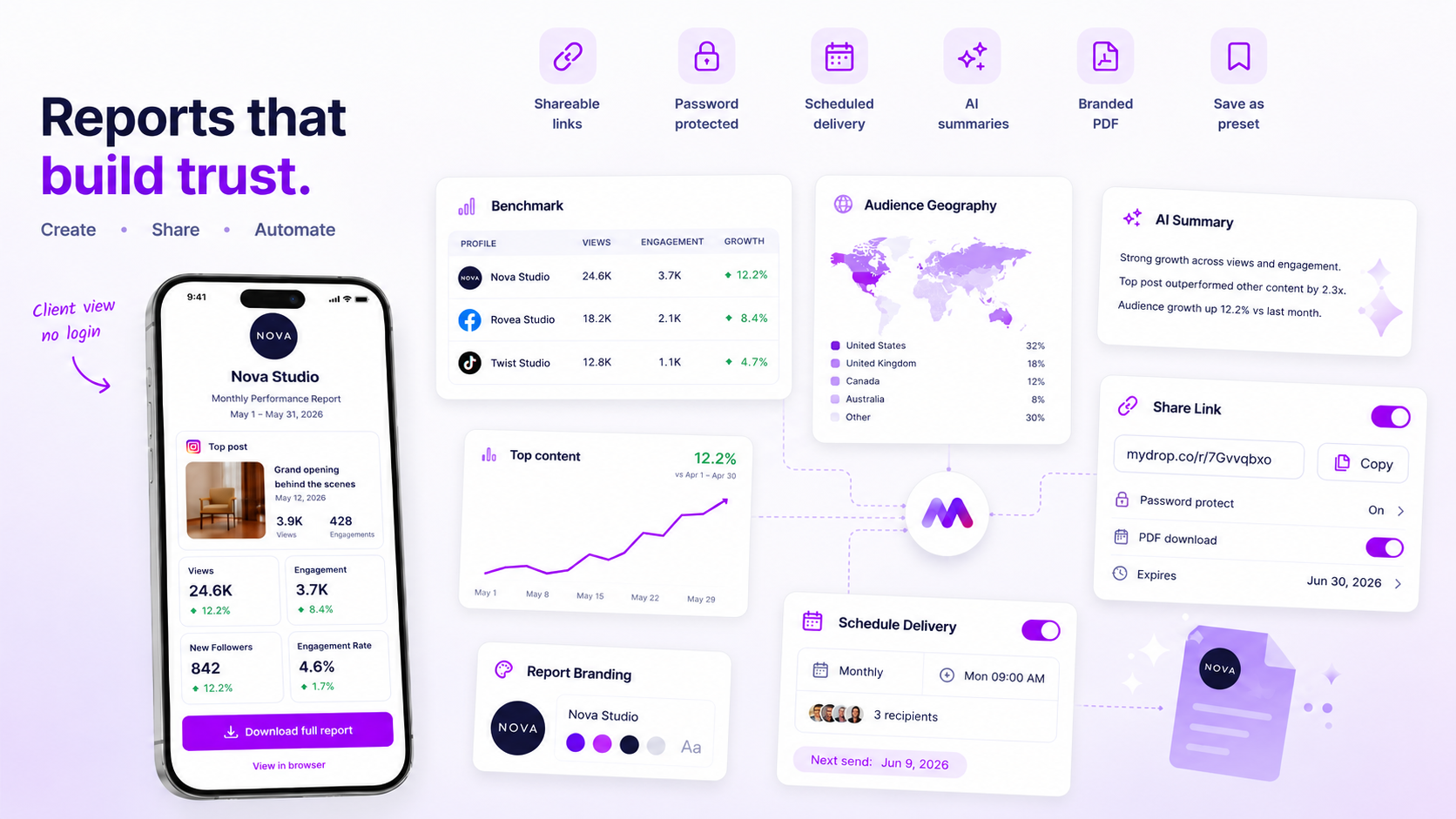
The most effective teams we know treat report sharing as a deliberate workflow. They use public links for quick, non-sensitive check-ins where the audience needs immediate context, but they switch to password-protected views the moment a document contains data you wouldn't want landing on a competitor's desk. At Mydrop, we designed our analytics report sharing specifically for this rhythm. You can set expiry dates on these tokens or add a password on the fly, so you can give your client a branded, no-login experience without turning your workspace into a security liability. It's the difference between handing someone a folder of loose papers and handing them a locked briefcase that disappears when the project is done.
What should stay manual and what can move faster

Most teams get stuck because they try to treat every report the same way. They either over-automate, sending every single data dump to every stakeholder regardless of relevance, or they keep everything manual, creating an endless cycle of "Can you export that again?" emails.
The secret to moving faster is simple: Automate delivery for the pulse; keep the context manual.
If you're tracking standard weekly metrics, like total reach, engagement rates or follower growth, that's your pulse. It's repetitive, predictable, and should move through an automated email delivery workflow. At Mydrop, we see the most efficient teams setting these up to land in stakeholder inboxes on a set schedule with a clear, concise summary. It kills the manual request cycle instantly.
But when you're sharing high-stakes, proprietary insights, like a strategy teardown for a new market launch or a sensitive comparison of three different competitor campaigns, stop hitting "send" on an automated email. This is where you need precision. Use a password-protected share link here. It forces a deliberate pause. You control access, you set an expiry date if the data is only relevant for a week, and you keep a layer of security that ensures only the right eyes see the sensitive numbers.
Decision check: If the report contains data that could change your quarterly strategy, it never gets an open link. It gets a password.
The tradeoff matrix
The following matrix helps you map your current reporting needs to the right delivery method. Stop guessing where a report belongs and start using this framework to match the method to the weight of the data.
| Reporting Method | Best Used For | Security Level | Friction | Operating Logic |
|---|---|---|---|---|
| Public Link | Low-stakes, high-level summaries | Baseline | Minimal | No authentication; fast share for broad team updates. |
| Password-Protected | Sensitive, proprietary performance trends | High | Low | Requires key access; ideal for temporary campaign audits. |
| Email Delivery | Executive sign-off and routine status | Enterprise | Medium | Scheduled, direct, and creates a record of receipt. |
When you look at this table, don't just look at the columns. Look at the Operating Logic.
Teams managing dozens of brand profiles often fail because they treat an "urgent campaign audit" with the same lax security as a "monthly community growth" check-in. If you're sharing a file that includes a competitive analysis or early-stage performance metrics, you're holding the keys to the kingdom. Treat them like it.
If you aren't sure which path to choose, start with a safe-fail approach. Set your next report to be password-protected with a 48-hour expiry. If your client or stakeholder handles it well and doesn't get locked out, you've confirmed your security threshold. If they struggle, you've learned you need to either simplify the report's UI or spend 10 minutes on a quick onboarding screen share.
Moving faster isn't about removing all friction; it's about choosing the friction that actually protects your team's work.
How to pilot the workflow safely
You don't need to overhaul your entire reporting infrastructure in one afternoon. In fact, doing so usually triggers the exact chaos you're trying to avoid. Instead, pick a single, low-stakes report, like a monthly internal performance summary or a routine update for a trusted partner, and run a pilot.
At Mydrop, we suggest starting with the "One-Link Audit." Before you send your next batch of performance metrics, spend five minutes in your report settings to apply these three guardrails:
- Set an expiry date: If the report only needs to be relevant for the next week, set the link to expire automatically after that window. This is your best defence against "stale data leakage."
- Toggle the PDF control: Be deliberate about whether you want the recipient to download a static version. If you want them to always have the latest, most accurate data, consider keeping the PDF download disabled.
- Use a password for the "grey-area" stakeholders: If you're unsure whether the link might be forwarded to someone outside the immediate project scope, add a simple, shared password.
Operational Check: Before you hit send, ask yourself: "If this URL ends up on a public Slack channel or a shared drive, would I be comfortable with that?" If the answer is "no," the password field is no longer optional.
Once you've done this once, the workflow becomes invisible. Your team stops treating every report as a high-security emergency and starts treating it as a standard, repeatable process.
The operating rule to keep
If there's one principle that separates high-performing teams from those drowning in coordination debt, it's this: Access is not a one-time grant.
You should treat access to your analytics exactly like you treat access to your cloud assets or your internal brand library. It needs governance. Just because you shared a report with a client last quarter doesn't mean they need access to this quarter's updated metrics, especially if the team structure has shifted.
Workflow check: If it's shared, it's secured.
When you use Mydrop to manage these report delivery links, you have a central place to monitor, audit, and, crucially, revoke access. If a project wraps up, you don't hunt through email threads to see who has what; you simply disable the share token. It's an immediate, global "off" switch that keeps your sensitive performance trends within the right circles, no matter how many times a link was forwarded or saved.
Conclusion
The goal of your reporting pipeline should be to build trust, not to build obstacles. When you lean into a flexible, protected delivery model, you stop being the "gatekeeper" of data and start being a partner who's proactively providing the right insights at the right time.
Start with that one pilot report. Once you see how much cleaner your communication becomes, you'll wonder why you ever lived with the risks of open, unmonitored links. Your data is your strategy, so treat it with the same level of care you apply to the creative work itself.


 Google review
 Trustpilot review
 Product Hunt comment





