






























Force an approval workflow only when the cost of a mistake is higher than the cost of a delay. If your team is stuck in a permanent, high-friction review loop for everything from small community replies to major product launches, you've gone from a "safety-first" culture to a "coordination debt" trap.
We've all been there. It's 6pm on a Thursday, you're waiting for sign-off on a simple post, and your team's creative energy is draining away. It feels like a choice between chaos and paralysis. In reality, autonomy is a force multiplier, not something you get by default. As your brand grows more complex, you need to move from "trust by default" to "verified by risk". When you manage dozens of stakeholders and hundreds of social profiles, adding friction to every single post doesn't protect your brand. It just teaches your team to stop taking creative risks.
The decision teams usually frame too broadly
Most teams get into trouble because they see "approvals" as an all-or-nothing policy. Either they create a total bottleneck, where every tweet needs three layers of sign-off, or they let everyone run wild and hope a junior colleague never posts a personal opinion or a broken link to a global audience.
It's the classic mistake: solving for one specific fear (a typo, a rogue comment) instead of for the systemic risk of the channel.
In our experience, teams managing several brands often treat a routine Instagram Story exactly like a multi-million-dollar global product launch. That kills speed without protecting you any better. When your team has to push a community reply through the same approval queue as a brand-wide crisis statement, the process loses its value. People start rubber-stamping everything just to clear their notification backlog.
Here's the reality: when everything is a priority, nothing is.
If you want to move faster, stop asking "Does this need approval?" Ask "What happens if this goes live without a person looking at it first?" If the answer is "a small typo", that's a very different risk from "a legal compliance breach" or "misleading financial information".
Teams often struggle here because they can't see the pre-publish context. Nobody checks the format, the media requirements or the rules for each destination until it's too late. At Mydrop, we see the most successful teams use automated pre-publish checks to catch the easy mistakes, such as missing thumbnails or broken link-in-bio blocks, before the post ever lands on an executive's desk. That leaves human reviewers free to focus on what matters: brand voice, strategy and risk.
Hand the mechanical checking to software and your people can concentrate on the decisions only people can make. It's the difference between asking your legal team to proofread your grammar and asking them to review your campaign strategy.
What should stay manual and what can move faster

The secret is to stop treating every post like a press release. Put a tweet about a coffee spill in the office through the same five-step approval chain as a global rebrand and you aren't protecting the brand. You're teaching your team to work around the system.
Teams managing hundreds of brand profiles fall into this trap all the time. They apply one high-friction workflow to everything because they fear the unknown. The result is a huge pile of coordination debt, with your best people spending their days clicking "Approve" on low-risk copy instead of building strategy.
Autonomy should be the default for any content you can correct or delete within minutes without damaging your reputation. If a community manager is replying to a customer about a delayed delivery, they need speed, not a sign-off from a VP. Trust them. They're closer to the action than you are.
Keep manual intervention for the High-Stakes zone: content with legal liability, sensitive public issues or significant media spend. For everything else, rely on systematic validation. Use tools that check the constraints automatically (character counts, image ratios, platform-specific requirements) before anyone even hits "Schedule", instead of expecting a person to spot a broken link at 4pm on a Friday.
The tradeoff matrix
You're always balancing the cost of a mistake against the cost of a delay. If it takes three days to approve a post that stops being relevant after three hours, the approval process has become the main point of failure.
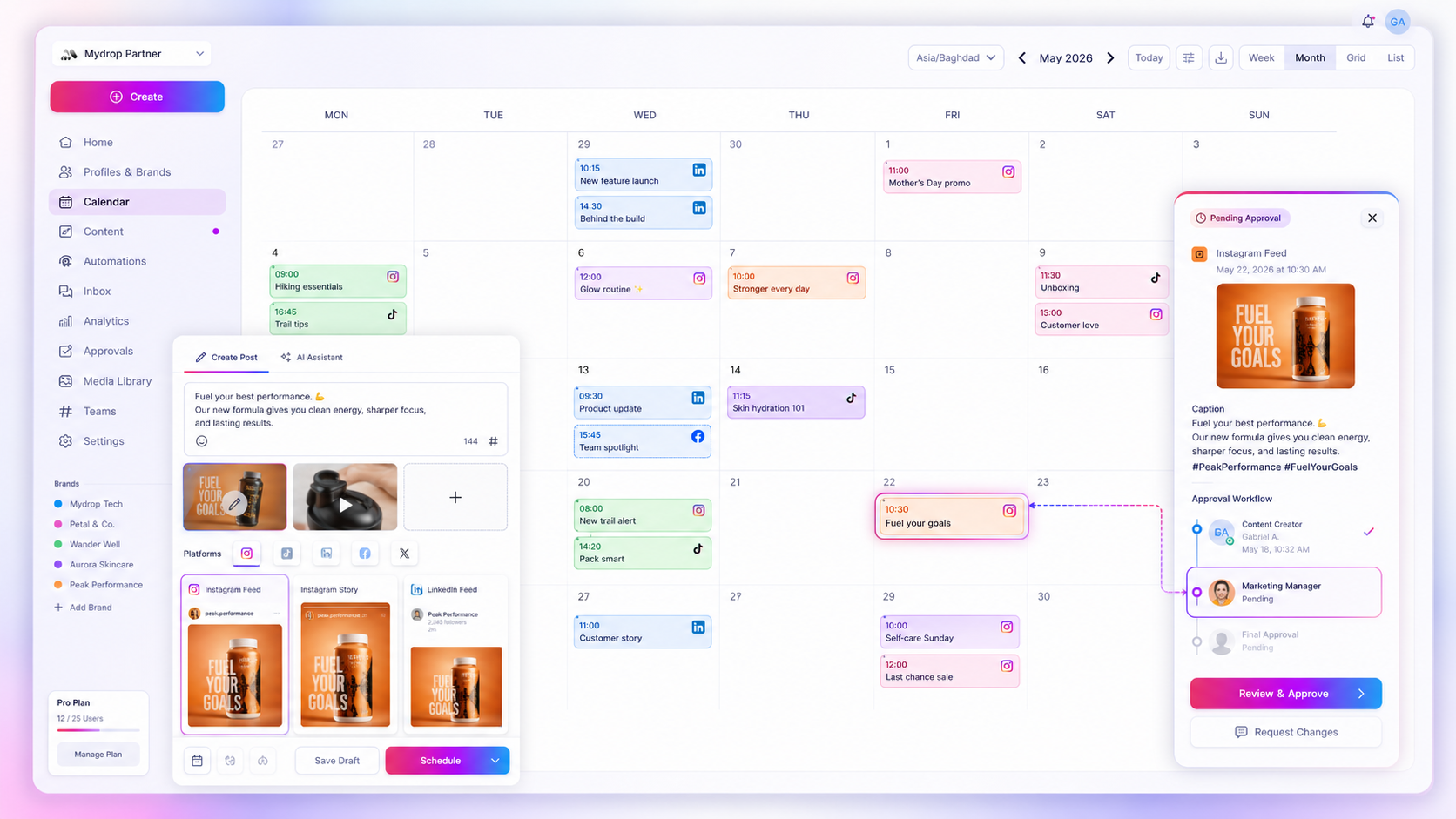
This matrix shows you where to put your friction. Map your content by impact and you'll see exactly where you're over-controlling and where you've left too little room for agility.
Content Risk Scorecard
| Risk Tier | Content Type | Typical Velocity | Approval Requirement | Validation Strategy |
|---|---|---|---|---|
| 1: Routine | Community replies, daily engagement | Immediate | None (Self-serve) | Automated platform checks |
| 2: Campaign | Product launches, event updates | 24-48 hours | Peer review | Standardised brand audit |
| 3: High Stakes | Crisis response, policy changes | Real-time | Legal/Executive sign-off | Direct stakeholder sign-off |
| 4: Financial | Paid ads, influencer partnerships | 3-5 days | Multi-stage audit | Compliance/Budget lock |
Operator rule: If your team spends more than 10 per cent of its week chasing approvals for Tier 1 content, your governance model is broken. Switch to audit-after-publish for those channels, and use the time to tighten up your Tier 3 and 4 workflows instead.
Mydrop data, September 2026: across posts that went through a client approval on Mydrop, the median time from submission to approval was 6 hours, and 66% were approved within 24 hours. Method in the Mydrop social media benchmarks.
The aim isn't to remove all friction. It's to put it where it actually adds value. In our experience, the teams that scale their social operations successfully are the ones that stop treating approval workflows as a security blanket and start using them like a scalpel. Automate the sanity check for basic format errors and you stop being the bottleneck and start being the strategist.
The biggest risk to a multi-brand presence isn't the odd typo. It's the silence that follows when your team gets too slow to join the conversation.
How to pilot the workflow safely
You can't fix a fractured approval process overnight. Switch from "total chaos" to "strict gatekeeping" in one afternoon and your team will, quite rightly, revolt. Treat the change like a software release instead: roll it out in stages, watch for bugs, and iterate before you go full scale.
Start with one low-stakes brand or a single regional market, and pilot your new tiered approval model there. For two weeks, run your existing process alongside a "shadow" version that applies the risk matrix. Use what you learn to see where the friction really sits. Is the legal team slow, or is it poorly formatted creative that triggers endless rounds of edits?
At Mydrop, we often see teams save hours of manual cross-checking by building their pre-publish validation into the tool itself. Instead of sending a draft to someone just to confirm the image aspect ratio is right for LinkedIn, ask the creator to run a pre-publish check. That takes the "did you remember to check the specs?" question out of the human review altogether.
Your 5-Step Pilot Checklist
- Define the "Fast Track" bucket: Pick the content types that need no human intervention at all (for example, community replies and evergreen memes).
- Assign the gatekeepers: For Tier 3 and Tier 4 content, name the final approvers explicitly. If they're not available, make sure a clear deputy is in place.
- Formalise the "Request for Context": If an approver rejects a post, ask them to use a structured note rather than a vague "fix this". It keeps the feedback loop tight.
- Run a 14-day shadow phase: Keep your current process, but track how many "Tier 2" posts a peer could have cleared instead of a manager.
- Review the "bottleneck count": At the end of the week, check your calendar notes. How many posts sat in review for more than 24 hours? If the number is high, your "critical" bucket is probably too big.
The operating rule to keep
The most common trap in enterprise marketing is Approval Creep. It starts with one rogue post that caused a minor headache. Leadership then demands a five-step approval chain for every single asset. Two years on, the team is burned out, the creative is stale, and "rogue posts" have been swapped for a "total collapse in speed".
Decision check: Default to autonomy for any post without a clear, irreversible downside. If the worst case is a typo you can fix in ten seconds, the approval costs you more than the mistake would.
Your goal is a "verified by risk" culture. That means you don't check every post. You check the conditions in which posts are created. If your team uses verified templates, approved brand assets and platform-specific checks inside your management tool, nobody needs to read every single caption.
Trust is a force multiplier, but you earn it through process, not goodwill. Automate the technical housekeeping (correct aspect ratios, valid link-in-bio paths, the right regional profile tags) and your senior stakeholders are free to focus on the one thing that really matters: the message.
Conclusion
The tension between speed and control never fully goes away. If you feel you're constantly choosing between brand safety and creative agility, you're probably trying to solve a process problem with a people solution. Stop throwing more humans at the review bottleneck.
Build the answer into the structure of your workflow instead. Map your content against the risk matrix, hand the technical validation to your platform, and give your team the guardrails to stay fast without going rogue. The best teams don't have fewer approvals. They have smarter ones. And they know exactly which posts deserve a second pair of eyes, and which ones should have been live ten minutes ago.


 Google review
 Trustpilot review
 Product Hunt comment




