




























ClaudeChatGPTCursorGeminiWorks with your AI agentsChromeMydropTry Mydrop Chrome Extension
Multi Brand Operations

Social Media Alert System for Enterprise Teams: 7 Alerts to Set

Which alerts an enterprise social team really needs: seven triggers, an owner and a response window for each, and how to avoid alert fatigue.

4 min read

Updated: Oct 15, 2026

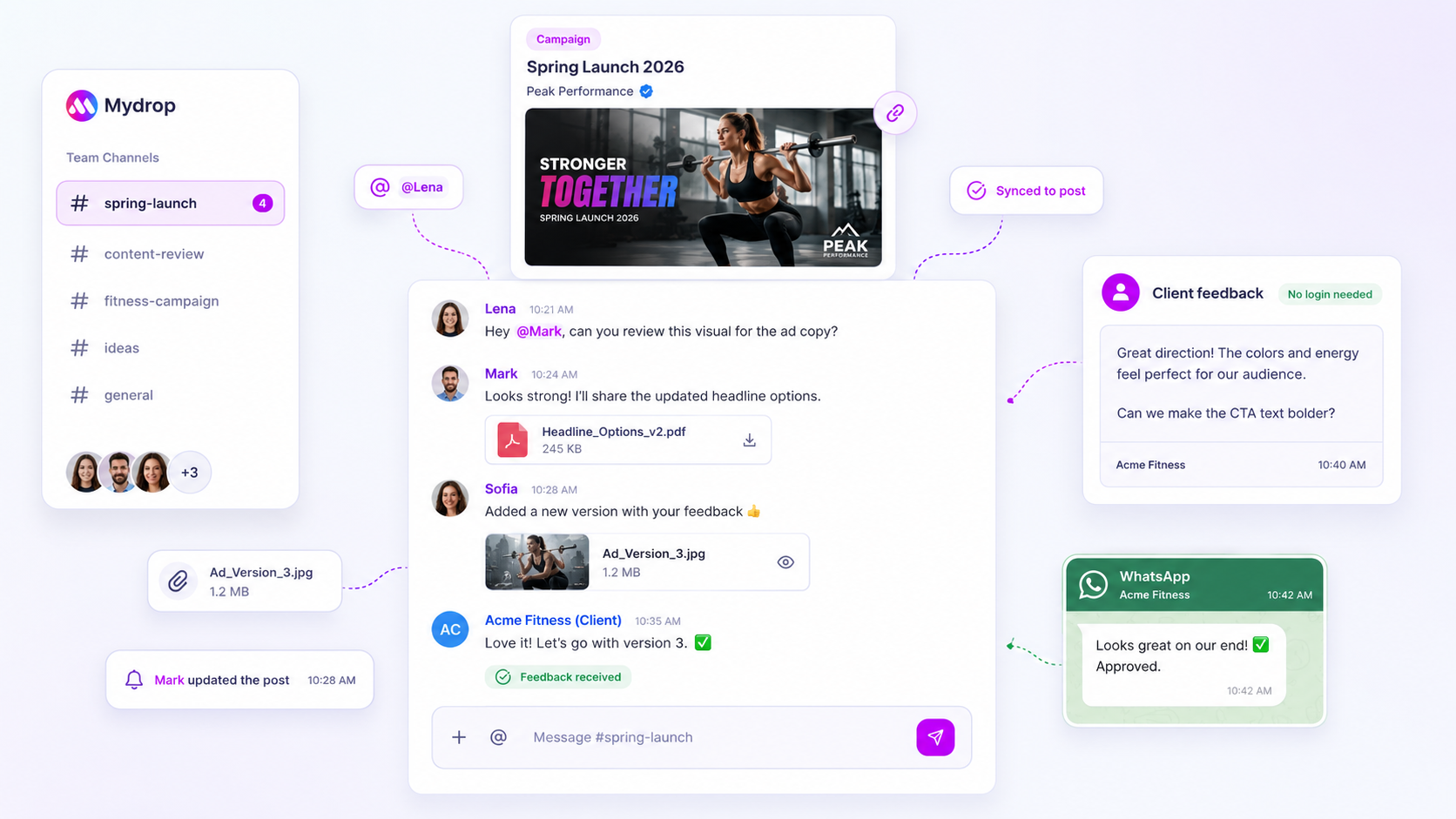
Mydrop team channel with a campaign card, comments, a client feedback note and a WhatsApp approval

The best social media alert system for an enterprise team isn't a product. It's seven alerts, each with a named owner and a response window. Most teams go wrong by setting too many, or by sending alerts to a shared inbox where everyone assumes someone else has it covered. Start with the seven below, route each one to a person, and delete any that nobody acts on.

TLDR: Set alerts for failed publishes, expired connections, stuck approvals, negative-comment spikes, unanswered messages, brand mentions and empty calendar slots. Give each an owner and a deadline. Check which ones your tools send natively and cover the gaps with a daily calendar reminder.

The seven alerts, with owner and response window

The response windows are our suggested starting points. Tune them after a month.

Alert Trigger Owner Respond within
1. Failed publish A scheduled post did not go live Channel manager for that brand 30 minutes
2. Expired connection A profile needs reconnecting Workspace admin 1 working day
3. Stuck approval A post has waited over 24 hours for review Approver, then their manager Same day
4. Negative spike Several negative comments or replies on one post in a short window Community lead 1 hour
5. Unanswered message A direct message or comment mentioning an issue has had no reply Community team 4 working hours
6. Brand mention A mention of a brand or executive outside your own posts Social lead 1 working day
7. Empty slot A planned publishing slot has no approved post 24 hours before Content planner Same day

If you have 20 brands, the answer isn't 20 times the alerts. It's the same seven, scoped to each brand, with the owner changing from brand to brand.

Why these seven, and the data behind two of them

Failed publishes and expired connections. In Mydrop's publishing data for the 30 days to 16 September 2026, 98.5% of posts went live at the first attempt. The most common hard failure was an expired platform connection. That's why alert 2 exists: it prevents the failures that alert 1 would otherwise catch too late.

Stuck approvals. In Mydrop's data on posts that went through client approval, the median time from submission to approval was 6 hours, and 66% were approved within 24 hours. That makes 24 hours a sensible line: past it, a post is in the slow third and needs a nudge. The longer it waits, the more likely it goes live late or never.

The other four are common sense that enterprise teams still skip: a negative spike on a launch post, a customer message sitting unanswered, an executive mentioned somewhere you aren't watching, and a calendar that quietly emptied while everyone was in planning meetings.

Routing: where each alert should land

An alert in the wrong place is a missed alert. Here's a routing rule that works:

  • Urgent (alerts 1 and 4): a channel the owner watches during working hours, with a named person tagged.
  • Same-day (alerts 3, 5, 7): a task or reminder in the owner's calendar.
  • Daily digest (alerts 2 and 6): one summary each morning.

On the calendar side, syncing social alerts to your calendar shows how to make them appear where people already look.

What to check in any tool before you rely on it

Before you choose a system, test it against your own list. Ask the vendor to show you, live:

  1. A deliberately failed post triggering an alert, and who gets it.
  2. How approval reminders are sent and to which channel.
  3. Whether message and comment alerts cover all the profiles you manage, or only some.
  4. Whether alerts can be scoped per brand and per person.
  5. What you can see in the audit trail afterwards.

No single tool is likely to cover all seven natively. That's normal: cover the rest with a recurring reminder and a daily five-minute check.

Where Mydrop covers part of this

In Mydrop, the social inbox collects comments and messages from connected profiles in one place, social monitoring tracks mentions, and approvals show what is waiting on whom. Reminders sync to Google Calendar for the same-day items. For approval nudges specifically, see how to automate approval reminders.

Cut alerts before you add them

Alert fatigue is what kills most alert systems. Review monthly: for each alert, count how many times it fired and how many times someone acted. If the answer is zero actions, delete it or change the trigger. Seven alerts that get acted on beat thirty that get muted.

Next step: write the seven alerts into a one-page table with a real name next to each, then test alert 1 by scheduling a post that you know will fail. If you manage several brands, start free with Mydrop and connect your profiles to see the inbox and approvals views.

Free tools

Free tools

Calculators, templates and generators for social media teams.

FAQ

Quick answers

Start with seven: failed publishes, expired connections, approvals stuck for over 24 hours, spikes in negative comments, unanswered messages, brand mentions and an empty calendar slot. Each needs a named owner.

Give every alert one owner and one action, and delete any alert nobody acted on in a month. Send urgent ones to a channel people actually watch and batch the rest into a daily digest.

In Mydrop's data, the most common hard failure is an expired platform connection. A daily failure alert plus a quarterly reconnect check covers it.

Next step

Stop coordinating around the work

If your team spends more time chasing approvals, assets, and publish details than creating better posts, the problem is probably not your people. It is the workflow around them. Mydrop brings planning, review, scheduling, and performance into one calmer operating system.

Mydrop Editorial Team

About the author

Mydrop Editorial Team

Mydrop

The Mydrop Editorial Team writes the guides, comparisons, and playbooks on this blog. We cover social media planning, publishing, approvals, analytics, and multi-brand workflows, drawing on how teams actually use Mydrop to run their social programs. Every article is researched, edited, and maintained by the team behind the product.

View all articles by Mydrop Editorial Team

Managing 14+ social platforms felt like a 2 a.m. nightmare until Mydrop. The AI brand-voice mapping is scary accurate, and the client approval portal saved me easily 15 hours this week alone. It's the ultimate set-and-forget workspace for busy agencies.
A true automation tool for scheduling (and creating) social media content! It has saved me over 20 hours of work already in just my first couple weeks. A true game-changer for anyone in business, big or small!
Finally tried Mydrop on a test client and the white-label portal on a custom domain actually looks legit, no Mydrop branding sneaking in. The OAuth setup saved me from the usual “what's my password” back-and-forth.
Absolute game-changer. Mydrop completely automated my content workflow. The scheduling is flawless, it actually feels intuitive, and it saved me 10+ hours in my very first week. Best decision I've made for my socials!
Mydrop AI has been an absolute game changer, it has saved me so much time and effort. It does what it promises. Easy to use, versatile, and the creator is really open to feedback. Very happy!
I was looking through a bunch of management tools for my client, as it was getting out of control; after comparing every solution, I found Mydrop to be a no brainer.
This app helps me more than any other I have ever used. I've got all of my pages and accounts and I can drag and drop like I want. Mydrop has really been a huge asset to my business!
I was looking for a scheduling tool as my clients were using more and more platforms. Mydrop does the job very well, and automations and forms are very useful and save me a lot of time. I recommend!
Love that you baked in white-label portals from day one, that's a huge pain point for agencies.
Love this platform for scheduling social media posts! Easy and very intuitive to use! Highly recommend!
Very nice tool, you will save a lot of time. Very easy to use, user friendly. I have used it for several months and it is very helpful.
Helpful app if you are trying to streamline social content creation for clients.
Managing 14+ social platforms felt like a 2 a.m. nightmare until Mydrop. The AI brand-voice mapping is scary accurate, and the client approval portal saved me easily 15 hours this week alone. It's the ultimate set-and-forget workspace for busy agencies.
A true automation tool for scheduling (and creating) social media content! It has saved me over 20 hours of work already in just my first couple weeks. A true game-changer for anyone in business, big or small!
Finally tried Mydrop on a test client and the white-label portal on a custom domain actually looks legit, no Mydrop branding sneaking in. The OAuth setup saved me from the usual “what's my password” back-and-forth.
Absolute game-changer. Mydrop completely automated my content workflow. The scheduling is flawless, it actually feels intuitive, and it saved me 10+ hours in my very first week. Best decision I've made for my socials!
Mydrop AI has been an absolute game changer, it has saved me so much time and effort. It does what it promises. Easy to use, versatile, and the creator is really open to feedback. Very happy!
I was looking through a bunch of management tools for my client, as it was getting out of control; after comparing every solution, I found Mydrop to be a no brainer.
This app helps me more than any other I have ever used. I've got all of my pages and accounts and I can drag and drop like I want. Mydrop has really been a huge asset to my business!
I was looking for a scheduling tool as my clients were using more and more platforms. Mydrop does the job very well, and automations and forms are very useful and save me a lot of time. I recommend!
Love that you baked in white-label portals from day one, that's a huge pain point for agencies.
Love this platform for scheduling social media posts! Easy and very intuitive to use! Highly recommend!
Very nice tool, you will save a lot of time. Very easy to use, user friendly. I have used it for several months and it is very helpful.
Helpful app if you are trying to streamline social content creation for clients.
Smiling social media managerSmiling social media managerSmiling social media managerSmiling social media managerSmiling social media managerSmiling social media manager

4.8/5 · on Trustpilot & Google







