






























The best approval notification tools send the request where the reviewer already is (email, Slack, WhatsApp or a phone) and re-send it automatically when it goes overdue. Approvals rarely stall at the decision. They stall because the reviewer never saw the request, or saw it on a Friday and forgot. Fix the notification and most of the waiting goes away.
TLDR: Send approval requests to the channel each reviewer actually reads, add an automatic reminder at 24 hours, and escalate at 48. In Mydrop's data on client approvals, the median post was approved in 6 hours, so a post that waits two days is almost always a missed notification.
Mydrop pricing check, September 2026: the entry paid plans of the eight tools most often compared with Mydrop run from $6 per channel (Buffer) and $25 a month (Later) to $99 per user (Hootsuite) and $199 per seat (Sprout Social), read on each vendor's pricing page. Mydrop is free to start, then $19 a month flat, not per seat. Full table on Mydrop's compare pages.
How long an approval should take, and when it is stuck
On the posts that went through a client approval on Mydrop with both timestamps recorded, the median time from submission to approval was 6 hours, and 66% were approved within 24 hours. The sample is small, but the pattern is clear.
Two out of three approvals happen inside a day. In our experience, the slow third are rarely posts the reviewer disliked. They're sitting in an unopened inbox, or with someone who was away.
That gives you a simple rule: any post still pending after 24 hours needs a second ping, and after 48 hours it needs a different person.
Five channels an approval request can travel, and where each one fails
| Channel | Works best for | Where it fails |
|---|---|---|
| External clients, legal teams | Buried under 100 other emails by lunchtime | |
| Slack or Teams | In-house teams who live in chat | Lost in a busy channel within the hour |
| Clients, owners and executives on their phone | Needs the reviewer's verified number | |
| Mobile app push | Reviewers who have a seat and the app | Needs an install and a login |
| In-app notification | The social team itself | Only seen when someone is already logged in |
The common mistake is sending every reviewer the same email. A founder who approves between meetings is far more likely to see a WhatsApp message than an email.
7 approval tools compared on notifications and reminders
All seven support post approvals. The table lists the channels we could confirm. Vendors add integrations often, so test the reminder rules in a trial.
| Tool | Reaches reviewers by | Good fit |
|---|---|---|
| Mydrop | Email, Slack, WhatsApp (approve inside the chat), in-app, automatic reminders | Agencies and teams with clients who never log in |
| Sprout Social | Email, in-app, mobile app | In-house teams with reviewers on paid seats |
| Hootsuite | Email, in-app, mobile app | Large teams already on Hootsuite |
| Loomly | Email, in-app, Slack and Microsoft Teams integrations | Small teams that review in chat |
| Planable | Email, in-app | Teams that review in a visual feed |
| Filestage | Email, with review due dates | Multi-step reviews of campaign files |
| Asana | Email, in-app, mobile app, Slack integration | Teams that track posts as tasks |
What to test in each trial: send one post for approval to a reviewer with no account, wait 24 hours without answering, and see what happens. If nothing happens, you're the reminder system.
Set a reminder schedule that nudges without nagging
This schedule nudges reviewers without training them to ignore you:
- Hour 0: the request goes out on the reviewer's main channel, with a preview of the post in the message.
- Hour 24: one automatic reminder, on the same channel.
- Hour 48: escalate to a backup approver, or to the account lead for client work.
- Six hours before the publish time: a final alert to the social team, so they can hold the post or move the date.
Put it in your client agreement, so a reminder reads as process, not chasing. Our three-step approval reminder schedule has the message templates.
Mydrop sends each reviewer the alert they'll actually see
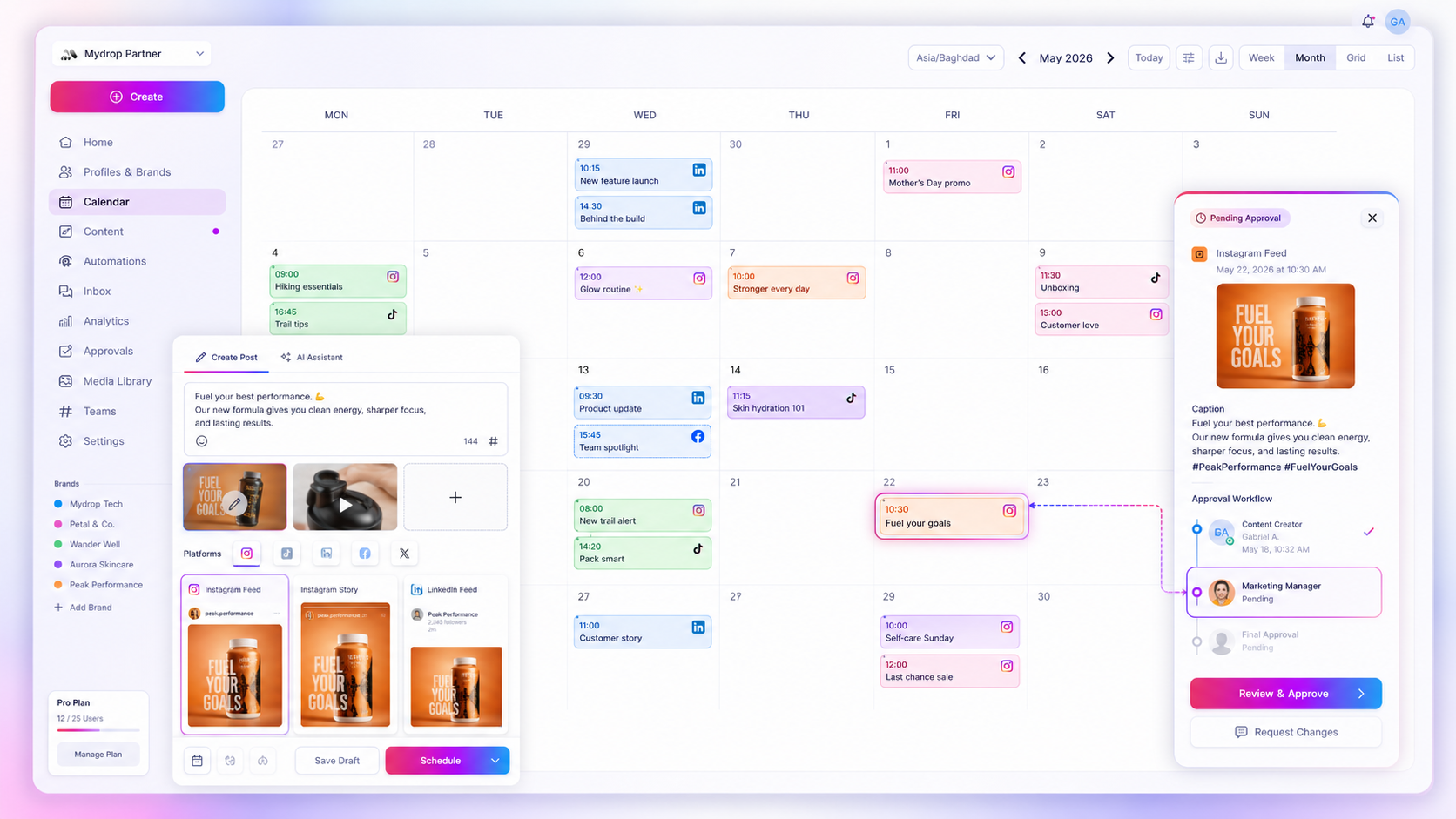
In Mydrop, the request travels to the reviewer, who never has to open the tool:
- WhatsApp approvals. When a reviewer has a verified WhatsApp number, the request arrives with Approve and Suggest edits buttons, handled inside the chat. Edits go straight back to the post's conversation. More on the WhatsApp integration.
- Slack alerts per person. Each teammate connects their own Slack channel or direct message and switches each alert on or off: review requests, approved posts, new feedback. See the Slack integration.
- Automatic reminders. Overdue and scheduled reminders nudge the right approver, so nobody on your team has to chase by hand.
- No-login review links. Every post gets a secure link with a true-to-platform preview, so the reviewer can decide from the notification itself.
Unapproved posts stay pending, so a missed alert never means an unapproved post goes live. The full flow is on the approvals feature page.
Audit where your last 10 approvals waited
Pull your last 10 approved posts. For each one, write down when it was sent for review, when it was approved and on which channel the reviewer answered. If most of the slow ones were sent by email, you have your answer.
Then move each reviewer to the channel they answered fastest. You can start free with Mydrop, connect Slack or WhatsApp and turn on reminders before your next batch of posts goes out.

 Google review
 Trustpilot review
 Product Hunt comment




