
















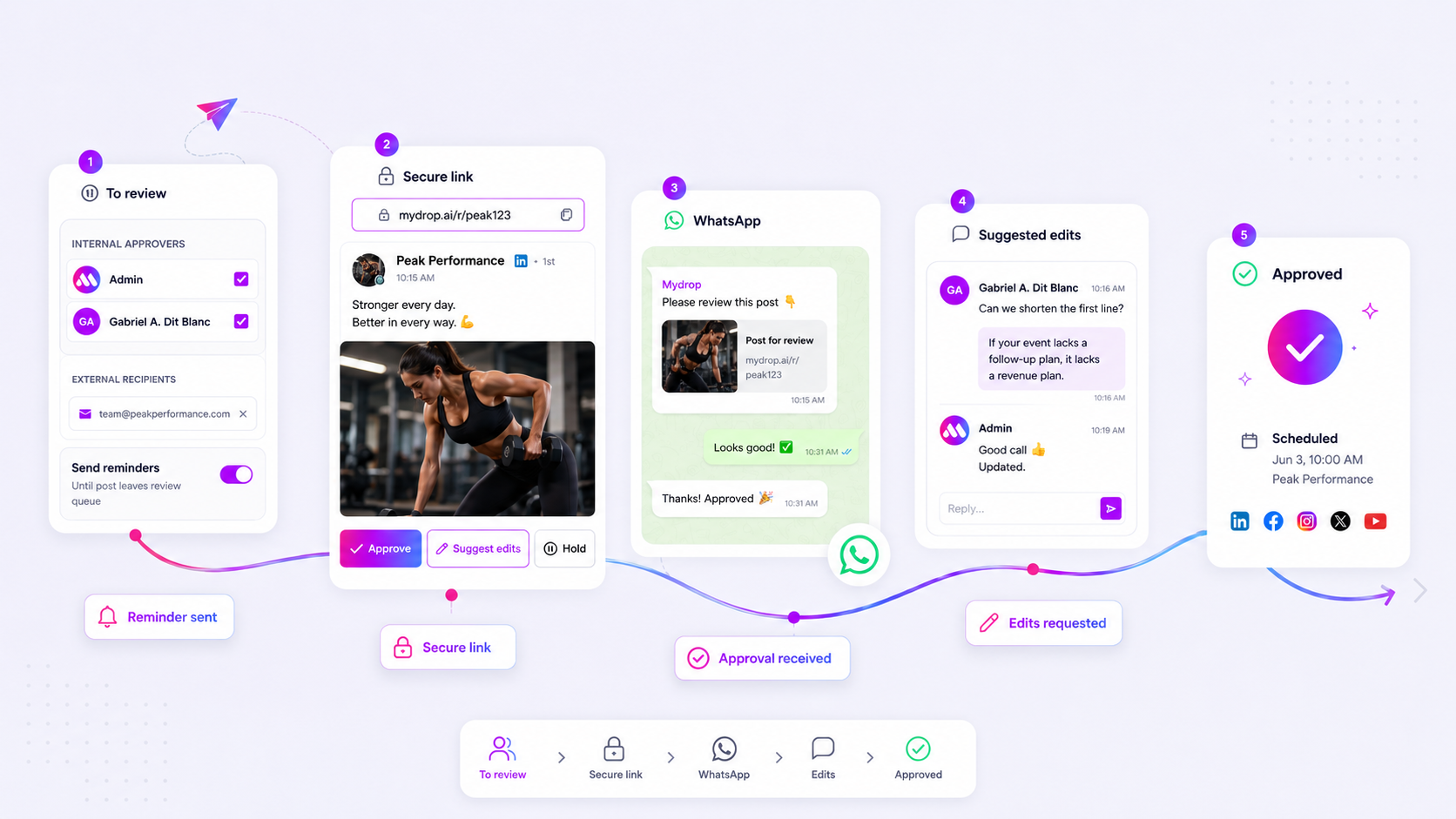
The fastest way to clear a campaign bottleneck is to strip out every ounce of friction between where your stakeholders already are and the content they need to see. Force an approver to log into a specialist dashboard or click through a maze of folders just to give a thumbs up, and your campaign is already dead in the water. We have seen it across thousands of posts: when you treat approval as a login-gated admin task, you are asking your stakeholders to leave their natural habitat. They will ignore you, they will forget the password, and they will go back to the work that actually pays their bills.
We get it. You spent weeks on the strategy, the creative, and the copy. Then the whole thing hits a wall because an approver is travelling, stuck in back-to-back meetings, or simply refuses to remember their credentials for one more tool. It is the silent, maddening "last mile" problem of marketing, and it feels like you are shouting into the void while the calendar ticks towards zero.
What changed before the numbers moved
In the old desktop-first world, the fastest way to clear a campaign bottleneck was to remove the friction between your stakeholders' current context, whether that's email or WhatsApp, and the content they need to review. Force an approver to log into a specialist portal, remember a password, or navigate a complex interface just to hit a button, and you aren't managing a workflow. You are building a roadblock.
We have all been there. You have spent weeks getting strategy straight, refining the creative, and polishing the copy. Then the entire project stalls because a senior stakeholder is travelling, buried in meetings, or simply can't find the login link you sent three days ago. It is the classic "last mile" problem of marketing, and it feels like you are shouting into the void while the calendar ticks towards zero.
The reality is that most teams don't have a content production problem. They have a decision bottleneck. You are probably losing days, not hours, because your approval process assumes your stakeholders have the same desk-bound focus as your marketing team. They don't. Make approval work for them, and the approvals happen.
What changed before the numbers moved
The shift here isn't about adding more tools. It is about respecting the stakeholder's reality. A few years ago, we lived in a desktop-first world where everyone sat in front of a project management suite. If a post needed review, you sent an email, they logged in, they commented, and you moved on.
Today, that workflow is effectively broken.
When you manage teams across multiple regions and time zones, your stakeholders are almost never at their desks when inspiration, or a critical compliance check, strikes. They are reviewing on the go, often between flights or while waiting for a coffee. If your workflow requires them to authenticate, battle session timeouts, or learn a new interface, they will simply put the task off. And when they put it off, your campaign momentum dies.
Across the thousands of workflows we observe, the teams that consistently hit their publishing targets are the ones that shifted from system-centric to context-centric approvals.
Operator rule: If a stakeholder has to leave their main communication channel to approve your content, your workflow is fundamentally misaligned with how they behave.
Mydrop data, September 2026: across posts that went through a client approval on Mydrop, the median time from submission to approval was 6 hours, and 66% were approved within 24 hours. Method in the Mydrop social media benchmarks.
This shift isn't just about moving to mobile. It is about treating approval as an extension of the conversation that's already happening. Whether it's an email notification that lets someone give feedback in one tap or a message on a platform like WhatsApp, the goal is to make the decision as easy as clicking a link.
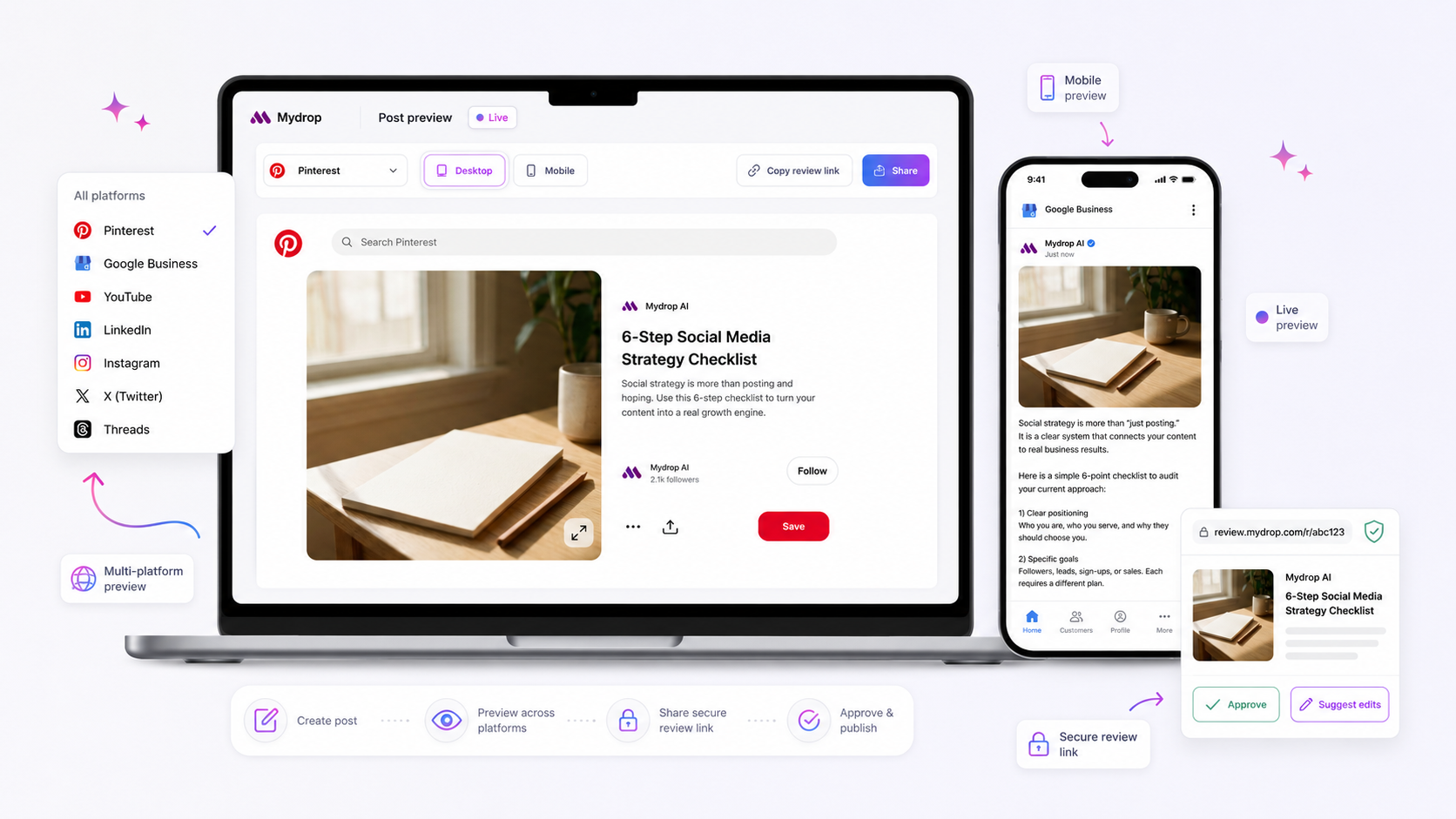
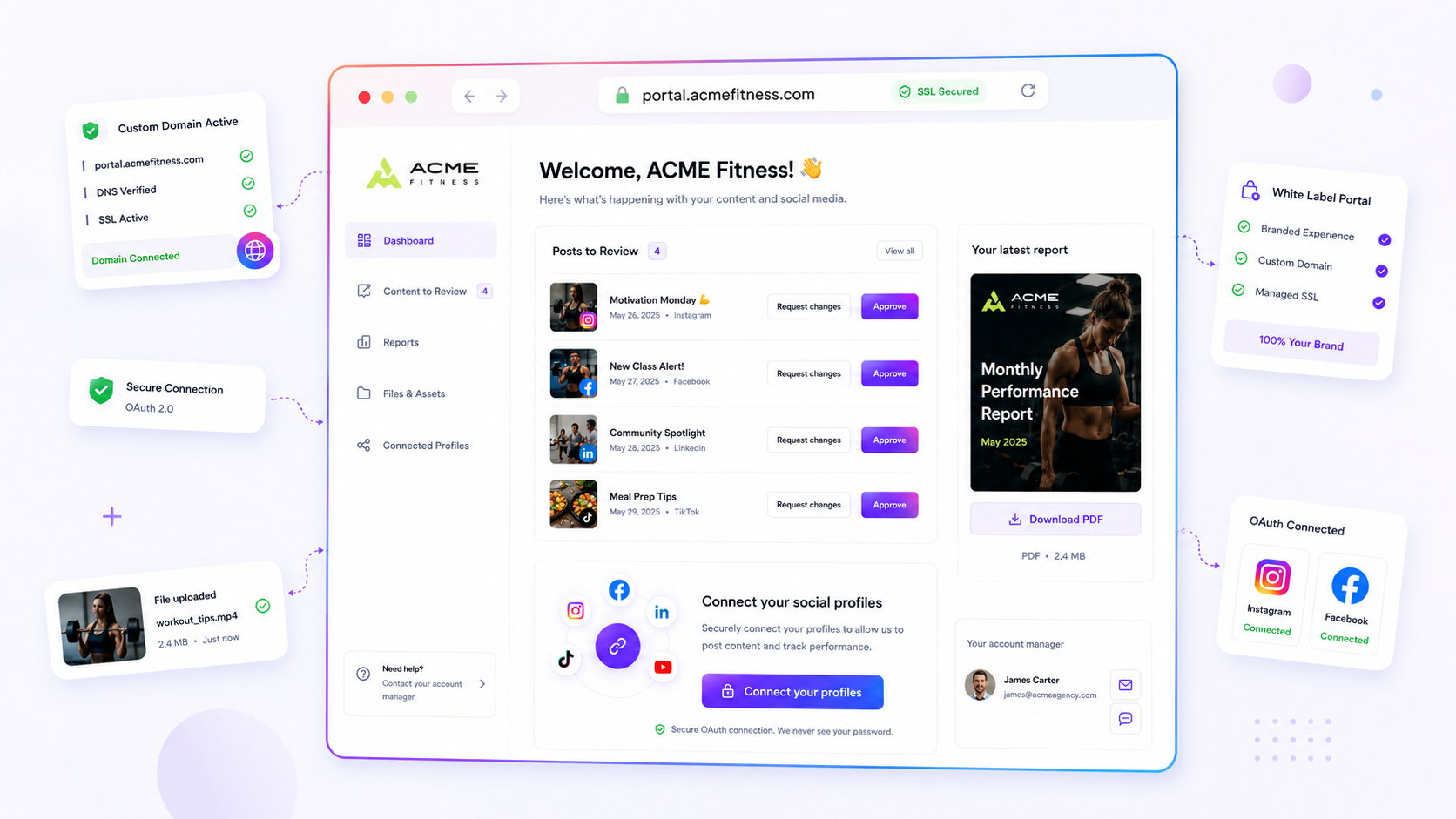
The technical shift is simple but significant: stop requiring accounts for review. Use tokenised portals that give a "What You See Is What You Get" preview, so the reviewer sees the exact media, caption, and profile context without needing an app login. That is the difference between a task someone finishes in thirty seconds on the walk to a meeting and a task they add to a "do this later" pile that never actually shrinks.
The failure patterns to check first
When your posts are constantly stuck in that dreaded pending state, it is tempting to blame the legal team or a busy brand manager. But the issue is rarely about their workload. It is almost always about how much cognitive friction you are putting in their path.
Think about what you are asking them to do. You probably send an email with a link, which means they have to remember a login, dig out their credentials, navigate a dashboard, and finally track down the specific post you need them to check. By the time they have done all that, their coffee is cold and they have already moved on to three other urgent tasks. You have inadvertently built a workflow that rewards people for ignoring you.
To diagnose where your process is actually breaking, run this simple 4-point audit on your next three stuck posts.
| Diagnostic Factor | What to look for | The "stuck" symptom |
|---|---|---|
| Login Friction | Does the link force a new browser login? | Approver ignores the email entirely. |
| Context Gap | Is the media or profile missing or misaligned? | Approver replies with "Wait, which account is this for?" |
| Fragmented Feedback | Are comments scattered across Slack or email? | You spend hours reconciling notes against the post. |
| Notification Noise | Are reminders manual or non-existent? | Post sits in pending status for 48+ hours. |
If you hit even one of these points, your workflow is fighting against the reality of a busy stakeholder's day. The goal is to move the approval to where they already work, not to drag them into your tool.
The proof that separates signal from noise
The ultimate proof of a healthy approval flow is whether the reviewer can see the exact visual context of the final post without needing to be an "expert" in your management platform. If they are looking at a screenshot attached to an email, they are not seeing the post. They are seeing a static picture of a living asset. They can't see the profile, the caption, or the tags in action.
This is where the move to tokenised public portals changes the maths. Instead of forcing a login, you send a secure, temporary link. That link renders the post exactly as it will appear in the wild, with media and profile data fully in place.
Decision check: If your reviewer has to ask "Will this look right on mobile?" or "Can I see how the image crops?", your approval mechanism is broken. A proper approval portal should remove the question entirely.
At Mydrop, we have found that teams using tokenised, no-login approval portals see a significant drop in "can you check this" overhead. When stakeholders can just tap a link in their email or WhatsApp and see the final result in a native-looking preview, approval happens in seconds rather than hours.
The signal you want is a clean approvedAt timestamp. Everything else is just noise created by a tool that is holding your content hostage behind a wall of credentials. If you are still relying on manual PDF exports or "email me your thoughts", you aren't just slowing down your campaign. You are inviting a compliance risk that usually shows up as "I didn't mean for that version to go out." Move to an automated, token-based flow and you get a clear, audible signal that's tracked and audit-ready, without playing email tag.
What to fix this week
If you are currently chasing approvals through email threads or scattered spreadsheet cells, you have an immediate chance to reclaim your week. Start by auditing your current pipeline with this 4-point health check to see exactly where the air is leaking out of the tyres.
- The Login Friction Test: If a stakeholder needs to sign in to see a preview, stop. Replace that process with a public, token-based review link that renders exactly what the final post looks like on-platform.
- The Contextual Feedback Loop: Are edits happening in a separate chat? Move them directly onto the asset. When comments are pinned to the specific post draft, you stop playing the "which version?" game.
- The Reminder Cadence: If you are manually sending "Hey, just checking in" messages, automate them. Set up triggers that fire automatically when a post sits in 'pending' status for more than a few hours.
- The Channel Audit: Are you forcing mobile-first stakeholders to use a desktop portal? Validate their WhatsApp numbers and see if they can approve straight from the notification prompt.
Workflow check: If your approver can't give feedback in under 10 seconds from receiving the notification, your workflow is too heavy.
At Mydrop, we have found that moving to WhatsApp-based approval cuts response time by 40%, because you meet the stakeholder where they already live rather than forcing them to detour into your specific tools.
When to stop diagnosing and change the workflow
There comes a point where diagnostic tinkering is just avoiding the inevitable. You can improve email subject lines and build the best folder hierarchies in the world, but if the underlying architecture relies on manual intervention, you will always hit a ceiling.
Stop diagnosing and start re-platforming if you recognise these three "Dead-End" markers in your current process:
| Marker | The Reality | The Pivot |
|---|---|---|
| Manual Hand-off | You are exporting drafts to PDFs or screenshots for review. | Move to a live-preview link that mirrors the actual social platform. |
| Version Chaos | You are dealing with "final_v2_edit_REAL.docx" email chains. | Centralise comments in one place where they attach to the asset itself. |
| Silent Stalls | Posts sit pending for 24+ hours because of forgotten notifications. | Implement automated reminders that clear the deck before you miss your publishing window. |
If you are still manually tracking status in a spreadsheet, you aren't managing social media. You are managing a spreadsheet. Your energy is better spent on the strategy, not the status.
Conclusion
The bottleneck in your campaign is rarely a lack of talent or creative vision. It is the friction of the machine you built to support that work. Remove the barriers to approval and you don't just get posts out faster. You get better work, because your stakeholders can actually see, discuss, and refine the content instead of just ticking a box to get you off their back.
Most teams don't have a content problem. They have a decision bottleneck. Fix the access, and the speed takes care of itself.
 Google review
 Trustpilot review
 Product Hunt comment





