
















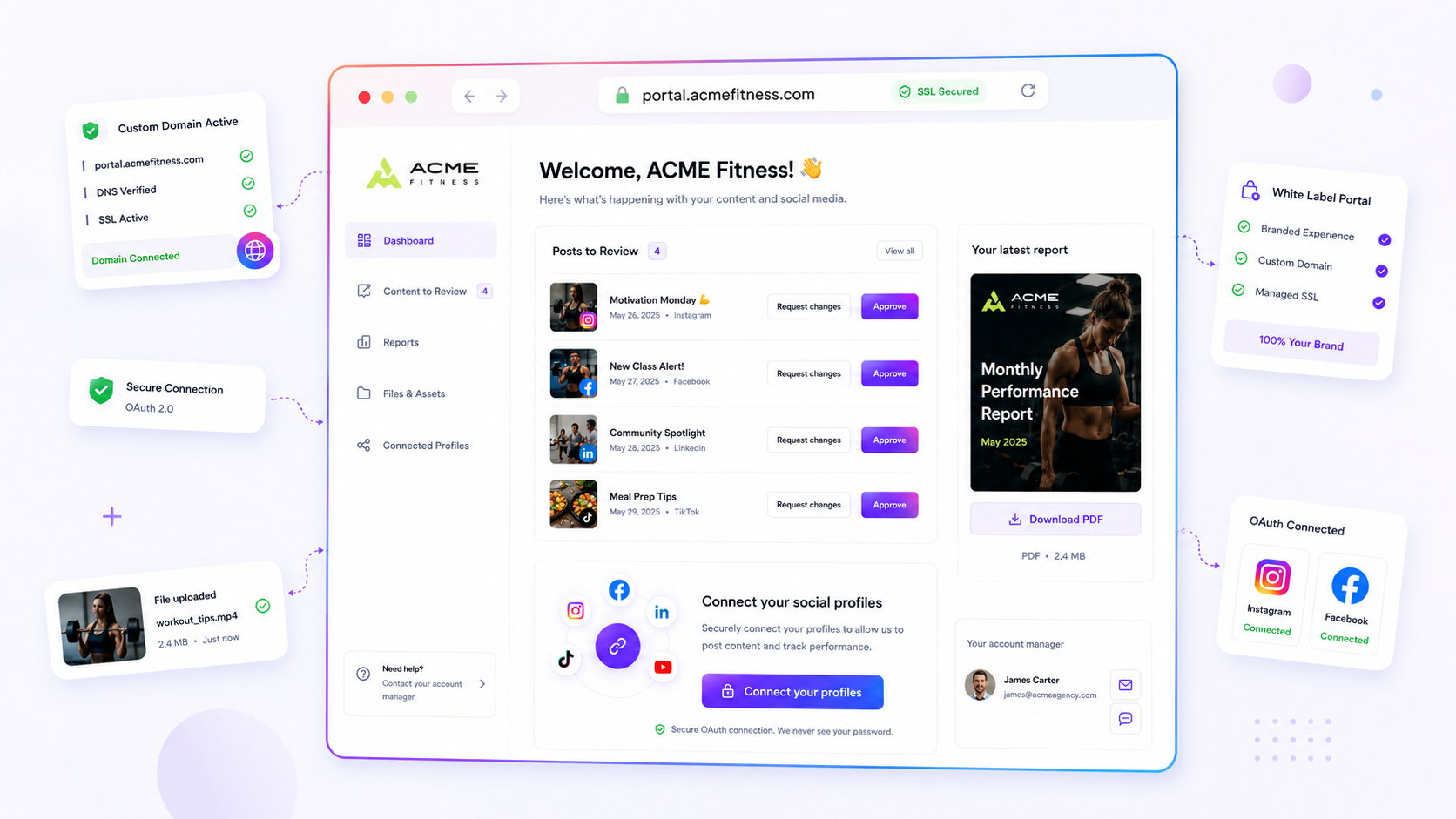
The fastest way to shrink your campaign approval cycle isn't to ask clients to approve faster. It's to remove the friction of digging through email threads to work out which bit of feedback applies to which specific asset.
We get it. You're stuck in the loop of doom: emailing versions, chasing approvals, and constantly worrying whether a client missed an attachment or is looking at the wrong version. It's messy, draining, and it kills your creative momentum. The hidden cost isn't just the delay, it's the coordination debt. Every fragmented email exchange is a chance for intent to be misread, versioning to break, and stakeholders to feel cut off from the creative process.
This guide will help you audit your approval workflow to pinpoint exactly where you're losing time, and how to fix it by moving from email-based feedback to a centralised, source-of-truth portal.
What changed before the numbers moved
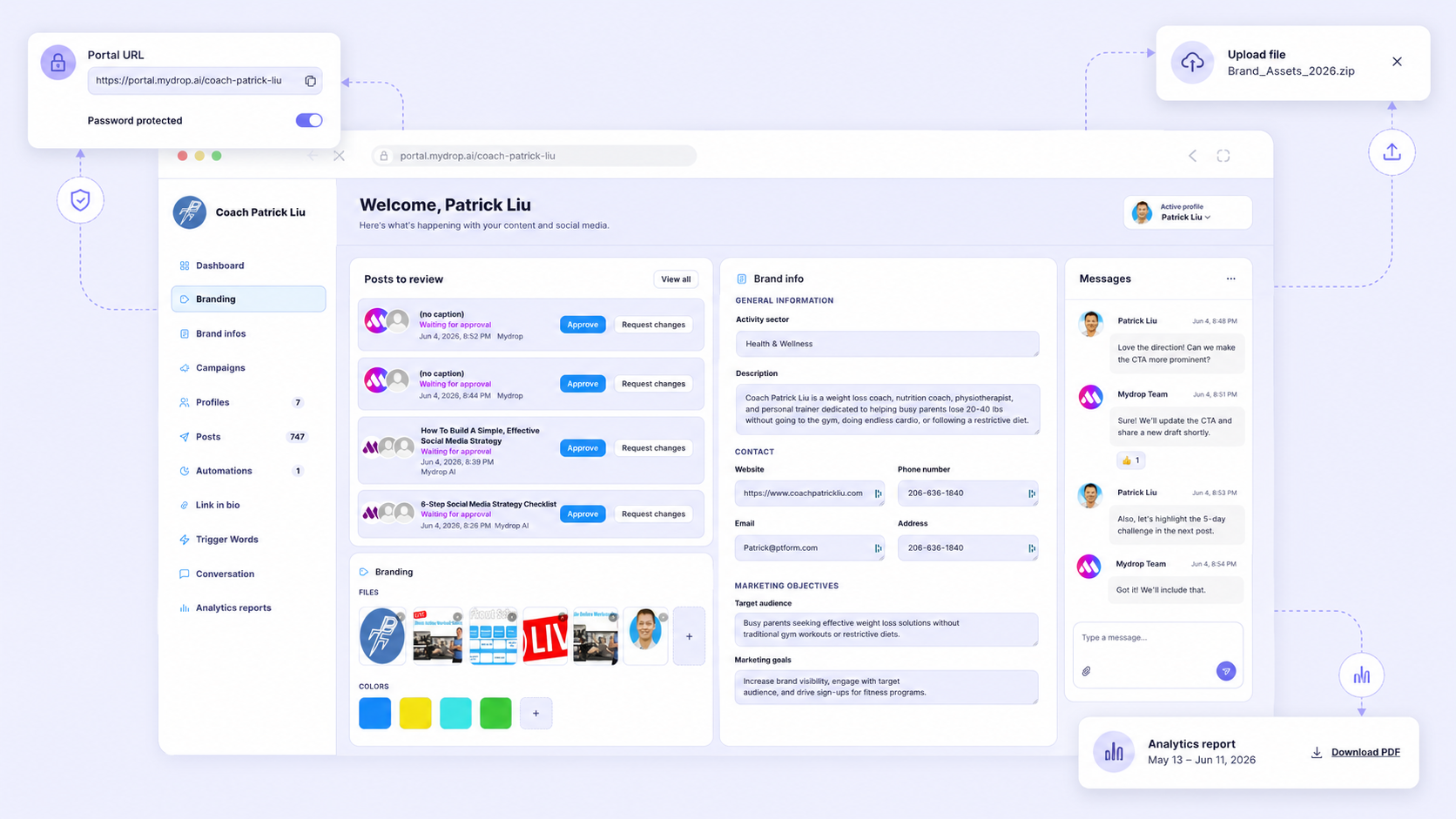
In the early days of social media, simple email threads worked because the stakes were low and there were only a few stakeholders. Today, enterprise teams and agencies are juggling hundreds of brand profiles across multiple markets. When you rely on email, you're essentially asking your client to treat their inbox like a project management tool. It fails for the same reason a spreadsheet turns into a crime scene: there's no single, unchangeable version of the truth.
Most teams assume they have a "slow client" problem when, in reality, they have a "fragmented context" problem. If a legal reviewer has to dig through a chain of ten emails to find the latest PDF, they're not reviewing content. They're hunting for it.
We see this pattern across thousands of accounts. Teams go from slow to fast not by working harder, but by changing how information is presented. At Mydrop, we built the Brand Portal specifically to end the email-chasing cycle, because we know creative velocity shouldn't be held hostage by a missed notification. By bringing files, post previews, and feedback together in one password-protected space, you stop treating your client as a message recipient and start treating them as a partner in the workflow.
Here's how the latency actually breaks down when you switch the delivery mechanism:
| Workflow Model | Average Approval Latency | Primary Friction Point |
|---|---|---|
| Manual Email Chain | 3 to 5 business days | Manual version tracking, lost context, multi-channel feedback |
| Centralised Portal Review | 4 to 6 business hours | None (all stakeholders align on a single source of truth) |
Note: The latency reduction assumes the portal is set up with permission-gated access, so specific stakeholders can sign off without needing a full platform account.
The transition is less about the technology and more about the shift in ownership. When you move to a portal, you're not just changing a link. You're changing the expectation that the client can find the information they need to say "yes" for themselves.
The failure patterns to check first
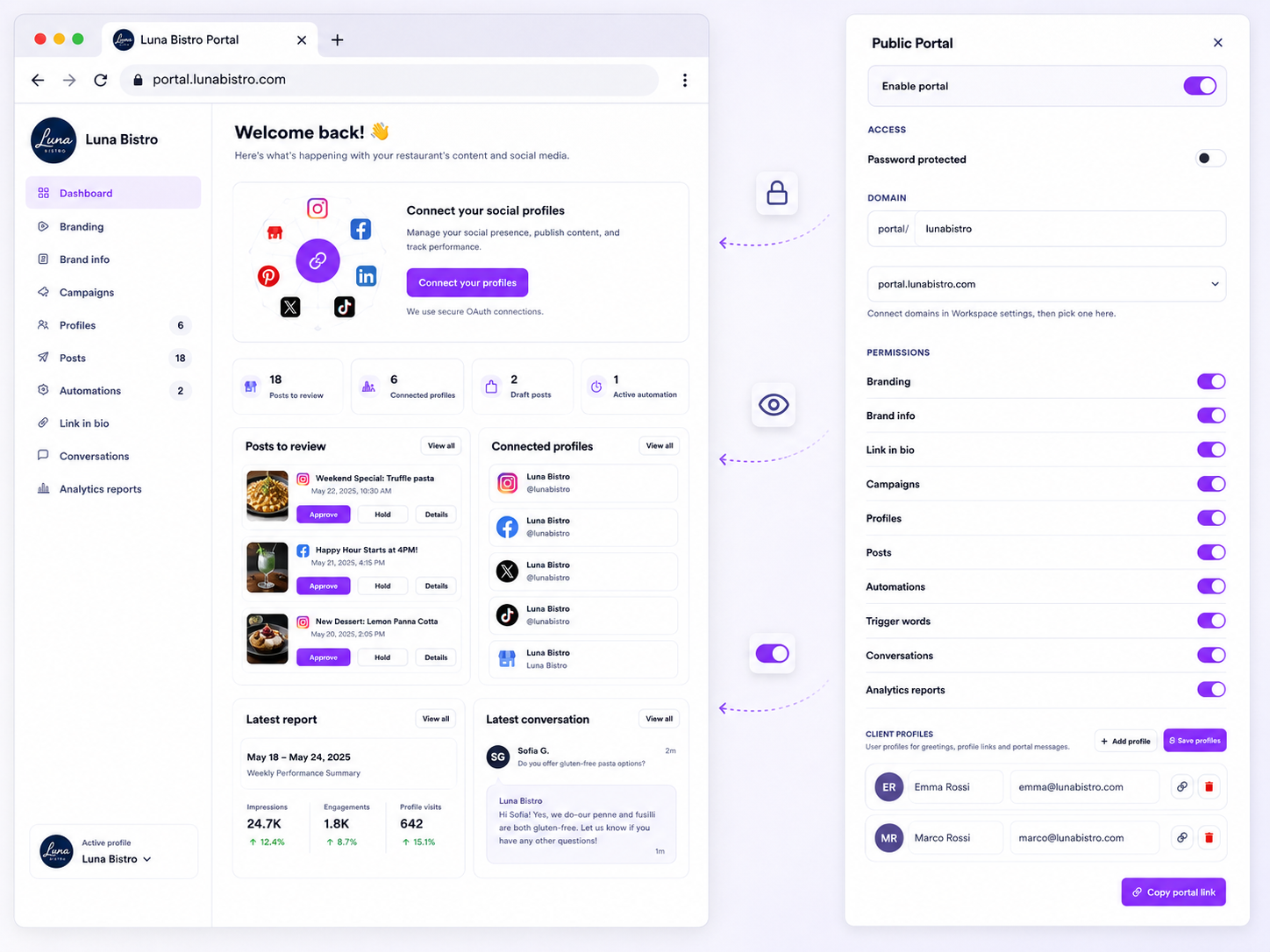
When we audit workflows for agencies managing dozens of brands, we almost always find the same three cracks in the foundation. It's rarely a lack of talent on the team. It's a structural failure where the tools themselves are actively working against your speed.
Here's the Feedback Leak checklist. If you're doing these, you're bleeding time.
- The Attachment Shuffle: You're sending files by email or chat. Once a file is sent, the version you sent is already dead. If the client makes a change, you now have
Final_v2_edit.pngliving in an inbox somewhere, disconnected from the original post metadata. - The Reply-All Bloat: You're CCing four people on an approval thread, but only one of them has the authority to actually say "go." The other three are just noise, and the decision-maker is buried under a mountain of "Looks good to me" emails that add zero actual value.
- The Context Gap: Your client has to look at a calendar in one tab, a file in their email, and a strategy doc in a shared drive. Every time they have to switch context, their focus breaks, and your approval gets pushed to tomorrow.
Common mistake: Treating email as a database. Email is a communication tool, not a project management system. When you force a communication tool to store assets, versions, and feedback histories, you end up with a spreadsheet that's turned into a crime scene.
Mydrop data, September 2026: across posts that went through a client approval on Mydrop, the median time from submission to approval was 6 hours, and 66% were approved within 24 hours. Method in the Mydrop social media benchmarks.
The proof that separates signal from noise
We've seen this across thousands of posts. When you strip away the manual friction and move to a centralised review space, the maths changes instantly. We call this the Approval Latency Scorecard.
| Metric | Manual Email Chain | Centralised Portal Review |
|---|---|---|
| Version Tracking | Manual (search by timestamp) | Automated (linked to live post) |
| Feedback Loop | 24-48 hours per cycle | 2-4 hours per cycle |
| Stakeholder Visibility | Fragmented (hidden in threads) | Transparent (centralised activity) |
| Deliverable Access | Request via email | Self-serve download/report |
| Result | High coordination debt | High creative velocity |
Note: Latency estimates are illustrative averages based on common agency workflows. Manual chains assume three touchpoints with external stakeholders; portal review assumes single-source, in-context approval.
The shift from email to a Brand Portal isn't just about making things look professional. It's about removing the "hunt and peck" work that drains your team's energy. At Mydrop, we built our portal because we know that creative velocity shouldn't be held hostage by a missed notification or a broken link.
When your client has a single, secure URL where they can see the post, approve it, and grab the final report, you stop chasing them for status updates. You start acting like a partner. The goal is to move from being an email-triage centre back to being a creative team. If your client can't approve it in thirty seconds, you've got a design flaw in your process, not a "busy client" problem.
What to fix this week
If you're currently chasing approvals by email, you've got a coordination debt problem that won't solve itself. You don't need a three-month migration project. You need a hard reset on how your team and your clients interact with assets. Start by picking one high-volume, low-risk brand and moving their review process entirely out of your inbox.
Use this simple Approval Readiness Checklist to gauge whether your current process is leaking time:
- Can a client view the asset without downloading it? (If they have to open an attachment, you've lost control of the version.)
- Is there a single, persistent link for this brand? (If you're sending new URLs every week, you're creating search friction for the client.)
- Can the client give feedback without starting a new email thread? (If they're typing "See attached" in a new email, your context is already fragmenting.)
- Does the client know exactly who needs to sign off, or are they waiting for you to tell them? (Clarity is the fastest route to a "Yes.")
If you ticked "No" to more than two of these, your bottleneck is structural. At Mydrop, we often see teams try to fix this by adding more email reminders. That rarely works. Instead, set up a Brand Portal for that one test brand. It gives the client a dedicated space to view posts, chat, and give feedback in one place. You get a single source of truth, and they get a dashboard that actually makes their day easier, rather than just filling it with more notifications.
When to stop diagnosing and change the workflow
There's a moment in every campaign lifecycle where "just one more email" turns into a catastrophe. You've hit this threshold when you find yourself manually cross-referencing a client email from Monday with a Slack message from Tuesday, all while trying to remember which version of a graphic is actually the final one.
Stop diagnosing when:
- You're spending more than 15 minutes per campaign just hunting for the "latest" version of a document or asset.
- A client has asked, "Wait, what did we decide on that last post?" more than once in a week.
- You're manually creating status reports for clients because they can't see the progress themselves.
At this point, you're no longer managing a social media campaign. You're running a file-retrieval service. That's an expensive, low-value use of your team's time. The shift here is moving from asynchronous, untrackable email to synchronous, portal-based review.
When you move to a portal, you're not just changing a tool. You're changing the power dynamic. You move from being an "email-chaser" to a partner who provides a clear, transparent workspace. Clients stop asking "What's the status?" because they can see it. They stop emailing feedback because they can comment in context.
Conclusion
The messy middle of campaign management isn't a lack of creativity. It's a lack of coordination. You've got the talented team, the great assets, and the strategy. If those are being held back by a slow approval cycle, it's time to stop blaming the client's response time and start looking at the pipeline.
One link, one version, one thread. When you centralise your workflow, you strip away the noise. You stop trading emails and start trading approvals. It's a small operational pivot, but it's the difference between constant firefighting and a campaign engine that actually hums.
Your creative velocity is too important to be kept in an inbox. Move the work to a portal, clear the path, and get back to the work your team was hired to do.



 Google review
 Trustpilot review
 Product Hunt comment





