














ClaudeChatGPTCursorGeminiWorks with your AI agentsChromeMydropTry Mydrop Chrome Extension
AI Content Operations

Why Your AI Gives Generic Social Media Advice (and 4 Fixes)

Generic AI advice comes from missing inputs, not a weak model. Four missing inputs, a before-and-after prompt, and a fix you can try in ten minutes.

4 min read

Updated: Oct 31, 2026

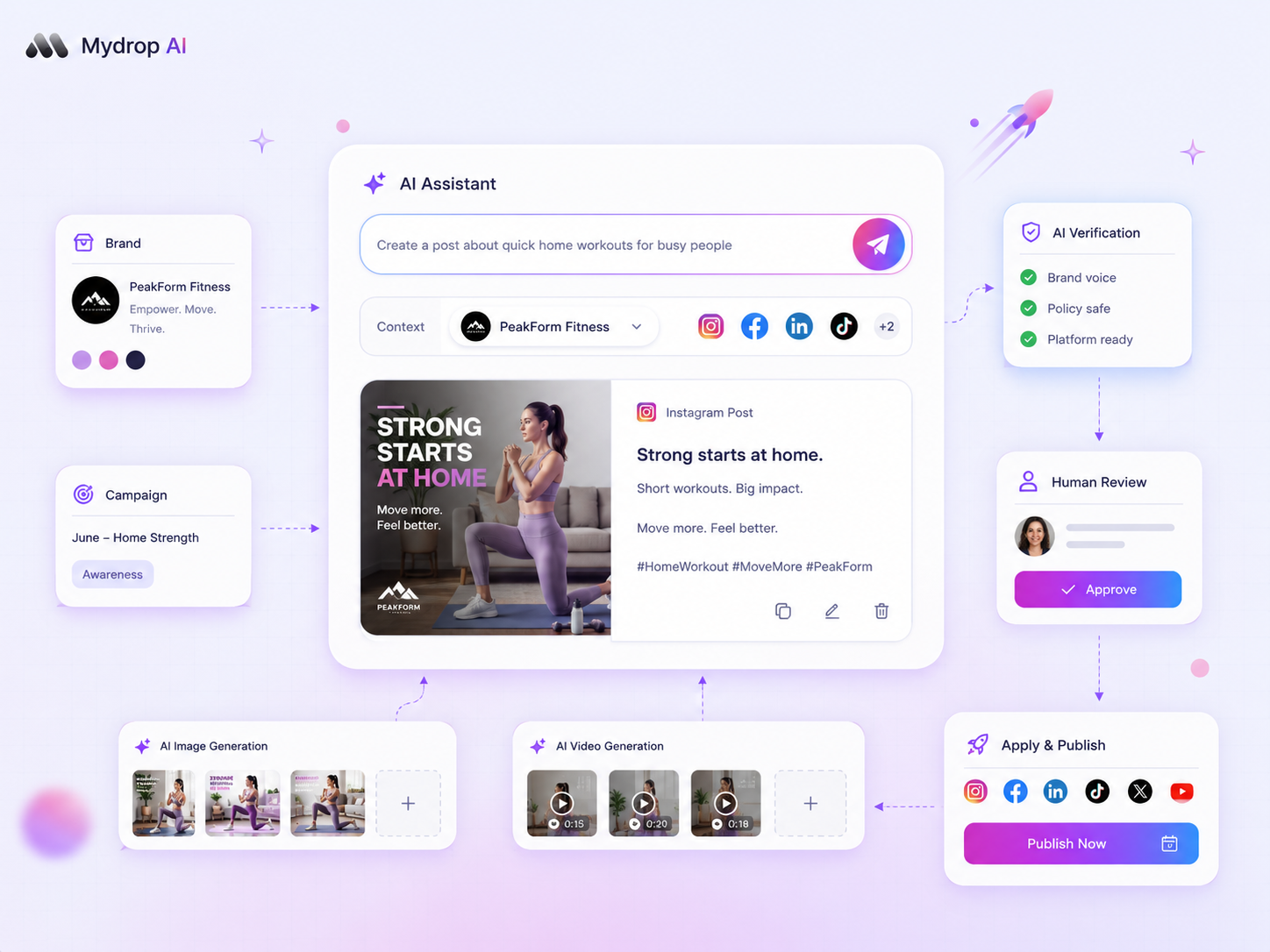
Mydrop AI assistant interface in the content workspace

AI assistants give generic advice because they answer from what you typed, and most people type one line. Without your audience, your recent posts and your goal, the model returns the average of everything it has read, which is the same answer for every account. Add those three inputs and the answer changes.

TLDR: Generic advice is a missing-input problem. The four inputs that matter are audience, history, goal and constraints. Add them to the prompt, ask for one decision instead of ten ideas, and the answer becomes specific enough to act on.

The four missing inputs behind generic advice

When an assistant says "post consistently and engage with your audience", it is not being lazy. It has nothing else to work with.

  1. Audience. "Small business owners" is a category. "Restaurant owners in Lyon who read us on their phone between lunch and dinner" is something it can work with.
  2. History. It cannot tell what worked unless you show it. Recent post topics, formats and results turn guessing into comparison.
  3. Goal. "Grow" is not a goal. "Get 30 booking-link clicks a month" is.
  4. Constraints. Hours you have, formats you can make, things the brand never says. Without them, the advice assumes a team you do not have.

If the answer you got could be pasted into any other account's chat, one of these four is missing.

Same question, two prompts

The difference shows up when you ask the same thing with and without the inputs.

Thin prompt Prompt with inputs
You type "What should I post on Instagram this week?" "I run a bakery's Instagram, 2,400 followers, mostly locals. Last month carousels of new pastries got more saves than photos. Goal: more pre-orders for Saturday. I have 3 hours a week and no video."
You get Ten generic ideas: behind the scenes, polls, tips A three-post plan built on carousels, each ending with a pre-order prompt, scheduled before Saturday
Can you act on it? You still have to choose You can schedule it today

The model is the same. The second answer is better because it had something to reason about.

Four fixes, in the order that pays back fastest

1. Ask for a decision, not a list. "Which of these three topics should I post first, and why?" forces a choice. "Give me ideas" invites a menu.

2. Paste in your last 10 posts with their results. Even a rough list (topic, format, saves or comments) lets the assistant compare. This is the biggest single upgrade.

3. Save the context so you do not retype it. Audience, voice, banned phrases and goal go into one saved note per brand. The brand voice prompt template shows a format that works.

4. Make it say what it does not know. End the prompt with: "List the facts you are assuming about my account." Wrong assumptions then show up in plain sight and you can correct them.

Do the first fix right now. It costs one sentence.

When a better prompt is not enough

Prompting hits a limit when you manage several brands. You end up pasting context into every chat, mixing up clients, and the assistant still cannot see your calendar or your numbers. That is a tool problem, not a wording problem.

The sign is simple: you spend more time preparing the prompt than reading the answer. That is when an assistant that lives inside your workspace starts to make sense, and the decision guide for when to use a workspace-aware AI agent covers how to judge it.

How to read AI advice with a straight face

Even good inputs do not make advice true. Treat answers as hypotheses and test them against your own numbers. In Mydrop's data, hashtag count moved median engagement by at most 5%, and weekday made almost no difference. If an assistant tells you the best day to post is a specific weekday and the data says otherwise, trust the data.

Run each suggestion for two weeks and compare to your account's median. Keep what beats it, drop what does not. Mydrop's analytics shows each post against its account's own median, so the check takes minutes.

Where the assistant sits matters

If you create content in one tool and ask for advice in another, the context stays in your head. In Mydrop, the assistant and the composer share a workspace with your calendar and brands, so you do not have to carry information between tabs. The AI content features work from there, and the walkthrough of the AI assistant shows a typical session.

Rewrite your last prompt in ten minutes

Take the last question you asked an AI assistant. Add audience, your last five posts with results, one measurable goal and one constraint, then ask for a single decision. Compare the answers. If you want the context saved per brand, start free with Mydrop.


Free tools

Free tools

Calculators, templates and generators for social media teams.

FAQ

Quick answers

Because it only sees what you type. Without your audience, goal and past results it answers with the average of everything it has learned, which is the same for every account.

Include four things in the prompt: who the audience is, what you posted recently, what result you want, and what you cannot do. Then ask for a decision, not a list of ideas.

Yes, as a checklist of options you may have missed. It becomes a problem when you treat it as an answer about your account.

Next step

Stop coordinating around the work

If your team spends more time chasing approvals, assets, and publish details than creating better posts, the problem is probably not your people. It is the workflow around them. Mydrop brings planning, review, scheduling, and performance into one calmer operating system.

Mydrop Editorial Team

About the author

Mydrop Editorial Team

Mydrop

The Mydrop Editorial Team writes the guides, comparisons, and playbooks on this blog. We cover social media planning, publishing, approvals, analytics, and multi-brand workflows, drawing on how teams actually use Mydrop to run their social programs. Every article is researched, edited, and maintained by the team behind the product.

View all articles by Mydrop Editorial Team

Managing 14+ social platforms felt like a 2 a.m. nightmare until Mydrop. The AI brand-voice mapping is scary accurate, and the client approval portal saved me easily 15 hours this week alone. It's the ultimate set-and-forget workspace for busy agencies.
A true automation tool for scheduling (and creating) social media content! It has saved me over 20 hours of work already in just my first couple weeks. A true game-changer for anyone in business, big or small!
Finally tried Mydrop on a test client and the white-label portal on a custom domain actually looks legit, no Mydrop branding sneaking in. The OAuth setup saved me from the usual “what's my password” back-and-forth.
Absolute game-changer. Mydrop completely automated my content workflow. The scheduling is flawless, it actually feels intuitive, and it saved me 10+ hours in my very first week. Best decision I've made for my socials!
Mydrop AI has been an absolute game changer, it has saved me so much time and effort. It does what it promises. Easy to use, versatile, and the creator is really open to feedback. Very happy!
I was looking through a bunch of management tools for my client, as it was getting out of control; after comparing every solution, I found Mydrop to be a no brainer.
This app helps me more than any other I have ever used. I've got all of my pages and accounts and I can drag and drop like I want. Mydrop has really been a huge asset to my business!
I was looking for a scheduling tool as my clients were using more and more platforms. Mydrop does the job very well, and automations and forms are very useful and save me a lot of time. I recommend!
Love that you baked in white-label portals from day one, that's a huge pain point for agencies.
Love this platform for scheduling social media posts! Easy and very intuitive to use! Highly recommend!
Very nice tool, you will save a lot of time. Very easy to use, user friendly. I have used it for several months and it is very helpful.
Helpful app if you are trying to streamline social content creation for clients.
Managing 14+ social platforms felt like a 2 a.m. nightmare until Mydrop. The AI brand-voice mapping is scary accurate, and the client approval portal saved me easily 15 hours this week alone. It's the ultimate set-and-forget workspace for busy agencies.
A true automation tool for scheduling (and creating) social media content! It has saved me over 20 hours of work already in just my first couple weeks. A true game-changer for anyone in business, big or small!
Finally tried Mydrop on a test client and the white-label portal on a custom domain actually looks legit, no Mydrop branding sneaking in. The OAuth setup saved me from the usual “what's my password” back-and-forth.
Absolute game-changer. Mydrop completely automated my content workflow. The scheduling is flawless, it actually feels intuitive, and it saved me 10+ hours in my very first week. Best decision I've made for my socials!
Mydrop AI has been an absolute game changer, it has saved me so much time and effort. It does what it promises. Easy to use, versatile, and the creator is really open to feedback. Very happy!
I was looking through a bunch of management tools for my client, as it was getting out of control; after comparing every solution, I found Mydrop to be a no brainer.
This app helps me more than any other I have ever used. I've got all of my pages and accounts and I can drag and drop like I want. Mydrop has really been a huge asset to my business!
I was looking for a scheduling tool as my clients were using more and more platforms. Mydrop does the job very well, and automations and forms are very useful and save me a lot of time. I recommend!
Love that you baked in white-label portals from day one, that's a huge pain point for agencies.
Love this platform for scheduling social media posts! Easy and very intuitive to use! Highly recommend!
Very nice tool, you will save a lot of time. Very easy to use, user friendly. I have used it for several months and it is very helpful.
Helpful app if you are trying to streamline social content creation for clients.
Smiling social media managerSmiling social media managerSmiling social media managerSmiling social media managerSmiling social media managerSmiling social media manager

4.8/5 · on Trustpilot & Google







