
















Save AI image generation for high-volume, lower-stakes content, and insist on human design oversight for any asset that carries your brand's core identity. Try to force AI to handle your hero graphics or high-stakes campaign launches without a rigorous verification layer, and you are not scaling creativity. You are simply manufacturing a huge backlog of fix-it work for your designers.
We get it. You are caught in the daily squeeze between a content calendar that never sleeps and a design team that is already at capacity. The pressure to hit "publish" on the next update often leads to frantic manual edits and a nagging feeling that your visual identity is eroding one prompt at a time. It is exhausting to feel like you are losing control of the very brand you are supposed to be scaling.
The operating problem this solves

The hidden cost of AI adoption is not the monthly subscription fee. It is the coordination debt you rack up when AI-generated assets have no guardrails around your visual identity. You end up wasting more time "fixing" generic outputs than you would have spent starting from a template.
At Mydrop, we have seen this across thousands of campaigns. Teams often treat AI as a magic button for every creative gap, only to find themselves chasing approvals for minor colour corrections or "off-brand" glitches at 6pm on a Friday. Treat AI as a standalone tool rather than part of your managed workflow, and you lose the ability to trace where your visual standards are breaking down.
A simple rule helps prevent this slide:
Operator rule: Use the 80/20 brand consistency threshold. If an asset needs more than 80% visual alignment with your core guidelines, it demands human-led design or a brand-verified media plan. If it sits below that mark, like social memes or quick-turn utility posts, it is a prime candidate for AI generation.
This is where the spreadsheet often becomes a crime scene. Without a way to verify these assets before they hit your channels, you are flying blind. You need a way to track the "why" behind every generated image, so that when an AI tool fires off a job, it is still tied to an approved media plan.
Here is how to run an initial diagnostic on your current creative flow:
| Asset Type | Primary Risk | Decision Logic |
|---|---|---|
| Hero/Campaign | Brand dilution | Mandate Human Design. AI acts only as a sketch/mood board tool. |
| Blog/Editorial | Inconsistency | Use Hybrid. AI generates raw concepts, then a human designer applies branded overlays. |
| Social/Meme | Low impact | Use AI-Generation. Focus on speed, not pixel-perfect brand alignment. |
Teams do not usually have a content problem. They have a decision bottleneck. The trick is making sure your AI media flow is built into your composer, so you are not hopping between browser tabs and losing track of your quota or your creative intent. If your team is generating hundreds of images a month but still spending hours on "fixes", you have probably skipped the verification stage entirely.
The minimum system that works

The secret to scaling with AI is moving from "random acts of generation" to a verified media plan. If you are just pinging an AI image tool inside your post composer and hitting publish, you are one bad prompt away from a public brand disaster. You need a buffer.
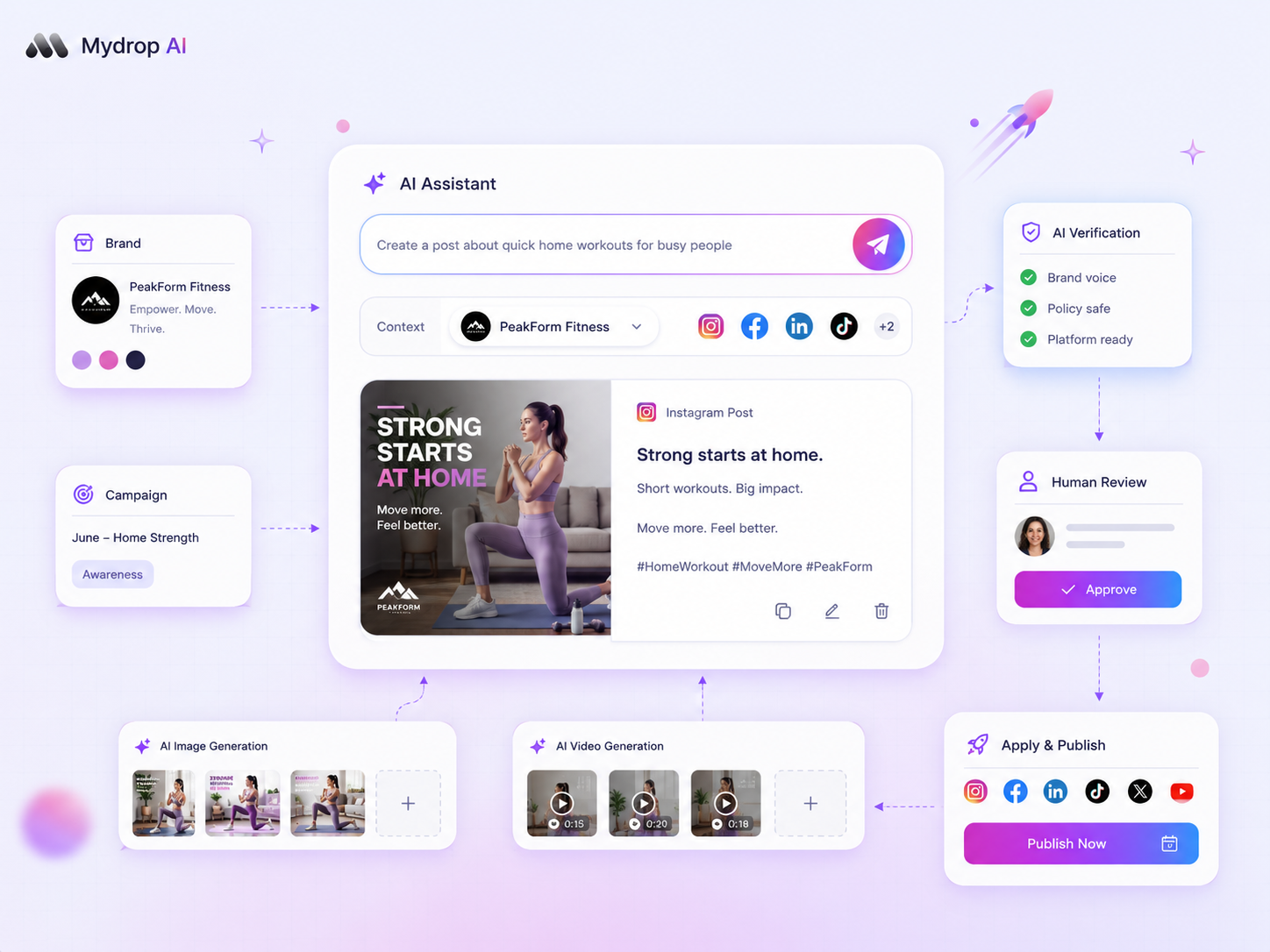
At Mydrop, we have seen that the most effective teams treat AI generation as an input to a workflow, not the final step. Their "minimum system" pushes every AI-generated asset through a human-led review before it ever touches a live feed.
The Media Plan Review Loop
To keep your sanity, adopt this simple rhythm for all AI-generated assets:
| Stage | Action | Responsibility |
|---|---|---|
| 1. Ideation | Submit request to AI Media Panel | Social Lead |
| 2. Generation | AI generates candidate media | AI Provider |
| 3. Verification | Validate against brand colours/style | Designer/Manager |
| 4. Application | Apply to post or gallery | Social Lead |
Decision check: Never skip the verification stage for high-visibility channels. If an asset needs more than 80% brand recognition, mandate a human-led media plan review before the output is attached to a post.
This approach stops your workspace turning into a dumping ground for half-baked images. By keeping generation and application as two distinct steps, and using tools that track mediaJobs status rather than just showing you a preview, you make sure your team is actually building a library of high-quality assets instead of just burning through your workspace quota one vague prompt at a time.
Where teams overbuild the process
The biggest mistake we see isn't failing to use AI; it's using AI to build things that already exist. Teams often fall in love with the act of generating an image, forgetting that they are ignoring their own goldmine: the existing media library.
If you have a perfectly good high-resolution photo of your product, why spend ten minutes and a chunk of your AI quota trying to generate a "photorealistic 3D render" that looks slightly uncanny?
The "Overbuild" Audit
Use this simple check to see if your team is wasting cycles. If your answer to any of these is "yes", stop generating and head to the library instead.
- Existing Asset Match: Does a similar image already exist in our
media-library? - Core Brand Signature: Does this post feature our logo, core team or flagship product (requiring high fidelity)?
- Stakeholder Complexity: Will this image be scrutinised by legal, product or executive stakeholders?
We see teams struggle with provider delays, jobs that hang, async callbacks that never fire, because they are trying to generate everything on the fly. This isn't a "tool" problem; it's a "process" problem. Treat the AI as a general-purpose replacement for your design department, and you end up with a mountain of coordination debt. You spend more time monitoring failed AI jobs and manually correcting colour shifts than you would have spent grabbing an existing, brand-verified graphic.
The reality is that your best assets are usually the ones you already own. AI is a fantastic multiplier for those one-off social posts where speed beats perfection, but it should never replace the discipline of a managed, searchable, brand-compliant asset library.
Most teams do not have a content generation problem. They have a "we lost the file and it is easier to just generate a new one" problem.
How to run the cadence
Scaling is not about how many images you can generate; it is about how many you can reliably govern. The most successful teams we see at Mydrop treat their AI image generation as a loop, not a one-off request. If you are generating assets in a siloed tool and then manually dragging them into your CMS, you are already building a new form of technical debt.
Instead, you need to build your generation directly into your workflow.
- Start within the composer: Use the AI Media Panel to request your asset. This keeps the request linked to the specific post and team context.
- Poll and verify: Do not just assume the image is ready for prime time. Our system lets you poll for completion, but the human step here is checking it against your brand threshold.
- Formalise the media plan: Once the AI returns the asset, attach it to your media plan for review. This is where you catch "content drift" before it hits your live channels.
Workflow check: Never skip the media plan review for an AI asset that represents your brand face, regardless of how "perfect" the generation looks in the draft state.
This creates a repeatable habit. By treating every generation as a pending media plan item, you take the guesswork out of it. You know exactly which assets are AI-generated, which have been verified by your team, and which are sitting in the queue waiting for final approval.
The proof that the habit is working
How do you know if you are actually saving time or just moving the headache? You need to look at your metadata. If you are not tracking usage at the workspace level, you are flying blind.
We see teams use quota accounting as a proxy for efficiency. If your ai_images_used count is skyrocketing but your publication velocity is flat, your team is probably spending more time "fixing" bad generations than they would have spent designing from scratch.
Efficiency Audit Checklist
| Metric | Target | Action if Misaligned |
|---|---|---|
| AI vs. Human Ratio | < 40% AI for core brand posts | Re-evaluate your prompt library |
| Generation Success Rate | > 80% usable without edit | Refine brand-specific context in prompts |
| Media Plan Turnaround | < 2 hours for AI assets | Shift to a pre-verified media plan model |
| Quota per Channel | Consistent with growth goals | Audit high-volume, low-impact channels |
If you are seeing a high rate of manual touch-ups, stop. It is a sign that your prompts are too generic. The goal is to reach a point where the AI output needs, at most, a sanity check before it hits the media plan. If you are constantly "fixing" files, the system is broken, not the tool.
Conclusion
The goal of your brand content workflow is to keep quality high at scale, not to see how many tasks you can automate. AI image generation is a powerful lever for your team, as long as you treat it as a resource to be managed rather than a magic button for content production.
Keep your human designers focused on the assets that build your brand equity. Use AI to handle the volume-heavy, lower-stakes requirements that keep your calendar full. Most importantly, bridge the gap between generation and publication with a verified media plan. That is the only way to avoid the hidden tax of coordination debt and keep your team moving at the speed they actually need.


 Google review
 Trustpilot review
 Product Hunt comment





