
















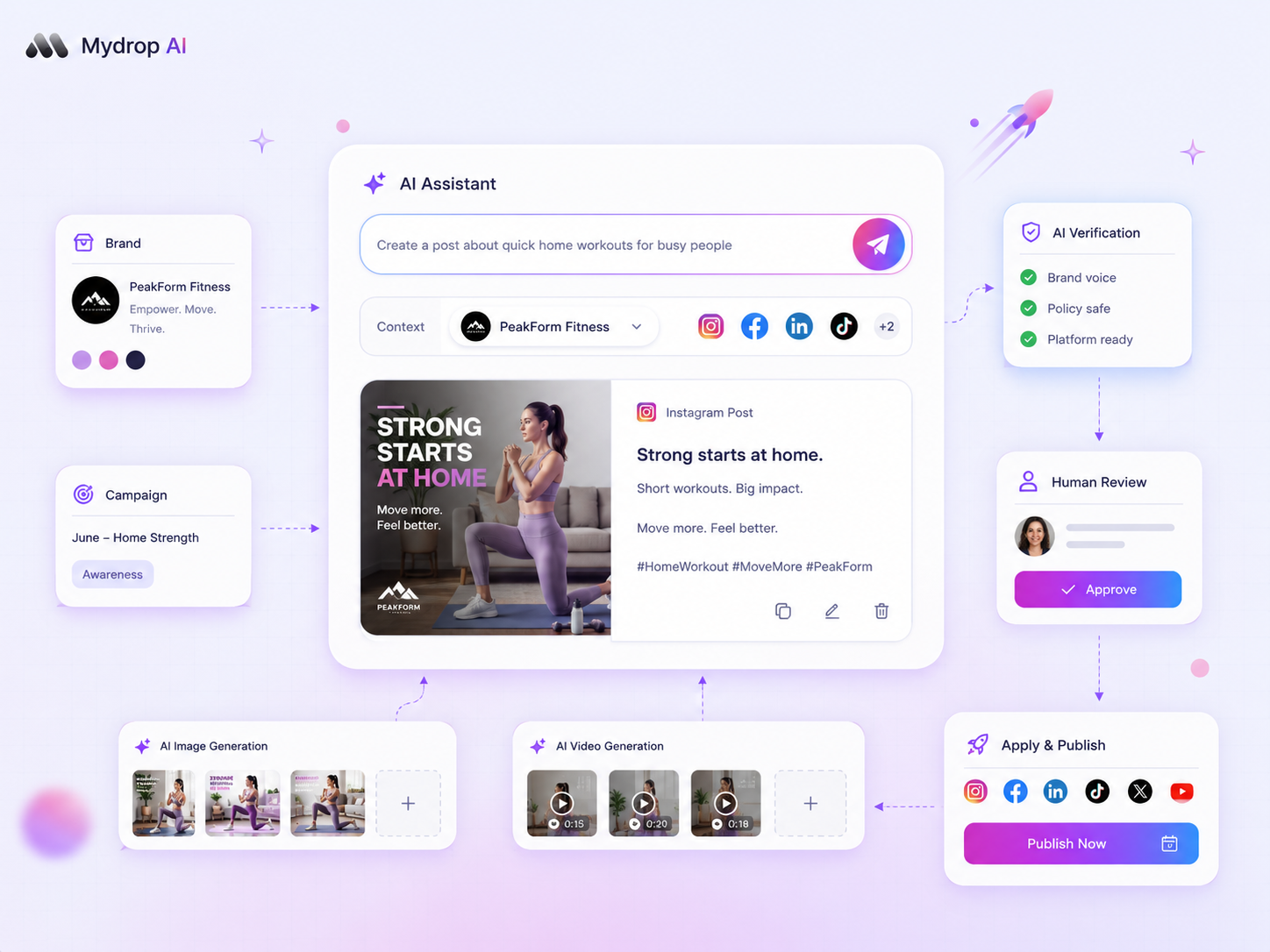
The decision to use AI-generated media shouldn't rest on "can it look good," but on the opportunity cost of manual design versus the risk of brand dilution. If the asset is ephemeral, high-volume support for a campaign, use AI generation. If the asset is the campaign's anchor or its identity, manual design is non-negotiable.
We get it. Your content calendar never stops, and the pressure to churn out high-quality visuals for a dozen channels is relentless. It's messy, it's exhausting, and the temptation to press "generate" on everything is real. But there's a hidden cost here: the silent erosion of your brand's visual vocabulary. When every campaign looks like a generic prompt, your audience stops looking at you.
We've spent years watching teams manage hundreds of brand profiles across thousands of posts. The best operators treat AI-generated media as an operational lever for speed, not a replacement for brand equity. They gate AI usage behind a fidelity-versus-velocity threshold.
The decision teams usually frame too broadly

Most teams fall into the trap of treating every media request as equal. They route everything through the same congested pipe: the creative director's desk. That's where coordination debt kills your output. You end up waiting three days for a custom illustration that's destined for a post that'll be buried in your audience's feed after four hours.
To break that cycle, stop asking "How long will this take?" and start asking "What does this asset need to achieve?"
| Campaign Objective | Asset Type | Recommended Workflow |
|---|---|---|
| Core Brand Narrative | Hero Images, Brand Films | Manual Design (High Fidelity) |
| Trend-Jacking | Rapid Social Proof, Memes | AI Generation (High Speed) |
| Performance Ads | Iterative A/B Test Variations | AI Generation (Rapid Scaling) |
| Community Engagement | Seasonal/Event Spotlights | Hybrid (AI Base + Human Edit) |
When you treat AI-generated media as a fire-and-forget solution, you lose control over your output. At Mydrop, we see the most successful teams using the AI Media Panel to generate high-volume assets and poll their status, while keeping the media plan itself verified by an agent. That way, even when your speed goes up, your governance doesn't slip.
Operator rule: If the asset is the face of your campaign, your creative team must own it. If the asset is the skeleton that holds your campaign together, let the machine build it.
What should stay manual and what can move faster
The dividing line between a job for your creative team and a job for your AI tool isn't about complexity. It's about brand equity preservation. If you're building the visual foundation of a new campaign, you need the human touch. When you're scaling the supporting noise (the localised versions, the performance test variants, the reactive trend content), that's where you should lean on automated generation.
The trap most enterprise teams fall into is treating every asset as a custom work of art. That creates a bottleneck where your designers are buried in resizing and minor tweaks, while your high-impact brand narratives get delayed by the sheer volume of "urgent" requests.
At Mydrop, we see teams managing hundreds of profiles struggle because they lack this distinction. When your designers spend their time on temporary social proof assets, they aren't working on the brand identity that keeps your customers coming back.
Decision check: If an error in an asset could lead to a legal review, a PR headache or a fundamental misunderstanding of your product's value, it belongs in manual design. Everything else is a candidate for AI.
Before you push a task to an AI media panel, run it through a quick reality check. Are you after a specific, non-negotiable brand colour? Do you need a layout that matches an existing set of brand guidelines precisely? If the answer is yes, don't waste your quota on generation. The time you save in the generator will be lost twice over when you have to manually "fix" the output to fit the brand.
The tradeoff matrix
To make this concrete, we use a simple decision framework to categorise assets. It stops the "should we automate this" debate before it drains your Slack channels or your team's morale.
| Campaign Objective | Asset Type | Primary Risk | Recommended Workflow |
|---|---|---|---|
| Core Brand Narrative | Hero Images, Brand Films | Brand Dilution | Manual Design |
| Community Engagement | Seasonal Spotlights | Generic/Low Relevance | Hybrid (AI base + Human Edit) |
| Performance Ads | A/B Test Variations | Lack of Iteration Speed | AI Generation |
| Trend-Jacking | Rapid Social Proof/Memes | Stale Content/Timing | AI Generation |
Note: For Hybrid workflows, use AI to generate the base composition or background textures, then finish it with your team to overlay precise brand marks or approved typography.
When you're scaling, keep an eye on your asynchronous dependencies. AI media jobs aren't instant. If you're launching a massive, multi-regional event, don't trigger 50 generation tasks at 5 PM on a Friday. The polling delays and provider task queues can leave you with nothing to post at 9 AM on Monday.
If you use a tool like Mydrop, verify your media plan in the dashboard before you trigger the full generation queue. This simple habit keeps your workspace quotas in check and means your team isn't manually refreshing status indicators when they should be focused on higher-level strategy.
Most teams don't have a content problem. They have a coordination bottleneck that turns simple creative tasks into full-blown operational crises. Once you clear that pipe, you can stop fighting about the process and start deciding which assets actually deserve your designers' limited time.
How to pilot the workflow safely
You don't want your first experiment with AI media to be a panicked, last-minute pivot during a high-stakes campaign launch. Instead, use a sandbox phase to calibrate your internal expectations. Start by choosing a single recurring, low-risk content series, like weekly community shoutouts or event calendar reminders, and run it through your new AI-assisted pipeline.
This is where you build "muscle memory" for your team. You need to know how long a request takes to poll and complete, how often you need to regenerate to hit the right aesthetic, and where your specific brand guidelines break under AI interpretation. If you use Mydrop, you can use the AI Media Panel within the composer to test these waters. It lets you generate and attach assets without committing them to a final, public-facing project until you've checked the result against your brand standards.
Here's a simple checklist to run before you sign off on any AI-generated asset:
- Colour Integrity Check: Does the output match your core brand palette, or will it look jarring next to your manually designed hero assets?
- Contextual Accuracy: Does the AI hallucinate details that contradict your brand values or the specific regional event you're promoting?
- Quota Status: Have you checked your workspace AI image usage quota to make sure your campaign won't stall out mid-launch?
- Human Oversight: Has a designer reviewed the generation to make sure it serves the audience rather than just filling a slot in the calendar?
Workflow check: Never treat AI generation as a "set and forget" button for any asset that carries your brand logo or primary campaign message. If you don't have time for a human-in-the-loop review, you don't have time to use AI.
The operating rule to keep
The most dangerous assumption in modern social media operations is that faster creation leads to better performance. It rarely does. Instead, it usually leads to a messy, diluted feed that confuses your audience. To keep your sanity, you need a hard policy that treats AI-generated media as an operational utility rather than a creative strategy.
Use your creative team for the anchors, the stuff that defines who you are, and save AI generation for the connective tissue, the stuff that keeps your presence consistent and active. When you're managing dozens of channels, this distinction is the only thing that stops coordination debt from spiralling. If your team is spending more time chasing prompt variations than planning the core brand narrative, you've lost the plot.
At Mydrop, we see the most successful teams using the Media Plan Review feature to enforce this boundary. They require any planned media item to be verified by an agent or a senior manager before it ever reaches the production phase. It's a small piece of friction that saves you from a massive cleanup effort later.
Conclusion
The goal of your social media operation isn't to churn out the highest volume of content possible. It's to maintain a standard of excellence that keeps your audience paying attention. AI is a powerful lever for that goal, provided you have the discipline to hold it back when it matters most.
Stop looking for the tool that does the work for you, and start looking for the process that lets your best people do their best work. When you stop treating every post like a bespoke piece of art and start treating your content calendar like a professionalised operation, you'll find that the stress of "keeping up" begins to fade. You have the skills; now you just need the constraints.


 Google review
 Trustpilot review
 Product Hunt comment





