
















When your content strategy feels scattered, stop auditing your metrics and start auditing where you capture things. If your campaign insights live in DMs, scattered spreadsheets or in people's heads instead of alongside your editorial calendar, you haven't lost the plot. You've lost the context.
We've all been there: you're leading a high-stakes campaign, but the actual strategy feels like a ghost. You spend more time hunting for the "why" behind a post than you do creating the "what." It's messy, it's frustrating, and it feels like the team is running in different directions despite sharing a calendar.
The awkward truth is that project management tools are often where good ideas go to die under the weight of too much metadata. The most agile teams don't over-engineer their planning. They build a habit of sticky documentation that stays visible while the creative work happens.
What changed before the numbers moved

High-performing teams rarely transform their results by switching to a heavier, more complex project management platform. Instead, they move from static, hidden planning to dynamic, visible note-taking. They treat the strategy as something that breathes alongside the work, not something that sits in a separate document.
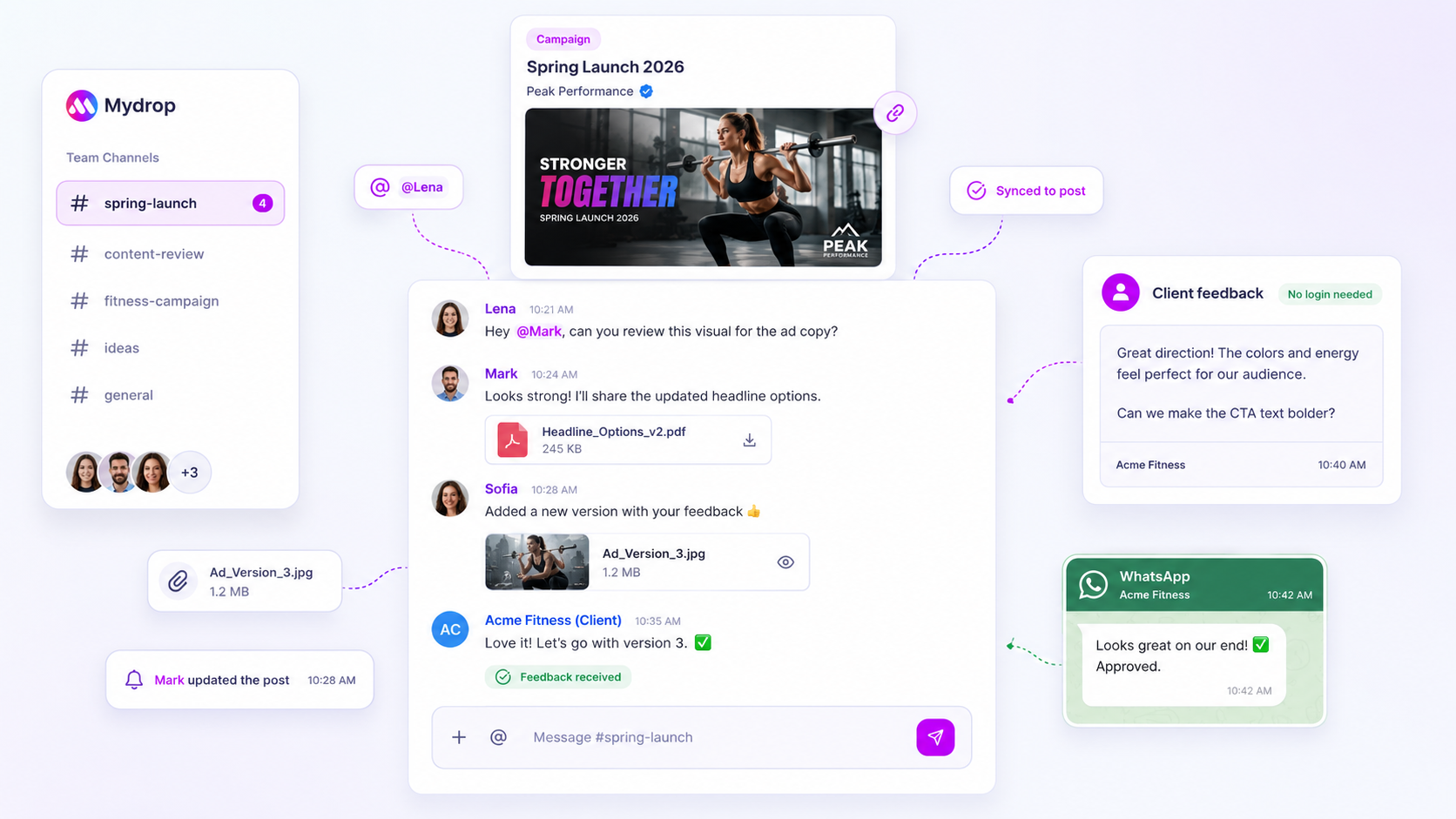
At Mydrop, we see this pattern across thousands of workflows. When a team starts winning, they stop treating their campaign context as a static document to be checked at the start of the quarter. They start using workspace notes as their main capture surface, pinning ideas, pivots and stakeholder feedback right where the calendar lives.
Operator rule: If your strategy note is more than two clicks away from the content it governs, it's effectively invisible.
When you move the strategy out of the deep-storage folder and into the daily workspace, the team's "insight reach" (the speed at which a strategic realisation becomes a calendar action) skyrockets. It's the difference between a team that's constantly guessing what the brand voice should be today and a team that has the "why" sitting right there on their dashboard.
This is the part people underestimate. You don't need another status meeting. You need a visible, permanent place to drop insights the moment they happen. Once you make the strategy visible, you stop chasing your team for updates, and they stop asking you for the same missing context. The friction just disappears.
The failure patterns to check first

When you peel back the layers of a stalled campaign, the culprit is rarely a lack of talent. It's almost always a failure of context retention. Information enters the system through a high-energy brainstorm, but by the time it reaches the editorial calendar, it's been stripped of its nuance.
Here are the three most common ways your strategy is leaking value:
- The "DM Abyss" pattern: Strategic intent lives in Slack, Teams or email threads. By the time someone drafts the actual post, they're working on outdated assumptions or, worse, guessing what the original stakeholder wanted.
- The "Isolated Calendar" syndrome: Your content calendar is locked in a tool that treats posts as static entries. It has no dedicated "capture surface" for evolving campaign notes, so the team stops documenting pivots.
- The "Ghost Strategy" effect: Leaders talk about goals in meetings, but those goals never "stick" to the daily work. The creative team executes the mechanics of the post, but the strategic soul of the campaign stays hidden in a slide deck nobody opens.
When the strategy isn't visible in the workspace, your team starts managing the calendar instead of the message. We've seen this across hundreds of brands: the moment you stop forcing people to hunt for context, the quality of their creative output spikes.
The proof that separates signal from noise
If you feel like your team is spinning its wheels, it's time to measure your Insight Reach. This isn't about metrics or vanity reach. It's about how well your team captures a strategic realisation and turns it into a tactical asset without it getting buried in a thread.
Use the scorecard below to audit how your team handles shifts in strategy. If you find yourself in the "Fragile" or "Friction-heavy" zones, you have a classic coordination debt problem.
Insight Reach Scorecard
| Stage | Visibility | Capture Method | Strategic Velocity |
|---|---|---|---|
| Fragile | Hidden in DMs | Ad-hoc recall | Stalled; constant re-briefing |
| Friction-heavy | Trapped in docs | Manual spreadsheet updates | Slow; high risk of misinterpretation |
| Flowing | Visible in Calendar | Centralized sticky notes | Fast; context travels with tasks |
| Synchronized | Universal | Real-time workspace updates | Immediate; alignment is the default |
How to work out your stage:
- Fragile: 70% of campaign pivots need a meeting to explain the "why."
- Friction-heavy: It takes more than 15 minutes to find the original intent behind an old creative brief.
- Flowing: You use lightweight tools like Mydrop notes pinned near the calendar to keep campaign themes front and centre for every creator.
- Synchronized: The strategy is updated by the team as they work, so the "Plan" is always as current as the "Post."
Decision check: If your team has to leave the calendar to understand the "why" of a post, you're not managing a workflow. You're managing a treasure hunt.
The teams that win at scale treat their workspace like a whiteboard, not a filing cabinet. They use notes that live right in the Home dashboard or directly alongside their calendar events. That way, when a brand manager drops a quick "Let's emphasise the sustainability angle for the Friday launch," the insight stays anchored to the work itself.
Stop asking your team to memorise the strategy, and start building a workspace that reflects it. If the insight isn't sticky, it isn't actionable.
What to fix this week
If you're currently drowning in context-switching, stop trying to reorganise your entire content management system. Instead, run a 5-minute "Surface Audit" on your team's workspace this week. The goal isn't perfection, it's visibility.
Follow this simple checklist to find out where your most valuable strategic signals are currently getting buried.
- The DM inventory: Ask your three most active collaborators: "What's the one campaign goal you still have to explain or restate in DMs every week?"
- The spreadsheet graveyard: Look at your most used campaign tracker. How many tabs are given over to "ideas" or "notes" that no one actually opens while creating?
- The calendar gap: Open your main editorial calendar. Is there any space to see a high-level strategic note without clicking into a specific post or task?
If you find that vital context is living in separate documents or chat threads, you have a capture surface gap. To fix it right away, create a "Strategy Anchor" note in your Mydrop workspace. Pin it to your Home dashboard or keep it visible near your Calendar view.
Workflow check: If a strategic insight (like a brand voice shift or a campaign objective) isn't within one click of where the work is happening, it doesn't exist.
By bringing these insights together in lightweight sticky notes, you stop treating strategy as a background task and start treating it as the main interface for your creative work. It's the difference between hunting for information and having it guide you as you build.
When to stop diagnosing and change the workflow
There's a point where auditing your process becomes a form of procrastination. You know you've reached it when your team starts debating how to track strategy more than they debate the strategy itself.
If you've spent more than two planning meetings in a row discussing "process optimisation" rather than campaign performance, stop diagnosing. You have enough data. The problem isn't your tools or your metrics. It's the friction of transition.
Teams with high coordination debt often confuse "being busy" with "being aligned." We see this across hundreds of brand profiles: the team is working hard, but they're working on slightly different versions of the truth. When you notice that two team members have different assumptions about a post's goal, that's your signal to stop the planning cycle and shift to a note-first culture.
- Move to note-first when: You find yourself re-explaining the "why" of a campaign more than once in a single week.
- Move to note-first when: Approvals stall because the stakeholder lacks the context that the creative team took for granted.
- Move to note-first when: Your "Recent notes" in the Mydrop Home board start looking like a map of your team's actual focus, not just a list of static reminders.
At Mydrop, we believe the best teams don't just manage posts. They manage the conversation around them. When you make those sticky, lightweight notes the first thing you see when you open your workspace, you're building a habit of continuous context.
Conclusion
Fragmented strategy is a tax you pay for ignoring the small gaps in your workflow. It starts with a forgotten DM, turns into a vague campaign, and eventually leaves you with a team that's running fast but in the wrong direction.
You don't need a massive overhaul or a new, complex project management suite to fix this. You need a better capture surface. By moving your strategic insights out of buried threads and into visible, easy-to-reach notes right alongside your calendar, you turn "coordination debt" into coordination speed.
The goal is to reach a point where anyone on your team can open their dashboard, see the strategic anchor notes and immediately understand the mission for the week. Once that happens, you stop chasing the "why" and start putting your energy into the only thing that matters: creating great work that actually lands.


 Google review
 Trustpilot review
 Product Hunt comment





