

















Campaign delays almost always come back to coordination debt, not a lack of creative talent. If your social team is burning hours hunting for the latest logo, or your AI tools keep inventing a tone that clashes with the current brief, you're not stuck in a creative rut. You're fighting a fragmented asset setup, where your brand identity is trapped in a static folder while your publishing tools work from stale, disconnected data.
We get it, this work is messy. Between managing agency handoffs, shifting social trends and the sheer volume of content, keeping every channel aligned can feel like steering a massive cargo ship while you're still welding the hull. It's exhausting, and frankly, nobody enjoys chasing brand approvals at 6pm on a Friday. But here's the good news: this is a fixable operational problem, not a sign that your team is failing.
What changed before the numbers moved

You probably spotted the drift long before it showed up in your metrics. Maybe it started when a junior designer pulled an outdated logo from a shared drive, or perhaps it was the moment your reporting dashboard started showing a colour palette from a rebrand that officially wrapped up six months ago. These aren't just minor glitches; they're warning signs that your brand assets have become "orphaned."
In an enterprise setup, assets live in the shadows when they're managed as static files rather than living data. When your brand identity (your colours, fonts, tone and logos) is cut off from the tools where the actual work happens, you create an inevitable distribution bottleneck. The design team holds the "source of truth," but your AI content generators, publishing schedulers and reporting suites are left guessing, or worse, pulling from stale local caches.
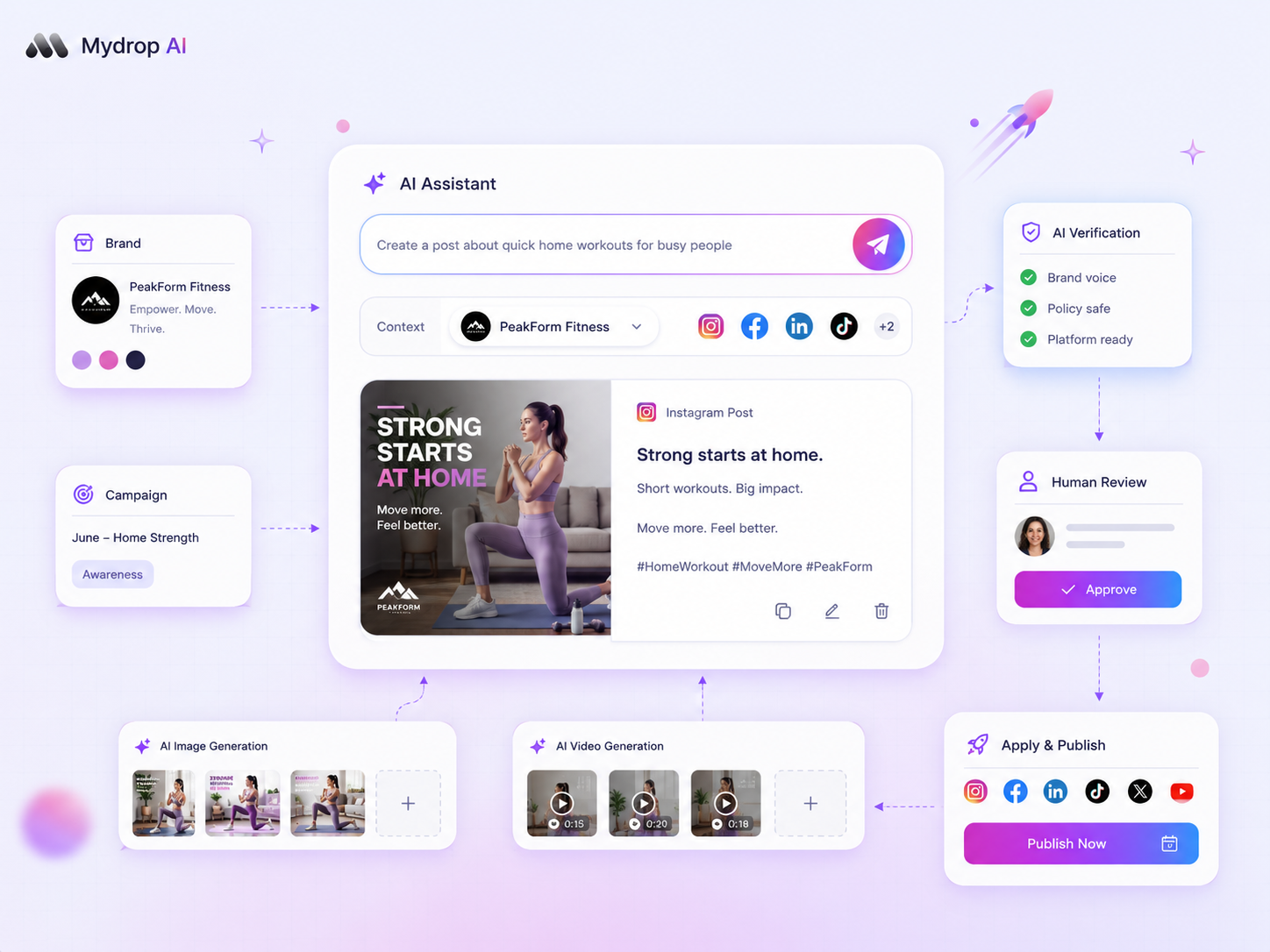
At Mydrop, we see this all the time across teams managing dozens of brand profiles. With multiple markets and stakeholders, the manual effort of keeping every tool up to date creates a huge overhead. The silent drift happens when the "official" brand version updates but the connection to your execution platform is broken.
Common mistake: Treating a
Brand Folderas a storage unit rather than a live sync service. If your assets need a manual export-and-upload step every time a hex code changes, your system is already broken.
To get ahead of it, audit your setup with this simple diagnostic:
| Failure Mode | Symptoms | Operational Risk |
|---|---|---|
| Asset Orphanage | Multiple versions of the "final" logo in use. | Brand inconsistency across channels. |
| Stale Metadata | AI generates content using a deprecated tone. | High revision loops with stakeholders. |
| Fragmented Access | Agencies constantly asking for colour hex codes. | Launch delays during campaign peaks. |
If you find yourself manually resending the same brand guidelines to your agency partners, or updating colour palettes across five different software logins, your team is paying a "coordination tax" on every single post. Most teams don't have a content problem; they have a decision bottleneck caused by their assets not being where the work is.
The failure patterns to check first

When campaign launch dates slip, start by looking at your brand asset lineage. Most teams treat brand assets like a pile of digital knick-knacks scattered across folders, but in reality your logo files and colour palettes are the fuel for your entire publishing engine. If the fuel is contaminated, the engine misfires every single time.
Check for these three classic bottlenecks before you blame the creative team or a platform update.
- The Versioning Trap: Does your team default to
Logo_Final_V2.png? When assets live in static folders rather than a live, managed repository, teams inevitably grab stale files. If a brand has had any visual update in the last year, your old assets are probably still lurking in the cache of your publishing tools, waiting to ruin a high-stakes campaign. - The Metadata Drift: Your website might have a fresh new look, but have you refreshed your brand settings? Plenty of teams skip this, which means every AI-generated caption or automated colour-fill is pulling data from a brand identity that effectively stopped existing months ago.
- Access Fragmentation: If your designers have the master files but your AI content generators and social managers are working from a "best guess" library, you have a gap in your setup. You need a system where the brand identity is a living, single source of truth, not a zip file shared over Slack.
The proof that separates signal from noise
It's easy to assume your brand identity is "live" because you have a folder, but the proof is in the output. The fastest way to check whether your brand setup is working is to run a Brand Context Audit against your AI-generated content and platform-specific assets.
Use this scorecard to see whether your brand infrastructure is genuinely integrated or just ignored.
| Audit Point | Red Flag | Healthy State |
|---|---|---|
| Colour Accuracy | AI content consistently uses off-brand shades. | Palette matches your core groupInfos definitions. |
| Tone Alignment | AI suggests copy that ignores your brand voice. | AI prompts reflect current tone and keywords. |
| Asset Freshness | Link-in-bio pages use outdated logo or icons. | Assets pull from current mediaDocIds references. |
| Profile Membership | Manual updates needed for every new campaign. | Profiles are grouped, updated and ready by default. |
Operator rule: If your AI tools are inventing a brand voice that contradicts your current style guide, stop editing the AI outputs and start editing your
groupInfos. The issue is almost never the prompt engineering; it's that the tool is reading stale brand data.
At Mydrop, we see teams struggle when they treat "Brand" as a static label. Instead, treat your brand as a dynamic group: a collection of profiles, colours and intelligence fields that need updating in one place so the change spreads everywhere. If you have to update a hex code in three different tools, you're not managing a brand; you're managing a spreadsheet that has become a crime scene.
Most teams don't have a content problem. They have a coordination debt problem. Fix the source of truth and the campaign delays usually disappear on their own.
What to fix this week
If you're currently drowning in file-sharing requests, your goal is to move from Manual Asset Hunting to Centralized Brand Context. Stop treating the brand as a collection of static files in a shared cloud folder and start treating it as a live repository your tools can actually read.
Here's a simple 3-step audit to run before Monday.
- Map the Orphans: Identify the three assets you manually attach to every post (like that one specific logo version or a hex code sheet).
- Verify the Source: If an AI tool or a scheduler asked for your brand tone or primary hashtag right now, would it pull the right data, or would it invent something based on your last campaign?
- Consolidate: Stop emailing assets. Create a workspace grouping, like Mydrop's Brand Groups, that anchors your profile IDs to a single source of truth for logos, colours and media.
Decision check: If a team member has to ask, "Which version of the logo are we using?" you've already lost an hour of work.
When you use a centralised system, you stop being a digital librarian and start being an operator. You want a setup where your AI generation tools, publishing composer and reporting dashboards all read the same groupInfos and mediaDocIds as your live site. When you update the brand in one place, it should ripple across the entire workflow automatically.
When to stop diagnosing and change the workflow
There comes a point where auditing your process becomes a form of procrastination. If you're holding daily syncs just to confirm everyone is using the correct colour palette, or that the agency has the current high-res brand folder, you're past the point of diminishing returns.
Most teams don't have a content problem; they have a decision bottleneck.
If you're stuck in a cycle of "fix-and-resend," stop diagnosing. Move to a single source of truth model straight away. A healthy brand setup should feel boring and invisible. If it feels like a high-stakes scavenger hunt, the infrastructure is broken, not the people.
Choosing your path:
| Workflow State | Diagnosis | Action |
|---|---|---|
| Asset Orphanage | Assets live in scattered folders; teams use wrong versions. | Move everything to a unified Brand Group. |
| Manual Sync | You copy-paste hex codes and logos into emails/DMs. | Automate asset delivery via centralised brand metadata. |
| Operational Flow | Tools pull from a live, central source of truth. | Keep the cadence; audit once a quarter. |
The most dangerous thing you can do is keep trying to "manage better" while using broken, fragmented tools. Trust a system that updates automatically when you change a logo or adjust a tone, rather than relying on human memory or a messy, outdated spreadsheet.
Conclusion
Campaign friction is rarely a failure of creativity; it's a failure of coordination. The teams that launch on time and keep their identities consistent aren't necessarily working harder; they're just working with a stack that treats brand identity as a living piece of data, not a collection of files in a folder.
Audit your asset lineage this week, clear out the orphans and anchor your profiles to a single, centralised source. Your social team, and your stress levels, will thank you by the time the next campaign goes live.


 Google review
 Trustpilot review
 Product Hunt comment





