
















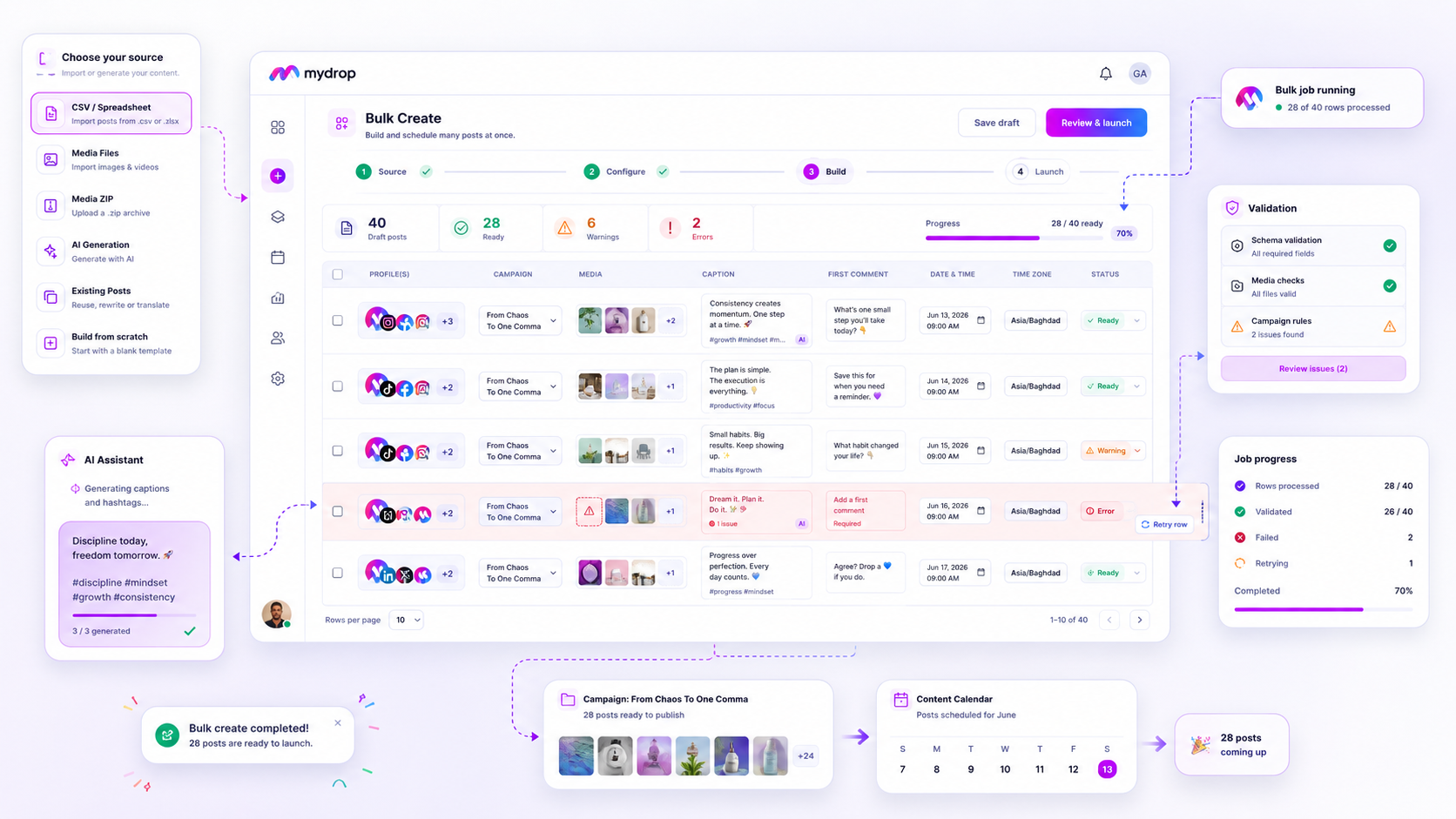
Only retry a failed bulk row when the platform failed and the row is fine: a timeout, a rate limit, a dropped connection. If the error points at the row itself (a bad date, a missing image, a caption over the limit), a retry fails the same way and wastes your time. Three questions sort every failed row in about a minute.
TLDR: Read the error first. Platform-side errors get one or two retries. Row-side errors get fixed, then retried. Anything that fails three times gets rewritten or dropped. Never retry the whole job, only the failed rows.
Mydrop data, September 2026: in the 30 days to 16 September 2026, 98.5% of posts published through Mydrop went live at the first attempt. The most common warning was a YouTube custom thumbnail rejected because the channel was not phone-verified; the most common hard failure was an expired platform connection. Method in the Mydrop social media benchmarks.
Three questions to ask before you hit retry
- Does the error name a field, a file or a limit? If yes, the row is wrong. Fix it.
- Did similar rows in the same job succeed? If yes, and this row's content looks normal, the failure was probably noise. Retry once.
- Did many rows fail at the same moment, across different accounts? That's a burst problem (rate limit or outage). Wait 15 to 30 minutes, then retry the failed rows only.
If two of the three answers are "no", stop and look at the row. A retry is a test of the platform, not of your data.
The table that decides retry, fix or drop
| Failure type | What you see | Retry? | What to do |
|---|---|---|---|
| Timeout or rate limit | Many rows fail together, error mentions "timeout" or "limit" | Yes, after a wait | Retry failed rows once, in a smaller batch |
| Expired platform connection | Every failed row belongs to one account | Not yet | Reconnect the account, then retry |
| Caption over a limit | Error names length or hashtags | No | Trim the caption, then retry |
| Missing or unreachable media | Error names a file or URL | No | Fix the link in the source file, then retry |
| Bad date or time | Error names the schedule field | No | Correct the format and time zone, then retry |
| Duplicate or policy rejection | The platform refuses the content itself | No | Rewrite or drop the row |
Only the first line is a true "retry". Everything else is a fix with a retry at the end.
When every failure belongs to one account, reconnect it
Look at the failed rows grouped by account. If one account owns all of them, the cause is almost never the content. In Mydrop's data, the most common hard publishing failure was an expired platform connection.
Retrying 40 rows on a dead connection gives you 40 more failures and a longer log. Reconnect the account first, then retry the failed rows for that account only.
Stop at two retries, then change the row
Set a hard cap: two retries per row. A third failure means the row has a problem you haven't found yet.
Change one thing per attempt: shorten the caption, swap the media file, move the time by an hour, or try a different account. Changing one thing tells you what the cause was. Changing four tells you nothing.
Check the calendar before you retry the whole job
Retrying the entire job is the quickest way to publish the same post twice. Before any retry, open the calendar and mark the rows that went live. Then retry only the failed ones.
In Mydrop's bulk creation, each failed row shows its own error, so you can sort the batch by cause instead of guessing. The social media calendar shows what already published.
Cut next week's failures at the source file
Most row-side failures are caught by a 5-minute check before upload:
- Caption length: Instagram rejects captions over 2,200 characters or 5 hashtags, X counts 280 weighted characters, TikTok counts hashtags inside its 2,200.
- Media links: open three random links in a private window. If they ask for a login, they will fail in the job too.
- Dates: one time zone for the whole file, written the same way in every row.
If a failed job still teaches you something new, add it to this checklist. The list should grow shorter in failures every month.
Next step: open your last failed job today and sort every failed row into the four buckets in the table. Retry only bucket one. If you want errors shown per row, start free with Mydrop and run your next campaign through bulk creation.
 Google review
 Trustpilot review
 Product Hunt comment





