ClaudeChatGPTCursorGeminiWorks with your AI agentsChromeMydropTry Mydrop Chrome Extension
Productivity & Resourcing

Quick ideas lost in email threads? Set up one capture habit

Good ideas die in reply-all chains. Set up one capture place, a two-line idea format and a weekly sweep so quick ideas reach the content calendar.

3 min read

Updated: Oct 31, 2026

Team members working together around a shared workspace on screen

Quick ideas get lost in email because a thread is built for conversation, not for keeping. An idea turns up in reply number seven, nobody owns it, and by Friday it is gone. The fix is not a new tool. It is one place, one format and one weekly sweep.

TLDR: Pick a single place where every idea goes, write each one as two lines (the idea and who it is for), give someone ownership of the weekly review, and move the keepers straight onto the calendar. Don't ask the team to stop emailing; ask them to paste the idea into the capture place.

Why email threads kill good ideas

A thread has three problems for creative work.

  • No order. The idea sits between a scheduling question and a thank-you.
  • No owner. Everyone saw it, so no one picked it up.
  • No date. An email can wait forever, while a post needs a slot.

The result is a familiar pattern: three people remember the great idea, nobody can find it, and the campaign launches without it. If this already happens on your team, the cost is the time spent searching and re-inventing.

Step 1: choose one capture place and say it out loud

It can be a shared note, a board or the calendar itself. The only requirement is that everybody knows it and it is where the schedule lives.

Teams that keep ideas in documents separate from the calendar lose the link between "idea" and "when it ships". If you already use Mydrop's calendar, notes can sit on the date you plan to post, next to the content they relate to.

Step 2: use a two-line format

Long briefs stop people from capturing. Two lines is easy to write on a phone.

Line What goes in it Example
1 The idea in one sentence "Show how we pack an order in 30 seconds"
2 Who it is for and where it could run "Repeat buyers, Reels or TikTok"

Add a link or a photo if there is one. Nothing else is required. A rough idea captured is better than a perfect idea in someone's head.

Step 3: rescue ideas already buried in email

Do one cleanup so the new habit starts clean. Search your inbox for "idea", "what if" and "could we", and copy anything promising into the capture place in the two-line format.

Set a limit of 30 minutes. You are not archiving the past; you are pulling out what is still useful.

Step 4: give the weekly sweep an owner

Ideas rot when nobody decides. Pick one person, and set one 20-minute slot a week to go through new items.

For each idea, make one of three decisions:

  1. Schedule it: put a date on it.
  2. Park it: keep it for a theme later.
  3. Drop it: delete without guilt.

Anything that has sat undecided for two weeks gets scheduled or dropped. The sweep is also where you pair ideas with the right brand or client, which matters if you handle several of them in separate workspaces.

Step 5: let AI draft from the idea, not replace it

Once an idea is captured, the assistant can turn the two lines into a first draft. In Mydrop, the Home assistant can produce draft captions or briefs from your request, and you can save the result as a Home note or a Calendar note. Our guide to turning AI ideas into calendar notes shows the steps.

Keep the human step: someone reads the draft and decides if it sounds like you.

Step 6: keep comments next to the idea

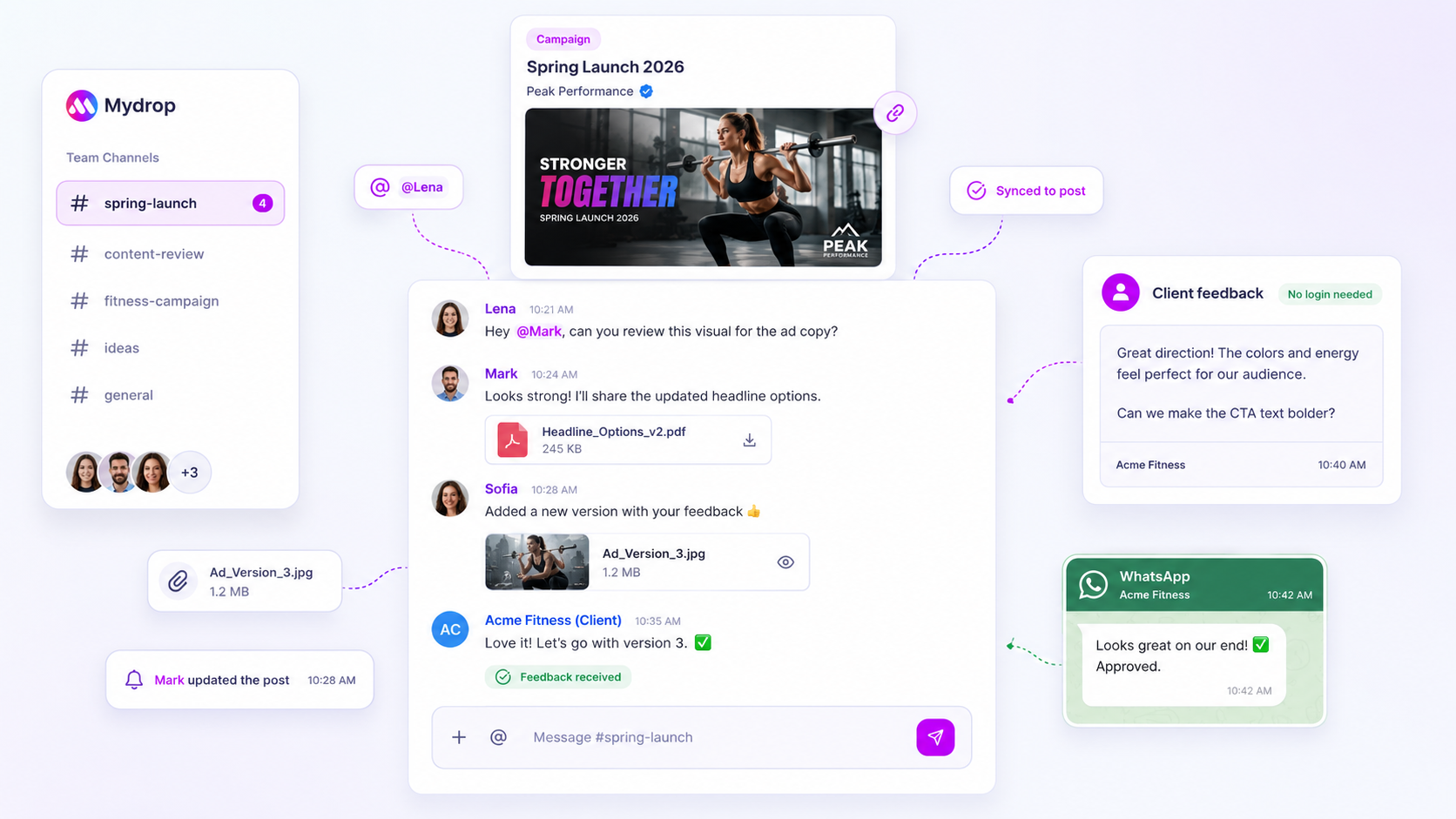
Feedback is the other thing email scatters. When a teammate says "make it shorter", that note should sit next to the draft. Mydrop's collaboration tools keep roles and comments on the post itself, so the history does not live in someone's inbox.

If client approval is part of your process, see how approval debt builds up when the thread is the system.

A one-week trial you can start today

Tell the team the capture place on Monday. Ask everyone to add at least one idea in the two-line format by Wednesday. Run the first 20-minute sweep on Friday and put the best three on the calendar.

At the end of the week, count how many ideas were captured and how many got a date. If the number is above zero for both, the habit is working. Send the capture-place link to the team now, before the next thread starts.

Free tools

Free tools

Calculators, templates and generators for social media teams.

FAQ

Quick answers

Threads bury ideas under replies, forward chains and attachments. Nobody owns the idea, so no one acts on it.

One shared place, one two-line format, and one weekly time to sort. Everything else is optional.

Once a week, for 20 minutes. Ideas that wait longer than two weeks without a decision should be dropped or scheduled.

Next step

Stop coordinating around the work

If your team spends more time chasing approvals, assets, and publish details than creating better posts, the problem is probably not your people. It is the workflow around them. Mydrop brings planning, review, scheduling, and performance into one calmer operating system.

Mydrop Editorial Team

About the author

Mydrop Editorial Team

Mydrop

The Mydrop Editorial Team writes the guides, comparisons, and playbooks on this blog. We cover social media planning, publishing, approvals, analytics, and multi-brand workflows, drawing on how teams actually use Mydrop to run their social programs. Every article is researched, edited, and maintained by the team behind the product.

View all articles by Mydrop Editorial Team

Managing 14+ social platforms felt like a 2 a.m. nightmare until Mydrop. The AI brand-voice mapping is scary accurate, and the client approval portal saved me easily 15 hours this week alone. It's the ultimate set-and-forget workspace for busy agencies.
A true automation tool for scheduling (and creating) social media content! It has saved me over 20 hours of work already in just my first couple weeks. A true game-changer for anyone in business, big or small!
Finally tried Mydrop on a test client and the white-label portal on a custom domain actually looks legit, no Mydrop branding sneaking in. The OAuth setup saved me from the usual “what's my password” back-and-forth.
Absolute game-changer. Mydrop completely automated my content workflow. The scheduling is flawless, it actually feels intuitive, and it saved me 10+ hours in my very first week. Best decision I've made for my socials!
Mydrop AI has been an absolute game changer, it has saved me so much time and effort. It does what it promises. Easy to use, versatile, and the creator is really open to feedback. Very happy!
I was looking through a bunch of management tools for my client, as it was getting out of control; after comparing every solution, I found Mydrop to be a no brainer.
This app helps me more than any other I have ever used. I've got all of my pages and accounts and I can drag and drop like I want. Mydrop has really been a huge asset to my business!
I was looking for a scheduling tool as my clients were using more and more platforms. Mydrop does the job very well, and automations and forms are very useful and save me a lot of time. I recommend!
Love that you baked in white-label portals from day one, that's a huge pain point for agencies.
Love this platform for scheduling social media posts! Easy and very intuitive to use! Highly recommend!
Very nice tool, you will save a lot of time. Very easy to use, user friendly. I have used it for several months and it is very helpful.
Helpful app if you are trying to streamline social content creation for clients.
Managing 14+ social platforms felt like a 2 a.m. nightmare until Mydrop. The AI brand-voice mapping is scary accurate, and the client approval portal saved me easily 15 hours this week alone. It's the ultimate set-and-forget workspace for busy agencies.
A true automation tool for scheduling (and creating) social media content! It has saved me over 20 hours of work already in just my first couple weeks. A true game-changer for anyone in business, big or small!
Finally tried Mydrop on a test client and the white-label portal on a custom domain actually looks legit, no Mydrop branding sneaking in. The OAuth setup saved me from the usual “what's my password” back-and-forth.
Absolute game-changer. Mydrop completely automated my content workflow. The scheduling is flawless, it actually feels intuitive, and it saved me 10+ hours in my very first week. Best decision I've made for my socials!
Mydrop AI has been an absolute game changer, it has saved me so much time and effort. It does what it promises. Easy to use, versatile, and the creator is really open to feedback. Very happy!
I was looking through a bunch of management tools for my client, as it was getting out of control; after comparing every solution, I found Mydrop to be a no brainer.
This app helps me more than any other I have ever used. I've got all of my pages and accounts and I can drag and drop like I want. Mydrop has really been a huge asset to my business!
I was looking for a scheduling tool as my clients were using more and more platforms. Mydrop does the job very well, and automations and forms are very useful and save me a lot of time. I recommend!
Love that you baked in white-label portals from day one, that's a huge pain point for agencies.
Love this platform for scheduling social media posts! Easy and very intuitive to use! Highly recommend!
Very nice tool, you will save a lot of time. Very easy to use, user friendly. I have used it for several months and it is very helpful.
Helpful app if you are trying to streamline social content creation for clients.
Smiling social media managerSmiling social media managerSmiling social media managerSmiling social media managerSmiling social media managerSmiling social media manager

4.8/5 · on Trustpilot & Google