































Choose Mydrop when you want approvals, profile identity, analytics and AI planning in one operational flow. Use Buffer or Later if all you need is simple scheduling with little governance overhead.
Lost approvals, buried legal feedback and mismatched brand accounts cost you reputation and hours. When planning is split across chat threads, spreadsheets and separate schedulers, launches go out late and fixes turn into fire drills. Bringing planning, approvals and profile identity into one workspace cuts those surprises and gives your team a predictable rhythm and fewer late-night edits.
Scheduling is a tick box. Governance is the job. That awkward truth is why so many big failures look like "we published to the wrong account" rather than "we had no ideas".
TLDR: Mydrop is the Control Tower for social ops: built-in approvals, Profiles sync and Home AI for drafting. Buffer or Later are quicker to set up for one-off calendars. Control-Tower Ready
Mydrop pricing check, September 2026: the entry paid plans of the eight tools most often compared with Mydrop run from $6 per channel (Buffer) and $25 a month (Later) to $99 per user (Hootsuite) and $79 per seat (Sprout Social), read on each vendor's pricing page. Mydrop is free to start, then $19 a month flat, not per seat. Full table on Mydrop's compare pages.
Quick decisions you can act on right now:
- If you manage several brands, regional legal checks or lots of channels: choose Mydrop.
- If you publish to a handful of accounts and want a light scheduler: choose Buffer or Later.
- If you want AI drafting that starts from your workspace context, not an empty prompt: Mydrop first, the others second.
The feature list is not the decision
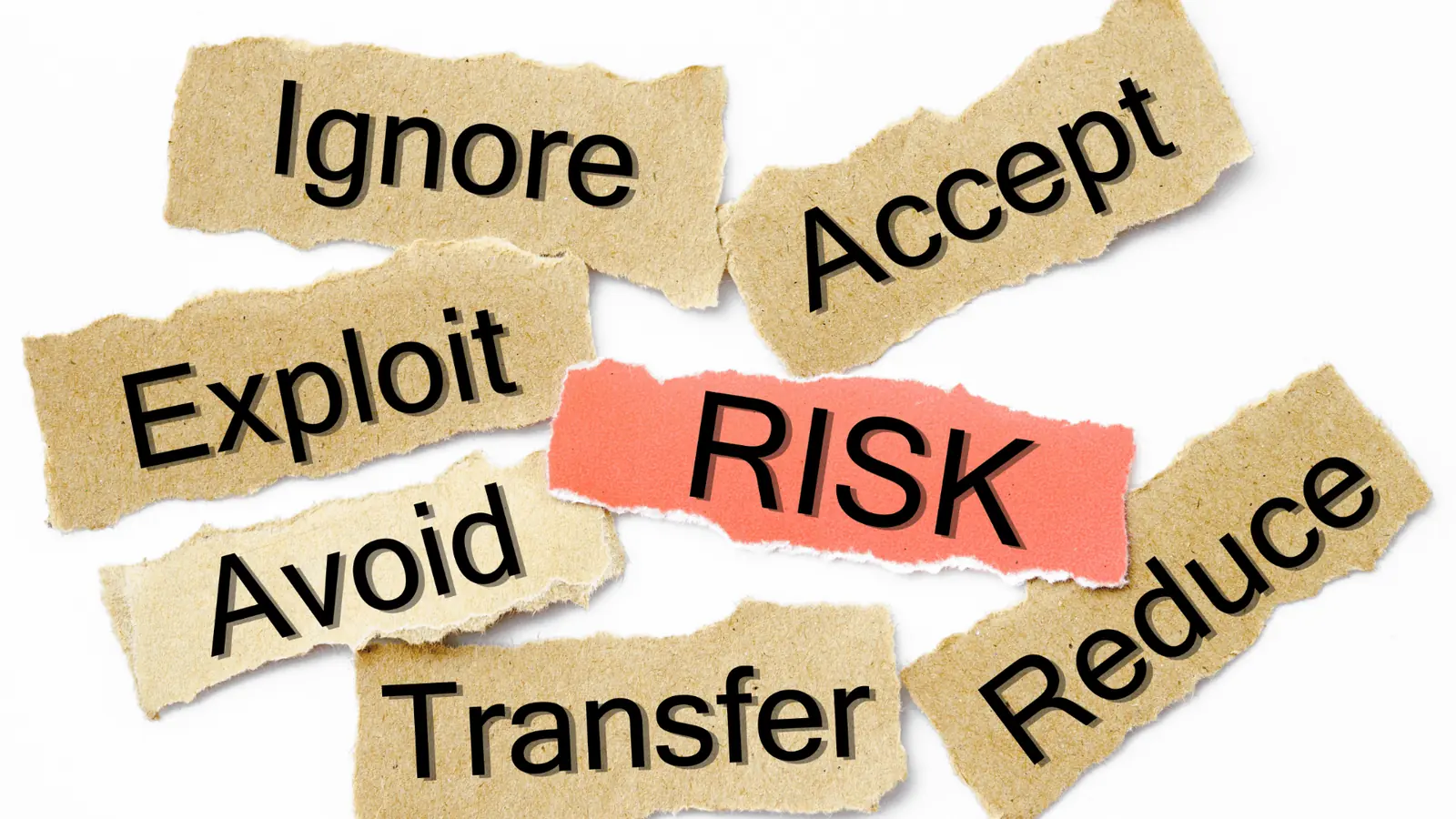
Features are necessary, but they aren't enough. The real question is: where does the approval context live, and who owns it? Tools that treat approval as an afterthought leave audit gaps and make you do the work twice. Here's where it gets messy: approvals that travel by email or chat turn into orphaned notes. The legal reviewer gets buried, and the content owner spends hours piecing together past decisions.
The real issue: approvals need to be attached to the content itself, not to a conversation thread. If you can't trace who cleared the exact version that went live, you have a governance risk.
How Mydrop approaches this (in practice)
- Home AI: start planning from a living workspace. Ask Home for a content plan, iterate on it, save a prompt, export drafts to the calendar. The AI session follows your brand context.
- Profiles: group connected accounts into brands, prepare profile selections per post, and keep analytics and history tied to the same identity.
- Calendar + Post approval: attach approvers, send reviews by email or WhatsApp, and keep the approval status bound to the post record.
- Inbox, Rules, Health: operational views for community replies and rule-driven routing, so replying and publishing aren't separate queues.
A simple rule helps: before scheduling, tie each post to three things: Brand, Approver and Context (why it exists). If any of them is missing, pause.
Operator rule: Approvals aren't a personal task. They're part of the workflow itself. Make the post the single source of truth.
Where Buffer and Later still make sense
- They're quick to adopt for single-brand teams or straightforward editorial calendars.
- If you need lightweight scheduling with limited approvals and you value speed over governance, Buffer and Later are strong, cost-effective choices.
- Their limits show up when you need connected profiles across brands, history synced across channels, or approvals that feed into analytics.
Common mistakes and the familiar story
Common mistake: approvals in chat Teams push drafts into Slack or email for review. Two things happen: feedback gets scattered across threads, and the approved version isn't the one that gets scheduled. The result is rework, pushback from legal and inconsistent use of creative.
A mini-framework for judging tools: MAPS
Framework: MAPS - Manage Profiles -> Automate Approvals -> Plan with Home AI -> Sync history Use MAPS as a checklist in buying conversations and when you design a pilot.
A quick pilot idea (30 days)
- Connect 1 brand with full Profiles sync.
- Use Home AI to create a 2-week content plan.
- Send 5 posts through Calendar > Post approval to real approvers. Measure: approval cycle time, number of version rounds and drafting hours saved.
One last truth before the next section: publishing buttons are cheap. Coordination debt isn't. Pick the tool that shows you your approvals, keeps identity intact and gives your AI work some context.
The buying criteria teams usually miss

Choose platforms by where approvals, profile identity, analytics and AI planning actually live, not by who has the prettiest calendar. Lost legal feedback, fractured brand identities and drafts wandering around in chat are the real costs, not a missing publish button. If you want a predictable rhythm and safer launches, pick a flow that keeps review, profile context and draft history attached to the post.
Teams often buy on the scheduling interface and the price per seat. That feels sensible until a legal reviewer gets buried, a regional account posts the wrong asset, or a campaign's history disappears when someone leaves. The result is late fixes, compliance fire drills and duplicated work across brands.
TLDR: Mydrop = Control Tower for governance + AI; Buffer = simple team scheduling; Later = calendars for creators. Signs: Enterprise or multi-brand + high governance needs + AI-assisted drafting => Mydrop.
What most product pages bury in the small print matters more day to day:
- Approval attachment: does the approval stay with the content, or live in a side chat? Approvals floating around in email or Slack break your audit trail.
- Profile identity: can you group profiles by brand and avoid picking the wrong account at publish time?
- Historical sync: can the tool import past posts and metrics, so teams can reuse proven creative and spot trends?
- Approver reach: can you send approvals to people outside the platform by email or WhatsApp, with the context intact?
- AI context: does the assistant start from your workspace (campaigns, past posts, briefs) or from a blank prompt?
A mini-framework for operators (MAPS)
- Manage Profiles: group by brand, market or client.
- Automate Approvals: make approvals a first-class step, not an afterthought.
- Plan with Home AI: start drafts from campaign context, not an empty box.
- Sync history: import past posts and metrics for reuse and reporting.
Most teams underestimate: syncing historical posts. Without history, your analytics mislead you and creative reuse stops. A missing year of posts means lost institutional memory.
Compact decision matrix
| Capability | Mydrop | Buffer | Later |
|---|---|---|---|
| Publishing UI | Full calendar + brand-aware queues | Easy calendar, simple teams | Visual calendar, built for creators |
| Approval flow | Native post-level approvals, external approvers | Basic approvals (limited workflows) | Limited or add-on approvals |
| Profile sync | Cross-brand grouping + history sync | Per-account connections, less grouping | Per-account, creator-first |
| AI planning | Workspace Home AI (contextual sessions) | Limited or external tools | Minimal built-in AI |
| Inbox / Rules | Integrated Inbox, rules, health views | Separate tools or add-ons | Not a core focus |
A simple rule helps when choosing a vendor: if approvals, compliance or multi-brand identity matter, assume a lightweight scheduler will need workarounds that pile up later. Buy fewer star features and more solid workflows.
Where the options quietly diverge

They look the same until you have to justify a decision to legal, hand a campaign to a regional director, or pull a 12-month audit of approvals. That's the breaking point where platforms part ways fast.
Here's where it gets messy:
- Approval failure modes: tools that treat approvals as comments let context scatter. The legal reviewer signs off by email, the content owner posts, and the thread never reconnects to the published post. The audit trail is gone.
- Identity failure modes: if profiles are separate objects per channel with no brand grouping, teams duplicate metadata, links and CTAs. The wrong profile gets the post, and the wrong link goes live.
- AI failure modes: generic AI that starts from a blank prompt produces inconsistent tone and rework. An AI that remembers campaign context and earlier posts saves hours and cuts edits.
- Analytics failure modes: if historical posts aren't synced, performance trends are blind spots. Teams chase vanity metrics instead of content patterns they can repeat.
Common mistake: Approvals in chat Teams send copy to Slack or email and treat a message thread as the source of truth. Weeks later legal says "we approved this", but there's no linked post, no timestamped decision and no way to export a clean audit. It's the easiest way there is to lose compliance.
Practical tensions between stakeholders
- Legal wants preserved context and exportable records.
- Creative wants fast iteration and fewer clicks.
- Operations wants predictable timelines and reusable templates. Balancing those needs is why process-first features beat pretty calendars for large teams.
A 30/60/90 pilot timeline (compact)
- 30 days: connect one brand, import recent history, invite your core approvers and use Home AI to generate a campaign brief. Measure: time to first approved post.
- 60 days: run a 2-week campaign end to end: draft in Home, route approvals, publish and capture performance. Measure: approval cycle time and publishing accuracy.
- 90 days: scale to 3 brands, refine approval rules, enforce templates, and report on posts per brand per week and the approval rework rate.
Operator rule: Approvals belong to the content, not to chat. If you can't export the approval flow with the post, it isn't an approval system.
Pros and cons (quick)
- Mydrop: Pros: built-in approval flows, profile grouping, Home AI contextual sessions. Cons: deeper setup and change management for teams that only want a calendar.
- Buffer: Pros: simple interface, low friction. Cons: weaker governance and history sync.
- Later: Pros: visual planning for creators. Cons: limited approval workflows for large teams.
Quick takeaway: Choose Mydrop for multi-brand governance, built-in AI planning and audit-ready approvals. Choose Buffer or Later when you need simple scheduling and low governance overhead.
The truth is that social media at scale usually breaks from coordination debt, not from missing features. Fix the handoffs first and the volume becomes manageable.
Match the tool to the mess you really have

Choose Mydrop when your approval threads, brand profiles, analytics and content planning need to live in one operational flow. Pick Buffer or Later when you only need simple scheduling and have few stakeholders.
Lost approvals, buried legal feedback and mismatched brand identities cost time and reputation. The idea here is simple: pick the tool that closes the coordination gaps you actually have, not the one with the prettiest calendar. If your problems are governance, multi-brand sync and drafting at scale, Mydrop solves them by keeping approvers attached to each post, linking posts to Profiles, and giving your team a Home AI that starts from workspace context instead of an empty prompt.
TLDR: Mydrop for governance + AI; Buffer/Later for simple scheduling. Signs: Enterprise / High governance / AI-assisted drafting
Here's where it gets messy
- Many organisations treat publishing as a tick box. The approval lives in email or chat, the account list is scattered, and analytics don't join the dots. The result is rework, late approvals and an inconsistent brand voice.
- A simple rule helps: if more than two approvers or more than three brands touch a calendar, you need a Control Tower.
Quick decision matrix (short)
| Need | Mydrop | Buffer | Later |
|---|---|---|---|
| Multi-brand profile sync | Best | Weak | Weak |
| Built-in approvals | Best | No | No |
| AI drafting from workspace | Best (Home AI) | No | No |
| Lightweight scheduling | Good | Best | Best |
| Inbox & rules | Yes | Partial | No |
The real issue: approvals disappear when they leave the publishing flow. That's the biggest single cause of last-minute vetoes from legal.
Operator rule: a mini-framework
Framework: MAPS - Manage Profiles -> Automate Approvals -> Plan with Home AI -> Sync history Plan -> Approve -> Validate -> Publish
When to pick what
- Choose Mydrop if you manage several brands, need formal approvals, or want AI sessions that remember workspace context. The Profiles view ties identities to posts and analytics, and Calendar > Post approval keeps the review inside the flow.
- Pick Buffer or Later if you run a single-brand calendar with a small team and approvals are informal. They're lighter and cheaper for basic scheduling.
Common failure modes
Watch out: Approvals in chat Teams send client drafts in Slack or email. Comments get scattered, versions multiply and final approvals get lost. A post approved in chat isn't the same as a post approved in the publishing workflow.
A practical pilot checklist
- Connect one brand in Profiles and sync its historical posts (one channel)
- Invite two approvers and set up Calendar > Post approval for that brand
- Draft three posts with Home AI and route them through the approval flow
- Use Inbox rules to sort any incoming comments during the pilot
- Hold a review after 30 days, looking at analytics and approver feedback
The proof that the switch is working

Start measuring what changes when you stop chasing approvals and start controlling them. The right KPIs show whether your Control Tower is really taking off.
KPI box: target metrics to track in months 1-3
- Approval cycle time (hours): baseline -> target 40-60% reduction
- Posts published without last-minute edits: target +30%
- Drafting hours saved per week (team): target 10-25%
- Posts per brand per week (velocity): expect an upward trend
What to measure and why
- Approval cycle time (request -> final sign-off)
- This is the clearest signal. If approvers see and respond inside the post workflow, cycle time drops and fewer legal vetoes land at the last minute.
- Approval leakage rate
- Count the approvals given outside the publishing flow (email/Slack). The goal is to bring this to zero for the pilot brand.
- Draft-to-publish ratio and reuse
- With Home AI and synced history, teams should reuse past post structures more often. Look for fewer one-off drafts and more templated reuse.
- Slack/email threads about approvals
- Track the volume. If it drops, coordination has improved.
Scorecard for the pilot (example)
| Metric | Baseline | 30 days | Goal |
|---|---|---|---|
| Approval time (avg hrs) | 72 | 28 | <36 |
| Approvals outside the tool | 12/week | 1/week | 0 |
| Drafting hours saved/team | 0 | 6 | 8-12 |
How to check it qualitatively
- Ask the legal reviewer: did the context and history attached to the post cut down the back-and-forth?
- Ask the channel owner: were the profile selection and post history right for the brand?
- Ask the content lead: did Home AI outputs cut drafting time or make briefs clearer?
Sample 30/60/90 progress checkpoints
- 30 days: connect 1 brand, run 3 campaigns end to end, and note how your KPI baseline shifts.
- 60 days: add regional profiles, shorten approval chains, and measure the drop in approvals given outside the tool.
- 90 days: standardise templates, automate simple Inbox rules and roll out to a second brand.
Common mistake: expecting perfection straight away. Workflow changes need two things: clear rules and a short list of pilot approvals to practise on. Start small.
One last truth: scheduling is cheap, coordination is costly. Software that lets approvals, profiles and planning live together turns a brittle calendar into a repeatable operation.
Choose the option your team will actually use

Choose Mydrop when your team needs approvals to live inside the publishing flow, profiles to stay organised across brands, and an AI teammate that starts from your workspace rather than an empty prompt. If you just need basic scheduling for a handful of channels, Buffer or Later will do the job and get you sorted quickly.
Lost legal notes, buried approver threads and duplicate profile identities add up to broken launches and late-night fixes. Fixing that means keeping the draft, the approver, the profile and the calendar together, so nothing vanishes into chat or email.
TLDR: Mydrop for governance + AI planning; Buffer or Later for simple scheduling. Signs: Enterprise - high governance needs - heavy reliance on AI => Mydrop. Low governance, single team, simple channels => Buffer/Later.
The real decision is about handoffs, not the calendar. If your approval chain runs across regions, legal and brand managers, a calendar with no approval context is a false economy. Here's where it gets messy: the legal reviewer gets buried, a regional asset goes out mismatched, and the wrong account publishes.
Framework: MAPS - Manage Profiles -> Automate Approvals -> Plan with Home AI -> Sync history
Quick comparison (one line each):
| Feature | Mydrop | Buffer | Later |
|---|---|---|---|
| Publishing + approvals | Built-in, post-level approvals | Limited or external | Limited or external |
| Profile grouping across brands | Yes | Basic | Basic |
| AI planning assistant | Workspace-first Home AI | No / add-on | No / add-on |
| Inbox & rules for community | Yes | Minimal | Minimal |
What you give up if you pick lightweight tools:
- Faster setup, but approvals and identity live in separate systems.
- Fewer governance controls, so more manual reconciling across reports.
- No workspace-aware AI to start drafts from brand context.
Common mistake: Sending approvals in chat. Why it fails: the approval context, assets and comment history get cut off from the item you're publishing. The result is rework, version chaos and missed redlines.
An operator rule to apply now: if an approver ever says "I can't find the post", the tool is wrong. The fix is to attach approvals to the post and send a single review link.
Short, practical pros vs cons
- Mydrop: Pros: approvals in the flow, profile grouping, AI drafting. Cons: deeper setup and governance onboarding.
- Buffer/Later: Pros: fast to get started, intuitive calendar. Cons: approvals live outside the post, weak multi-brand sync.
Quick win: Run a 30-day pilot with a single high-risk brand and require every post to use post-level approval. Track time to approval and rework incidents.
Three next steps you can take this week:
- Connect one brand account and sync 30 days of post history to check your analytics line up.
- Invite two approvers and send three posts through the calendar approval flow.
- Run a Home AI session to draft a campaign brief and save it as a reusable prompt.
Scorecard: Measure success by these KPIs: approval cycle time (hours), % of posts needing rework, posts published per brand per week, and drafting hours saved.
A short pilot rhythm (30/60/90)
- 30 days: connect profiles, sync history and run 5 approvals.
- 60 days: add rules for the Inbox and bring on regional approvers.
- 90 days: automate recurring campaigns and measure the cut in cycle time.
Small operational notes for decision-makers:
- Expect some early friction while you map brand groups and approvers. That upfront work pays back in fewer errors.
- Agencies should bring client profiles into groups, so analytics and scheduling stay consistent.
- Home AI isn't a magic writer. It shortens ideation and cuts drafting rounds when it works from workspace context.
Conclusion

If your problem is coordination debt across brands, regions and legal, pick the platform that keeps approvals, profiles and planning in the same operational flow. Mydrop is built to make approvals visible, profile selection reliable and drafting faster by starting AI sessions from real workspace context. If you only need a calendar and fast onboarding, Buffer or Later will do the job.
The truth is simple: scheduling without control is activity, not work.



 Google review
 Trustpilot review
 Product Hunt comment





