

















These three tools do different jobs. ChatGPT Enterprise is a general writing assistant, Lately turns long content into short posts, and Mydrop is the calendar, approval and publishing system with AI inside it. Pick by the job that eats up the most of your team's time.
TLDR: If drafting is your bottleneck, an assistant is enough. If it's planning, sign-off and getting posts live on 14 networks, you need a calendar tool with AI built in. Test each one on the same four tasks below before you buy.
Mydrop pricing check, September 2026: the entry paid plans of the eight tools most often compared with Mydrop run from $6 per channel (Buffer) and $25 a month (Later) to $99 per user (Hootsuite) and $79 per seat (Sprout Social), read on each vendor's pricing page. Mydrop is free to start, then $19 a month flat, not per seat. Full table on Mydrop's compare pages.
What each tool is actually built for
| Question | ChatGPT Enterprise | Lately | Mydrop |
|---|---|---|---|
| Main job | General writing and analysis | Repurposing long content into social posts | Planning, approving and publishing social content |
| Knows your calendar | No (check connectors) | Check on its site | Yes, multi-brand calendar |
| Publishes to profiles | Check its current docs | Check on its site | Yes, 14 networks |
| Approval workflow | No | Check on its site | Yes, with a no-login client portal |
| AI drafting | Strong, general | Core feature | Captions, post ideas, bulk creation |
The "check" cells are deliberate. These products change fast, so verify them on each vendor's page before you decide. What doesn't change is the shape of the problem: a chat window doesn't know which posts are already scheduled for Tuesday.
Where an AI assistant is enough
Use a general assistant when one person does the drafting and the posting itself is already handled. It's good at first drafts, rewriting a caption in a different tone, and brainstorming angles.
It's weak at anything that depends on state: what's already on the calendar, who approved what, which brand voice applies to which client.
Where a repurposing tool earns its place
If most of your content starts life as a webinar, podcast or long article, a repurposing tool saves you the slicing work. The question to ask is where the output goes next. If you copy it into another scheduler by hand, you've moved the manual step, not removed it.
Where the planning tool wins
Teams running several brands care less about the first draft and more about three things: the draft lands in the right calendar slot, the right person approves it, and it publishes on time.
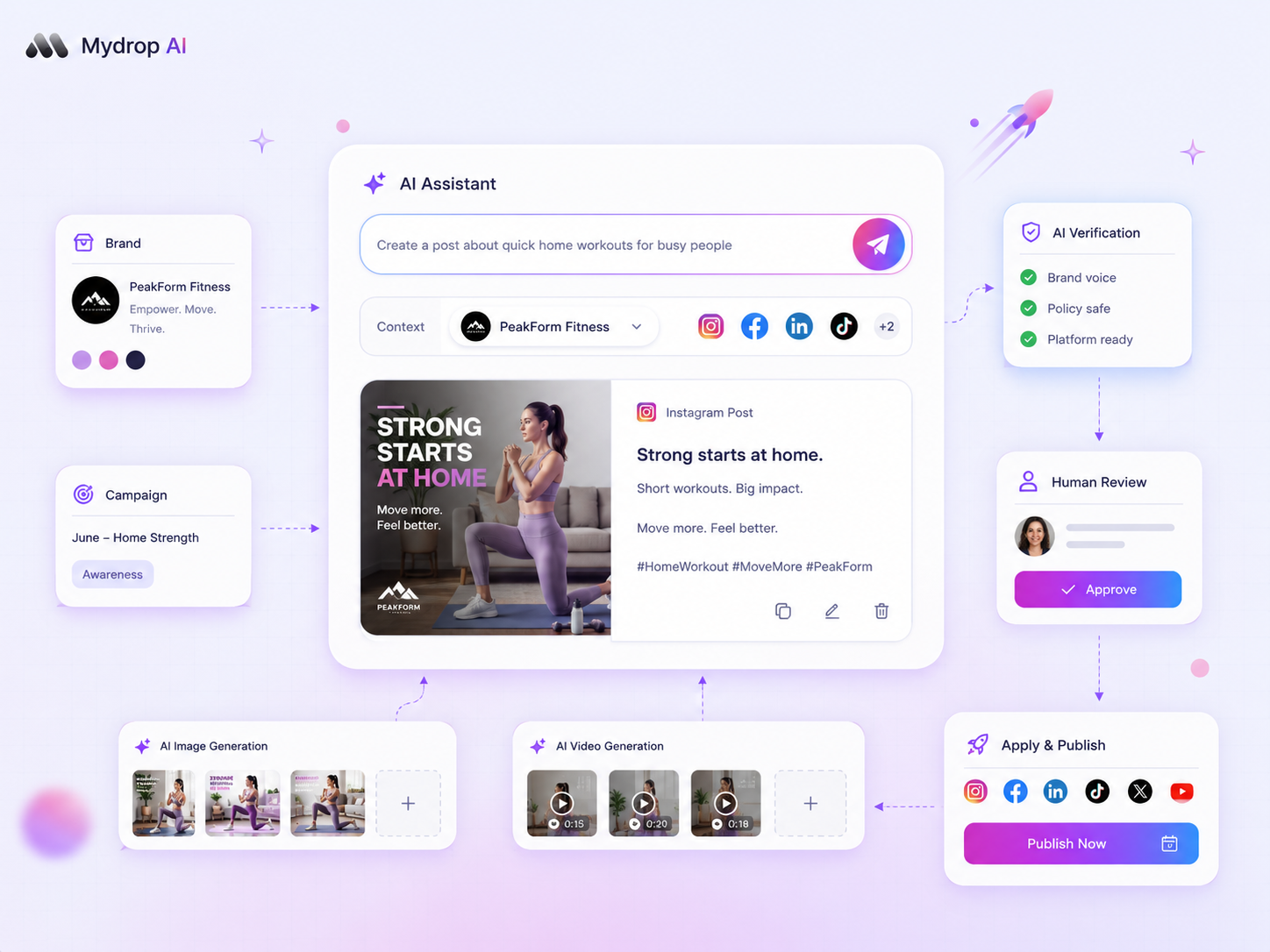
Mydrop covers that chain: AI captions and post ideas in the composer, a multi-brand calendar, and approval workflows that include clients who never log in. That last step can be quick: in Mydrop's data on posts that went through client approval, the median approval took 6 hours, and 66% were approved within 24.
Run the same four tasks in each tool
Give every tool the same afternoon test, and score yes, partly or no.
- Draft a week of posts in one brand's voice from a single brief.
- Place them on a calendar without retyping them.
- Send them for approval to someone outside your team.
- Publish one to a real test profile and read back the result.
A general assistant will win task 1 and fail task 3. A repurposing tool may win the draft but need a second tool for 2 to 4. That result, not a feature list, tells you what your stack needs.
Brand voice and data: two questions for every vendor
Before you commit, ask each vendor where your brand voice lives and who can see your drafts. A voice stored in a one-off chat prompt disappears when the person who wrote it leaves, while a voice stored per brand in the planning tool is there for the next teammate.
Ask for the answer in writing, and check how it handles several brands at once.
Pair them when it makes sense
These are not exclusive. Lots of teams draft in an assistant and then paste the result into the scheduler. That works, as long as you accept the paste step and keep the approval and publishing in one system.
Next step: write your four-task test today and run it on a free Mydrop account. Start free and judge tasks 2 to 4 on your own brands.


 Google review
 Trustpilot review
 Product Hunt comment





