
















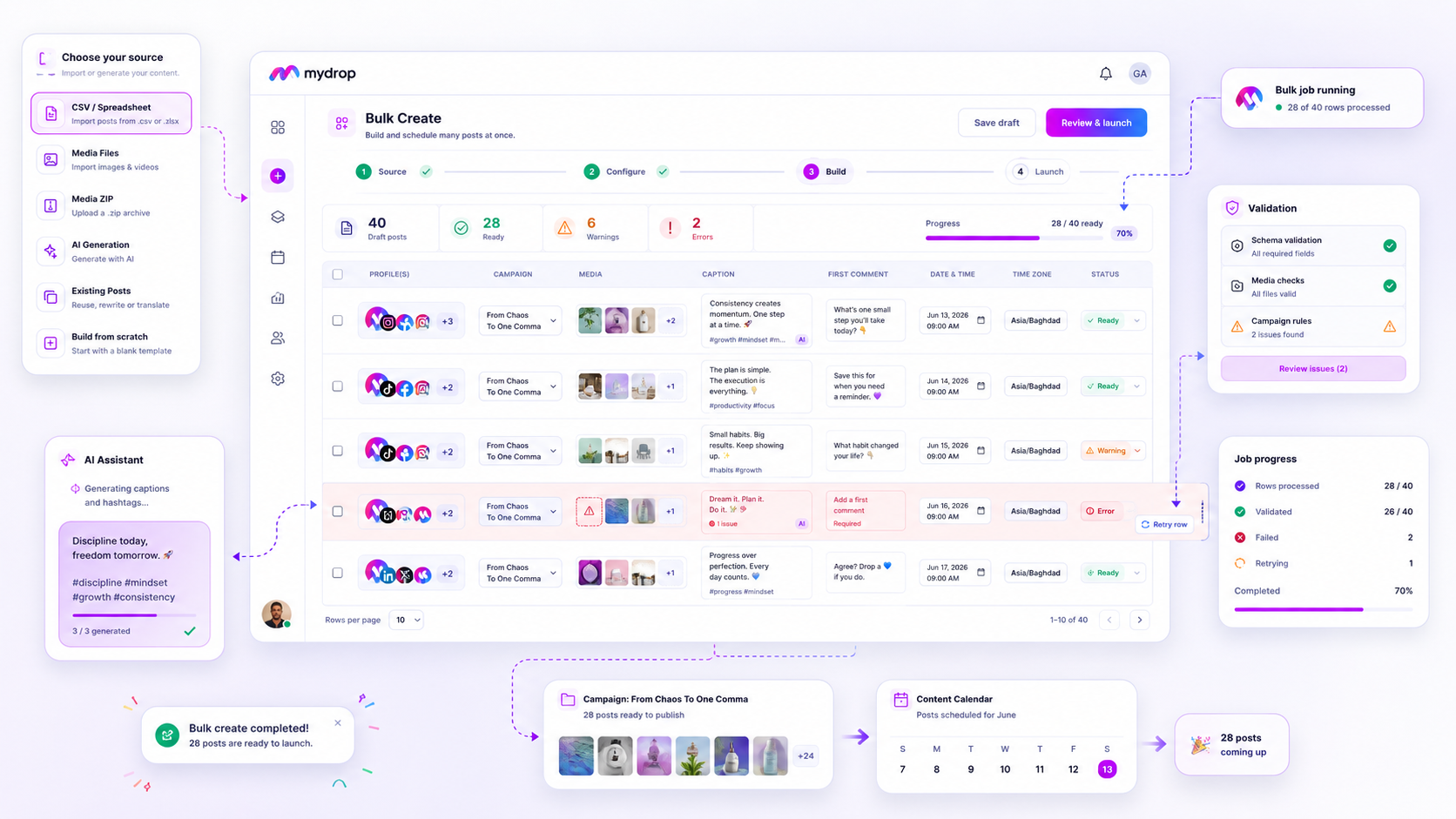
A bulk upload moves fast, so a mistake moves fast too. The fix is a short review gate between "file uploaded" and "posts scheduled". Six checks, about 15 minutes for a batch of 200, and you stop a wrong caption from going out under a client's name 40 times.
TLDR: Treat every bulk batch like a draft. Check six things in order: row count, a 10% sample, caption and platform limits, links, media and approval. Schedule only after all six pass. The right tool shows status per row, so you see which posts are ready and which are not.
Mydrop pricing check, September 2026: the entry paid plans of the eight tools most often compared with Mydrop run from $6 per channel (Buffer) and $25 a month (Later) to $99 per user (Hootsuite) and $79 per seat (Sprout Social), read on each vendor's pricing page. Mydrop is free to start, then $19 a month flat, not per seat. Full table on Mydrop's compare pages.
Why one bad row ruins a batch of 200
A single post with a typo is a small problem. A spreadsheet with one shifted column is a big one: every caption lands next to the wrong date or the wrong image. Nobody notices until the first post is live.
Agencies carry a second risk too. Several clients share one template, so a hashtag set or a UTM tag from client A can slip into client B's rows. A review gate catches it in minutes. An apology email takes longer.
The six checks, in order
| Check | What you look at | Pass rule |
|---|---|---|
| 1. Row count | Rows in the file vs posts created | Same number, no silent drops |
| 2. Sample | Every 10th row, opened in full | Caption, image, date and profile all match |
| 3. Limits | Caption length per platform | Under each platform's cap |
| 4. Links | URL and UTM tag per row | Right client domain, tag filled in |
| 5. Media | Image or video attached and sized right | Nothing missing, nothing stretched |
| 6. Approval | Status of each post | Sent for sign-off, not scheduled yet |
Run them top to bottom. If check 1 fails, the other five don't matter yet.
Let the tool do checks 3, 4 and 5
Humans are good at reading a caption and bad at counting characters. Platform caps differ, and they're not always what the app shows you. In Mydrop's publisher, for example, X is held to 280 weighted characters and Bluesky to 300, while Instagram rejects captions over 2,200 characters. Instagram also caps posts and Reels at 5 hashtags, a rule you keep yourself.
So make the tool count. In Mydrop's bulk creation, each row is validated and gets its own status, so you fix only the rows that failed and leave the rest alone. That's the feature to test in any tool you evaluate: does it show you row-level errors, or one pass/fail for the whole file?
Keep the sample honest
Don't review only the first 10 rows. Header mistakes show up there and nowhere else. Instead:
- Pick every 10th row, plus the first and last.
- Add one row per client and one per platform, even if they weren't picked.
- Open each one in the preview, not in the spreadsheet.
A post preview shows the caption cut the way the platform will cut it. That's where truncated hooks and awkward line breaks appear.
Route the batch through approval as one view
The cheapest quality gate is a second pair of eyes that isn't yours. Send the batch to the client as a calendar, not as 200 separate links. On Mydrop's data, posts that went through client approval had a median of 6 hours between submission and sign-off, and 66% were approved within 24 hours. A same-day review is realistic if you ask for it once, in one place. See social media approvals for how the no-login client portal works.
Common mistake: Scheduling first and approving later. If a client rejects a row after it's queued, you edit a live schedule instead of a draft.
What to log after each batch
Keep three numbers in a note for every batch: rows uploaded, rows that failed validation, and rows changed after review. After four batches you'll see which clients and which templates cause the errors. Fix the template, not the people.
If your batches now run to 50 posts or more, test the process on one small client first. Upload 20 rows, run the six checks, time them, and then roll the same gate out to the rest. You can try the row-level view free at app.mydropai.com/register.
 Google review
 Trustpilot review
 Product Hunt comment





