






























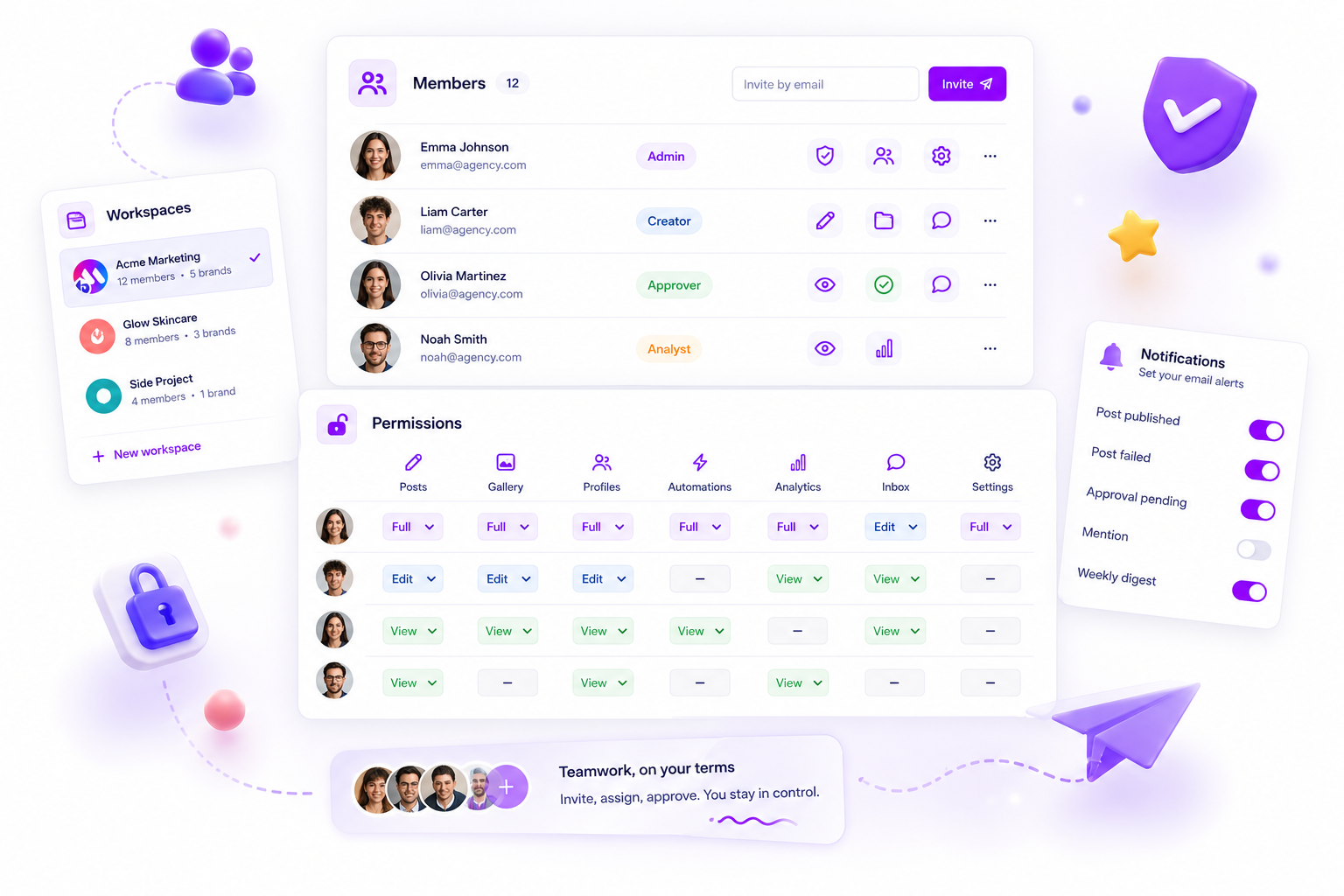
The best workspace tool for managing multiple client brands is one that treats "workspaces" not as folders, but as absolute, permission-gated containers for every asset, billing cycle and team member assignment within your agency. Real operational scalability for agencies is impossible without hard-boundary isolation. You're not just managing data, you're managing distinct client realities.
We know the panic of a client seeing an internal memo meant for a competitor, or the admin nightmare of reconciling usage quotas across five different accounts. Managing multiple brands isn't just "more work". It's a high-stakes balancing act where one wrong click can wreck professional trust. Most agencies scale by adding more logins. The smartest agencies scale by adding more walls.
What the best tools need to handle

If your current platform makes you "tag" assets to tell Client A from Client B, you're already one misclick away from a PR nightmare. Managing multiple brands at scale takes a platform that enforces separation at the architectural level.
Here's what you should demand from your workspace management:
- Hard-Boundary Isolation: Assets, scheduled posts and performance reports must physically live inside their own
workspace. If you're navigating a global dashboard, you're at risk. - Granular Permission Scoping: You need to be able to invite a stakeholder into a single client workspace without them seeing your entire agency roster or any other client.
- Independent Billing & Quotas: Every brand should have its own usage limits. You can't have a viral campaign for one client eating into the posting capacity of four others.
- Contextual Timezone & Localisation: A team spread across timezones needs the platform to respect each
workspace timezonesetting, so posts go live when they're meant to, not according to your server's clock.
Operator rule: If a tool lets global assets bleed across client environments, it's a liability, not an asset.
Mydrop pricing check, September 2026: the entry paid plans of the eight tools most often compared with Mydrop run from $6 per channel (Buffer) and $25 a month (Later) to $99 per user (Hootsuite) and $79 per seat (Sprout Social), read on each vendor's pricing page. Mydrop is free to start, then $19 a month flat, not per seat. Full table on Mydrop's compare pages.
To help you audit your current setup, use this risk matrix. If your workflow matches the "Single-Account" side, you're carrying a lot of coordination debt.
| Capability | Single-Account (Risk) | Multi-Workspace (Secure) |
|---|---|---|
| Data Boundary | Shared pool; prone to leakage | Isolated container per client |
| User Access | All-or-nothing permissions | Per-workspace member assignment |
| Quota Management | Pooled (The "Neighbour" Effect) | Individual per-brand limits |
| Settings/Reporting | Global (One-size-fits-all) | Customisable per workspace |
Most teams don't have a content problem. They have a decision bottleneck, and that bottleneck almost always starts with a lack of clear operational boundaries. If your team has to check which account they're logged into before they hit "publish", you've already lost.
Where basic tools start to break

Most teams hit a wall the moment they go beyond a single brand. You might start with a general-purpose project management tool or a basic social dashboard, and for a while it feels fine. You invite a couple of people, share a login and get the work done. Then the "Single Account" trap snaps shut.
It usually happens when you try to apply granular permissions to a platform designed for one user or a flat team. You end up with a mess of "Guest" roles that can accidentally see the sensitive campaign calendar for Brand A while you're trying to bring a new freelancer onto Brand B. The data is all in one pool, and the boundaries are suggestions rather than hard stops.
Here's the friction we see when tools fail to isolate client environments:
| Failure Mode | What it actually feels like for your team |
|---|---|
| Asset Contamination | A junior designer accidentally uploads a competitor's creative assets to the wrong client library. |
| Approval Bottlenecks | The client reviewer sees every pending post for your entire agency, not just their brand. |
| Billing Ambiguity | You spend two hours every month pro-rating software seats across five different client budgets. |
| Timezone Chaos | You miss a prime-time launch window in London because the tool is locked to your New York server time. |
The spreadsheet often turns into a crime scene at this point. When the tool can't cope with the complexity, your team falls back on manual logs, email chains and frantic Slack messages to "verify" what's live where. It's exhausting, and sooner or later somebody makes the mistake that costs you a client's trust.
The buying criteria that matter
When you're ready to stop fighting your own software, look for containerisation over convenience. An agency-grade tool shouldn't just hold your posts. It should act as a vault for each client's specific needs.
If you're auditing your tech stack right now, check whether your platform can handle these four non-negotiables:
- Permission-Gated CRUD: Can you set user access at workspace level, or is it global? If a user needs to see Brand A, they shouldn't even know Brand B exists.
- Isolated Billing Cycles: Can you tie product quotas and subscription billing directly to a specific workspace? You should never have to work out split costs by hand.
- Local Context Persistence: Does the app remember the timezone and language preferences for that specific client, or does it reset every time you log in?
- Data Scoping: When you run an analytics report, is the data limited to the current workspace? If your reporting engine pulls from a global database, you're one wrong filter away from a serious data leak.
Decision check: If a tool lets global assets bleed across client environments, it's a liability, not an asset.
At Mydrop, we built the Workspace feature specifically to solve this. Instead of a single, leaky account container, Mydrop treats each workspace as an absolute, isolated environment. Your permissions, billing, members and product usage all stay inside that boundary. When you switch into a workspace, the application shell reloads completely, so you're only ever working in that client's reality.
This isn't only about security. It's about mental load. When your team stops worrying about which brand they're posting to, because the tool physically stops them touching the wrong one, they spend far less time on admin clean-up and more time actually managing the social presence. Most teams don't have a content problem. They have a coordination bottleneck. Remove the bottleneck and scale takes care of itself.
How Mydrop supports this workflow
We built Mydrop on a hard-learned truth: coordination debt kills creativity. When you manage dozens of channels across five time zones, you don't need "more features". You need walls.
At Mydrop, Workspaces are the main unit of containment. Think of each one as a clean room for a client or internal business unit. When you switch into a workspace, the application effectively forgets everything else exists. Your assets, approval loops, billing quotas and team permissions are scoped strictly to that container.
- Scoped Access: A team member can be a creative lead in Client A's workspace and have zero visibility of Client B. Permissions belong to the container, not the user, which removes the risk of an analyst pulling data from the wrong dashboard.
- Operational Integrity: Each workspace keeps its own product counters and billing state. If one brand goes heavy on video, its usage quotas don't eat into your other clients' publishing limits.
- Context Isolation: Because the app forces a reload of the workspace context, the "last-saved" error disappears. You're either working on Client A or Client B. You're never, ever in both at once.
We've seen this across thousands of campaigns: the teams that struggle most are usually the ones trying to hack permissions inside a single, bloated account. The teams that scale treat workspaces as distinct, permission-gated realities.
A simple shortlist checklist
Before you commit your agency to a platform, run it through this five-minute audit. If the answer is "no" to more than two of these, your operations team is in for a very long, very painful year.
| Requirement | Why it matters |
|---|---|
| Absolute Data Separation | Can a user see assets from another client? If yes, it isn't a workspace. |
| Per-Workspace Billing | Can you isolate costs per unit without doing sums by hand? |
| Granular Member Scoping | Are permissions tied to the container, or just layered on top? |
| Contextual Persistence | Does the app remember which workspace you were in after a refresh? |
| Zero-Leakage Reporting | Is it impossible to pick Client B's data by accident while in Client A's reporting view? |
Workflow check: If you have to build a custom internal spreadsheet just to track which team members have access to which brand, your software has already let you down.
Conclusion
The best workspace tool for managing multiple client brands is the one that makes you disciplined. It should make it mechanically impossible for a team member to make a cross-brand mistake.
Most teams don't have a content problem. They have a decision bottleneck: a tangle of overlapping permissions, shared assets and misaligned reporting. Stop trying to organise that chaos and start isolating it. Build the walls, keep each environment clean, and stop worrying about who can see what. Your clients are paying for security as much as they're paying for strategy.

 Google review
 Trustpilot review
 Product Hunt comment





