
















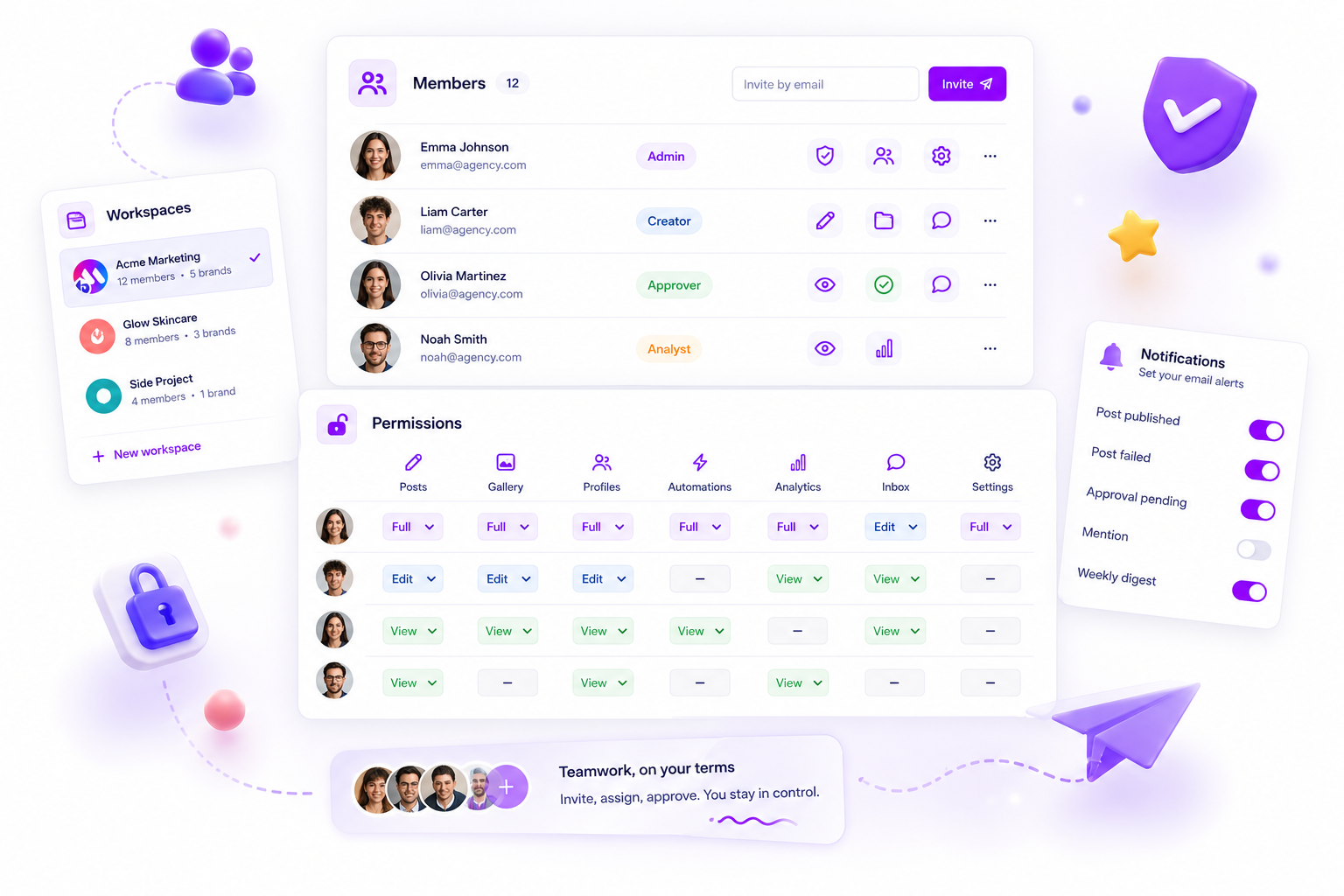
When your social media team is drowning in alerts, it's not focus you're short of. It's granular, role-based control over notifications. The fix isn't to switch everything off, it's to move from a broadcast model to a role-based one. If your platform pings everyone about every draft, approval request and analytics report, you're training your team to ignore the alerts that actually matter. The right tools let you decide who sees what, how often, and for which specific types of resource. That shifts the team from reactive fire-fighting to focused execution, so the legal team only sees compliance queues and community managers only get the inbox threads they can actually handle.
We get it. It's exhausting watching brilliant people spend their morning clearing notification debt instead of doing real work. You didn't sign up to run a digital panic room. And when the 'urgent' flag means nothing because it's stuck on every tiny change, you've already lost.
What the best tools need to handle

Most platforms treat notifications as all or nothing. That builds up a coordination debt which grows exponentially the more brands, channels and stakeholders you add. Once you go beyond a handful of profiles, you need a system that maps alerts to functional roles, not just user accounts.
A tool that just pumps out alerts is a liability. You need a system that works as a filter.
Notification Capability Matrix
| Requirement | The "Noise" Approach | The "Signal" Approach |
|---|---|---|
| Role Scope | All members see everything | Alerts target specific roles |
| Resource Filtering | Global toggle for all events | Per-user, per-resource control |
| Actionability | "Activity occurred" notification | Direct link to approval/task |
| Delivery Cadence | Real-time push | Event-specific or digest |
When we built Mydrop, we saw how often teams fell into the transparency trap: the mistaken belief that everyone needs to see everything to stay "aligned." In our experience, alignment is really about making sure each person gets the right information to do their own job well.
If your current tool forces a senior analyst to receive every inbox notification just because they're in the workspace, you're forcing them to ignore your alerts altogether. That's why we built notification settings at member level. At Mydrop, we believe permission management should help people focus, not just restrict access. You should be able to toggle categories, like approval requests, inbox activity or profile expiry, right there in the member's profile. If someone isn't allowed to approve a post, they shouldn't be pestered by the approval notification.
The most important indicator of a healthy social media operation isn't how fast you react, it's how rarely you're caught by surprise. If your team is constantly reacting, you're running a service desk, not a marketing strategy. Stop treating notifications as a side effect and start treating them as part of your team's architecture. If the tool you're using can't help you cut that noise, it isn't helping you manage the scale of your operation. It's just adding to it.
Where basic tools start to break

Most social media management tools were designed when the team was you. Once you scale to a team managing dozens of brand profiles and hundreds of live conversations, that design choice becomes a massive liability.
Here's the uncomfortable truth: if your tool relies on global notification settings, you've already lost. In our experience, teams dealing with high-velocity publishing fall into the transparency trap. The thinking goes that if everyone sees every alert, everyone stays "in the loop." In practice, all you've done is create a shared inbox of noise, where the most important tasks, like an urgent compliance approval, get buried under automated platform pings nobody needed to see in the first place.
This isn't a culture issue. It's an operational failure. As an enterprise team grows, you need the tool to filter information based on the user's actual functional scope. If a regional manager for the US market is getting notifications for a European campaign's analytics delivery, that isn't transparency, it's just a distraction.
We see teams struggle with this all the time. At Mydrop, we tackle it by separating access from noise. We use granular notificationSettings linked directly to member roles. If someone's an editor, they need pings for draft comments and approval requests. If they're an analyst, they need delivery notifications for monthly reports. They don't need an alert every time a post is scheduled or an image is updated in the gallery if those workflows aren't their responsibility.
When the notification system isn't mapped to the role-based permission map, you end up with coordination debt. People stop trusting their inbox. They start ignoring pings, and suddenly the "urgent" flag means nothing. It's not that your team doesn't care. It's that the signal-to-noise ratio has made it impossible to care about the right things.
The buying criteria that matter
When you're weighing up your next social media management stack, look past the feature list and audit the notification architecture. If the tool forces you to choose between "all alerts" and "no alerts," or if it treats every stakeholder as a full administrator, walk away. You need a system that respects the boundaries of your roles.
Use this scorecard to stress-test any tool you're considering. If it can't meet the "Enterprise Operational Standard" in the table below, you're buying your team a future headache.
| Requirement | Enterprise Standard | What to Avoid |
|---|---|---|
| Granularity | Per-user, per-resource, per-event | Global workspace-wide switches |
| Role Mapping | Permissions dictate notification flow | All members get same notification sets |
| Actionability | Alerts link to specific task/resource | Vague "activity occurred" pings |
| Digest Option | Scheduled reports vs. real-time | Only real-time (push) for everything |
Decision check: Ask the vendor: "If I add a legal stakeholder, can I limit them only to approval notifications without them seeing inbox activity or analytics?" If they answer "not without adding them as a full member," you have your answer.
Mydrop pricing check, September 2026: the entry paid plans of the eight tools most often compared with Mydrop run from $6 per channel (Buffer) and $25 a month (Later) to $99 per user (Hootsuite) and $79 per seat (Sprout Social), read on each vendor's pricing page. Mydrop is free to start, then $19 a month flat, not per seat. Full table on Mydrop's compare pages.
A robust notification system shouldn't just tell you something happened. It should tell you what you need to do about it. When you're supporting hundreds of profiles across multiple markets, your goal isn't to be "in the loop," it's to have the absolute clarity you need to make the right call at the right time. Your tool should be the route to that clarity, not the source of your daily operational fatigue.
How Mydrop supports this workflow
At Mydrop, we treat notification management as a form of operational hygiene. After seeing thousands of workflows across high-velocity teams, we realised the "one-size-fits-all" alert model is basically a design bug. If every team member is alerted to every comment, draft or approval, your team isn't informed. They're just interrupted.
Our approach is built on a granular resource-to-role map. Instead of global settings, you define exactly which events, like a pending post approval or an incoming inbox thread, trigger a notification for specific members based on their functional scope.
Operator rule: If a team member doesn't have the authority to act on a resource, they shouldn't be notified about its status.
When you set up Member Permissions, you aren't just setting access controls. You're defining that user's "scope of awareness." A content creator might only get notifications for their own drafts, while a manager gets alerted to pending approvals across specific brand profiles. That creates a natural filter where noise is cut by default and focus is preserved by design.
A simple shortlist checklist
If you're auditing your current tools, use this checklist to make sure they actually cut coordination debt rather than adding to it. A tool is only as good as its ability to keep your team working on the right things at the right time.
- Role-based granularity: Can you toggle alerts per-user, and restrict them to specific resources (for example, only inbox threads for brand X, not analytics reports for the whole workspace)?
- Action-linked alerts: Does a notification take the user to the exact task, or just tell them "activity happened"? Avoid the latter, it only triggers curiosity-driven distraction.
- Digest vs. Real-time: Can stakeholders opt into a daily digest for low-priority updates, saving real-time pings for urgent tasks like crisis management or immediate approvals?
- Permission sync: Do notification settings automatically follow the user's role and permission mapping? If you update someone's access, their alerts should update without any manual reconfiguration.
Conclusion
The goal of your notification strategy shouldn't be "transparency." It should be functional clarity. You want your team to know what they need to fix, approve or create, and absolutely nothing else.
If your team is exhausted by digital noise, stop trying to fix the culture and start fixing the configuration. Auditing your notification landscape takes an afternoon, but the focus it unlocks can pay off for the rest of the year. Look for tools that treat notification settings as a critical part of governance, not just a preferences menu. When you line alerts up with clear roles and defined action paths, you move away from the chaos of being "always on" and back into the rhythm of actually getting work done.



 Google review
 Trustpilot review
 Product Hunt comment





