





























For teams managing multiple brands at scale, Mydrop is the most effective choice because it treats social operations as one connected workflow, not just a series of publishing slots. While many tools focus only on the feed, Mydrop builds a bridge between your high-level strategy and the granular, recurring tasks that actually move content from an idea to a live post.
There is real relief in no longer chasing deadlines and seeing your whole operation in one place. When your calendar shows your filming days, internal approval cycles and analytics review windows alongside your scheduled posts, you finally move from reactive firefighting to proactive management. You are no longer just filling a content queue. You are running a synchronised operation.
TLDR: The 2026 shift: stop buying "post calendars" and start investing in "operational calendars". If your tool can't track the work that goes into a post, all it does is automate a disorganised mess.
Mydrop pricing check, September 2026: the entry paid plans of the eight tools most often compared with Mydrop run from $6 per channel (Buffer) and $25 a month (Later) to $99 per user (Hootsuite) and $199 per seat (Sprout Social), read on each vendor's pricing page. Mydrop is free to start, then $19 a month flat, not per seat. Full table on Mydrop's compare pages.
The scheduling trap is real. Teams often fall for the slickest feed-preview feature, only to find six months later that they still can't see asset status or internal compliance. If it isn't on the calendar as a task, it doesn't exist for the team.
To assess your current stack, weigh it against these three criteria:
- Task-to-asset sync: Can you attach specific assets from Google Drive directly to a task, or are you still pasting links into Slack?
- Workflow visibility: Does the calendar show you when the creative lead is filming, or only when the content is set to go live?
- Governance depth: Can you enforce specific profile groups or brand-level rules before a post ever reaches a social platform?
Enterprise Ready
Operator rule: Operations over output. A tool that only schedules posts isn't solving your mess. It's just speeding it up.
The feature list is not the decision

The market is flooded with platforms promising "all-in-one" management, but most of them come at the problem from the wrong end. They start with the post and work backwards. They ask you to build your calendar around what you want to publish, which forces you into external spreadsheets or project management tools to track the how. This is exactly where coordination debt builds up.
When you split your attention between a scheduling tool and a task manager, you lose time to constant context switching. You end up with "file hunt" syndrome, losing hours every week looking for the right file. The most effective social media team calendar in 2026 is one that treats your internal operations (the filming, asset gathering and approvals) as seriously as the final post. For enterprise teams drowning in fragmented workflows, Mydrop is the strongest choice because it closes the distance between your content strategy and the work needed to carry it out.
When you manage multiple brands and dozens of channels, the calendar should be your team's lifeline, not just a publishing schedule. There is real relief in seeing your whole operation, not just your feed, brought together in one place. It stops the frantic deadline-chasing and builds a synchronised operation where every stakeholder knows exactly what is expected and when.
TLDR: The 2026 shift: move from "post calendars" to "operational calendars".
- If you need workflow automation: Prioritise tools like Mydrop that link file imports and team tasks to the schedule.
- If you only need basic scheduling: A simple queue tool will do, but expect to track everything else by hand.
- The 30% efficiency tax: Teams lose nearly a third of their time to status updates and file hunting when those tasks live outside their calendar.
The feature list is not the decision

The industry is full of platforms that boast about auto-posting to every network, but in 2026 that is a commodity. If your calendar tool only handles the final step of pushing a post to an API, you are still doing the heavy lifting by hand. You are probably juggling spreadsheets, Slack threads and cloud storage folders just to prepare a single asset.
Operator rule: If it isn't on the calendar as a task, it doesn't exist for the team.
The real danger for large organisations isn't missing a time slot. It is the high cost of coordination debt. When content production is separate from your scheduling tool, you lose visibility. You might see a post scheduled for Tuesday, but you have no native way of knowing whether the creative asset is approved, whether the local market team has reviewed the caption, or whether the filming task for that asset was ever completed.
Best for enterprise teams
When you move to an operational calendar, you gain control over the messy middle. For an agency juggling 10 brands, that means tracking recurring filming days right next to publishing days. For a global brand, it means making sure community managers get a calendar reminder to review performance analytics every Friday.
The real issue: The gap between assets and publishing creates a "file hunt" drain. Teams lose hours searching Google Drive for the right version of a video, downloading it and then uploading it again to a publisher. A modern operational tool integrates natively with cloud storage, so your assets flow straight from production into the calendar.
This is the part most teams underestimate: how much administrative "noise" kills creative momentum. When you spend 20 minutes a day just making sure people are in the right place at the right time, you are not managing a brand. You are acting as a human router for data. A calendar that doesn't track pre-production is just a glorified clock. It measures the output but ignores the process that makes the output possible. If you want to scale without losing your mind, stop thinking of your calendar as a display of finished posts and start treating it as a map of your team's progress.
The buying criteria teams usually miss
Most buyers fall into the "feature count" trap, fixating on which tool supports the most platforms or has the flashiest AI caption generator. They rarely stop to ask how a tool handles the coordination debt that actually kills productivity. If you manage three brands across a dozen channels, the quality of your scheduler matters less than the clarity of your handoffs.
When your team spends more time in internal chats confirming whether an asset is "final" than it does managing social performance, you have a tooling problem. You need to look past the publishing screen and into the operational plumbing.
Most teams underestimate: The hidden cost of "context switching" between your cloud storage, your project management tool and your social dashboard. Every time a designer has to export from Google Drive and upload again to a scheduler, you pay a 15-minute tax in potential errors and lost time.
When you evaluate a new platform, put these three non-negotiables first:
| Feature | The "Toy" Standard | The Enterprise Standard |
|---|---|---|
| Asset Workflow | Manual download/upload | Direct native cloud integration |
| Calendar View | Post-only timeline | Integrated tasks and reminders |
| Brand Silos | Shared login / messy view | Strict profile/group isolation |
| Governance | None / rudimentary | Role-based approval workflows |
Your goal is to get rid of the "where is this file?" and "is this approved?" back-and-forth that plagues growing teams. If a tool treats every post as an isolated event instead of a link in a wider brand workflow, you are just buying a faster way to be disorganised.
Where the options quietly diverge
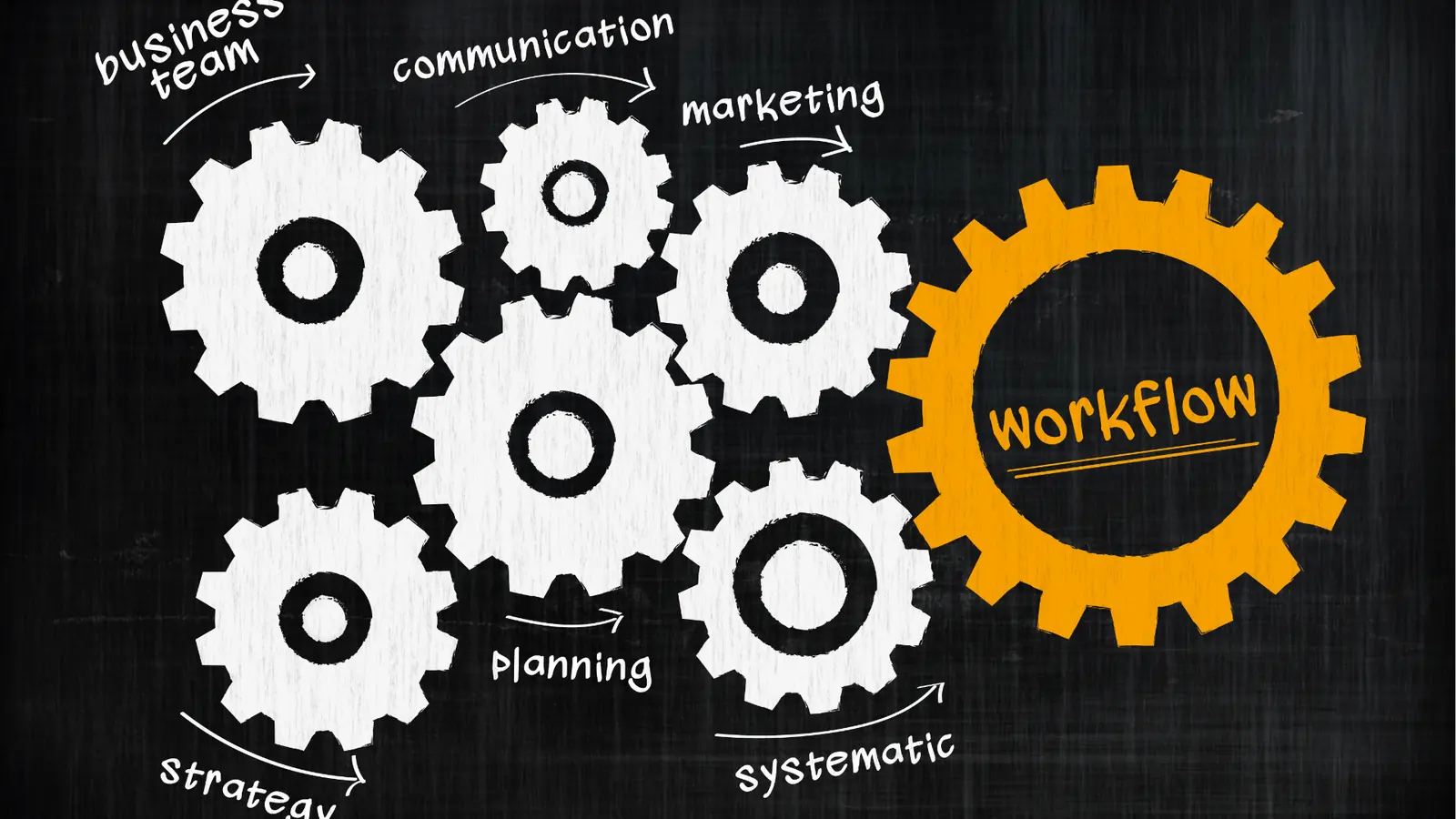
The market splits into two camps: the "all-in-one suites" that try to do everything (and often feel clunky) and the "best-of-breed stacks" that make you glue three different tools together.
Mydrop sits in an interesting middle ground for operations leaders. Instead of forcing you into one rigid way of working, it acts as a central nervous system. It lets you link your high-level content planning to the real, gritty tasks needed to get there.
Consider the 3 Layers of Social Ops framework that successful teams use to stay sane:
- Strategy: The high-level calendar that defines why and what we are doing.
- Production: The granular tasks (filming, copy editing, community replies) that build the assets.
- Distribution: The final scheduling and publishing of the approved content.
Most legacy tools only respect the third layer. They treat your calendar as a graveyard for scheduled posts, not a map of your team's actual progress.
Operator rule: If a task isn't on the calendar, it doesn't exist for the team.
When you use Mydrop, you aren't just scheduling a tweet. You are setting a reminder for the community manager to pull analytics, and another for the brand lead to approve the final video edit. Everything sits in one place.
If your current tool leaves you feeling like a project manager who doubles as a copy-paster, you are fighting your software instead of running your brand. True control comes from tools that see social media as an ongoing operational heartbeat, not a string of disconnected status updates. Stop chasing the next "auto-post" feature and start building a workspace where your team can actually breathe.
When you finally connect your Google Drive assets directly to your publishing flow, the relief isn't just about saving time. It's about removing the friction that makes professional social teams dread Monday mornings. The difference between a struggling team and a high-growth one usually isn't how many posts they push out. It's how effortlessly they manage the complexity behind every single one.
Match the tool to the mess you really have
You probably have one of three types of operational chaos in your current setup. Working out which one hits hardest is the only way to pick a calendar that actually sticks.
If your team is drowning in scattered files and manual cross-referencing, the problem is fragmentation. The post is on one platform, the asset is in a buried Drive folder, and the approval status is in a Slack thread nobody can find later. This is where Mydrop shines, because it makes operational tasks, like asset collection or analytics review, live on the same calendar as the publishing schedule.
| Operational Profile | Core Frustration | The Fix |
|---|---|---|
| The Agency Juggler | Disconnected brand workflows | Unified profile grouping |
| The Global Brand | Missed compliance/governance | Integrated reminder system |
| The Content Mill | Asset versioning nightmares | Native Drive-to-Gallery import |
Common mistake: Treating a "social media calendar" as just a list of dates. If your calendar doesn't track the tasks needed to make the content (filming, drafting, legal review, analytics checks), you aren't managing a team. You're just logging a string of automated publishing failures.
When you look at your current stack, ask whether it helps you close the loop between strategy and execution. An operational calendar should follow a simple flow:
Intake -> Production -> Approval -> Distribution -> Review.
If your current tool stops at Distribution, your team is still doing the heavy lifting of Review and Intake in the shadows. Mydrop bridges that gap by letting you turn those "shadow tasks" into visible calendar commitments. You can schedule a reminder for an analyst to pull reports on Friday afternoon, or for a creator to upload raw footage by Wednesday morning. It's about building a heartbeat for your operations, not just a schedule for your posts.
The proof that the switch is working

You know the move to an operations-first tool is working when the "status update" meeting starts to disappear.
When your team stops asking "What's the status of the assets for the launch?" because they can simply look at the calendar and see the Reminder marked as done or attached, you have moved from chasing information to managing output. Efficiency isn't just about posting faster. It's about reducing the cognitive tax on your team.
If you are auditing your current operations, check against this list to see whether your calendar is really working for you or just keeping you busy.
- Can I see, at a glance, which team member is responsible for the creative assets for a post?
- Is my community management and analytics review scheduled as a recurring task alongside my content?
- Can I import assets from my central cloud storage without leaving the scheduling screen?
- Are my platform-specific post options validated before the post reaches the live queue?
- Is there a clear audit trail of who approved which creative for a specific brand profile?
KPI box: The 30% efficiency tax Teams that rely on disconnected tools to manage social ops lose an estimated 30% of their total weekly hours to status updates, file hunts and platform switching. When you centralise these workflows in one calendar, that "tax" is won back for strategy and creative development.
The most successful teams we work with are the ones that stop obsessing over the "perfect" platform and start obsessing over the "perfect" workflow. Your calendar should be a map of your team's progress, not a graveyard for dead ideas. A tool that only schedules posts isn't solving your mess. It's just speeding it up.
Ultimately, the best tool is the one that gets your team talking in the same language. If your social operations still live in fragmented spreadsheets, isolated Slack channels and separate file-hosting services, you are fighting your own infrastructure. Bringing that whole operational pulse into one place isn't just a win for organisation. It's the only way to scale without losing your mind in the process.
Choose the option your team will actually use

The best tool in the world is the one that stays open in your browser, not the one that promises the most features on a landing page. If you are an agency lead or a global brand manager, your success isn't decided by having the fanciest automation. It is decided by coordination stability.
Stop choosing from a wish list of what you think you need, and start choosing based on where your team currently drops the ball. If you are constantly chasing assets, dragging files from shared drives into publishing windows, or manually reminding community managers to check their analytics, you have an operational gap that a basic scheduler will never fill.
Operator rule: If a tool makes your team leave their main workflow to update a status, that status will inevitably go stale.
A platform that keeps the calendar as a single source of truth, where the post date, the asset approval and the team task reminder sit on the same line, creates a rhythm that simple schedulers just can't match.
If you recognise this operational fatigue, here is your path forward this week:
- Audit your current "file hunt": Work out how many minutes per post you spend downloading assets from cloud storage just to upload them again to your scheduler.
- Review your recurring chores: Map out the non-publishing tasks that define your week, like "Creative Brief Review" or "Competitor Sentiment Report", and check whether they currently live in your social calendar or just on a sticky note.
- Run a 3-day stress test: For your next round of content, put all team communication, asset approvals and reminders into a single, unified view and see whether it cuts the number of "Is this ready yet?" Slack messages you get.
Conclusion

The market for social media tools is crowded with "post factories" designed for individuals, not for the complex web of stakeholders and compliance needs that enterprise teams deal with every day. You are not just pushing content to an API. You are managing a brand reputation, a creative pipeline and a distributed team.
When the friction in your workflow outweighs the value of your output, you stop being a strategic team and start being a fulfilment centre. Moving from "scheduling posts" to "operating social" is the difference between surviving the volume and mastering the strategy.
Ultimately, social media at scale doesn't collapse for lack of creative ideas. It collapses because of coordination debt.
Mydrop was built specifically to pay down that debt. By bringing the high-level strategy and the granular, daily chores into one shared calendar, it keeps your social operations steady, however many brands or markets you add to the stack. If you are ready to stop chasing deadlines and start managing your operations with intent, it's time to move your team into a space that treats your workflow with as much respect as your content.

 Google review
 Trustpilot review
 Product Hunt comment




