

















Content batching is the one workflow change that gives solo social managers real time back straight away, while making your posting more consistent and your content better. If posting, resizing, writing captions and scheduling feels like a full-time job, batching groups those tasks into focused sessions so your creative energy goes further. Instead of flicking between tabs and switching context dozens of times a day, you put similar work into predictable blocks. You produce faster, you dodge decision fatigue, and you scale your output without burning out.
Mydrop data, September 2026: how posting frequency lines up with engagement, across accounts connected to Mydrop with at least 8 posts in the rolling 180 days.
| Posts per week | Median engagement rate |
|---|---|
| Under 1 | 7.03% |
| 1 to 3 | 3.08% |
| 3 to 7 | 1.46% |
| 7 or more | 0.68% |
This is a correlation between accounts, not a cause: smaller accounts post less and carry higher rates, so cutting your own output will not raise your number. What it does show is that a beginner publishing once or twice a week is not behind.
This article is for people who manage several accounts themselves and need a practical, step-by-step system. There are no hacks here, and no promises of overnight growth. What you get is a repeatable approach that fits into a busy calendar. Read it on your phone or over a coffee, pick one template that suits your week, and run it this week. What follows covers planning, production, repurposing, tools and the small habits that keep the system going as your client list grows.
If you're overwhelmed by last-minute requests, late-night uploads, or the grind of resizing and retyping captions across platforms, batching fixes the root problem: effort scattered in every direction. Done well, it cuts friction in five ways. It reduces context switches, concentrates your creative energy, creates predictable output, builds assets you can reuse, and frees up time for strategy. The rest of this article shows you how to get all five wins, with realistic examples and tiny experiments you can try straight away.
Why batching matters for solo social managers

Batching matters because it turns scattered, expensive attention into predictable output. Solo social managers juggle channels, client requests, edits and the daily need to be responsive. Most of your time disappears in the small decisions that pile up through the day: choosing a hook, fixing a crop, tracking down an image you're allowed to use. Batching collapses those micro decisions into a few focused windows. You pay the startup cost once, then ride a long stretch of uninterrupted production.
The creative payoffs show up immediately. Write several captions in a row and you can test tones, hooks and CTAs back to back. That side-by-side comparison sharpens your choices. Edit clips one after another and you learn which trims keep people watching. Those small improvements add up across posts. Over a month, a batched approach gives you better content, because refinement is built into the process instead of left to guesswork.
Beyond the craft, batching lightens the mental load. Predictability eases anxiety. Rather than reacting to sudden client asks, you present a calendar and work from it. Clients notice the difference: reliable delivery and fewer surprises. That trust buys you room to test new formats or pitch strategy, instead of firefighting daily tasks.
Batched work also makes handoffs clean. If you later bring in an editor, an assistant or a contractor, a batched output gives them everything they need: clearly named master files, export variants, caption banks and a repurpose map. That cuts their startup time and keeps quality steady as you scale. A predictable process makes delegation straightforward rather than chaotic.
Batching also keeps you consistent across platforms. Exporting every platform variant together means you can tweak thumbnails, overlay text and caption lengths as one grouped task. No more last-minute cropping errors, and no more cliffhanger captions that fall flat on one platform. Consistent assets mean fewer formatting mistakes and steadier engagement signals.
Momentum is another benefit people underestimate. Finishing a batch gives you a visible win: a filled calendar, a folder of exports, tasks moved to done. Those wins build the habit and make the system stick. When you see a two-week calendar filled after one focused session, it's far easier to keep the rhythm going than to rely on scattered bursts of work.
Small experiments to prove the point
If you're not sure batching will help, try this quick experiment. Week A: work as usual and log the time you spend creating and publishing. Week B: book one half-day batch and one one-hour maintenance session. At the end, compare scheduled posts, total hours and how many times you jumped between tasks. Most solo managers find Week B produces the same number of posts or more, saves hours, and lowers stress.
Batching won't make you go viral overnight. It's a discipline that cuts friction, makes quality iterative, and turns one hour into many distribution events. For a one-person team, that trade is often the single biggest productivity boost you can bring in.
Plan your batching session: pillars, goals and a repurpose map

A session without a plan turns into busywork. Keep the planning small and precise. A minimal plan has three parts: measurable goals, a list of content pillars, and a repurpose map showing how each asset will be reused. Measurable goals are short statements like: "Produce eight image posts and two 45-second videos for Client X by Friday." Goals steer the session and stop the scope creeping.
Content pillars are the categories you post about again and again. Good pillars are narrow enough to guide your content and broad enough to repeat. Examples: "Quick tips", "Client wins", "Tools and tutorials", and "Behind the scenes." Pick three pillars per client and rotate them. When you plan, decide which pillar each post serves, so the calendar stays balanced and clients see variety instead of random posting.
The repurpose map is the multiplier. For each concept, note on the plan how it will change shape across platforms. Example plan for a single long video: the full video on YouTube, a 60-second cut for Instagram, three 15-second cuts for Reels and TikTok, pull quotes for image cards, and a short tweet thread. Write these transformations down before you record. That one decision cuts editing rework and keeps every asset purpose-driven.
Gathering assets before the session matters too. Create one folder with logos, brand fonts, approved imagery, recently used hooks and access links. If clients grant permissions through a shared drive, confirm the paths in your plan. Collect your research as well: list three reference posts you like, note what makes them strong, and mark what you'll adapt. The fewer interruptions during your timed window, the more you get done.
Finally, time-box the session and set a single-distraction rule. Put a hard calendar block labelled "Content Batch: Client X" and stick to it. Use a simple timer: 50 minutes focused, 10 minutes break, or whatever rhythm keeps you concentrating. Clear your physical and digital workspace: close email tabs, mute non-essential notifications, and open only the tools you need. The pre-session plan isn't glamorous, but it's the difference between a productive session and a pile of unfinished files.
What to batch together: formats, platforms and sequencing

Good batching groups work by tooling and by mental mode. The quickest way to fail is to mix tasks that need different mindsets. Keep ideation away from recording, recording away from editing, and editing away from scheduling. Here are groupings that work reliably.
Idea generation and briefing is pure creative mode. In this mode, brainstorm 20 to 40 rough concepts. Each brief should be one line: the hook, the main platform, the pillar and the CTAs. Keep briefs short so they're easy to execute later. A fast technique is the "30 idea sprint": thirty minutes, no editing, write down everything that could be a post. Then pick the top ten to produce in the next block.
Production is capture mode. This is camera and microphone time. Use presets: same background, same light, consistent naming. If you're shooting on a phone, run a simple checklist: battery full, SD card space, mic plugged in, backup shots. Batch recording saves setup time. When you record several clips, vary the angles and lengths so your editor has options to work with.
Editing and formatting is tooling mode. Open your editor and apply the same presets to each clip: colour correction, crop presets and export profiles. For images, use batch templates. For carousels, use a slide template with placeholders. Export every platform variant in one go, so scheduling is the final step rather than an editing chore.
Caption writing is voice mode. Write captions in sequence and build a reusable caption bank. For each post, draft the caption, a short hook, a CTA and three hashtag sets: focus, broad, niche. Save captions in a central sheet with filenames that match your exported assets, so scheduling is simple copy and paste.
Scheduling and publishing is the final operational block. Use a scheduler that takes bulk uploads or a CSV import. Upload files, attach captions, add alt text, set times, then publish or schedule. Doing scheduling last stops you switching context while you're still creating.
Sequence matters. The cleanest flow is: plan -> record -> edit -> write captions -> schedule -> QC. If you have to split it across days, keep the same sequence and leave clear notes on where to pick up. For teams or contractors, handoffs should be explicit: export folder, caption doc, posting times and priority markers.
Session templates: 1-hour, half-day and full-day plans with checklists

Templates make batching repeatable. Use the one that matches the time you actually have. Below are four templates you can copy and adapt to your workload and client mix.
One-hour power session (fast and focused) Goal: produce two platform-ready posts.
- 10 minutes: quick plan, then pick two briefs from your idea bank.
- 30 minutes: capture or design the visuals. Use presets and limit yourself to two takes per shot.
- 15 minutes: write two captions and choose hashtag sets.
- 5 minutes: upload and schedule. Checklist: camera ready, lighting preset, caption template open, scheduler logged in, file names set.
Two-hour double session (balanced output) Goal: produce 4 to 6 cross-platform posts, or 2 short videos plus 2 image posts.
- 20 minutes: planning and repurpose map for the briefs you've chosen.
- 60 minutes: production, focused on recording and capture.
- 10 minutes: short break and a quick look at the clips.
- 25 minutes: edit quick cuts and export one platform variant.
- 30 minutes: captions, hashtags and draft scheduling times. Checklist: workflow notes, export presets ready, captions saved to the shared sheet.
Half-day session (deep and practical) Goal: create 8 to 12 cross-platform posts.
- 30 minutes: planning, pick pillars, set the repurpose map, gather assets.
- 90 minutes: production block. Record videos, shoot images, build slide masters.
- 15-minute break.
- 60 minutes: editing and formatting. Export platform variants.
- 45 minutes: caption writing, hashtag groups and alt text.
- 30 minutes: scheduling and a final calendar balance check. Checklist: export presets set, caption bank linked, file naming consistent, time slots sketched in the calendar, QA slot reserved.
Full-day session (batch a week or more) Goal: prepare two weeks of content for several clients.
- 45 minutes: strategic planning and pillar mapping for each client.
- 180 minutes: production, in two blocks with a lunch break.
- 120 minutes: editing and batch exports.
- 60 minutes: captions and hashtag strategy across clients.
- 45 minutes: scheduling and cross-client calendar checks.
- 30 minutes: quality control and backup saves. Checklist: client approvals queued, backup copies made, analytics placeholders added for later review, handoff notes for contractors.
Weekly cadence and how to slot the templates in
A weekly rhythm that works for many one-person teams: one half-day batch, one two-hour session and one one-hour maintenance slot. The half-day produces the most, the two-hour session fills gaps and covers quick wins, and the one-hour slot handles urgent requests or evergreen story posts. If you manage several clients, rotate which client gets the half-day each week, so no one client always gets the short sessions.
Quality control notes
Add a small QC slot at the end of every scheduling block. It's not a full review. It's a quick pass to check that hooks land in the first three seconds of video, captions match the visuals, and links and handles are correct. Put that QC in the calendar as a 10 to 20-minute event after scheduling. Over time, this small step prevents embarrassments and protects client trust.
Micro improvements to test
- Try splitting the half-day into two shorter days, then compare output and fatigue.
- Test exporting with and without colour grading presets to see which gets better engagement.
- Run a simple A/B on caption hooks within the same batch to learn faster.
These templates are scaffolding. Start with one, repeat it, then tune the timings and steps to match the real bottlenecks you hit. The goal is repeatable output that keeps quality high and cuts out last-minute work.
Tools and automations that make batching faster
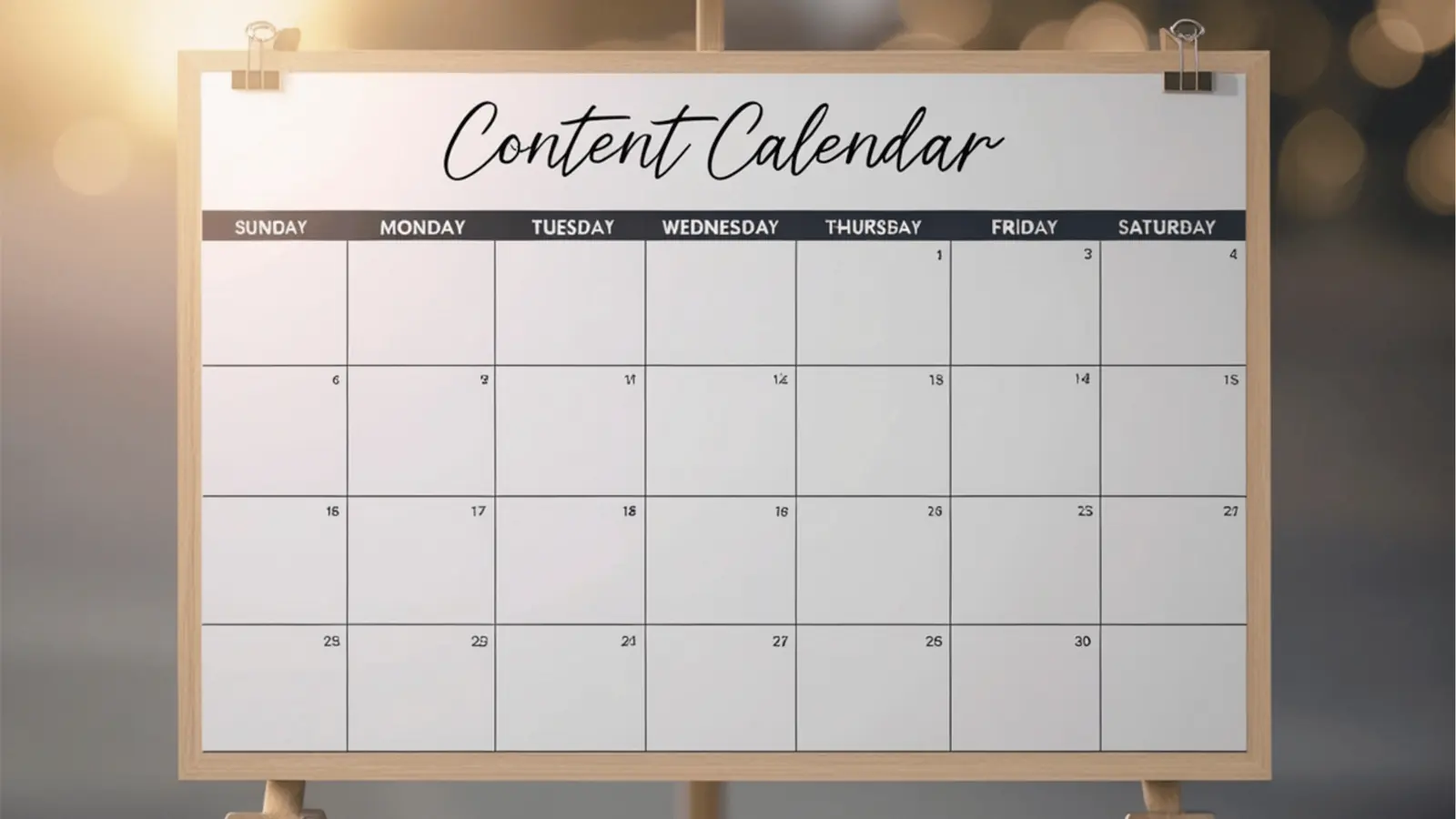
Which tools you choose matters less than how disciplined you are with them. Pick a small set and stick to it. The goal is a slim toolkit that removes friction between idea and publish. Below are practical tool categories, concrete examples and tiny automations you can set up in a day.
Capture and quick production
- A phone with a tripod and an external mic. Use one framing and lighting setup so you can record several clips without readjusting. Keep a checklist: charged battery, enough storage, and a backup rule (record a second take for risky segments).
- Screen capture tools for tutorials and demos. Save raw files named like clientname_YYYYMMDD_topic to keep editing straightforward.
Editing and design
- Use an editor with batch export presets. Create a "platform export" preset that outputs square, vertical and landscape variants in one render pass. It saves time and avoids repeated renders.
- Keep a carousel or slide template in your design tool. Swap the text and images, then export all slides as numbered files for scheduling.
Scheduler and publishing
- A scheduler with bulk CSV import or bulk upload cuts the final copy-paste step. If your scheduler posts to several platforms, set platform-specific metadata such as link preview and alt text during import.
- Store caption templates and hashtag groups in the scheduler or a snippet manager, so you can paste them in quickly while scheduling.
Concrete automation examples you can use today
- File renaming script (example): a short script that renames exports to clientname_YYYYMMDD_platform_title.mp4. It's a few lines of Bash or a tiny Node script, and it saves minutes per file on any batch.
- CSV scheduling template: keep a CSV with columns for filename, post_date, post_time, platform, caption, hashtags, alt_text and link. Many schedulers accept this format. Export your caption sheet to CSV and import it to schedule a whole batch in seconds.
- Folder automation: use a small folder action or script that moves any new files in /exports/ to /to-schedule/ and adds a .ready tag. That gives you a clean drop place for the scheduler to watch.
Google Sheets and Notion as a hub
- Use a single sheet where each row is a post. Columns: client, pillar, filename, caption, hashtags, alt_text, platform, scheduled_date, status. Add a checkbox column for "QC passed". This becomes your source of truth, and you can export it to CSV for scheduling.
- Simple formulas help: a CONCAT formula to build captions with standard CTAs, and a lookup table for hashtag groups by pillar. These little helpers cut down typing and keep captions consistent.
Integrations and lightweight code
- If your scheduler has an API, a tiny script can push drafts from your sheet automatically. You don't need a full engineering team to set this up. A one-off script that runs locally or as a scheduled job can push a week's worth of drafts.
- For caption generation or hashtag suggestions, small automations that pull from a saved library of snippets cut down the thinking. Keep the library short and curated.
Discipline over tools
The most valuable automation is the one that removes a friction point you hit again and again. Start with the smallest pain point in each batch and ask: can I cut this by 30 seconds? If the answer is yes, automate it. Over a month, those small savings add up to hours.
A final note on Mydrop and similar all-in-one tools: if a platform lets you publish to several networks from one interface and keeps your image quality and metadata intact, it's worth testing. Publishing is the final step where most teams still lose time. Cutting the copy-paste and upload overhead is the easiest win going.
Common batching mistakes and how to scale without losing quality

Mistake one: no brief before recording. Long, directionless footage creates editing debt. Fix: write a one-line brief and a repurpose map for each concept. That lines up capture with outcomes and cuts editing time.
Mistake two: skipping quality control. When output is high, errors spread fast. Fix: build a five-minute QC checklist and run it for every scheduled batch. QC should cover the first three seconds of video, reading captions aloud, checking links and handles, and previewing the crop in the scheduler.
Mistake three: mixing mental modes. Switch between ideation, recording, editing and scheduling in the same hour and you lose efficiency. Fix: time block once per mode and resist the urge to multitask.
Mistake four: ignoring analytics. Produce lots of content and never review performance, and you repeat the same mistakes. Fix: schedule a short weekly review of your top-performing hooks and formats, then fold what you learn into the next batch.
Scaling tips
- Standardise naming and folder structure, so anyone on your team or a contractor can pick up the work.
- Delegate or automate tasks that are low value for you but repeated, such as trimming long-form footage to fixed durations.
- Keep an experiments slot in each batch: one or two items for testing new formats, the rest for proven ones. That keeps growth going without risking calendar reliability.
Protect your creative energy. If you feel burned out, shorten your sessions and increase how often you run them, rather than pushing longer days. Sustainable output beats one heroic week followed by a crash. Batching is a tool for a long career, not a sprint.
Conclusion
Batching is the one workflow that turns scattered tasks into predictable deliverables for solo social managers. With a small plan, consistent templates and a few automations, you can multiply the value of every hour you spend creating. Start with one template this week. Track the time you save and the number of posts you produce. Then iterate: adjust the repurpose map, refine your presets and tighten your QC. Within a few cycles you'll see real time reclaimed and a steadier delivery rhythm. That's what sustainable growth looks like for a one-person social team.



 Google review
 Trustpilot review
 Product Hunt comment





