
















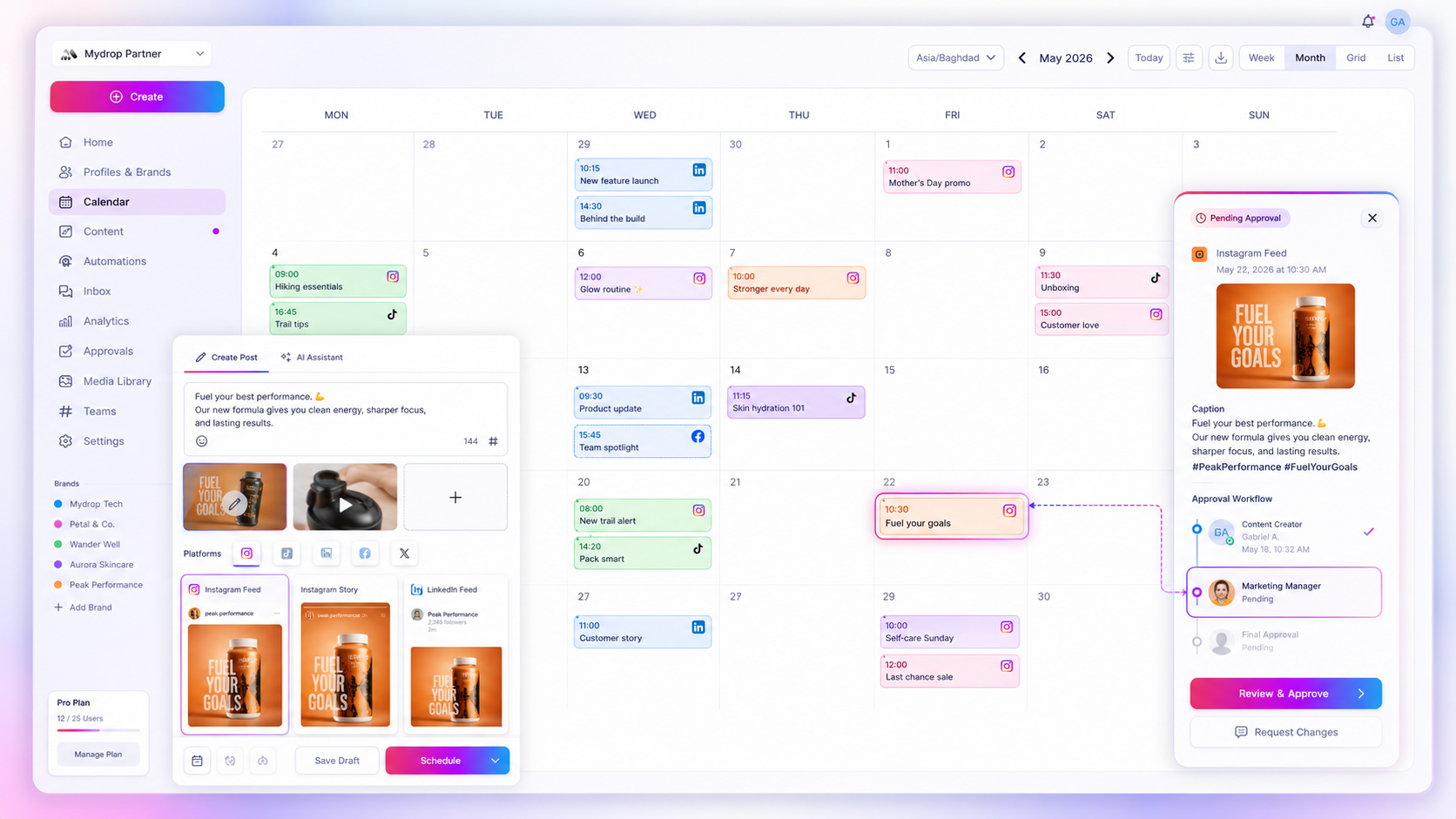
Switch from manual posting to a scheduler when posting by hand starts costing you consistency, not when you feel ready. The clearest signal is three or more platforms plus one missed or late post. Before that, manual works fine. After it, you are spending creative energy on logistics.
TLDR: Switch when you post on 3+ platforms, miss slots, copy the same post between apps, or need someone to approve before publishing. Automate the sending, keep the writing and the replying human. Plan a week to move over, starting with a single platform.
Mydrop data, September 2026: in the 30 days to 16 September 2026, 98.5% of posts published through Mydrop went live at the first attempt. The most common warning was a YouTube custom thumbnail rejected because the channel was not phone-verified; the most common hard failure was an expired platform connection. Method in the Mydrop social media benchmarks.
Five signs manual posting has stopped working
1. You post on three or more platforms. Each one has its own app, size rules and caption limits. Posting the same idea four times is where evenings disappear.
2. You have missed a slot. If a planned post went out two hours late, or not at all, because of a meeting or a trip, the process depends on your memory.
3. You post at hours you would rather be asleep. Audience in another time zone, or a launch at 6 am. Scheduling moves the work to when you are awake.
4. Someone else has to approve. Manual posting and approvals mix badly. A reviewer needs the post in a state they can read, comment on and approve before it goes live.
5. You cannot see next week. If you cannot say what goes out on Thursday without opening four apps, you have no calendar, only a habit.
Which posting steps to automate and which to keep
Automation is for sending, not for talking. Keep a human on anything that depends on judgement in the moment.
| Task | Automate? | Reason |
|---|---|---|
| Publishing at a set time | Yes | Pure logistics |
| Resizing and per-platform previews | Yes | Checkable, repeatable |
| Reminders for assets and approvals | Yes | Stops waiting on people |
| First-draft captions | Partly | AI drafts, you edit the voice |
| Replies to comments and DMs | Mostly no | Needs judgement and tone |
| Reacting to breaking news | No | A scheduled post can look tone-deaf |
The sibling piece, when to choose manual publishing over automated scheduling, covers the cases where you should stay manual.
Timing is the first thing a scheduler fixes
Posting time matters less than people think, with one exception. In Mydrop's September 2026 data, the weekday made almost no difference, but posts published between midnight and 6 am local time ran 17% below the median across platforms and 36% below on Instagram.
A scheduler lets you write when it suits you and publish when your audience is awake. That one change is worth more than a perfect posting-time chart. Read how to find the best time to post on Instagram for how to check your own account.
A one-week switch plan
- Day 1: list every platform and every post type you publish. Choose one platform to move first.
- Day 2: connect that account and schedule next week's posts there.
- Day 3 to 4: check the per-platform preview on each post before it is queued.
- Day 5: add the second platform. Keep manual posting as backup.
- Day 6 to 7: set up an approval step if anyone needs to sign off.
Do not move everything at once. If something breaks, you want to know which change caused it.
How Mydrop makes the switch small
Mydrop publishes to 14 networks from one content calendar, with a per-platform post preview so a caption that works on Instagram does not get cut off on X. Approvals and comments live on the post, so reviewers do not need a login if you use the client portal.
The reliability figure above is the reason to trust it for launch days: a failed post is usually a platform connection that needs renewing, and you get a warning rather than silence.
Next step: schedule seven days on one platform
Connect your busiest platform from Mydrop's free plan, queue next week, and keep the other platforms manual until Friday. If you did not touch the app at the weekend and the posts still went out, you have your answer.

 Google review
 Trustpilot review
 Product Hunt comment





