

















When your engagement rate drops after the 90-day mark, it's almost never a creative failure. It's a visibility gap. When you launched your new strategy, your team watched every metric. But now that the new-car smell has faded, your workflows have probably gone rigid and your "best practices" have turned into bottlenecks. To fix the slide, stop falling into the volume trap of posting more to make up for lower reach. Instead, move to a clinical, diagnostic model that treats social performance as a measurable supply chain of attention.
We've all been there. The honeymoon phase of the new strategy is over, and the "why are we down?" messages from leadership are piling up in Slack. There's a particular kind of panic that sets in when you feel like you're doing more work for less reward. But here's the relief: a data-backed diagnostic approach replaces that panic with the quiet confidence of a team that knows exactly which lever to pull. You're not guessing any more. You're operating.
Engagement is a byproduct of operational clarity, not just creative genius. If your team is struggling to keep up with approvals, or fighting timezone offsets across ten different brand profiles, your content will always suffer.
TLDR: To reverse a 90-day engagement slide, stop increasing post frequency. Instead, audit your top 10% of posts to find "resonance patterns," use unified analytics to spot global performance leaks, and tighten your approval loops so your content hits the feed while it's still relevant.
Mydrop data, September 2026: across accounts connected to Mydrop, which manages 55,000+ posts, carousels ran 10% above their account's typical post, photos and videos sat at the median, and a link in the caption cost 7%. Method and full tables in the Mydrop social media benchmarks.
To get engagement back on track, look at three specific areas straight away:
- Post-Level Resonance: Which specific formats (not just "video" or "images") are actually holding the audience's attention?
- Approval Velocity: Is your "legal review" or "manager sign-off" taking 48 hours and making your "trending" topics stale by the time they go live?
- Distribution Alignment: Are you actually posting at the peak activity times for your specific audience, or are you just following a generic "best times to post" guide?
KPI box: Engagement Decay Rate. This is the percentage drop in your average engagement per post relative to your follower growth over a 90-day period. If your followers are up but your decay rate is climbing, your operational "seal" has a leak.
The real problem hiding under the surface

The awkward truth about scaling social media for enterprise brands is that your "scaling" process is often what's strangling your resonance. In the beginning, your team was small, agile and probably a bit scrappy. Now that you've grown, managing multiple brands, markets and stakeholders, you've inherited what we call "coordination debt."
This debt shows up in the smallest ways. It's the legal reviewer who gets buried under a mountain of emails and forgets to approve a time-sensitive post. It's the "global" strategy that forgets the audience in Singapore has completely different peak hours from the team in London. When you're managing dozens of profiles, these tiny points of friction add up to a massive drag on your engagement rate.
Enterprise teams often fall into the "Volume Trap." When engagement starts to dip, the instinct is to post more. "If our engagement rate is down by 20%, let's just post 20% more content to make up the difference." This is a death spiral. Increasing frequency without increasing value just dilutes your quality, exhausts your audience and burns out your creative team. It speeds up the decline, because it creates even more coordination debt.
The real issue: Most teams respond to falling engagement by speeding up production, which actually makes the problem worse by burying the high-performing "gems" under a pile of mediocre "filler" content.
Here's where it gets messy. When you don't have a unified view of your analytics, you're forced to make decisions on gut feeling or fragmented reports from three different platforms. You might think your "Educational Series" is failing when, in reality, it's just being posted four hours too late because of a workspace timezone misalignment. Without a tool like Mydrop's Workspace switcher and unified Analytics, you're effectively flying a plane in fog with no instruments.
| Strategy Phase | Creative Guessing | Evidence-Based Planning |
|---|---|---|
| Decision Base | Gut feel and "vibes" | Post-level resonance data |
| Reporting | Siloed platform exports | Unified cross-profile views |
| Approvals | Scattered chat threads | Integrated in-flow review |
| Scheduling | Manual timezone math | Automated workspace controls |
This is the part people underestimate: social media at scale is an operations problem. If your team has to spend three hours every Monday just gathering the numbers from different dashboards, they have zero hours left to actually analyse those numbers. You end up reacting to data from two weeks ago instead of the trends happening today.
Operator rule: If you can't see all your profiles and their performance in one view, you aren't managing social; you're just doing digital maintenance.
The "Social Oxygen" audit is a framework we use to find where the air is getting thin. You check the Source (is the content itself tired?), the Delivery (are the timezones and schedules aligned?) and the Seal (are approvals or internal friction slowing you down?). Usually the leak isn't in the Source. It's in the Delivery or the Seal.
Source -> Delivery -> Seal
Think about your approval workflow. If a post has to go from a creator to a manager, then to a client, then to a legal team, and each of those people is using a different chat app or email thread, the context gets lost. The post that was meant to be a quick reaction to a market trend becomes a belated observation three days later. That delay kills engagement. By moving those approvals directly into the publishing flow, where reviewers can see the post, the media and the context in one place, you get that lost speed back.
A simple rule helps: The longer a post sits in "Pending," the lower its potential engagement becomes.
Why the old way breaks once volume rises
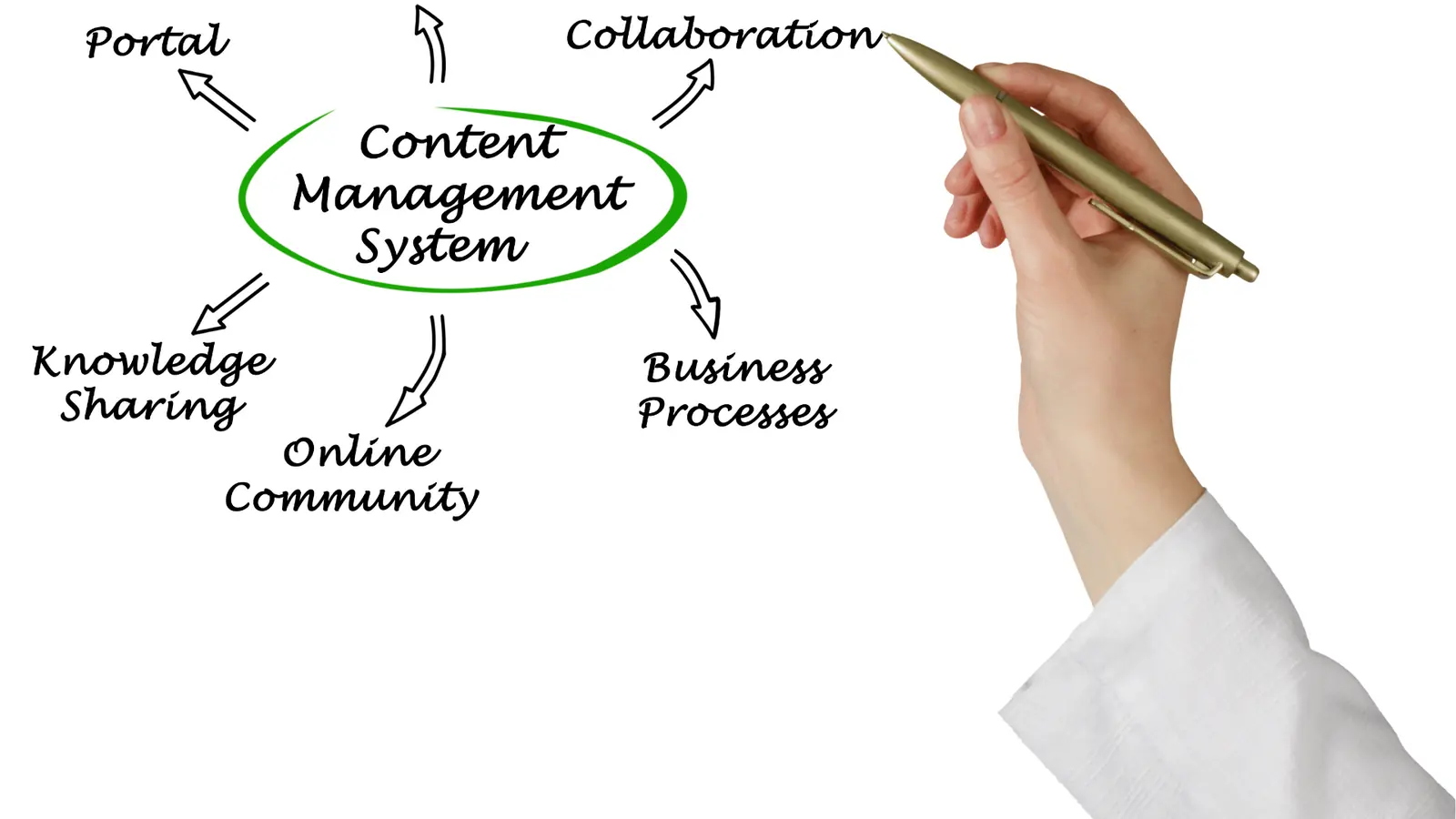
Scaling a social media operation usually starts with a few high-energy people and a shared spreadsheet. For the first 90 days, that brute-force method works fine, because the strategy is fresh and everyone is leaning in. But here's where it gets messy: as you go from five posts a week to fifty across ten different regions, the manual effort turns into a tax on your creativity. You're no longer thinking about the hook of a video or the nuance of a caption. You're hunting for a missing approval in a Slack thread from three days ago, or trying to remember whether the London office uses the same brand assets as New York.
This is the coordination debt that eventually kills your engagement. When the process gets heavy, the content naturally gets safe, generic and late. You start posting because the calendar says you have to, not because you have something worth saying. The "Volume Trap" is real: most teams respond to a performance dip by trying to post even more, which only speeds up the decline by diluting your quality and exhausting your followers. It's a bit like trying to run a professional kitchen with home-grade blenders. Eventually the equipment fails and the food suffers.
| Aspect | The "Honeymoon" Phase | The "Scale" Wall |
|---|---|---|
| Approvals | Quick verbal "yes" | Buried in email and chat |
| Data | Checking notifications | Scattered platform exports |
| Scheduling | Single timezone focus | Multi-region guessing games |
| Volume | Quality over quantity | The "Post More" panic |
The awkward truth is that your "scaling" process is often what's strangling your resonance. When a legal reviewer gets buried under a mountain of requests, or a brand manager is flicking between four browser tabs just to check a caption, the "social" part of social media disappears. You lose the ability to be reactive and timely. If your team spends 80 percent of their time moving the boxes and only 20 percent on the actual content, your engagement rate will reflect that imbalance every single time.
Most teams underestimate: The hidden cost of context switching. Moving between five different apps just to get one post live doesn't just waste time; it kills the emotional energy you need to make content that actually resonates with a human being on the other side of the screen.
The simpler operating model

Fixing a falling engagement rate isn't about a four-hour brainstorming session with the creative team. It's a clinical audit of your operations. You need to move from gut-feel posting to a diagnostic model that treats social performance as a measurable supply chain of attention. A simpler operating model treats your social channels like a high-performance engine: if the output is dropping, you don't just press the accelerator harder. You check the fuel, the timing and the seals.
This is where you stop guessing and start using evidence. If you can't see all your profiles in one view, you aren't managing social; you're just surviving it. By centralising everything into a single source of truth, you can see exactly where the friction is. Maybe your engagement is down because your post-level results show your audience has checked out of your Tuesday "educational" posts but wants more behind-the-scenes content. Or perhaps your "global" strategy is failing because you're posting at 9:00 AM in a timezone where your main audience is still asleep.
Framework: The A.A.A. Loop
- Analyze: Use Analytics to find your top 10 percent of performers from the last 90 days. What do they have in common?
- Adjust: Move those "resonance patterns" into your Calendar using evidence-based time slots and automated reminders.
- Approve: Move the review process directly into the publishing flow so context stays attached to the post, not a chat thread.
The goal is to build that quiet confidence back into the team. When you use Mydrop to switch between workspaces or control timezone settings for specific markets, you're removing the mental load that leads to mistakes. You can then use those saved hours to focus on the diagnostic data. Instead of arguing about which colour of 3D illustration "feels" better, you can look at the Engagement Decay Rate in your analytics and see exactly when your audience started to switch off.
The 30-Day Recovery Timeline
- Week 1: The Audit. Pull your unified analytics and look for the "resonance patterns." Identify the post types that died and the ones that survived the plateau.
- Week 2: The Workflow Fix. Tighten the approval loop. If your legal or brand review takes four days, your "trending" content is already dead on arrival. Get those reviews happening via WhatsApp or email directly in the flow.
- Week 3: The Testing Phase. Use workspace controls to test new posting times for specific regions without cluttering your main view. Use reminders to make sure community management happens within the first 60 minutes of a post going live.
- Week 4: The Resonance Review. Compare the new data against your baseline. Use the "Posts" view to sort by engagement rate and check whether the new slots are hitting the mark.
Managing social at scale isn't about working harder; it's about coordinating better. When you treat your publishing workflow as a specialised tool rather than a set of chores, you stop the engagement bleed. You move from a team that's constantly reacting to "Why are we down?" Slack messages to a team that can point to a dashboard and say, "We found the leak, and here's how we fixed it."
Diagnostic Level: Enterprise
Engagement is a byproduct of operational clarity. If your team is confused, your audience will be bored. By unifying your visibility and shortening your feedback loops, you create the space for the creative work that actually drives growth. You can't scale resonance if you haven't first unified your visibility.
Where AI and automation actually help

AI in the enterprise social space currently has a massive branding problem. Most people think it's just a robot intern that writes mediocre captions you have to edit anyway. But for a team managing forty accounts across three continents, the real value of automation isn't in the creative. It's in the coordination. Automation is the only way to kill the coordination debt that starts strangling your engagement after the first 90 days.
The biggest drain on your performance is the "messy middle" of the workflow. This is where a post is finished, but it sits in a stagnant pool for three days because the legal reviewer is buried in emails or the regional manager is in a different timezone. By the time the post goes live, the cultural moment has passed and the algorithm has moved on. Here's where it gets messy: teams usually try to solve this by hiring more people, but that just creates more meetings.
Operator rule: Automation should be used to protect your people's time, not to replace their taste.
In Mydrop, automation works best as a traffic controller. Instead of manual check-ins, use Calendar reminders to turn social operations into visible commitments. When filming, asset collection and analytics review are built into the team's schedule, you stop missing the small windows of opportunity that drive high engagement. It's about making sure the "Social Oxygen" keeps flowing through the pipes without a human having to turn every valve by hand.
We also see smart teams using AI to normalise their data. Trying to compare a LinkedIn post in London with an Instagram Reel in Tokyo using native platform tools is a recipe for a headache. You end up with five different spreadsheets and zero actual insight. Automation should pull all that into a single Analytics view so you can see the "Resonance Patterns" across the whole organisation.
Watch out: The "Set it and forget it" trap. Automating your posting schedule without automating your feedback loop is how brands accidentally post tone-deaf content during a global crisis.
If you're using automation correctly, your workflow should look something like this: Intake -> Automated Reminders -> In-flow Approval -> Multi-market Scheduling -> Unified Reporting
The goal is to move from brute-force social management to a system that scales without breaking your team's spirit. When you remove the friction of switching between fifteen tabs to check different workspaces or timezones, your team actually has the mental bandwidth to be creative again. That's how you fix the engagement slide.
The metrics that prove the system is working

When engagement starts to dip, the instinct is to look at likes and comments. But those are lagging indicators. If you want to know whether your operational fix is actually landing, look at the metrics that measure system health. You're looking for proof that your "Supply Chain of Attention" is becoming more efficient.
The most important metric for an enterprise leader is the Engagement Decay Rate. It isn't just a measure of how many people liked a post; it's a diagnostic tool that shows how much your average resonance is dropping relative to your follower growth. If your followers are going up but your Engagement Decay Rate is rising too, you're effectively shouting into a bigger room that has the windows open.
KPI box: Engagement Decay Rate (EDR) Calculation: (Current Month Avg. Engagement / Previous 3-Month Avg. Engagement) x 100 Target: > 95%. Anything below 85% points to a "Volume Trap" where you're posting more but saying less.
To get a clinical look at what's actually happening, you have to move into Post performance analysis. In Mydrop, we suggest filtering by post-level results to find your "Resonance Floor." This is the minimum level of engagement that even your "boring" posts should hit. If your floor is dropping, it means your audience is starting to switch off from your brand voice entirely, probably because your approval loops have become too slow or your content has become too safe.
You should also track Approval Velocity. If a post takes four days to get through the Calendar > Post approval flow, you're losing the "recency premium" that most algorithms reward. A system that works is a system that moves. High engagement is often just a byproduct of a team that can react to data in 24 hours rather than 24 days.
The real issue: Most teams respond to falling engagement by posting more often. This actually speeds up the decline by diluting your quality and exhausting the "Social Oxygen" of your audience.
Here's your 90-day diagnostic checklist to make sure the system is actually rebuilding your resonance:
- Audit Workspace Timezones: Make sure every brand is publishing at the peak resonance time for its specific market, not just the head office's clock.
- Verify Approval Speed: Check whether posts are sitting in "Pending" for more than 12 hours. If so, move the review into WhatsApp or email notifications.
- Identify Content Fatigue: Use Analytics to find which post types have seen a 20% drop in engagement over the last 30 days and cut them.
- Sync Calendar Reminders: Make sure every community management "sprint" is a hard commitment on the shared calendar.
- Check the "Resonance Floor": Compare your bottom 10% of posts from this month to last month. Is the gap widening?
Scorecard: The Health Check
Metric Status: Healthy Status: Warning Approval Lag < 8 hours > 48 hours Post Consistency +/- 5% per week > 20% fluctuation Reporting Time < 1 hour (Unified) > 4 hours (Manual)
Fixing a falling engagement rate is rarely about finding a "viral" idea. It's about closing the visibility gaps that let your best ideas die in a spreadsheet. When you unify your analytics, tighten your approval loops and turn your chores into commitments, the engagement usually takes care of itself. The quiet confidence of a team that knows exactly which lever to pull is worth more than a hundred gut-feel brainstorming sessions.
The operational truth is simple: you can't scale resonance if you haven't unified your visibility. Once you can see the whole machine in one view, you stop guessing and start operating.
The operating habit that makes the change stick

The only way to keep your engagement rate from sliding back into the red after this initial fix is to turn your monthly look-back into a weekly resonance audit. Most enterprise teams treat analytics like an autopsy. They wait until a campaign is completely finished to see what killed it. But if you're managing multiple brands or high-volume channels, you don't have time for post-mortems. You need a pulse check.
The habit that makes the difference is a 15-minute weekly review where the goal isn't to "report" but to prune. You're looking for the bottom 20% of your posts that are dragging down your average. These are the fillers, the "safe" corporate updates and the recycled assets your audience has learned to ignore. When you stop posting the things that don't work, your overall engagement rate naturally climbs, because you're no longer diluting your "Social Oxygen."
Operator rule: Don't let the calendar dictate your content. Let your post-level data dictate the calendar. If a specific "type" of post has failed for three weeks straight, it doesn't matter if it's on the schedule for next Tuesday. You kill it or you pivot it.
Here's where it gets messy: most teams get stuck in "production mode." They're so focused on getting the next batch of posts through the legal and brand approval gauntlet that they forget to check whether the last batch actually resonated. You end up in a cycle where you're producing high-quality rubbish: content that's perfectly on-brand but completely invisible to your audience.
| Metric | Legacy Planning | Evidence-Based Planning |
|---|---|---|
| Primary Goal | Filling the calendar slots | Maximizing post-level resonance |
| Approval Flow | Linear and slow (email/chat) | Integrated and contextual |
| Data Usage | Monthly PDF reports | Weekly "A.A.A." diagnostic loops |
| Team Focus | Volume and frequency | Quality and visibility |
To break that cycle, you have to put the A.A.A. Loop in place. It's a simple operating principle that moves you from creative guessing to operational certainty.
- Analyze (Posts): Every Monday, identify your top three and bottom three posts from the previous week. Don't just look at likes; look at the engagement rate relative to reach.
- Adjust (Calendar): Take the patterns from those top three posts and move them into your prime "slots" for the coming week. If a specific timezone or market is lagging, shift the weight.
- Approve (Workflow): Check your approval speed. If it took four days to get a "real-time" post approved, that's a performance leak. Shorten the chain or move the approval inside the tool.
Framework: The "Social Oxygen" Audit Treat your engagement like oxygen for your brand. If the air is getting thin, check these three seals:
- The Source: Are your content types still relevant to the current algorithm?
- The Delivery: Are you hitting the right timezones for each specific brand profile?
- The Seal: Is your approval lag killing the relevance of your posts before they even go live?
Here's a quick three-step workflow you can run this week to start the recovery:
- Open your Analytics: Filter for the last 30 days and sort by "Engagement Rate." Identify the common denominators in the bottom 10 posts. Is it the format? The topic? The time of day?
- Kill the "Filler": Find two recurring post types that are consistently underperforming and remove them from next week's schedule entirely. Don't replace them with anything yet. Just give your audience (and your team) a break.
- Audit the Hand-off: Look at your last three "urgent" posts. Map out exactly how many people had to say "yes" before they went live. If that number is higher than three, you've found your main bottleneck.
Quick win: Shorten your approval loops. Real-time relevance has a shorter shelf life than your legal team's inbox cycle. Move the conversation into the workflow so the context travels with the post.
Conclusion

Engagement drops after 90 days aren't a sign that your team has run out of ideas. They're a sign that your operation has become too heavy for its own good. When the "new strategy" smell fades, all that's left is the machinery of your workflow. If that machinery is clunky, slow or disconnected from your data, your performance will suffer every single time.
The fix isn't to work harder or post more often. The fix is to see more clearly. By unifying your analytics and tightening your approval loops, you move from a team that's just keeping the lights on to a team that's actively managing a high-performance attention machine.
The uncomfortable operational truth is that you can't scale resonance if you haven't unified your visibility.
This is exactly why we built Mydrop. It's designed to give enterprise teams the workspace controls, unified analytics and in-flow approval tools they need to stop guessing and start operating. When you can see every profile, every timezone and every metric in one place, fixing a falling engagement rate is no longer a mystery. It's just another part of the Monday morning routine.

 Google review
 Trustpilot review
 Product Hunt comment





