
















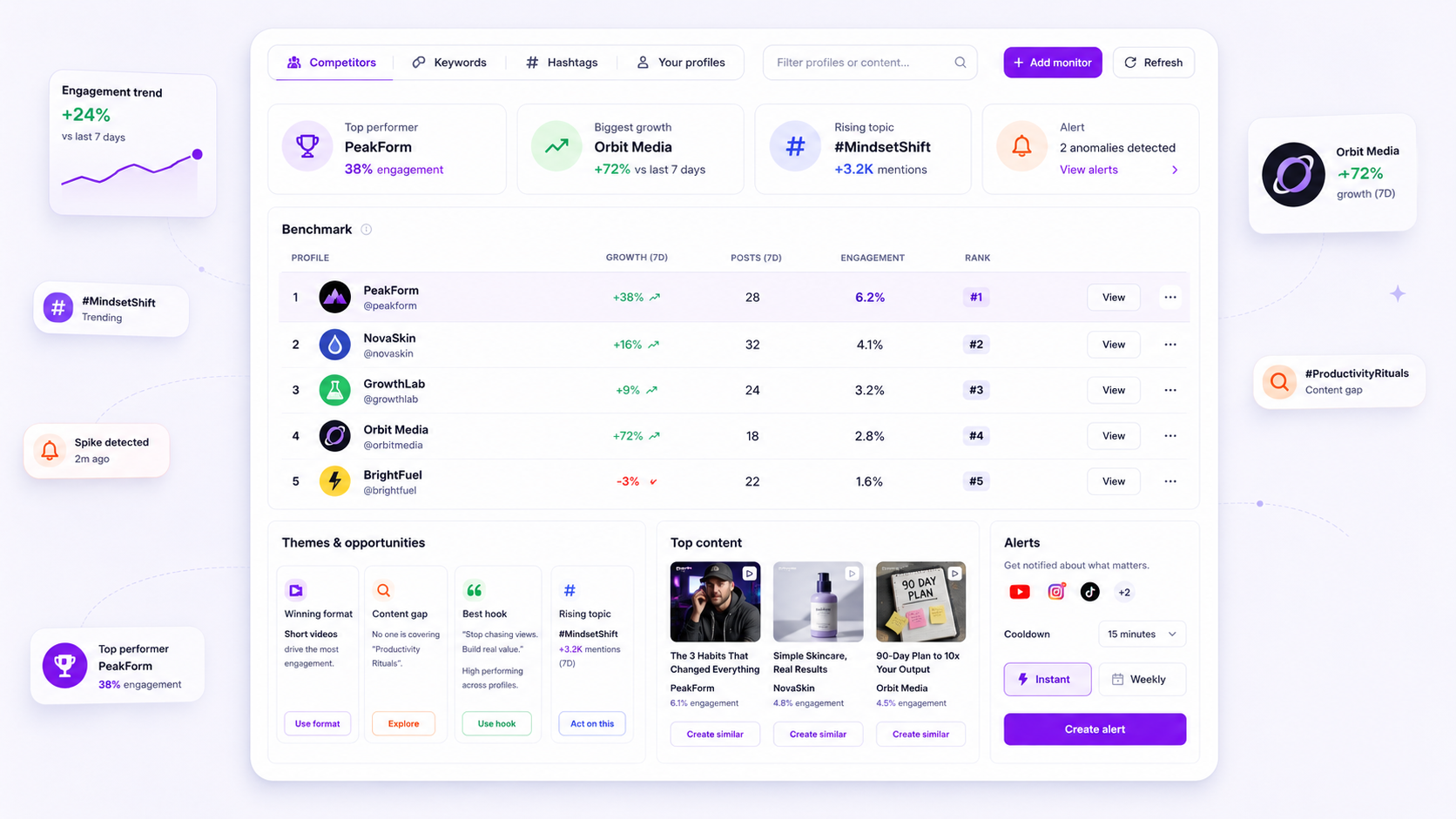
The moment your team stops asking why a competitor's best-performing posts have changed tone or format, you're no longer monitoring intelligence. You're just archiving history. Content themes go stale faster than your quarterly reporting cycle. If your competitive analysis hasn't been refreshed to catch rising topic clusters, you're basically improving for the market of 90 days ago.
We get it. You've spent months perfecting a reporting rhythm your stakeholders trust. But when the numbers start to dip and the "winning formula" feels like it's losing its edge, the thought of re-evaluating your whole baseline can feel like admitting defeat. It isn't. It's just the inevitable drift of digital trends. The good news: you don't need to scrap your reporting. You just need to swap your static snapshots for a more responsive, AI-refreshed diagnostic habit.
What changed before the numbers moved

The most dangerous assumption in social media operations is that a theme which worked three months ago is still a reliable anchor today. In reality, the signal of a market shift almost always comes before the drop in your engagement metrics. Teams managing dozens of brand profiles often see this "lag" as steady, incremental declines in community interaction that feel like background noise, until suddenly they don't.
Here's where teams usually get stuck: they confuse historical performance with current relevance. If you rely on a manual reporting cycle, where data is pulled, cleaned and reviewed every 30 days, you're working with a significant blind spot. By the time your team finishes the slide deck, the competitive landscape has already moved on to new hooks and sub-genres.
Common mistake: Treating a content theme as a static asset. Themes are dynamic clusters that shift with audience sentiment and platform format changes.
When we look at this across brands, the failure patterns tend to fall into four diagnostic categories. If you're struggling to work out why your "winning recipe" feels stale, start by checking these specific areas:
| Diagnostic Area | The "Stale" Symptom | The "Fresh" Indicator |
|---|---|---|
| Workflow | Reliance on manual spreadsheets or static monthly exports. | Active monitoring with automated refresh cycles. |
| Creative | Engagement velocity drops on previously "safe" formats. | New format adoption (e.g. shifts to short-form or interactive). |
| Audience | Your top posts mirror your old hits, but reach is down. | Competitors are gaining ground in clusters you currently ignore. |
| Signal Noise | Tracking broad, noisy hashtags that clutter your data. | Focused topic clusters built from current AI-driven insights. |
Most teams don't have a content problem. They have a decision bottleneck, caused by looking at data that's too old to act on. If your intelligence dashboard isn't surfacing new topic clusters every week, it isn't monitoring. It's just a calendar.
The failure patterns to check first
When your metrics start to slide, the instinct is to blame the algorithm or a lack of budget. But at Mydrop, after supporting thousands of social media workflows, we've seen that the problem is almost never the platform. It's usually coordination debt: your team is expertly executing a strategy that lost its relevance three months ago.
Here's where teams usually get stuck:
- Workflow Drift: Your team is still using manual, static spreadsheets to track competitor performance. By the time the report is formatted, the market trends have already moved.
- Creative Stagnation: You see your "winning" formats, those high-engagement staples, starting to plateau. Instead of iterating, the team just pushes more volume, hoping the numbers will bounce back.
- Audience Shift: Your competitors are quietly pivoting to new topic clusters or formats that you're ignoring, because your current intelligence tools are only tracking the same old keywords.
- Signal Noise: You're measuring too much. Your dashboards are cluttered with irrelevant hashtags or low-impact accounts, hiding the actual signals that matter for your growth.
Most teams don't have a content problem. They have a decision bottleneck, where they confuse "monitoring" with "watching the same dashboards." If your tools don't automatically flag when a competitor pivots, you're not monitoring. You're just archiving history.
The proof that separates signal from noise
The difference between a failing strategy and a winning one often comes down to your theme map. If you're looking at a static list, you're missing the connections between posts. You need a way to see how topics cluster and evolve over time.
Compare your current manual output against an AI-refreshed model to see whether you're really capturing the market or just confirming your own biases.
| Diagnostic Point | Manual/Static Analysis | AI-Refreshed Cluster Analysis |
|---|---|---|
| Theme Update | Quarterly (delayed/manual) | Weekly (automated/AI-indexed) |
| Topic Detection | Known keywords only | Rising cluster/hook identification |
| Format Insight | Surface-level view | Relative engagement velocity |
| Action Threshold | Reactive (after dip) | Proactive (alerts on theme drift) |
The real goal of Mydrop's Intelligence Monitoring is to stop you guessing. When you switch on automated alerts for competitors, you get notified the moment a rival's top-performing posts move into a new topic cluster or adopt a new hook.
Instead of waiting for the end-of-month report to realise your "winning recipe" has gone stale, you see the shift in real time. That's the difference between defending your current share of voice and actually spotting the next trend before your competitors do.
Proactive monitoring isn't about being first. It's about not being the last to realise your strategy is legacy. If your team is spending more time building reports than acting on them, your intelligence workflow is the first thing you need to fix this week.
What to fix this week
If you suspect your current strategy is drifting, stop trying to manually audit every single post. That's how you burn out your smartest analysts. Instead, spend this week running a Theme Decay Audit to see whether your "winning recipe" is actually just a collection of legacy habits.
Follow this three-step workflow to reset your baseline:
- The 90-Day Cleanup: Use your intelligence platform to isolate the top 20 performing posts from your competitors over the last quarter. Compare these against your own "winning" content themes from the same period. If your themes share fewer than 30% of the same topic clusters, your strategy is officially out of step with what your audience cares about now.
- The Signal Filter: Audit your monitored keyword lists. Are you tracking terms that were relevant last year but have since flatlined? Remove any hashtags or keywords with zero growth in the last 30 days to clear the "noise" from your dashboard.
- The AI Refresh: Run a manual refresh on your Intelligence Monitoring dashboard for all competitor profiles. If you haven't been looking at the opportunities or rising topics sections in## What to fix this week
If you suspect your current strategy is hitting a wall of theme decay, don't try to overhaul everything by Friday. That's the quickest way to burn out your creative team and kill morale. Instead, spend this week cleaning up the "signals" you rely on so you can actually see what the market is doing.
Start with this 3-step operational audit:
- Purge your list: If you're monitoring 50 profiles for "inspiration" but haven't actually checked their output in a month, delete them. Clutter in your dashboard is just noise that makes it harder for your brain to spot real patterns.
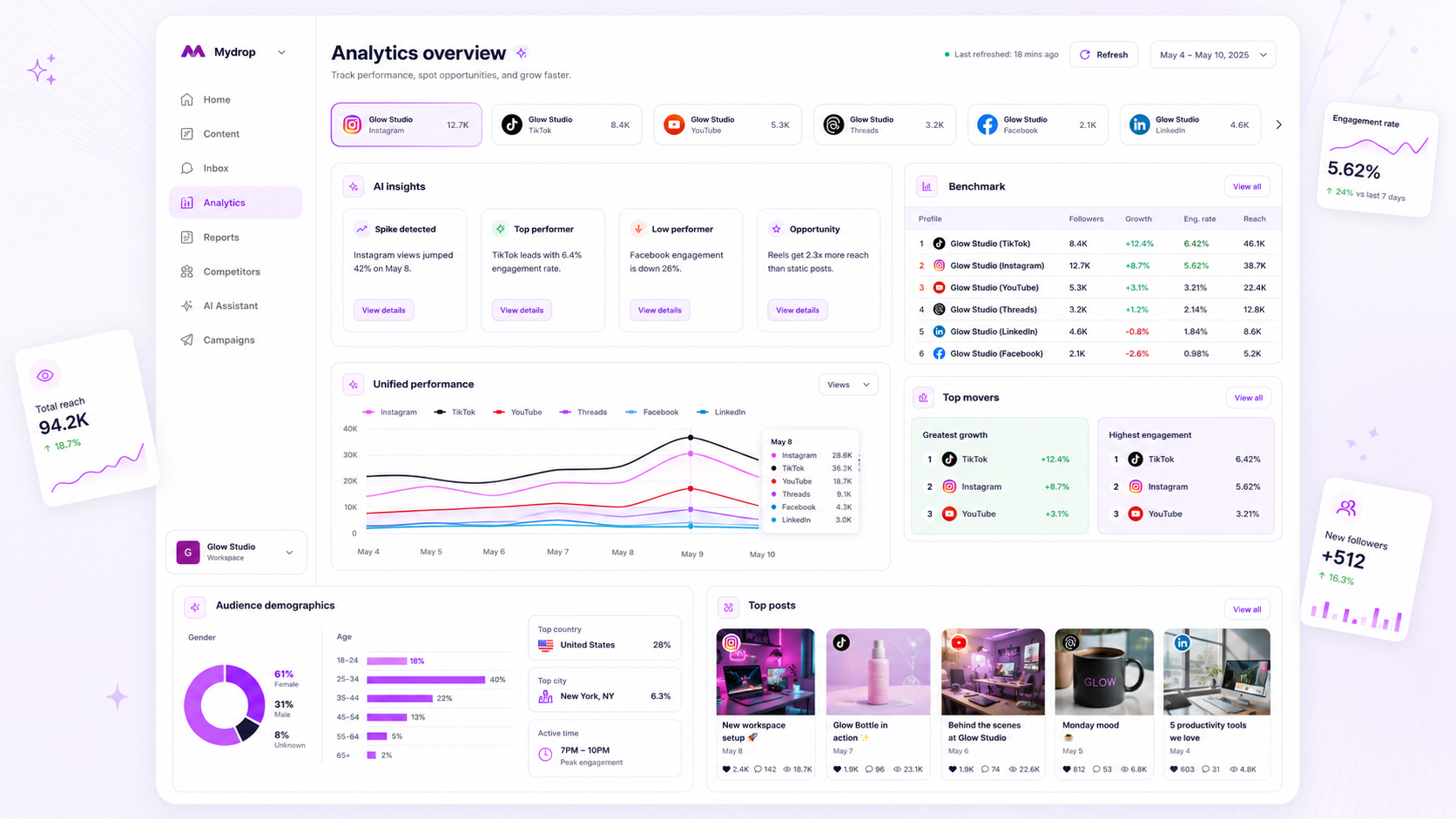
- Force a refresh: Use Mydrop's Intelligence Monitoring to trigger a manual refresh on your top three competitor profiles. If their "Top Posts" or "Content Themes" have shifted significantly from your last quarterly report, you've got your first concrete evidence of drift.
- Cross-check your own baseline: Look at your own top-performing posts from the last 90 days. Are they still lining up with the new themes emerging from your competitors? If the gap is widening, stop trying to force your old "winning recipe" and start testing content clusters that match the rising topics you've just identified.
Operator rule: If you can't explain the theme of your competitor's best post in three words or less, you aren't monitoring them. You're just watching their feed.
When to stop diagnosing and change the workflow
There comes a point of diminishing returns where digging deeper into why the numbers are sliding becomes a distraction from actually fixing the output. If you find your team spending more time debating the interpretation of a static report than creating content, you've got a coordination debt problem.
The goal isn't to build a perfect, static map of the market. The goal is to build a high-frequency habit that keeps you in step with your audience as they move. You should stop the diagnostic work and switch to an automated, always-on monitoring workflow the moment you realise your "monthly reporting meeting" is consistently delivering news that's already weeks old.
At Mydrop, we see the most successful teams stop looking at the calendar for "analysis time" and start treating intelligence as a live utility, like a weather app you check before you head out to shoot. If you're still waiting for a weekly PDF to tell you what happened, you'll always be one step behind the conversation.
Conclusion
Last year's "winning recipe" is a legacy asset that eventually turns into a liability. It anchors your team to a specific way of working, a specific format and a specific audience expectation that is probably already fading.
You don't need more data. You need better signals. By automating your theme mapping and clearing out the noise in your monitoring, you stop archiving the past and start anticipating the next shift. It's okay to admit the old way isn't working. The teams that win are the ones that make that pivot a routine, not a crisis. Clear the clutter, refresh your intelligence, and get back to shipping work that actually resonates right now.
 Google review
 Trustpilot review
 Product Hunt comment





