
















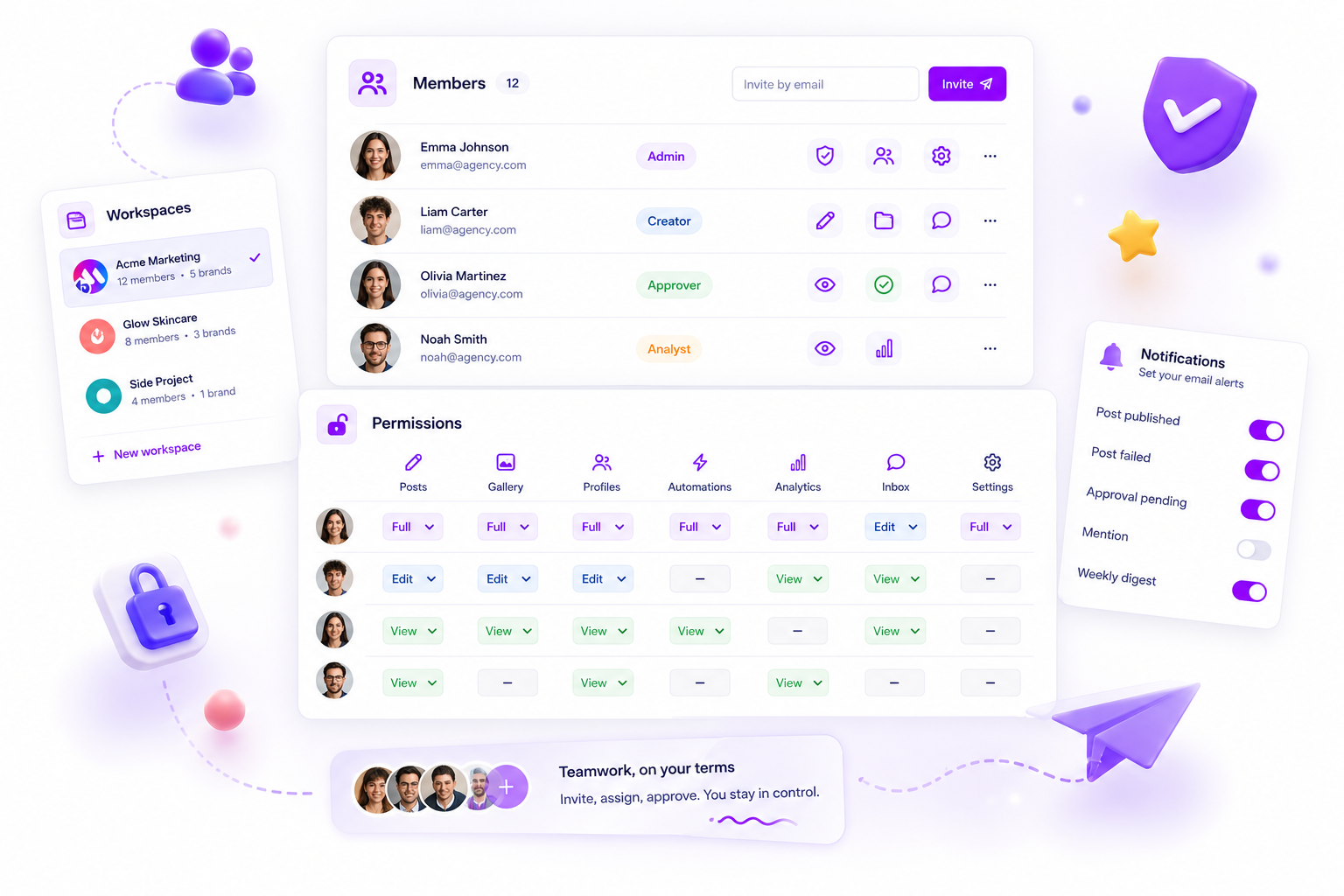
The secret to preventing catastrophic cross-client data leaks in fast-moving agencies is hard-walled workspace containers, not just granular folder permissions. If your platform treats a client as a simple dropdown option rather than an isolated, self-contained environment, your team is playing with fire. True separation means total context isolation: separate billing, distinct member lists, and forced environment reloads. We've seen hundreds of teams struggle with this "toggling tax," and the hard truth is that UI convenience often works against containment. You need a setup that makes cross-client mistakes physically impossible, not a policy you hope everyone follows during a chaotic Friday afternoon rush.
We get it. You're managing five clients, three brand voices and a dozen social accounts at once, and it feels like a high-stakes balancing act every single day. You aren't being careless, you're just human, and the mental load of switching between client environments is immense. When the software you rely on hides these environments behind a simple UI tweak, human error isn't just a possibility; it's a certainty. It's not that your team is incompetent; it's that the architecture of your tools fails to support the scale you're working at.
What the best tools need to handle

When we audit agency stacks, the most common failure is UI context blindness. If a user can accidentally draft a post for Client A while technically "in" the Client B workspace, the tool is broken. The best platforms treat each client as a hard-walled container. That means every asset, every permission and every billing cycle is tied strictly to the active workspace. If you can't see a clean break in the interface, right down to the browser tab or the navigation bar, your team is living on borrowed time.
| Feature | Filter-Based Platforms | Container-Based Platforms |
|---|---|---|
| Data Scope | Global (filtered) | Scoped to Workspace |
| Permission Risk | High (accidental visibility) | Low (default restricted) |
| Environment Switch | Fast (UI state change) | Secure (full app reload) |
| Client Leakage | Frequent | Near Zero |
The "switching tax" is the hidden cost here. If your team has to keep double-checking the dropdown to see which client they're active in, they're burning precious mental energy that should go on strategy or creative. A well-built system should make that context switch unambiguous.
Operator rule: If a user can move data between environments without explicit permission, your tool isn't a workspace; it's a shared folder system with a dashboard skin.
Mydrop pricing check, September 2026: the entry paid plans of the eight tools most often compared with Mydrop run from $6 per channel (Buffer) and $25 a month (Later) to $99 per user (Hootsuite) and $79 per seat (Sprout Social), read on each vendor's pricing page. Mydrop is free to start, then $19 a month flat, not per seat. Full table on Mydrop's compare pages.
At Mydrop, we built Workspaces to act as a hard container. When you switch, we don't just change a filter; we trigger a full environment reload. That keeps billing, members and product data strictly separated, giving your team a clear, unmistakable boundary. You shouldn't have to guess where you are, and your clients shouldn't have to worry about their data bleeding into someone else's workflow. The goal is to design a workspace so secure that you stop thinking about "what client" you're in and start focusing on the output.
Where basic tools start to break

Most software platforms handle client separation by treating "client" as a simple view filter. You pick a brand from a dropdown, the UI shifts, and you feel like you're in a new space. But underneath, your session, your browser cache and your global application state haven't changed. This is the "Convenience Tax."
When developers prioritise fluid switching over hard boundaries, they build in leaks. If you rely on a filter rather than a container, you are constantly one misclick away from a career-limiting event.
The Filter-based vs. Container-based Breakdown
| Feature | Filter-based Approach (The Risk) | Container-based Approach (The Standard) |
|---|---|---|
| Session State | Shared; cached data persists between "clients." | Isolated; switching forces a hard reload. |
| Membership | Global; permissions are often inherited. | Scoped; users exist only within the workspace. |
| Billing/Usage | Aggregated; hard to untangle client costs. | Isolated; counters are strictly per workspace. |
| Data Boundary | Soft; client data relies on a database field. | Hard; collections are physically partitioned. |
The hidden danger is that human error is inevitable when the software hides the transition. When you move from Brand A to Brand B, your tool should force a distinct environment reload. If the dashboard feels exactly the same in both places, your brain can't reliably switch context. A true agency-grade tool forces you to recognise that you've left the old environment and entered a new, walled garden.
The buying criteria that matter
If your team manages more than three clients, or if a single mistake costs you an account, stop asking "is this tool easy to use?" and start asking "is this tool built to keep my client data contained?"
When you're assessing your next workspace tool, use this scorecard to make sure you're buying containment, not just a prettier UI.
The Workspace Security Scorecard
| Criterion | What to look for | Why it matters |
|---|---|---|
| Forced Reload | Does the app reset its state when switching? | Prevents cross-client data bleed in the browser. |
| Scoped Membership | Are users explicitly invited per workspace? | Ensures you don't accidentally expose clients to the wrong people. |
| Isolated Billing | Are usage/billing quotas per workspace? | Prevents "noisy neighbour" issues and simplifies invoicing. |
| Hard Boundaries | Does the system treat the workspace as the root? | Makes it architecturally impossible for data to leak. |
At Mydrop, we built Workspaces as a hard container because we saw too many teams nearly crippled by simple UI mistakes. In our experience, fast-moving teams don't just need a quicker way to switch; they need to know, with absolute certainty, that they are working within the correct client context.
Decision check: If a user can see data for a client they aren't explicitly assigned to within that specific workspace, your separation is purely cosmetic.
Your team doesn't have a focus problem; they have a coordination burden. By choosing a platform that treats workspace separation as a hard architectural constraint rather than a navigation convenience, you stop managing the risk of human error and start managing your actual campaigns. True agency-grade tools put a boundary between you and a mistake.
How Mydrop supports this workflow
At Mydrop, we built Workspaces to act as a hard container, not just a cosmetic layer. When you switch to a client environment, we don't just filter the view; we perform a full environment reload. That means user permissions, product quotas, billing state and API context are all re-scoped to that specific container.
If a team member doesn't have explicit access to a workspace, it's not that they see a hidden menu item; they effectively don't exist in that client's context. This stops the permission creep that happens when platforms treat members as global entities. We keep client billing and memberships strictly tied to the workspace boundary, so you never accidentally invite a user from Client A into the management view of Client B.
By forcing a complete re-authentication of the environment state, Mydrop makes sure data from one client can't bleed into another's session. It's the difference between putting a sticker on a filing cabinet and actually locking the drawer. When you're moving at speed, you need that mechanical assurance that the environment you see is the only one you're affecting.
A simple shortlist checklist
Before you commit to a platform, run this scorecard against your current setup. If you can't answer yes to these, your current tool is probably built for convenience rather than containment.
| Feature | Why It Matters |
|---|---|
| Hard Container Switch | Full reload of billing, permissions and members |
| Billing Isolation | Granular control over client-specific subscription tiers |
| Member Scoping | Access is granted per workspace, not per account |
| Context Visibility | The active environment is unmistakably distinct |
If you're currently reviewing your stack, take these three steps this week to audit your exposure:
- The Ghost Test: Create a test user and add them to only one client workspace. Log in as that user and check that they can't even see the project names or dashboard metrics of other clients.
- The Billing Audit: Confirm that your platform lets you export usage metrics or billing invoices per workspace. If your billing is one massive line item, you're missing visibility.
- The Role Consistency Check: Ask yourself whether a 'Manager' in Client A's workspace has the same permissions in Client B. If the answer is 'it depends' or 'I have to set it up individually for every brand', you're carrying too much manual coordination debt.
Conclusion
Most agency teams don't have a content production problem. They have a decision bottleneck, often caused by trying to manage too many variables in a single, unsegmented bucket. True separation isn't about making the tool harder to use, it's about making the boundaries so clear that mistakes become structurally impossible.
Your tools should protect your team from their own exhaustion, especially on a Friday at 6 p.m. When the platform itself handles the context isolation, you get to stop being a human firewall and start focusing on actual campaign performance. Choose the container, not the dropdown. Your team, and your clients, will thank you for the extra peace of mind.
 Google review
 Trustpilot review
 Product Hunt comment





