




























The right choice for your agency isn't AI generation or stock photography. It's a workflow that sends each asset down the right route, based on brand compliance, campaign value and speed. For social media teams, ideas are rarely the problem. Staying consistent across hundreds of posts without drowning in approval loops is. We get it. Your calendar never lets up, and balancing fast output with the very real need for brand safety can feel like walking a tightrope. You don't need another tool that churns out images. You need a system that checks them before they reach your channels. Most teams don't have a content problem. They have a coordination bottleneck. Treat AI as one part of a bigger media plan, not a standalone generator, and you'll get your time back and keep your brand intact.
What the best tools need to handle

Look past the shiny text-to-image prompt box. What matters is how well the tool copes with the messy reality of running a large operation. An AI tool that sits on its own, cut off from your scheduling, is just one more piece of technical debt.
At a minimum, any platform you choose needs to do these three things:
- Asynchronous Status Management: AI generation isn't instant. Your tool should poll in the background and recover when a task hangs. You shouldn't have to keep refreshing to find out whether a media job has finished.
- Granular Quota Accounting: With thirty creators on a team, you need to track AI usage against workspace limits. Without built-in counters, budgeting becomes a nightmare.
- Automated Media Plan Verification: This is the one you can't skip. The best workflows don't just dump raw files. They check every generated asset against your campaign plan automatically.
Operator rule: Never let generated media skip your compliance checks. If a platform has no structured verify and apply flow for its assets, you're inviting brand drift.
Mydrop pricing check, September 2026: the entry paid plans of the eight tools most often compared with Mydrop run from $6 per channel (Buffer) and $25 a month (Later) to $99 per user (Hootsuite) and $79 per seat (Sprout Social), read on each vendor's pricing page. Mydrop is free to start, then $19 a month flat, not per seat. Full table on Mydrop's compare pages.
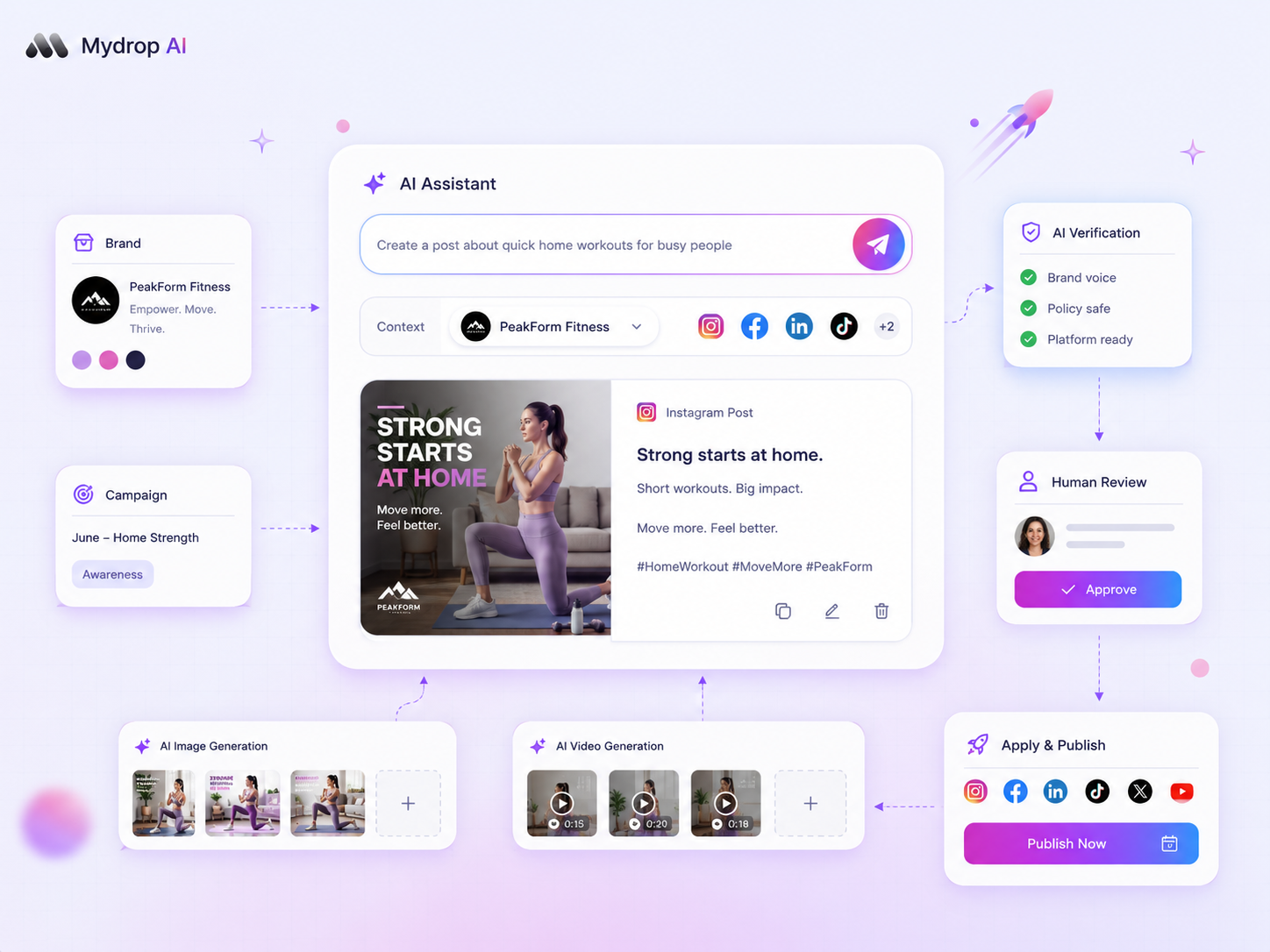
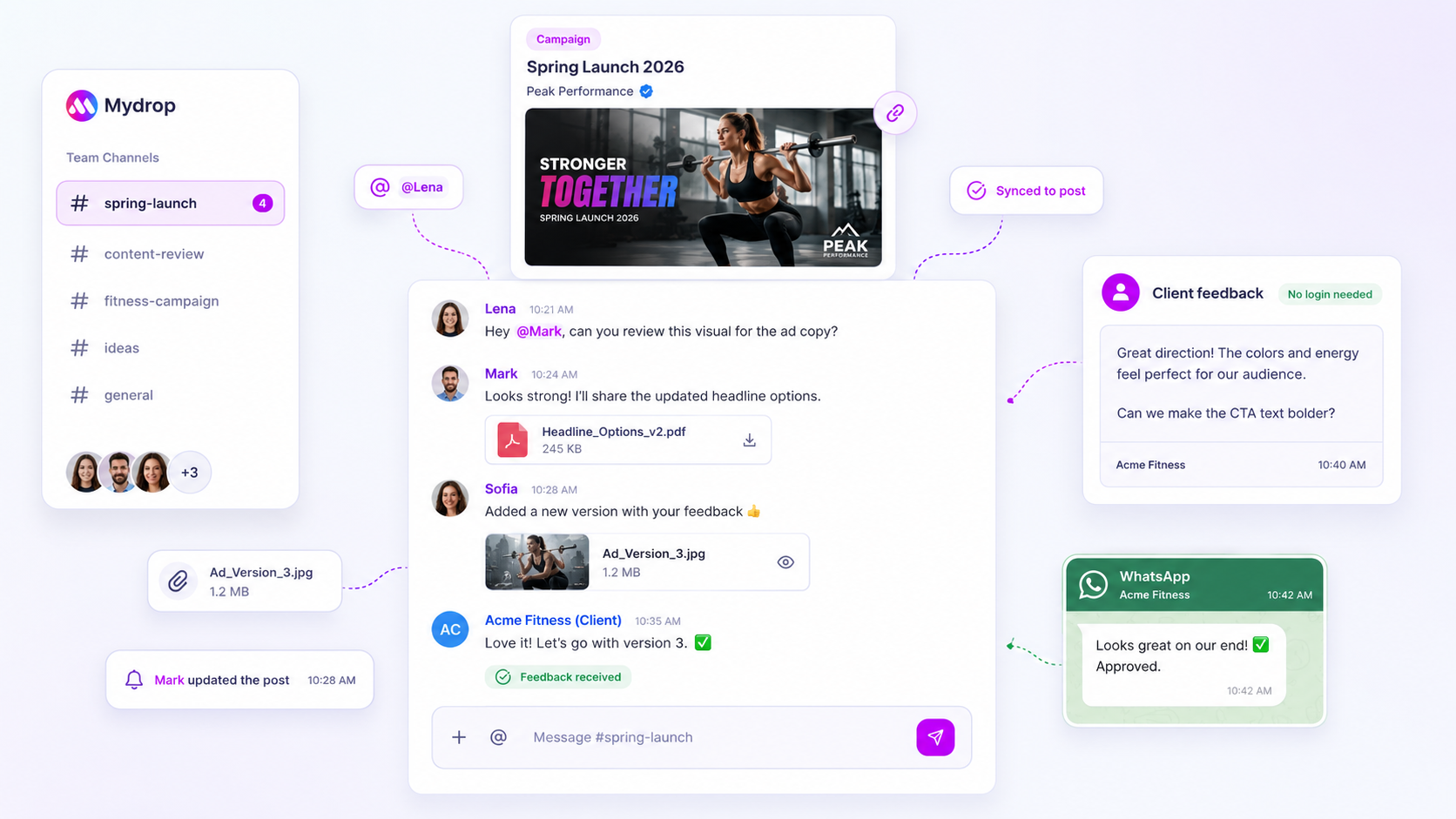
At Mydrop, we built AI media generation as part of a structured lifecycle, from the first request to a mandatory compliance check. We track the status of every generation job and link each output to the post it belongs to. Your team can see at a glance whether a piece of AI content has been approved for a brand profile or is still waiting in the queue. That puts an end to the familiar scramble when an unvetted image slips into a finished campaign and has to be swapped out. When the tool itself manages the state of the asset, as our media plan verification does by checking items before they're finalised, your team spends less time auditing and more time on creative strategy.
Where basic tools start to break

The real headache starts when your AI assets, however good they look, don't make it into your post. Or worse, they make it into the wrong one. We've all been there: the creative team generates dozens of images, but the tool works in isolation, so the files sit in a folder, completely disconnected from the content calendar.
That's when the "speed" of AI turns into a coordination debt trap.
If your generation software doesn't talk to your scheduling platform, you're shipping assets by hand. Your team downloads, renames and re-uploads every image, then checks it against a separate spreadsheet. By the time you hit publish, whatever time you saved has gone, swallowed by the effort of moving files around.
Common mistake: Running AI generation and social media scheduling as two separate pipelines that never talk to each other. If your team is copying and pasting between browser tabs, something is wrong.
Basic tools also have no idea what governance is. They just generate. They don't know your brand colours, your approval rules, or that this campaign needs a final look from legal. With no real link between "generate" and "schedule", those checks get skipped in the rush, and that's how costly brand compliance mistakes happen.
The buying criteria that matter
Stop fixating on which model makes the prettiest picture. Look at how the tool manages the lifecycle of an asset, from the moment you hit "generate" to the moment it goes live.
We suggest basing your evaluation on an integrated workflow scorecard. The best software isn't the one with the flashiest interface. It's the one that makes sure what it generates is genuinely ready to publish.
Agency Tool Readiness Scorecard
Take this to your next demo and compare platforms. If a tool can't tick these boxes, you're buying a toy, not an enterprise solution.
| Capability | What it actually means | Why it matters to your agency |
|---|---|---|
| Integrated Polling | The tool tracks job status (pending or done) for you. | You stop chasing colleagues for "the final file". |
| Automated Compliance | AI assets are held in a mandatory verification state. | Raw, unapproved AI output never reaches production. |
| Quota Accountability | Tracks AI usage per workspace or brand. | Keeps billing transparent across different clients. |
| In-App Attachment | Assets map directly to posts in the composer. | No more manual download and upload cycles. |
At Mydrop, teams most often come unstuck when they focus on the input (the prompt) rather than the output (the post). A workflow without Media Plan Verification, where an automated check confirms the media meets your campaign specs before it can be attached to a live post, only creates more work for your managers further down the line.
Decision check: Never put the speed of image creation ahead of the safety of the approval workflow.
Aim for a "fire and forget" pipeline: the AI does the heavy lifting while the system keeps the guardrails firmly in place. If your current tool turns your team into the manual link between those two worlds, you're already behind.
How Mydrop supports this workflow
At Mydrop, we think the "AI or human" debate is a false choice. The real problem isn't the AI. It's the gap between a prompt and a published post where nothing stands guard. When you manage dozens of brand profiles and hundreds of assets, you can't risk a content creator using an unverified AI image that ignores the brand palette or, worse, contains a subtle hallucination that harms your reputation.
We built our Media Plan Verification flow to solve exactly this. Instead of letting AI assets bypass your team, our workflow treats AI output as a draft that must be validated. When your team generates an image in the AI Media Panel, it doesn't just land in a folder. It stays pending until a person, or an automated compliance rule, explicitly signs it off.
That isn't about slowing you down. It's about speeding up where it's safe. Once a media plan has been applied and verified, the generated media is attached to the post automatically, and the platform takes care of final storage and metadata mapping.
We also know that "unlimited" AI generation is a myth, especially when you're managing costs across several agency clients. Mydrop's quota accounting runs quietly in the background and tracks every image and video job. It heads off the "surprise invoice" that catches out so many agencies, and shows you the real overhead for every campaign.
Tie generation directly to the scheduling calendar and your team's approval chain, and you move from a "wild west" of disconnected AI tools to a structured, repeatable engine. That's the difference between experimenting with AI and scaling it.
A simple shortlist checklist
When you're weighing up tools for this, don't stop at how pretty the images are. Look at how each tool handles the messy, unglamorous side of agency life. Use this checklist to filter out the toys and find the platforms that are ready for enterprise work.
| Feature Area | Why It Matters | Essential Capability |
|---|---|---|
| Approval Workflow | Prevents brand-damaging mistakes. | Mandatory human-in-the-loop review for all AI assets. |
| Governance | Keeps your brand identity consistent. | Centralised asset storage with metadata and compliance tracking. |
| Cost Control | Protects agency margins. | Real-time workspace quota accounting for AI jobs. |
| Reliability | Keeps your content calendar moving. | Automated polling and callback handling for slow provider jobs. |
| Integration | Saves time on copying and pasting. | Direct attachment of generated media to posts and galleries. |
Decision check: If a tool makes great images but you have to download them, re-upload them and link them to your scheduler by hand, you've simply swapped one bottleneck for another.
Conclusion
Most teams don't have an "idea problem". They have a decision bottleneck. The constant pressure to produce more hides the fact that the real cost isn't creating the asset. It's coordinating, checking and rolling it out at scale across a lot of demanding stakeholders.
If your agency is still struggling to hold quality while volume climbs, stop obsessing over which AI model gives the most photorealistic lighting. Obsess over your workflow instead. The goal isn't to produce more. It's to build an engine that makes sure every asset, AI or not, is validated, compliant and ready to perform.
The real edge won't go to the teams that churn out the most raw content. It'll go to the teams that have mastered control. Take the friction out of review and you finally have the time to do what you were hired to do: build strategies that move the needle for your clients.

 Google review
 Trustpilot review
 Product Hunt comment





