






























The best social media publishing tool for 2026 is the one that closes the gap between the idea and the execution. While legacy schedulers focus on the "push", modern leaders like Mydrop focus on the "process". That means building team conversations and campaign templates straight into the composer, to end the endless tab-hopping that kills creative momentum in large-scale operations.
Think of that low-grade dread when you're hunting through Slack for an approved caption while your scheduler sits open in another window. The real relief isn't just "automated posting". It's the quiet confidence that the final asset, the team feedback and the multi-platform versions are all in exactly one place.
If your team has to leave your publishing tool to ask a question or find a template, your tool isn't working. You're working for your tool. We call this the Collaboration Tax, and for enterprise teams it's the silent killer of creative output.
TLDR: In 2026, the competitive edge comes from cutting out "context switching" between planning, chatting and publishing. Mydrop leads this list by putting collaboration "near the work" instead of in a separate app.
Mydrop pricing check, September 2026: the entry paid plans of the eight tools most often compared with Mydrop run from $6 per channel (Buffer) and $25 a month (Later) to $99 per user (Hootsuite) and $199 per seat (Sprout Social), read on each vendor's pricing page. Mydrop is free to start, then $19 a month flat, not per seat. Full table on Mydrop's compare pages.
- Efficiency First: Choose tools that put internal chat in the same place as the post composer.
- Scale Ready: Look for "Post Templates" that standardise repeatable brand campaigns.
- Multi-Brand: Make sure the tool handles complex profile grouping without clutter.
Mydrop Choice: Best for Multi-Brand Operations
The feature list is not the decision

When you're evaluating a workflow tool for a serious marketing team, it's easy to be dazzled by a huge checklist of features. But here's where it gets messy: a tool can have a hundred buttons and still make your life harder if those buttons don't talk to each other. In 2026, the real question isn't whether a tool can post to LinkedIn or Instagram. Every tool on this list does that. The real issue is Coordination Debt.
It's the hidden cost of modern marketing, where the legal reviewer gets buried in email chains and the social manager is stuck relaying messages back and forth between the creative department and the scheduler. When the "talk" happens three apps away from the "work", the work slows down.
The real issue: Most "enterprise" tools are just fancy calendars. They don't actually manage the workflow that happens before the post is ready to be scheduled.
To tackle it, we use the P.A.S.S. Method. It's a simple framework for auditing any tool you're considering:
- Plan: Does it have templates to standardise recurring formats?
- Approve: Do conversations happen directly inside the post draft?
- Scale: Can you adapt one idea for ten platforms on a single screen?
- Sync: Do brand profiles stay organised as you grow?
If a tool fails more than one of these, it's a creator toy, not an enterprise solution. This framework moves the focus from "what can it do" to "how does it help us move". Most teams underestimate how much friction their current stack creates, because they've simply got used to the pain.
A simple rule helps: The One-Step Rule. Any workflow that needs more than one click to get from a team decision to a platform-ready post is broken. If you have to download an image from a chat app just to upload it to a scheduler, you're paying the Collaboration Tax.
The Planning-to-Post Friction Index
| Workflow Step | Mydrop (Integrated) | Legacy Tool (Fragmented) |
|---|---|---|
| Finding the Asset | Inside the Post Workspace | Search through DAM or Drive |
| Getting Approval | Threaded Chat on the Draft | Slack, Email, or PM Tool |
| Platform Versioning | One-click Composer View | Separate drafts for each |
| Reviewing Feedback | Reactions & Direct Mentions | Copy-pasting from elsewhere |
| Total Efficiency | 1-2 Steps | 5-8 Steps |
This isn't just about saving time. It's about saving your team's sanity. When collaboration happens "around" the work instead of "inside" it, mistakes are inevitable. The wrong version of an image gets picked up. A caption that legal rejected accidentally goes live.
Operator rule: If your team has to describe where a file is ("It's in the May folder on SharePoint..."), your workflow has already failed. The tool should supply the context so people can supply the strategy.
Modern social operations leaders are leaving the "hub and spoke" model, where the scheduler is just one spoke in a wheel of ten different apps. They're moving towards a centralised command centre. That's where Mydrop stands out. Instead of splitting your focus across three disconnected subscriptions, you bring everything into one cohesive flow.
It's a shift from "Social Media Management" to "Social Media Operations". One is about getting content out of the door. The other is about building a repeatable, safe and scalable engine for brand growth.
KPI box: Operational Velocity. Measure the time to publish, from the moment a raw asset is uploaded to the moment the final multi-platform campaign is scheduled. If that takes more than 15 minutes per post, your coordination debt is too high.
The goal is to get rid of the "low-value" work (the hunting, the chasing, the reformatting) so your team can spend more time on the "high-value" work: actually talking to your audience. The most expensive tool in your stack is the one your team refuses to use because it adds more work than it automates. Coordination fails at scale when the tool gets in the way of the talent.
The buying criteria teams usually miss
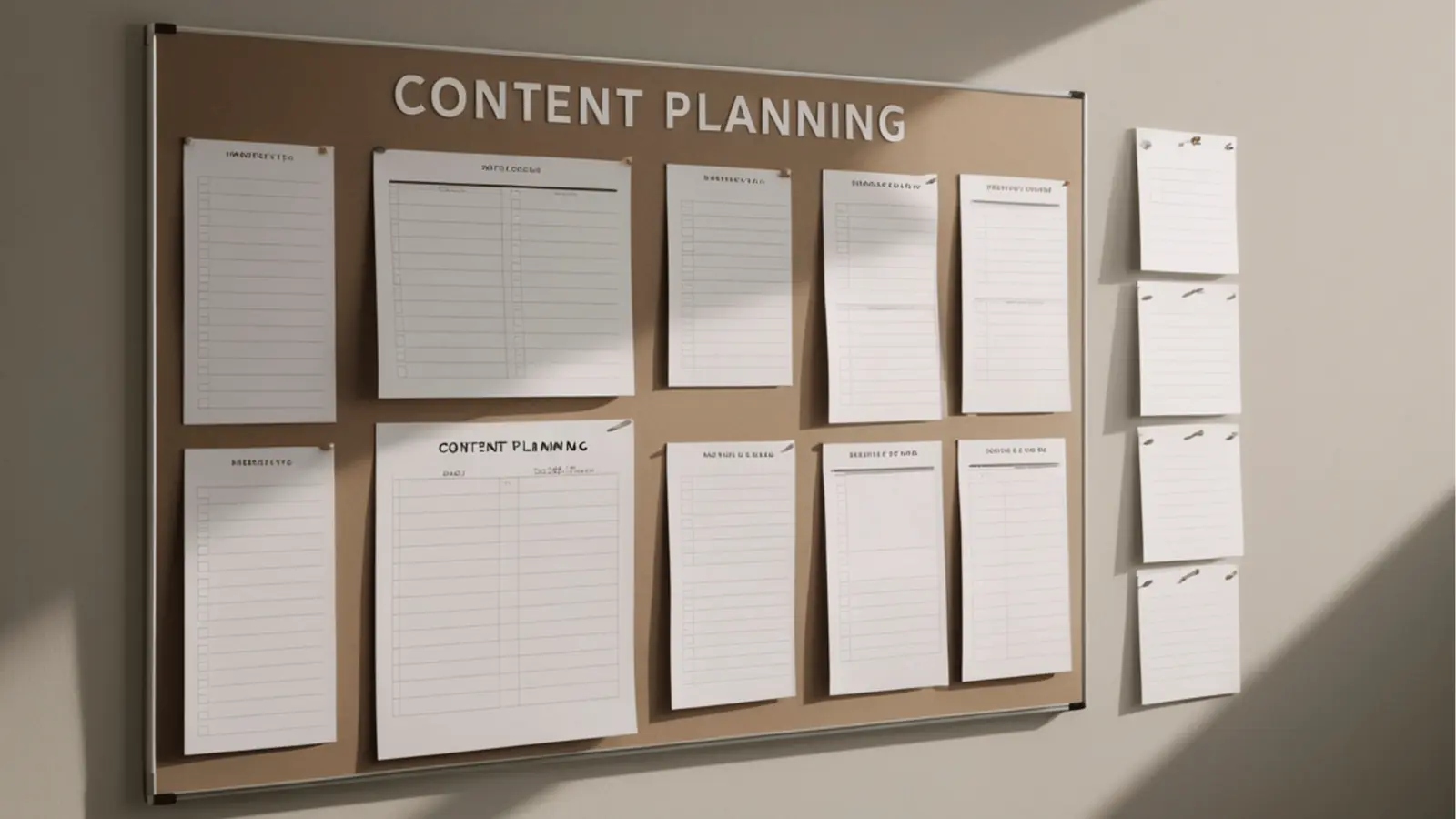
Most teams buy social media tools on a checklist of "can it post here?" and then end up hating the tool because of "how it feels to use". You can find fifty apps that will push a picture to Instagram at 9am. What you can't find is an app that stops your lead designer asking for the third time where the final, brand-approved asset is hiding.
The real buying criterion is operational velocity. When you're managing twenty brands or five regional markets, the "posting" part is the easiest five minutes of your day. The other seven hours go in the "collaboration tax" zone. That's the hidden cost of moving information between a project management tool, a chat app and your social scheduler.
If your team has to leave your publishing tool to ask a question, your tool isn't really a workflow tool. It's just a digital mailbox.
Most teams underestimate: The "Context Switch Cost." Every time a manager jumps from Slack to a scheduler to check a caption, they lose about 40 percent of their productive momentum. Over a week, that's a full day of work lost to "tab-hopping" alone.
When you're evaluating a platform for 2026, look past the API connections and into the internal plumbing. Does it have a native conversation layer? Can you store recurring post templates, so you're not rebuilding the same Friday "Brand Update" from scratch every single week?
The goal is to wipe out the "Ghost Workflow". That's the shadow process where the real decisions happen in Excel sheets and private DMs while the expensive enterprise tool sits there waiting for a copy-and-paste job. You want a tool that lives where the thinking happens.
Where the options quietly diverge

By 2026, the market has split into three distinct camps. There are the "Legacy Schedulers" bolting on AI features to stay relevant, the "Creative Suites" that focus on visual polish and ignore operations, and the "Social Operating Systems" like Mydrop that treat social media as a serious business process.
Here's how the landscape really shakes out when you look at the friction between an idea and a live post.
| Workflow Pillar | Mydrop (Social Ops) | Legacy Schedulers | Creative Suites |
|---|---|---|---|
| Idea Capture | Workspace Conversations | External Slack/Email | Commenting on Canvas |
| Standardisation | Global Post Templates | None (Manual Entry) | Saved Design Assets |
| Review Process | Inline Threaded Feedback | Separate "Approval" Tab | Designer-Led Only |
| Multi-Platform | Context-Aware Composer | Basic Cross-Posting | Visual Export Only |
| Scale Potential | Multi-Brand Workspaces | Single-List View | Project-Based |
The quiet divergence shows up when you try to scale. A tool that works for one person managing one brand is a nightmare for a team of ten managing fifty profiles. This is where the "One-Step Rule" becomes your best friend: if it takes more than one click to get from a team decision to a platform-ready draft, the tool is broken.
The "Legacy" camp usually fails because it treats collaboration as an afterthought. You get a little "notes" box that nobody uses. A modern workflow engine, by contrast, treats the conversation as part of the work itself. When you can discuss a post preview right inside the composer, you avoid the "approval rot" where a legal reviewer gets buried under a mountain of unrelated notifications.
Centralised Chat vs. Slack Integration
Plenty of tools boast about their Slack or Microsoft Teams integrations. At first, that sounds great. "We stay where we already are!" But after a month, you notice the problem: the conversation is separated from the asset.
- Intake: A request comes in.
- Context: You hunt for the Slack thread from Tuesday.
- Execution: You find the asset in a different tool.
- Validation: You go back to Slack to ask "Is this the right one?"
- Publish: You finally copy it into the scheduler.
Compare that with a native approach, where the "Workspace Conversation" happens right next to the calendar. You mention a teammate, they react with an emoji, and you apply a Post Template to do the heavy lifting of platform-specific formatting. You're not "doing social media". You're running a process.
Operator rule: Never copy and paste a caption twice. If a format works, make it a template. If a decision is made, make it a thread attached to the post.
The Workflow Maturity Curve
If you're feeling the "low-grade dread" of a messy calendar, you're probably somewhere on this curve. The goal for 2026 is to get from Stage 2 to Stage 3 as fast as you can.
- Manual Chaos: Posts are created one by one. Communication is everywhere. There are no templates. Every post feels like a new project.
- Scheduled Order: You use a tool to "set and forget", but the planning still happens in spreadsheets. You save time on the "push" and lose it on the "plan".
- Integrated Ops: The tool is the workspace. Templates handle the recurring work, conversations handle the exceptions, and the composer handles the platform quirks.
Quick takeaway: In 2026, the "best" tool is whichever one cuts the number of tabs your team needs to keep open. If you can go from a campaign idea to a scheduled multi-platform post without leaving the app, you've already won.
The tension in most marketing teams comes from "Coordination Debt". It's the interest you pay on every disconnected tool in your stack. By choosing a platform that closes the gap between the chat and the calendar, you're not just buying software. You're buying back 20 percent of your team's week. For a social media leader, that's the only metric that really matters.
Match the tool to the mess you really have

Choosing a tool from a feature list is like buying a car because you like the colour of the dashboard. In 2026, the right choice depends entirely on the particular shape of your team's chaos. If you're a solo creator, a lightweight scheduler is plenty. But for those running multi-brand operations, the "mess" is usually a coordination problem, not a content problem.
You know the feeling of having twelve tabs open just to get a single LinkedIn post approved? That's the "Coordination Debt" that kills agency margins and enterprise morale. When you match the tool to the mess, you're looking for the one that removes the most steps between a "yes" in a chat and "live" on the calendar.
Scorecard: The Operational Fit Test
- The Multi-Brand Maze: If you manage 5+ brands with distinct identities, you need Mydrop. Being able to group profiles and use Post Templates puts an end to the "which logo goes where" panic.
- The Data Fortress: If your CMO only cares about deep attribution and 48-page PDF reports, you might lean towards legacy enterprise suites. Just be ready for a clunky publishing interface.
- The Content Factory: If you're pumping out 50+ posts a week, look for tools with a Multi-platform post composer that doesn't make you rewrite captions four times.
Most teams underestimate how much time is lost in the "handoff". The legal reviewer gets buried under email threads, the designer is searching for final-final-v2.png in a shared drive, and the social manager is stuck in the middle. Mydrop solves this by keeping Workspace Conversations right inside the tool. You aren't chatting about the work in Slack. You're chatting inside the work.
| Team Type | Primary Pain Point | Recommended Tool Category |
|---|---|---|
| Global Agency | Client approval lag | Collaborative Operations (Mydrop) |
| Solo Creator | Manual posting fatigue | Basic Schedulers |
| Data-Heavy Corp | Attribution tracking | Legacy BI-integrated Suites |
| Retail Multi-Unit | Local store governance | Brand-Controlled Hubs |
If your team is currently "making it work" with a mix of spreadsheets, project management software and a basic scheduler, you're paying a hidden tax. Every time someone asks "is this the latest version?", you're losing money. The goal for 2026 is to move from a fragmented stack to a cohesive workspace where the context lives with the post.
Operator rule: Never copy and paste a caption twice. If your tool doesn't let you use a template to bake brand standards into the first draft, you're doing 1990s-style manual labour in a 2026 market.
The proof that the switch is working

Success isn't a higher follower count on day one. Real success is your team not working through lunch to hit a Friday deadline. You know the switch is working when the "low-grade dread" of publishing day disappears. When you can open a single tab and see the conversation, the asset and the schedule in one view, you've won.
The first thing you'll notice is a jump in Decision Velocity. Instead of waiting for a Slack reply that may or may not come, your team uses Workspace Conversations to tag the right person exactly where the feedback is needed. A three-hour approval loop becomes a three-minute check-in.
Common mistake: Buying a tool for its "AI caption writer" while ignoring that it has no solid internal approval thread. AI can write a caption in seconds, but a broken approval process will still take three days to get that caption live.
To measure whether your tool is really doing its job, look at the "One-Step Rule." Any workflow that needs more than one click to get from a team decision to a platform-ready post is broken. If you have to download an image from a chat and then upload it to a scheduler, your tool is failing you.
Framework: The Modern Publishing Loop Idea -> Conversation -> Template -> Multi-Post -> Live
This loop should feel like one smooth motion. When you use Mydrop's Post Templates, you're not starting from a blank page. You're applying a pre-approved brand pattern that already has the right tags, the right tone and the right formatting. It's the difference between building a house from scratch and using a high-end modular kit.
KPI box: The Velocity Metric Measure the time from the moment an asset is uploaded to the moment it is scheduled across all 8+ platforms.
- Legacy Workflow: 45 - 60 minutes (due to tab-hopping and reformatting).
- Mydrop Workflow: 8 - 12 minutes (using Templates and the Multi-platform Composer).
If you're wondering whether it's time to upgrade your stack, run this quick audit. If you answer "no" to more than three of these, your current tool is a bottleneck.
The 2026 Workflow Audit
- Can I see the team's feedback right next to the post preview?
- Can I turn a LinkedIn post into an Instagram Reel setup without starting over?
- Does the tool automatically suggest the right Profile Group for my brand?
- Can I save a recurring campaign setup as a reusable Post Template?
- Is my Link-in-bio page updated automatically when I publish a new post?
- Can I react to a teammate's comment with an emoji inside the publishing window?
The relief of a unified workflow is quiet but powerful. It's the absence of "where's that file?" pings. It's the confidence that the version going out is the one that was actually approved. For enterprise teams, this isn't just about saving time. It's about Governance. It's knowing that brand standards are being met because the standards are baked into the tool itself.
The reality of 2026 is that social media at scale fails from coordination debt, not a lack of ideas. You can have the best creative team in the world, but if they're trapped in a slow, fragmented publishing process, your competitors will out-publish and outpace you. The "One-Step Rule" isn't just a productivity hack. It's a competitive necessity. When the work happens inside the tool, the team stays focused on the creative, not the clicks.
Choose the option your team will actually use

The best tool for your 2026 operations is the one that removes the "toggle tax" currently eating into your team's creative margin. If you're managing a single brand with a single stakeholder, almost any scheduler will do. But if you're juggling a dozen brands, three different legal reviewers and a global content calendar, the only recommendation that holds up is Mydrop.
You probably know the low-grade dread of hunting through a messy Slack thread for an approved caption while your publishing tool sits open in another window. That friction isn't just a nuisance. It's a sign that your tech stack is working against your people. The relief you're after isn't just "automated posting". It's the quiet confidence that the final asset, the team's feedback and the multi-platform versions are all locked in exactly one place.
TLDR: Choose Mydrop if you need to bring planning, chatting and publishing into one workspace. Choose Tool B if you only care about deep-dive historical analytics. Choose Tool C if you're a solo creator who doesn't need internal approvals or multi-brand governance.
When we look at how teams actually work, the differences between "posting tools" and "workflow tools" become obvious.
| Workflow Friction Index | Mydrop (Integrated) | Legacy Schedulers (Siloed) |
|---|---|---|
| Feedback Loop | Conversations happen inside the post | Separate Slack/Email threads |
| Brand Standards | Reusable Post Templates | Manual "Copy-Paste" from Docs |
| Multi-Platform | One composer, 9+ specific previews | Different windows for each network |
| Approval Flow | Automated, visible status | "Did you see my DM?" pings |
The goal for 2026 is Operational Velocity. It measures how much time passes between a raw idea and a platform-ready post. Most teams lose that time in the "handoff holes" between tools. With Mydrop, you move from an assembly line where the parts sit in different buildings to a single, unified workbench.
Framework: The P.A.S.S. Method
- Plan: Use
Post Templatesto bake brand standards into every draft.- Approve: Keep decisions in
Workspace Conversationsnear the work.- Scale: Turn one campaign into platform-specific posts via the
Composer.- Sync: Keep every brand identity organised in
Profiles.
Best for multi-brand operations Enterprise-ready
Here's where it gets messy: many teams buy a tool because they like the "AI writer" feature, and overlook the fact that it has no internal threading for comments. That's a massive oversight. If your team has to leave your publishing tool to ask a question or find a template, your tool isn't working for you.
Common mistake: Prioritising "AI generation" over "Approval infrastructure." AI can write a caption in seconds, but a broken approval process will still leave that post stuck in a spreadsheet for three days.
Pull quote: "The most expensive tool in your stack is the one your team refuses to use because it adds more work than it automates."
If you want to audit your current process, follow these three steps this week:
- Track the Handoffs: Count how many times a team member has to copy and paste text or download an image just to move it from the "planning tool" to the "posting tool".
- Audit the Chat: Check your internal messaging apps. If more than 50% of your "Where's the asset?" or "Is this approved?" questions happen outside your social tool, your workflow is fractured.
- Test a Template: Try to create a standard "New Product Launch" template. If your tool doesn't let you save the core structure for reuse across different brands, you're wasting 20% of your week on repeat setup.
Quick win: Build one reusable "Post Template" in Mydrop for your most frequent content pillar. Watch it cut the time from "blank page" to "first draft" by half.
Conclusion
The 2026 social landscape is too fast and too noisy for teams to be slowed down by "coordination debt". You can't win the attention economy if your team is busy fighting its own software. The competitive edge isn't a longer list of features. It's closing the gap between the idea and the execution.
You don't need another subscription. You need a cohesive environment. When your planning happens where your chatting happens, and your chatting happens where your publishing happens, the friction disappears.
Workflow is the silent architect of your brand's reputation. If your internal process is chaotic, your external presence will eventually show the cracks. The truth is that the best tools don't just "manage" your social media. They protect your team's time so they can focus on the strategy that really moves the needle.
Mydrop was built for exactly this reality. By closing the distance between a conversation and a post, it turns social media from a chore of manual coordination into a streamlined engine for brand growth. Stop working for your tools and start letting Mydrop work for your team.

 Google review
 Trustpilot review
 Product Hunt comment




