





























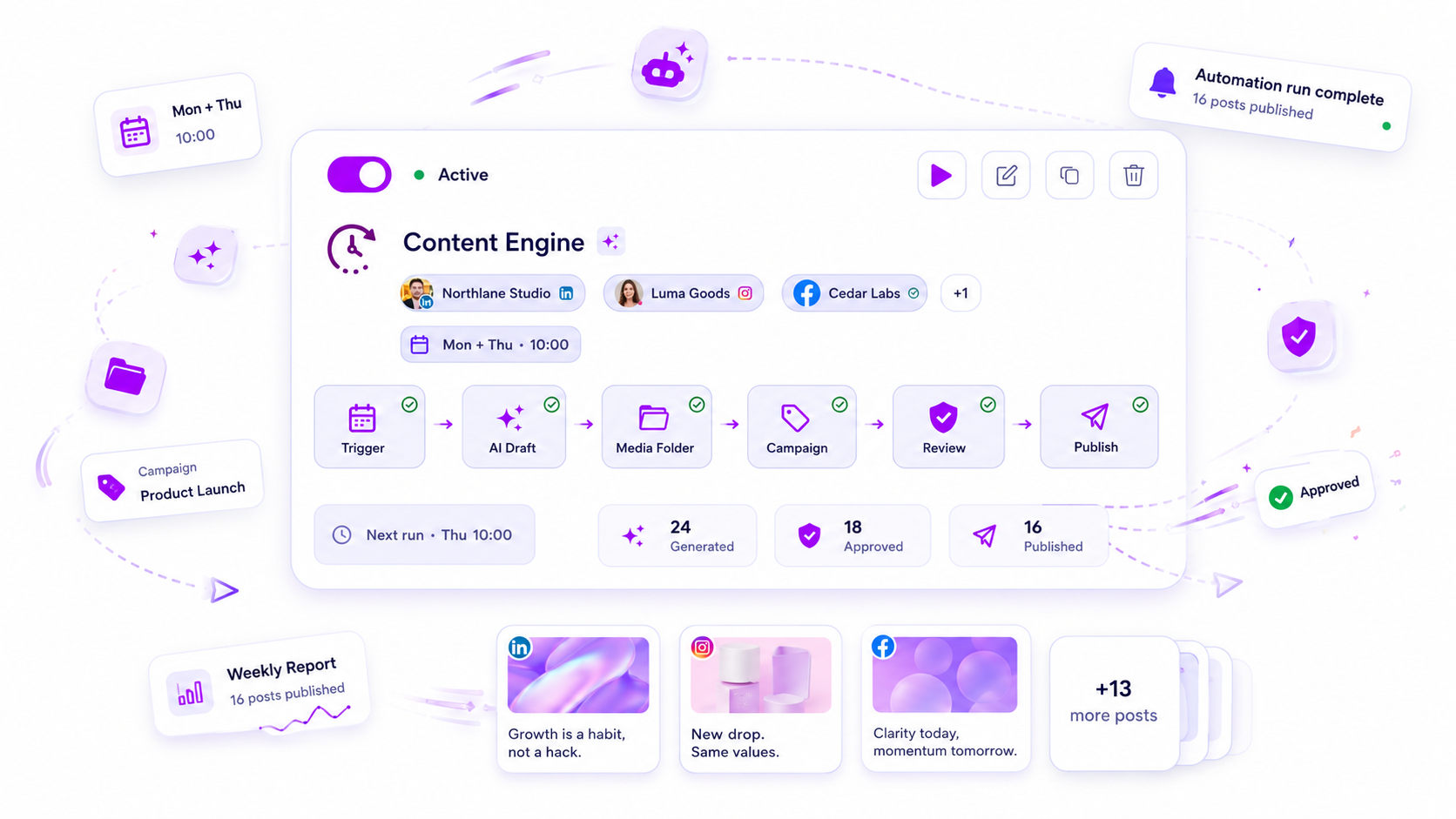
The best social media automation software for multi-brand teams is the one that automates the routing and the repeat work (approvals, recurring slots, bulk scheduling, simple replies) while keeping each brand's permissions and approvals separate. If a tool saves time by letting a post skip its approval, it's a risk, not a feature.
TLDR: Judge any tool on seven checks: per-brand structure, permissions, approval chains, recurring slots, bulk scheduling, rule-based replies and billing basis. Run a 14-day trial with two real brands before you decide.
Mydrop pricing check, September 2026: the entry paid plans of the eight tools most often compared with Mydrop run from $6 per channel (Buffer) and $25 a month (Later) to $99 per user (Hootsuite) and $199 per seat (Sprout Social), read on each vendor's pricing page. Mydrop is free to start, then $19 a month flat, not per seat. Full table on Mydrop's compare pages.
The 7 checks
| # | Check | What good looks like | How it fails at scale |
|---|---|---|---|
| 1 | Brand structure | Each brand has its own workspace, calendar and connected accounts | One shared calendar where posts for different brands get mixed up |
| 2 | Permissions | Roles per brand: creator, approver, publisher, view-only | A freelancer can see every client |
| 3 | Approval chains | Posts go to the right approver automatically, with the status visible | Approvals live in email and chat threads |
| 4 | Recurring slots | Weekly posting slots saved per brand | Rebuilding the same schedule every Monday |
| 5 | Bulk creation and scheduling | Many posts created and scheduled at once, and still checked | One post at a time, or bulk that skips review |
| 6 | Rule-based replies | Simple comment triggers, with a way to hand over to a human | Auto-replies you can't switch off per brand |
| 7 | Billing basis | Flat, or per brand, in a way you can predict | Per-person pricing that grows with every reviewer |
Give the first three the most weight. They decide whether the tool survives a fifth, a tenth or a twentieth brand.
Approval chains: the check that decides everything
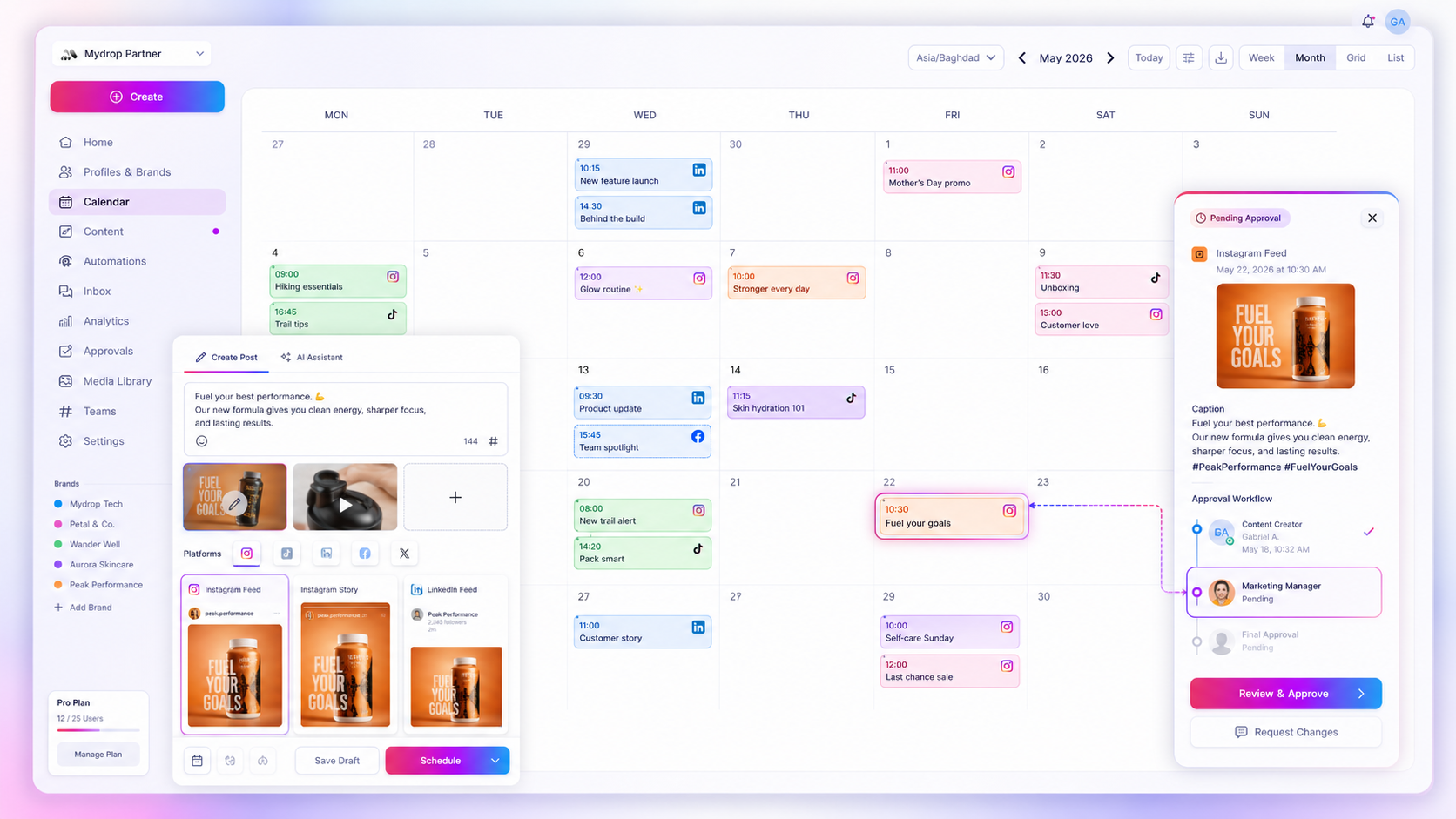
A multi-user calendar breaks at the handoff, not at the scheduling. Look for these specifics:
- A clear status on every post: draft, in review, approved, scheduled, published.
- Routing by brand, so the right approver gets the post without anyone forwarding it.
- Comments on the post itself, so feedback doesn't vanish into chat.
- A way for outsiders to approve without paying for a seat. Clients shouldn't have to learn your tool.
For reference, in Mydrop's data on posts that went through a client approval, the median time from submission to approval was 6 hours, and 66% were approved within 24 hours. So it's the slow third that deserves a reminder, not every post.
Per-brand structure and permissions
The simplest structure that works: one workspace per brand, with roles inside each. People then belong to the brands they work on and nothing else.
Test three scenarios in the trial:
- A freelancer is added to one brand only. Can they see another brand's posts?
- A creator tries to publish without approval. Is it blocked?
- A manager covers two brands. Can they switch quickly without logging in again?
What to automate and what to leave manual
| Automate | Keep manual |
|---|---|
| Approval routing and reminders | The approval decision itself |
| Weekly posting slots | Choosing the message for sensitive moments |
| Bulk scheduling of planned content | Crisis posts and replies |
| Replies to repeat questions using trigger words | Complaints and anything emotional |
| Report delivery on a schedule | Reading the report and deciding what changes |
Rule of thumb: automate anything with one right answer, and keep people on anything that needs judgement.
One workspace per brand, approvals routed per client
Mydrop was built for exactly this setup. Workspaces keep each brand apart, approvals route posts and let clients sign off through the no-login portal, the calendar covers recurring slots across brands, and bulk creation handles volume. It's priced flat, not per seat, as the pricing check above shows. Agencies can read more at Mydrop for agencies.
Run a 14-day trial that tells you the truth
- Days 1 to 3: connect two real brands and invite one freelancer and one approver.
- Days 4 to 10: run your real calendar through it, approvals included.
- Days 11 to 14: answer three questions. How many minutes per week did it save? Did any post skip a step? What would it cost with double the team?
A tool that wins on all three is the one to keep. See how Mydrop compares with other options.
Next step: list your brands, the people on each, and who approves what. That sheet is your trial script. When it's ready, start free with Mydrop and put it to the test.
 Google review
 Trustpilot review
 Product Hunt comment




