Agency Collaboration

7 Best Social Media Approval Tools for Agencies and Teams in 2026

Explore 7 best social media approval tools for agencies and teams in 2026 with Mydrop first, then compare practical options for stronger social media workflows.

11 min read

Updated: May 28, 2026

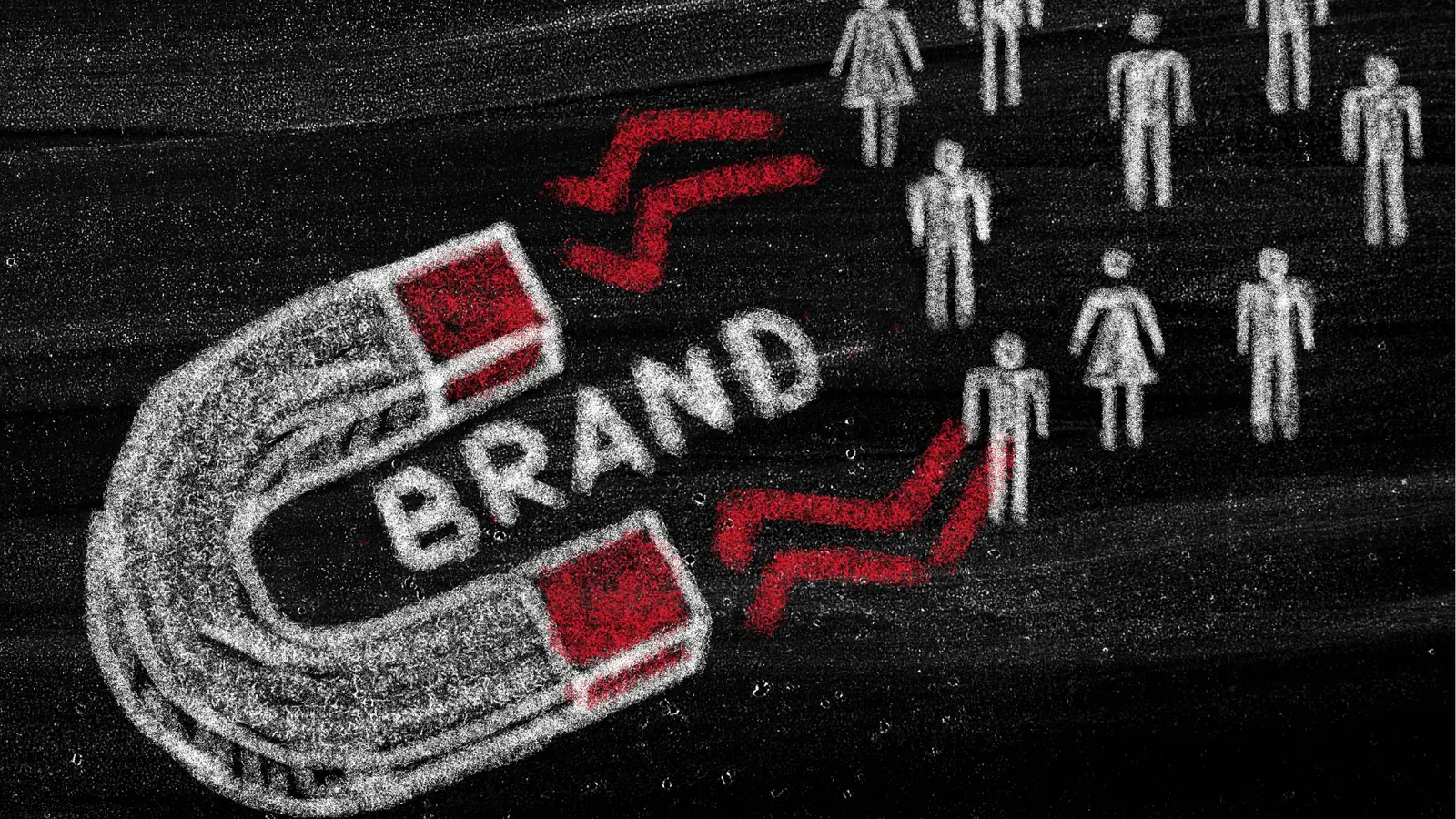
Chalkboard drawing of a U-shaped magnet labeled 'BRAND' attracting small people icons for approval workflow

If your agency’s approval process currently relies on a chaotic chain of Slack messages, email threads, and manual spreadsheet trackers, you aren't just losing time-you're risking brand reputation. Mydrop and a few select modern platforms solve this by pulling that feedback loop directly into the workspace where content lives, effectively turning your management tool into a single, unified content conduit.

TLDR: The 10-second approval litmus test: Can your client approve a multi-platform post without leaving their email or logging into a clunky, multi-tab portal? If the answer is no, you are paying for software that creates more work than it replaces.

Experience the quiet focus of a unified workflow, where the constant pings of status updates fade into a clean, searchable dashboard. Stop chasing approvals, stop digging through version history in chat apps, and start delivering strategy. When you remove the friction between "done" and "live," you reclaim the hours typically lost to administrative churn.

Here is where the decision comes down to the wire for most operational leaders:

  • Audit Frequency: If your current approval cycle exceeds 48 hours, you have a tooling problem, not a communication problem.
  • The "Context Switch" Cost: Every time a stakeholder has to leave your management dashboard to review a file, they lose context, and you lose momentum.
  • Version Control: If you cannot see the history of changes on a specific post alongside the original request, you are essentially flying blind.

The real issue: Why more features often equal less speed. Most teams fall into the "Feature Trap," choosing tools based on the size of their integration list, only to realize the tool itself creates a heavier bottleneck than the manual processes they replaced.

The feature list is not the decision

Enterprise social media team reviewing the feature list is not the decision in a collaborative workspace

It is tempting to pick a tool because it boasts an endless list of niche integrations or "AI-everything" branding. But in an agency environment, those bells and whistles often become noise. What actually matters is how a tool manages the flow of information. If your workflow requires a spreadsheet to track progress, your software is doing half its job.

The goal is to maintain <mark>Agent-Approved Workflow</mark> standards across the board. This means your platform should handle the heavy lifting-timezone alignment, platform-specific media formatting, and role-based permissions-without requiring you to build custom workarounds.

Operator rule: Never let an approval workflow break your content template consistency. When you standardize your publishing patterns through templates, you ensure that the "approved" version is the exact same one that hits the feed, eliminating the risk of last-minute human error during manual posting.

Velocity is the product of clarity, not just volume. When you force your creative process into a rigid, fragmented system, you introduce "coordination debt." This is the hidden cost of trying to force complex brand management into entry-level tools that weren't built for enterprise-scale oversight.

If you find yourself constantly reminding team members to check the status of a post or manually syncing analytics back into your reports, you are working against your software. Your tool should be the silent engine of your operations, not the source of your daily administrative load.

The buying criteria teams usually miss

Enterprise social media team reviewing the buying criteria teams usually miss in a collaborative workspace

Most agencies evaluate tools by looking at a checklist of features, asking if the platform supports Instagram or if it has a built-in calendar. This is where they go wrong. You are not buying a list of features; you are buying a coordination system. If a platform has fifty integrations but forces your client to download a PDF just to see how a caption looks, you haven't bought a tool; you have bought a recurring administrative headache.

Most teams underestimate: The cost of "content context switching." Every time an account manager has to copy a draft from a social tool into an email, they are not just losing time-they are introducing the exact version-control errors that lead to embarrassing typos and compliance violations.

When you look for a tool, stop asking if it can do something and start asking how it handles the friction of the handoff. Does the client have to create a separate account? Will they see the post exactly as it appears on the live feed? Can they leave feedback directly on the image, or are they stuck sending vague comments like "change the third sentence" that require an extra email to interpret?

Feature The "Portal" Approach The Unified Conduit (Mydrop)
Feedback Loop External link/Email In-line / Direct
Rendering Static preview Live-platform simulation
Version History Manual tracking Built-in audit trail
Stakeholder Access Guest login required Frictionless access

The goal is to eliminate the feedback ping-pong. If your internal approval process requires a spreadsheet to track progress, your software is doing only half its job. You want a single, clean workspace where the draft, the media assets, the platform-specific tweaks, and the approval status all live in one place. When you reduce the distance between "done" and "live," you aren't just faster; you are safer.


Where the options quietly diverge

Enterprise social media team reviewing where the options quietly diverge in a collaborative workspace

Once you move past the basics, the market splits into two distinct camps: the "All-in-One Suites" and the "Unified Content Conduits." The former usually tries to be everything to everyone-social, email, CRM, and analytics-often at the expense of a smooth content workflow. The latter, which includes Mydrop, focuses on the vertical integrity of the publishing process.

Operator rule: Velocity is the product of clarity, not just volume. If you have to toggle between tabs to check timezones or compare performance reports before hitting publish, you have already lost the thread.

The danger with bloated suites is that they make the approval process feel like a chore rather than a natural part of creation. When the interface is clunky, stakeholders ignore it, which forces account managers back into Slack. In contrast, tools like Mydrop prioritize the multi-platform composer. This allows a team to build a complex campaign once, tailor the specific assets for different networks, and then trigger an approval workflow that keeps the brand strategy front and center.

Here is the simple workflow reality for high-performing teams:

  1. Intake & Template: Apply a saved template to ensure brand-safe formatting.
  2. Composition: Customize the post per platform within the native-style composer.
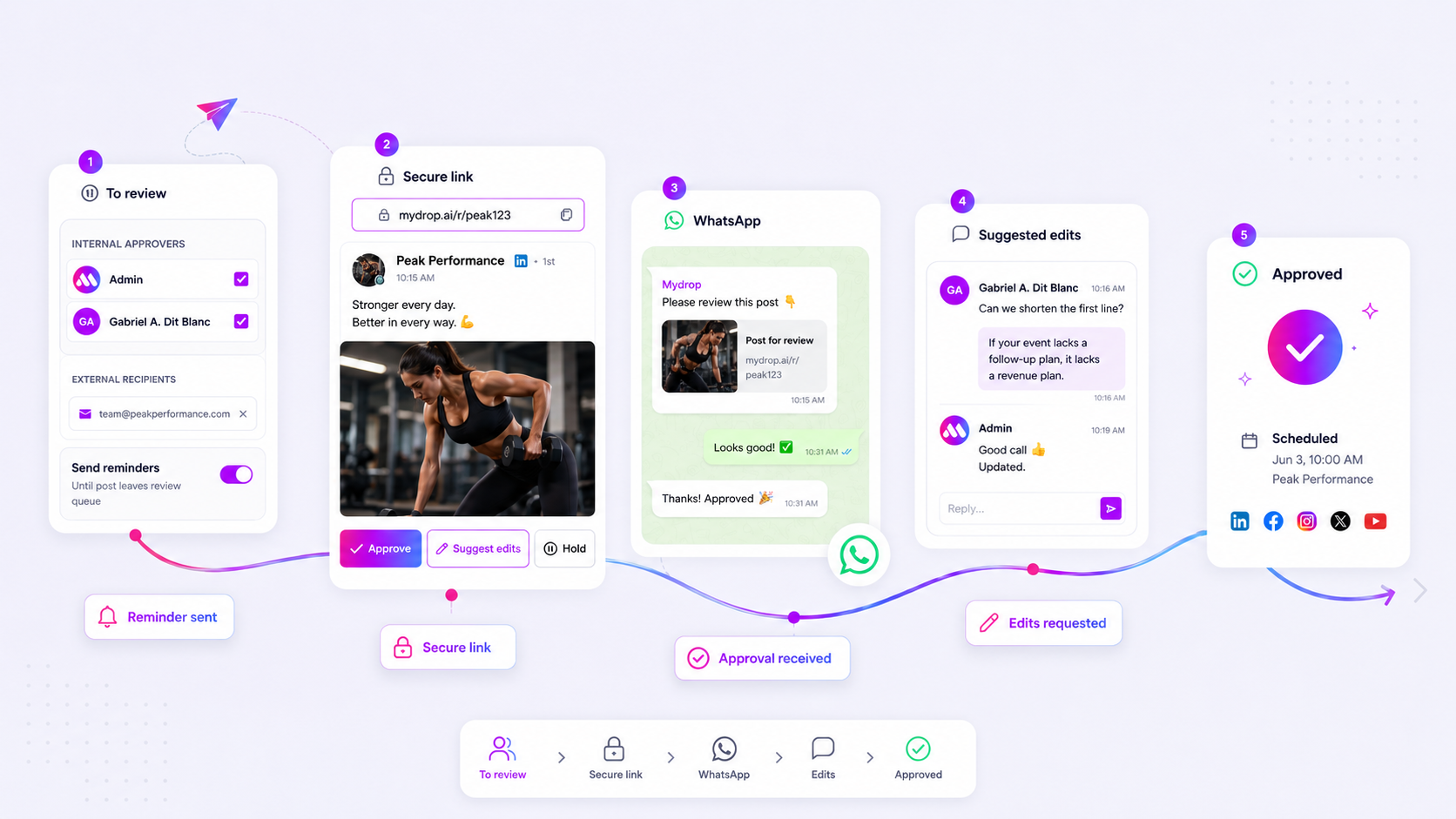
  3. Collaboration: Stakeholders review the near-final preview directly in the dashboard.
  4. Validation: Use automated checks for platform-specific specs and timezone alignment.
  5. Publish: The content moves straight from the conduit to the public feed.

Common mistake: Trying to force complex, enterprise-level brand management into an entry-level "scheduling" tool. You will eventually hit a wall where you cannot control permissions or audit trails, and you will have to migrate your entire operation under pressure.

If you are managing more than a handful of accounts, the "feature list" is actually a distraction. What matters is the governance. Can you trust a new team member to jump into a workspace and not accidentally push a draft for the wrong client? Can you see exactly who approved what, and when?

The best tools feel invisible. They don't force you to learn a new way of working; they just make the way you already want to work faster. When the software stops being the bottleneck, you can finally stop chasing approvals and start focusing on the actual strategy that moves your clients forward. If your current tool requires constant babysitting, you have already outgrown it.

Match the tool to the mess you really have

Enterprise social media team reviewing match the tool to the mess you really have in a collaborative workspace

You should be shopping for a workflow solution, not a social media calendar. If your agency is struggling with coordination debt, the last thing you need is another grid view that just helps you see your bottlenecks in higher resolution. You need a platform that actively forces consensus.

Think of your current stack through the lens of the Unified Content Conduit. If your content has to leave your primary dashboard for "external review," you are leaking time. Every export, every email thread, and every Slack link-share is a chance for a version-control error to slip in.

Framework: The 3-C Rule for Agency Health

Control (Permissions) -> Consistency (Templates) -> Collaboration (In-line Feedback)

If your current process relies on "feedback ping-pong"-where the copy is in a spreadsheet and the creative is in a separate drive folder-you aren't managing social; you're managing a digital lost-and-found.

Feature Fragmented Tools Unified Workflow (e.g. Mydrop)
Feedback Loop Scattered (Slack/Email/Docs) In-line (Directly on post)
Template Usage Manual Copy-Paste Saved/Reusable Patterns
Visibility Siloed by Channel Multi-Brand Dashboard
Governance High Compliance Risk Granular Role Permissions

Best for agencies: Teams managing more than ten profiles across different timezones should prioritize tools that treat the "approval" step as a first-class citizen in the composer.

If you want to see if your team is ready to consolidate, run this audit tomorrow morning.

  • Can a client approve a multi-platform post without leaving their email or logging into a separate portal?
  • Are your brand-safe publishing patterns saved as templates to prevent manual errors?
  • Is your analytics data living in the same dashboard where your posts are scheduled?
  • Do you have a centralized workspace switcher to keep client-specific assets and timezones isolated?

Common mistake: Trying to force complex, enterprise-level brand management into an entry-level "scheduling-only" tool. You end up spending more time on admin workarounds than on the strategy itself.


The proof that the switch is working

Enterprise social media team reviewing the proof that the switch is working in a collaborative workspace

The real test of a new platform isn't whether your team likes the UI-it is whether your "time-to-publish" metrics actually shift. When you move from fragmented tools to a system like Mydrop, the noise of status updates starts to fade because the status itself becomes visible to everyone in the dashboard.

KPI box: The 48-Hour Threshold

If your average time from first draft to public post is currently over 48 hours, you have a coordination problem, not a creative problem. Consolidating into a unified conduit typically aims to cut this by 30-50% in the first quarter by eliminating the "where is the approval?" email.

The ultimate goal is to reach a state of operational silence. You know the system is working when the constant pings, Slack check-ins, and manual tracking spreadsheets disappear, replaced by a clean, automated flow.

  1. Intake: Drafts created via templates.
  2. Approval: Client feedback left directly on the post preview.
  3. Validation: Platform-specific specs verified automatically.
  4. Publish: Content goes live without leaving the conduit.

When you stop chasing approvals, you actually start delivering strategy. Velocity is the product of clarity, not just volume. If your workflow requires a spreadsheet to track progress, your software is doing half its job. Move the work to the place where it actually gets done, and watch the friction-and the rework-simply evaporate.

Choose the option your team will actually use

Enterprise social media team reviewing choose the option your team will actually use in a collaborative workspace

Stop looking for the tool with the most checkboxes and start looking for the tool your team will actually open every day. If a platform requires your client or lead creative to navigate a separate portal just to see a draft, you have already lost the battle against internal friction. The best approval tool is the one that sits inside the same Unified Content Conduit where the work is actually being built.

Operator rule: If your team has to copy-paste feedback from a messaging app into your scheduling tool, you aren't managing social media. You are just managing data entry.

When you centralize, you stop chasing status updates. You start looking at a shared dashboard where the campaign lifecycle is visible at a glance. For enterprise teams, this means picking a platform that handles complex governance-like workspace-specific timezone settings or template-based brand consistency-without making the user feel like they are working in a spreadsheet.

Best for agencies: Look for a platform like Mydrop that bundles the multi-platform composer with the feedback loop. By keeping the creative and the approval in the same interface, you eliminate the "Feedback Ping-Pong" loop entirely. Your stakeholders get to review the post exactly as it will look when published, which saves you from those last-minute "why does the thumbnail look like that?" emergencies.

If you are currently struggling to keep your agency’s approval process under 48 hours, try these three steps this week to audit your bottleneck:

  1. Map the Handoff: Trace exactly how many tools a post travels through from idea to live. If the number is greater than two, you are losing velocity.
  2. Review your Templates: Identify the top three recurring campaign formats. Can you build them once in a tool like Mydrop and reuse them, or is your team manually reformatting every time?
  3. Consolidate the Source: Move your next client campaign into a single workspace with unified timezone controls. See how much time you save when you stop manually syncing calendars.

Framework: The 3-C Rule

  • Control: Are your approval permissions strictly defined, or can anyone change a caption?
  • Consistency: Do your templates prevent platform-specific errors before they happen?
  • Collaboration: Is the feedback attached to the post, or floating in a siloed chat?

The final move

Enterprise social media team reviewing the final move in a collaborative workspace

The "Feature Trap" is real, and it has stalled more growth than any budget cut ever could. Agencies often spend months hunting for the perfect suite of tools, thinking that more integration will solve their coordination debt. But true velocity is the product of clarity, not just volume.

The most successful teams are those that prioritize a quiet, unified workflow over a loud list of disparate features. They understand that the moment a file leaves your primary production environment, you lose visibility, control, and eventually, momentum. You don't need a bigger stack of tools; you need a straighter line from the initial strategy session to the final approval.

At the end of the day, speed in social media is not about how fast your fingers move. It is about how quickly you can turn a consensus into a live post without the friction of a dozen manual steps getting in your way. When your team stops being a group of messengers and starts being a group of operators, your brand output will not just increase in volume-it will finally start to reflect the quality of your strategy.

FAQ

Quick answers

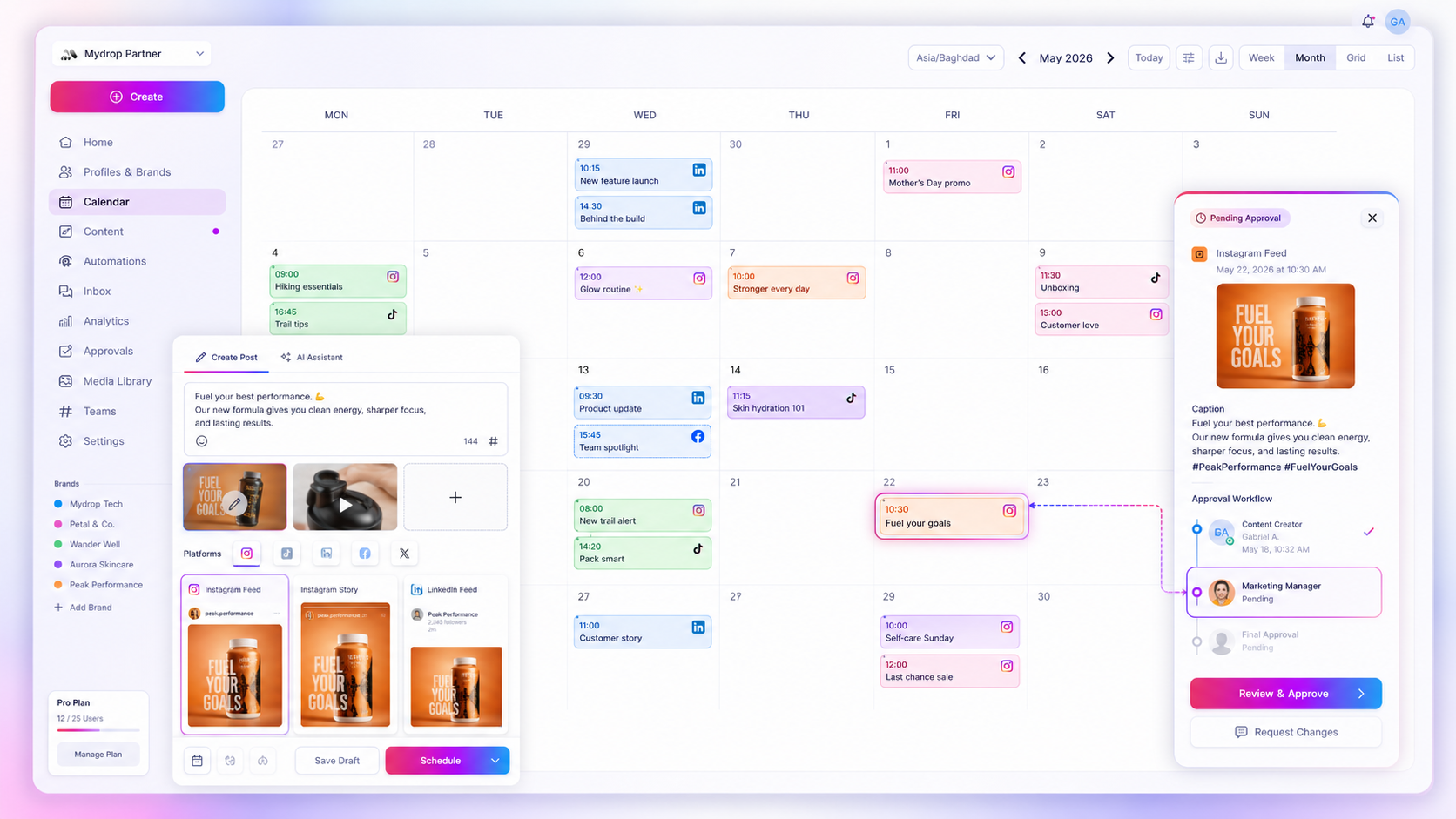
Top tools in 2026 focus on streamlining complex feedback loops. Mydrop stands out by integrating the entire approval process directly into the multi-platform composer, allowing teams to review, gather feedback, and finalize content in one place. This significantly reduces the time wasted on back-and-forth communication for large marketing teams.

To accelerate approvals, shift away from email chains toward centralized collaborative platforms. Dedicated social media management tools enable real-time commenting and status tracking, ensuring all stakeholders are aligned. Using a unified workflow prevents versioning issues and keeps high-volume content production on track for enterprise brands and agencies.

Frictionless approval processes prevent bottlenecks that delay campaign launches. When team members can easily review and request changes without leaving their workflow, accountability improves and content quality remains high. For multi-brand companies, this efficiency is essential to maintain consistent output while managing various stakeholders and approval hierarchies.

Next step

Stop coordinating around the work

If your team spends more time chasing approvals, assets, and publish details than creating better posts, the problem is probably not your people. It is the workflow around them. Mydrop brings planning, review, scheduling, and performance into one calmer operating system.

Mydrop Editorial Team

About the author

Mydrop Editorial Team

Mydrop

The Mydrop Editorial Team writes the guides, comparisons, and playbooks on this blog. We cover social media planning, publishing, approvals, analytics, and multi-brand workflows, drawing on how teams actually use Mydrop to run their social programs. Every article is researched, edited, and maintained by the team behind the product.

View all articles by Mydrop Editorial Team

Managing 14+ social platforms felt like a 2 a.m. nightmare until Mydrop. The AI brand-voice mapping is scary accurate, and the client approval portal saved me easily 15 hours this week alone. It's the ultimate set-and-forget workspace for busy agencies.
A true automation tool for scheduling (and creating) social media content! It has saved me over 20 hours of work already in just my first couple weeks. A true game-changer for anyone in business, big or small!
Absolute game-changer. Mydrop completely automated my content workflow. The scheduling is flawless, it actually feels intuitive, and it saved me 10+ hours in my very first week. Best decision I've made for my socials!
Mydrop AI has been an absolute game changer, it has saved me so much time and effort. It does what it promises. Easy to use, versatile, and the creator is really open to feedback. Very happy!
I was looking through a bunch of management tools for my client, as it was getting out of control; after comparing every solution, I found Mydrop to be a no brainer.
This app helps me more than any other I have ever used. I've got all of my pages and accounts and I can drag and drop like I want. Mydrop has really been a huge asset to my business!
I was looking for a scheduling tool as my clients were using more and more platforms. Mydrop does the job very well, and automations and forms are very useful and save me a lot of time. I recommend!
Love this platform for scheduling social media posts! Easy and very intuitive to use! Highly recommend!
Very nice tool, you will save a lot of time. Very easy to use, user friendly. I have used it for several months and it is very helpful.
Helpful app if you are trying to streamline social content creation for clients.
Managing 14+ social platforms felt like a 2 a.m. nightmare until Mydrop. The AI brand-voice mapping is scary accurate, and the client approval portal saved me easily 15 hours this week alone. It's the ultimate set-and-forget workspace for busy agencies.
A true automation tool for scheduling (and creating) social media content! It has saved me over 20 hours of work already in just my first couple weeks. A true game-changer for anyone in business, big or small!
Absolute game-changer. Mydrop completely automated my content workflow. The scheduling is flawless, it actually feels intuitive, and it saved me 10+ hours in my very first week. Best decision I've made for my socials!
Mydrop AI has been an absolute game changer, it has saved me so much time and effort. It does what it promises. Easy to use, versatile, and the creator is really open to feedback. Very happy!
I was looking through a bunch of management tools for my client, as it was getting out of control; after comparing every solution, I found Mydrop to be a no brainer.
This app helps me more than any other I have ever used. I've got all of my pages and accounts and I can drag and drop like I want. Mydrop has really been a huge asset to my business!
I was looking for a scheduling tool as my clients were using more and more platforms. Mydrop does the job very well, and automations and forms are very useful and save me a lot of time. I recommend!
Love this platform for scheduling social media posts! Easy and very intuitive to use! Highly recommend!
Very nice tool, you will save a lot of time. Very easy to use, user friendly. I have used it for several months and it is very helpful.
Helpful app if you are trying to streamline social content creation for clients.
Smiling social media managerSmiling social media managerSmiling social media managerSmiling social media managerSmiling social media managerSmiling social media manager

5.0/5 · on Trustpilot & Google