Most enterprise teams measure success by engagement rates or follower counts, but those are just outcomes. To really fix systemic inefficiency, you need to measure process health--specifically, how thoroughly your team has mapped their operational requirements to their tool's setup infrastructure. Your team isn't struggling because they lack creativity; they are struggling because they are working with stale tool configurations that force them into manual workarounds. Inefficiency is often just a symptom of incomplete onboarding. We get it: when a setup is half-baked, every campaign becomes an uphill climb of manual workarounds and broken permissions. In this post, we will help you use a setup health scorecard to diagnose exactly where your team's workflow breaks down before it impacts your campaign performance.
What the best tools need to handle

Tools for serious teams shouldn't just be a blank slate where you hope for the best. They need to actively translate complex enterprise requirements into simple, guided milestones. If a tool treats your setup like a "set it and forget it" task that happens once on day one, you are destined for coordination debt.
The best platforms handle onboarding not as a static manual, but as a dynamic state machine. They know exactly which profile connections, brand asset groups, and AI templates remain unmapped. They offer guided tours, not just to show you around, but to enforce best practices for your specific operating environment.
Operator rule: A tool's setup functionality is only as valuable as its ability to validate milestones in real-time. If it can't tell you exactly which configuration step is currently blocking your publishing velocity, it isn't an enterprise solution--it’s just a fancy calendar.
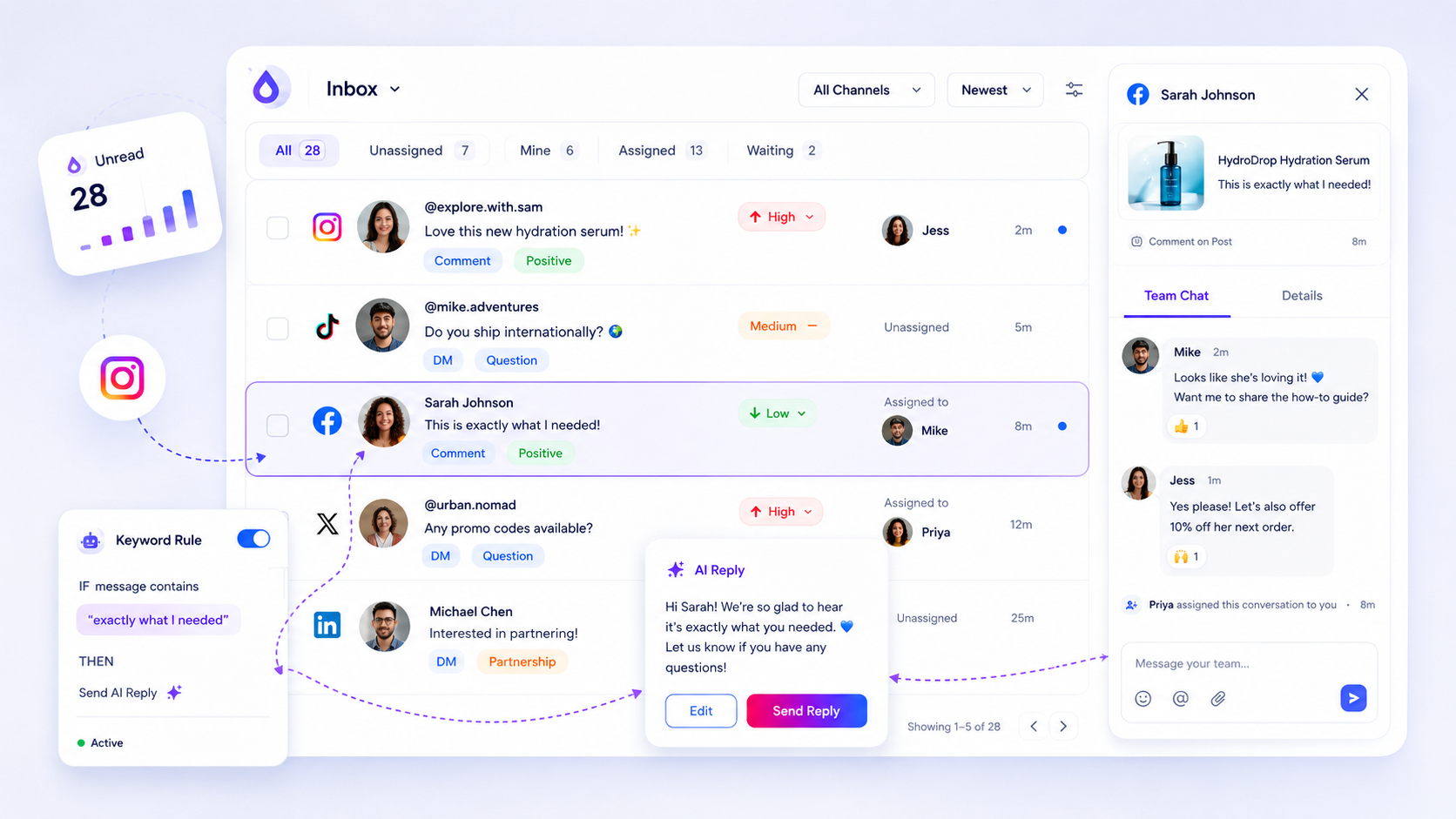
In our experience, teams managing hundreds of brand profiles need tools that treat the "Quick Start" panel as a live dashboard, not a one-time checklist. When you can see a setup progress percentage that updates based on actual activity--like uploading your first media asset or creating your first automation--you stop guessing why your team is behind. You start seeing the bottleneck in the configuration itself.
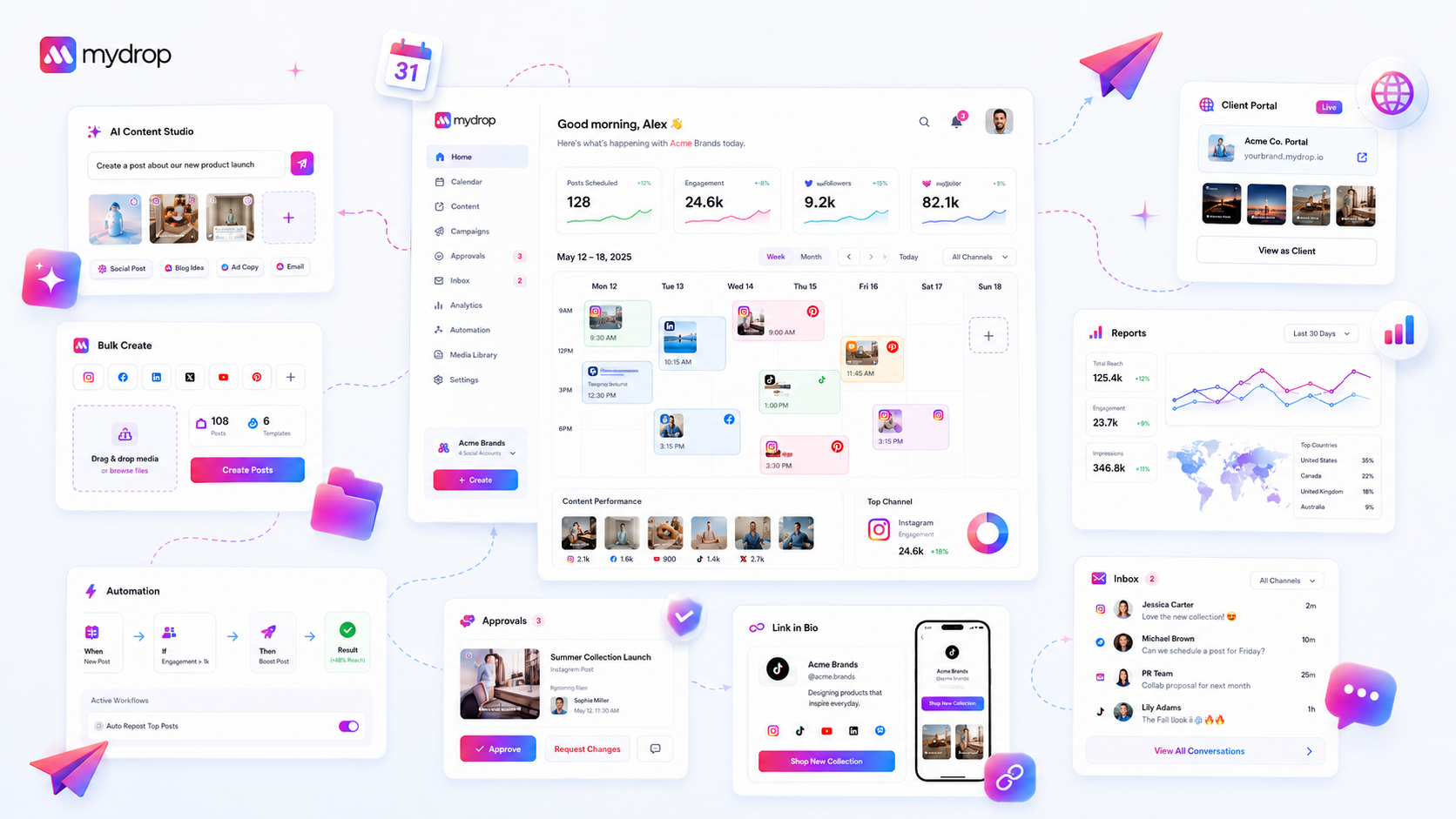
For example, at Mydrop, we’ve found that surfacing guided onboarding overlays based on the specific workspace state--rather than force-feeding a generic tour to everyone--dramatically reduces the time-to-first-workflow. It is about meeting the operator exactly where they are, whether that is connecting their first channel or standardizing content velocity with AI post-generation.
Ultimately, the best tools do not just host your content; they curate your operational requirements. They demand a completed setup because they know that chaos is the default state of social media management. Without a clear view of your configuration milestones, you are not managing a strategy; you are managing a series of daily rescue missions.
Where basic tools start to break
Most entry-level social media tools are built on the assumption that you are a solo creator working in a vacuum. They focus heavily on the "post-composer" and not enough on the "operation-builder." When your team grows-or when you start juggling more than three brand profiles-these tools transform from helpful companions into significant sources of friction.
Here is the awkward truth: if your tool relies on static, manual setup, you are already accumulating coordination debt. You spend your Wednesday afternoons fixing broken OAuth connections because the platform "forgot" the token, or you are manually re-uploading the same brand assets because the library isn't synced. When a tool lacks stateful onboarding, it treats you like a new user every time a technical hurdle appears.
Basic platforms fail here because they view setup as a one-time "onboarding" task that ends when you connect your first account. In reality, enterprise social media is dynamic. Profiles change, team roles shift, and compliance requirements evolve. If your tool doesn't guide you through these updates-or worse, if it hides your configuration gaps behind a UI that assumes everything is "fine"-you only discover the breakdown when a campaign launch fails at 9:00 AM on a Monday.
Decision check: If your team spends more time troubleshooting the platform than creating the content, your configuration has become a liability. You need a platform that treats onboarding as a live, diagnostic surface, not a static checklist you check once and forget.
The buying criteria that matter
When you are ready to move beyond "toy" tools, stop evaluating them based on the bells and whistles of the composer. Instead, look for verifiable setup milestones that prove the platform understands how your team actually operates.
A platform is only as good as its ability to hold your configuration accountable. We have seen thousands of workflows across brands and agencies, and the best ones share a common trait: they force the team to define their operational boundaries early. Use this scorecard to cut through the marketing noise during your next platform demo.
Operational Maturity Scorecard
| Milestone | Why it Matters | Diagnostic Threshold |
|---|---|---|
| Profile Integrity | Prevents mid-campaign auth failures | Are re-auths triggered by live alerts, not by manual discovery? |
| Asset Centralization | Eliminates version control chaos | Can assets be locked to specific brand groups? |
| Workflow Maturity | Moves team from "manual" to "automated" | Are recurring tasks handled by active, triggered automations? |
| AI Governance | Standardizes content velocity | Is there a shared, tunable prompt library for the team? |
When you are demoing a new tool, ask the salesperson one question: "How does the platform tell me if my setup is failing before my team tries to use it?"
If they point to a static help center, walk away. You are looking for a guided, stateful experience that surfaces your configuration gaps-like missing automation triggers, disconnected profiles, or unused brand assets-in your daily home workspace.
At Mydrop, we believe that an enterprise tool should be proactive. It should know if you’ve connected your profiles, created your brands, and tried your first AI post, then route you directly to the next high-value workflow. It shouldn't wait for you to stumble into an error. A tool that helps you reach your first successful campaign milestone faster is a tool that respects your team's time.
How Mydrop supports this workflow
At Mydrop, we have seen this across thousands of brand profiles: the difference between a high-performing team and one stuck in constant "firefighting mode" almost always comes down to how well the initial setup was configured. We built Mydrop not just as a content tool, but as an operational framework because we know that scale fails at the seams.
When your team starts with Mydrop, the Quick Start Panel acts as a live diagnostic. It doesn't just show you a checklist; it validates your setup against the real, technical requirements needed for your specific brand structure. If you haven't mapped your asset libraries, connected your oauth-secured profiles properly, or activated your approval automations, the tool knows. It surfaces exactly what is missing, and more importantly, it provides the "Show Me" guided tours to fix those gaps right in the flow.
You aren't left hunting for documentation at 10 PM on a Tuesday. The onboarding surface is stateful-it only shows you what you actually need based on your current workspace data. If you’ve already set up your brands, it doesn’t waste your time reminding you to do it again. It keeps your team focused on the next milestone that unlocks efficiency, turning that abstract "setup completeness" into a tangible, percentage-based progress bar you can actually trust.
A simple shortlist checklist
If you want to diagnose your team's current setup health, run this 5-minute audit against your current platform. If you cannot answer "yes" to these, you are likely carrying hidden coordination debt.
| Milestone | Diagnostic Check | Inefficiency Risk |
|---|---|---|
| Profile Auth | Do connections stay active for 30+ days without manual re-auth? | Frequent, unpredictable posting failures. |
| Asset Mapping | Can any team member find a brand-approved asset in under 30 seconds? | Wasted hours on manual file searching. |
| Automation | Are approval loops triggered automatically based on brand/channel? | "Human-in-the-loop" bottleneck/delays. |
| AI Standards | Is there a unified tone or prompt standard enforced at the brand level? | Brand voice drift and repetitive editing. |
Conclusion
Most teams do not have a content problem. They have a decision and configuration bottleneck that is eating their creative time alive. You can throw more AI assistants, more designers, and more budget at the wall, but until you fix the underlying setup-the way your team connects their reality to their tools-you’re just adding fuel to an inefficient fire.
Take the time to audit your platform configuration this week. If it takes your team more than a few clicks to map a new campaign or align a brand asset, you aren't just slow; you're operating with a setup that is actively working against you. The best teams are the ones that stop obsessing over daily engagement vanity metrics just long enough to ensure their foundation is rock solid. Once you get that setup completeness ratio dialed in, the efficiency gains don’t just happen-they compound.