

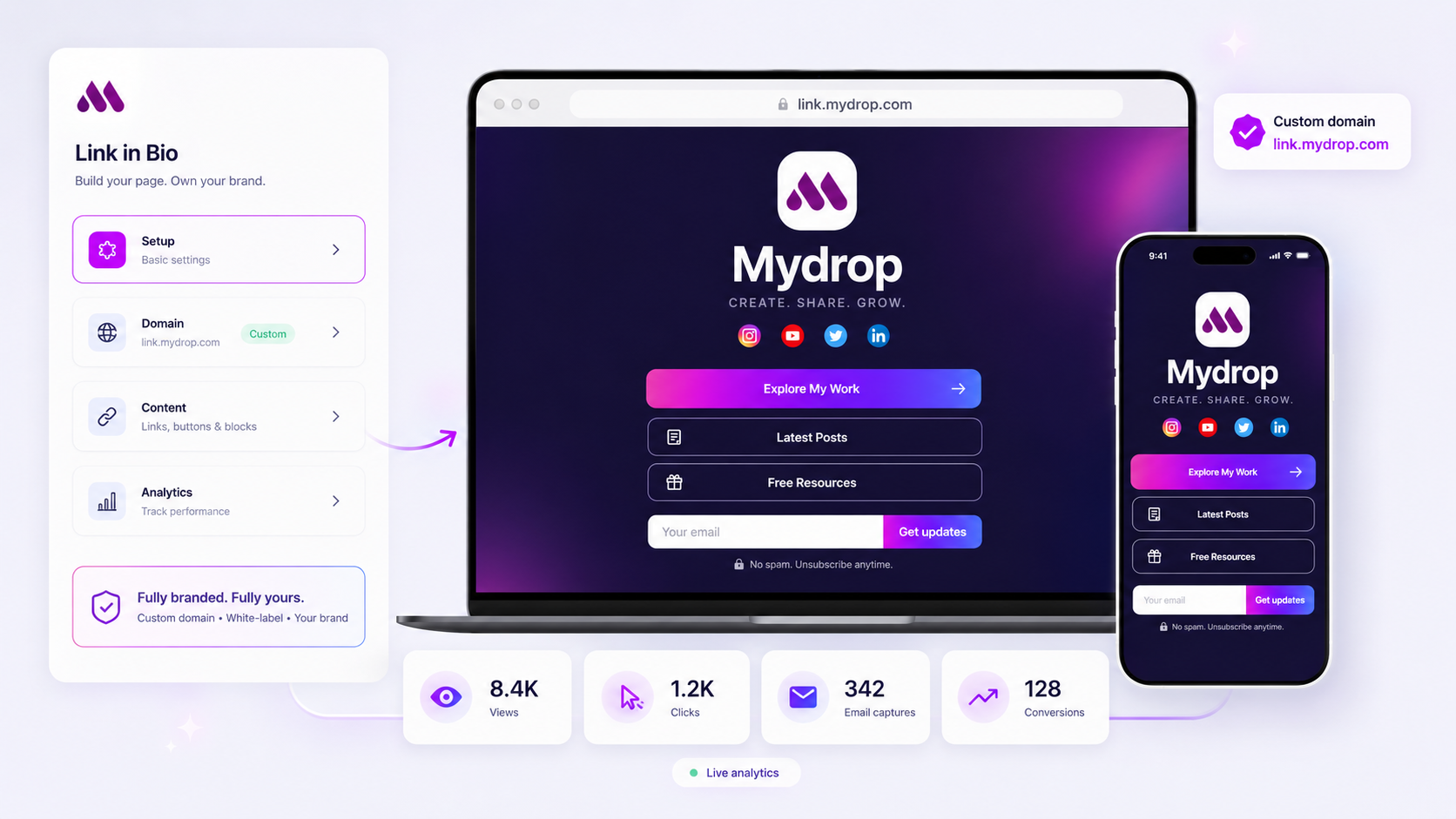
Your client’s link-in-bio page should not be a simple directory of links. It should be a high-conversion engine. If a visitor has to click twice to reach a lead capture form or a media kit, you are likely hemorrhaging potential conversions. The most effective setup for agency teams treats the link-in-bio not as a digital business card, but as a lightweight, white-labeled landing page. When you host email capture, file downloads, and conversion analytics directly on a branded URL, you stop leaking traffic and start engineering measurable results at the very top of the funnel.
We get the struggle. Juggling multiple brands means you are often fighting tools built for solo creators, not professional agencies. The manual syncing, the lack of data transparency, and that sinking feeling when you realize the link-in-bio setup is where your campaign performance hits a wall-it is exhausting. You need a setup that proves ROI without the extra friction. When your team sets up a Mydrop link-in-bio page, the goal is to capture that intent immediately, turning a passive visitor into a known lead.
What the best tools need to handle

When you manage dozens of brands across multiple markets, your link-in-bio tool becomes a core piece of your marketing stack, not a secondary project. It must handle scale while preserving brand integrity across every touchpoint.
If a tool forces your enterprise clients to use a third-party domain or displays unbranded loading screens, you have already signaled to the user that they have left the professional ecosystem. This creates brand friction that kills trust. Your tooling needs to act as a seamless extension of the client’s identity, supporting custom domains and deep white-labeling capabilities to ensure that every visitor journey feels intentional and owned. This is where Mydrop's capability to host downloadable media kits alongside email capture blocks shines, as it keeps the user within the brand's professional ecosystem.
Beyond aesthetics, you need granular control over data. You cannot optimize a campaign if your lead capture and click data are stuck in a siloed, unexportable format. The best setups offer direct visibility into conversion events, allowing your team to sync email captures directly to a CRM or export clean, analytics-ready datasets.
The Agency Link-in-Bio Health Checklist
| Feature Category | The Passive Link Hub (The Mistake) | The Conversion Engine (The Goal) |
|---|---|---|
| Branding | Third-party branding; limited colors. | 100% white-labeled; custom domain. |
| Capture | Requires click-out to landing page. | Native capture block; 1-click submission. |
| Conversion Data | Tracks only clicks. | Tracks form submissions & downloads. |
| Workflow | Manual link updates per brand. | Campaign-routed; integrated CRM hooks. |
When you evaluate your infrastructure, use this checklist to spot where you are losing momentum. If your current tool relies on simple link redirects, you are operating on a model built for awareness, not action. The shift from "link hub" to "conversion engine" is exactly where you move from chasing clicks to driving enterprise-grade results. At Mydrop, we see high-performing teams consistently prioritize this integration layer-ensuring every link-in-bio page is as functional and tracked as a primary landing page.
Where basic tools start to break

Most teams realize their link-in-bio setup is failing when they look at the gap between traffic and actual conversions. You see high click-through rates on your social posts, but the lead generation numbers stay stubbornly low. Here is the awkward truth: consumer-grade tools are designed for individual creators who want a quick list of links. They are not built for brands that need to manage a customer journey.
When you use these tools for enterprise clients, you run into three persistent problems that bleed traffic dry.
First, you face the Brand Friction Tax. Consumer tools often force their own logo or design patterns onto the page. For a high-end enterprise brand, this is an immediate trust-breaker. Users who click from a polished, professional post to a generic, clunky link hub feel like they have landed in a spam folder. You lose them before they even consider your offer.
Second, you deal with the Double-Click Trap. As we mentioned earlier, the one-touch rule is absolute. If your link-in-bio tool is just a list of buttons, every visitor has to click twice to get to the destination page where the lead form actually lives. Each additional click is another opportunity for the user to get distracted, drop off, or close the browser.
Finally, you suffer from Analytical Blindness. Basic tools usually show you link clicks, but they rarely capture the full story. They do not know if a user actually submitted a form, downloaded a media kit, or completed a registration. You end up reporting on vanity metrics while your stakeholders are asking for revenue-impact data.
The buying criteria that matter
When you are ready to move past the temporary fixes and build a real conversion engine, you need a different set of requirements. This is not about choosing between slightly different button styles. It is about choosing a platform that treats your bio page as a critical piece of your sales and marketing stack.
Use this assessment scorecard to evaluate whether your current setup or a prospective tool is actually ready for your agency operations.
| Criterion | Why it matters | Enterprise threshold (Success) |
|---|---|---|
| White-labeling | Brand integrity and trust. | Zero external branding; custom domains enabled. |
| Conversion friction | Eliminating drop-off points. | Integrated email/form capture directly on the page. |
| Tracking | End-to-end attribution. | Native events for clicks, downloads, and form submits. |
| Governance | Managing multiple brands. | Centralized asset control and role-based access. |
| Asset Delivery | Distributing media/kits. | Direct, high-speed file hosting/downloads. |
A tool that meets the Enterprise threshold changes your agency workflow entirely. Instead of constantly fighting to maintain landing pages, you can spin up a fully branded, high-performing conversion hub in minutes.
At Mydrop, we have seen teams managing hundreds of brand profiles switch to this model to stop the manual churn. By consolidating email capture, media distribution, and analytics into one white-labeled surface, you are not just hosting links anymore. You are managing a direct, measurable pipeline from your social audience to your CRM.
The most successful teams we work with stop treating the link-in-bio as a passive directory. They start treating it as a primary conversion asset. If your current tool cannot handle native lead capture and deep-level analytics on a client-owned domain, it is likely doing more harm than good to your bottom line. It is time to audit your setup and fix the bottlenecks before the next campaign starts. Most teams do not have a content problem; they have a decision bottleneck. Ensure your link-in-bio is part of the solution, not the problem.
How Mydrop supports this workflow
At Mydrop, we approach the link-in-bio page as a first-class conversion surface rather than a simple directory of URLs. Our platform allows your team to build lightweight, white-labeled landing pages that mirror the client's actual website design, ensuring the user never feels like they have left the brand's professional ecosystem.
When you use our native email capture and media-kit download blocks, you stop sending traffic into a vacuum. You are collecting intent on the page, and that data integrates directly with your team's analytics workflow. This allows you to track conversion per button, per asset, and per campaign without forcing the visitor to navigate away or jump through hoops. We built these tools to reduce the friction that kills conversion rates, allowing agencies to manage hundreds of these pages under a unified, client-owned domain structure that keeps the brand authority intact.
A simple shortlist checklist
If you want to know if a client's current setup is actually working or if it is just a digital placeholder, run it through this conversion audit. If you check "No" on more than two of these, it is time for a migration.
The Conversion Readiness Audit
| Feature | Passive Link Hub | Conversion Engine |
|---|---|---|
| Branding | Limited/None | Fully white-labeled |
| Lead Capture | Redirects to another site | Native on-page block |
| Analytics | Clicks only | Conversions + UTMs |
| Assets | Links only | Media kits/Files included |
| Domain | Platform-owned slug | Client-owned custom domain |
To get started this week, audit your highest-traffic link pages against this list:
- Primary CTA: Does the top-most link represent a high-value conversion action (e.g., newsletter sign-up, demo request) rather than a general website link?
- On-Page Capture: Can a user download your client's latest media kit or subscribe to a list without leaving the link-in-bio page?
- Analytics Sync: Are you capturing unique visitor data per button click, or just total traffic for the whole page?
- Consistency: Does the visual theme and button style match the brand's core website aesthetic exactly?
- Ownership: Does the link use a custom domain, or are you still driving traffic to a third-party platform's URL?
Operator rule: If a user has to click again after the link-in-bio page to reach the conversion goal, you are leaking traffic. Your goal is to capture the lead on the bio page itself.
Conclusion
The reality of managing social media at enterprise scale is that most problems-including the dreaded "drop-off" at the link-in-bio-do not stem from a lack of creative ideas. They come from coordination debt: the accumulation of inefficient tools, disconnected workflows, and manual, repetitive tasks that make it impossible to move fast without breaking the brand.
Stop looking at your clients' bio pages as simple traffic redirects and start treating them as essential, trackable CRM inputs. If you can unify your conversion surface, your analytics, and your branding, you turn a common operational bottleneck into a predictable, measurable engine for growth. The tools you use today should either be solving this coordination debt or contributing to it. Choose the setup that makes your agency look like the hero, not the one that forces you to constantly explain why the traffic isn't converting.























