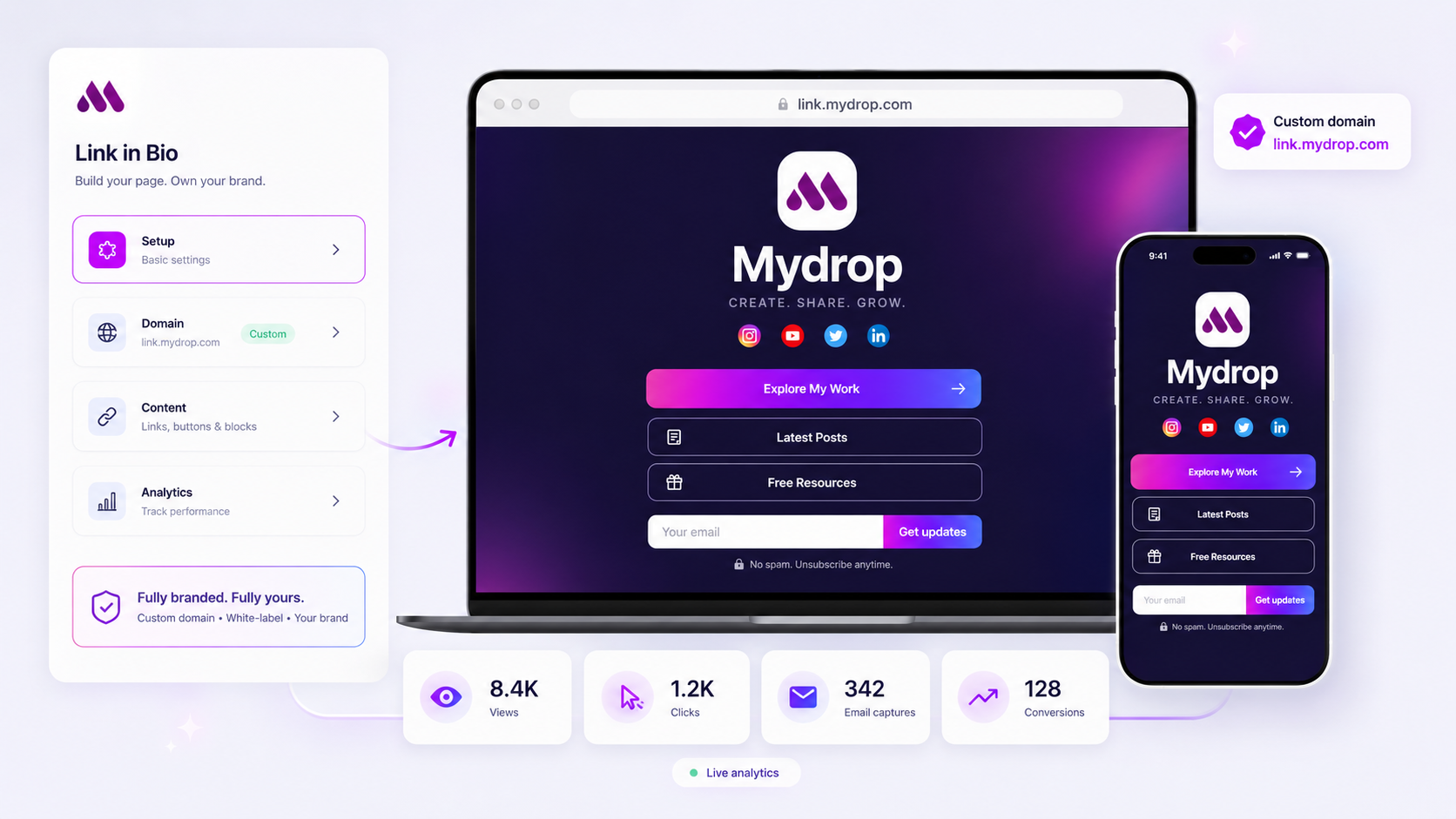
Choosing a link-in-bio tool for an enterprise client is less about finding a sleek visual template and more about building a convertible landing page infrastructure. You are not just organizing links; you are creating a destination that must sit safely behind a custom domain while funneling lead data directly into your agency’s reporting pipeline. If your tool doesn’t treat the bio page as a owned conversion surface, you are effectively paying a third party to host your client’s traffic.
We get it. The link in bio is the most neglected real estate in digital strategy. Managing a dozen brand identities while forcing them into creator-centric tools-tools that lack serious enterprise controls or host your client on their domain-is a massive workflow bottleneck. It creates a mess of fragmented data, inconsistent branding, and a total lack of governance. Most teams suffer from massive coordination debt here, spending more time fighting the platform’s limitations than actually optimizing for their clients.
What the best tools need to handle

When you are managing multiple brands at scale, you stop caring about "link-in-bio" aesthetics and start obsessing over brand governance and data integrity. The difference between a consumer tool and an agency-ready platform boils down to ownership and integration. You need a platform that acts as a white-labeled extension of your client’s identity, not a third-party directory that sits between them and their audience.
Here is the reality of what your team needs to effectively manage this surface:
| Capability | Enterprise Requirement | Why Basic Tools Fail |
|---|---|---|
| Domain Ownership | Client-owned custom domain (e.g., bio.client.com). |
Forces traffic onto the platform's domain (e.g., link.platform.me/client). |
| Conversion Events | Native, server-side tracking of button clicks and lead forms. | Offers only basic exit counts; misses bottom-of-funnel activity. |
| Brand Isolation | Siloed environments with shared management access. | Makes cross-account management a nightmare; high risk of "fat-finger" errors. |
| Lead Capture | Direct CRM/email integration for list building. | Static link lists don't allow for on-page conversion. |
Operator rule: If your tool requires you to send traffic to their domain to see your client's links, you have lost the conversion chain before it even starts.
At Mydrop, we see this coordination gap constantly. Teams managing hundreds of profiles often struggle with "platform creep," where every brand profile ends up on a different third-party service, making consistent UTM reporting or rapid global campaign updates impossible. The best tools don't just display links-they act as a controlled conversion surface. This means you need the ability to drop in lead-capture blocks, surface specific media kits, or run targeted campaign buttons that push data into your existing analytics stack, not just a dashboard built for influencers.
Ultimately, your goal is to reduce the friction between a social post and a conversion. If your current tool is just a glorified list of hyperlinks, you are leaving data-and performance-on the table. You need a platform that behaves like a lean landing page builder that happens to live in a bio.
Where basic tools start to break

The real trouble begins when you move beyond a single, simple account. Most creator-focused platforms are built on a "one user, one link" architecture that falls apart the moment you have to manage dozens of brands across multiple regions.
When you rely on tools that don't understand multi-brand hierarchies, you end up with coordination debt. You start tracking assets in sprawling spreadsheets, manually cloning styles, and frantically resetting passwords for shared accounts. It isn't just inefficient; it is where brand integrity goes to die.
Here is where the cracks show:
- The Domain Trap: Using a third-party domain (like
linktool.me/brand-name) forces your client to advertise the platform instead of themselves. It breaks the visual journey and signals to users they have left the brand ecosystem. - Missing Server-Side Logic: If your tool doesn't record conversions on the server, you are flying blind. You lose data every time a browser blocks third-party trackers or a user has an ad-blocker enabled.
- The Approval Bottleneck: Without a structured way to group brands and assets, a minor design update becomes a manual chore across every single profile.
- The Reporting Gap: If you cannot pipe granular event data (like button clicks, email captures, or file downloads) directly into your own agency dashboards, you are forced to spend hours every week copy-pasting numbers from a dozen different login portals.
Common mistake: Treating link-in-bio pages as static lists rather than dynamic conversion surfaces. If your tool doesn't let you embed forms, distribute files, or rotate campaigns, you are losing leads before they even land.
The buying criteria that matter
Stop comparing visual templates and start comparing infrastructure. You need a tool that functions as an extension of your agency’s operations. Before you sign another contract, run every potential vendor through this scorecard.
Agency-Grade Platform Scorecard
| Capability | What to demand | Why it matters for your agency |
|---|---|---|
| Custom Domains | Full DNS-level control for every brand. | Essential for brand consistency and SEO authority. |
| White-Labeling | Removal of all vendor logos and branding. | Protects the client-agency trust. |
| Conversion Hooks | Native, server-side tracking for emails & files. | Ensures 100% of lead data is captured, even with blockers. |
| Multi-Brand Groups | Hierarchical organization for teams/clients. | Removes "coordination debt" across hundreds of profiles. |
| Granular UTMs | Ability to append parameters on every click. | Maps traffic directly to your CRM/Reporting stack. |
Use this as your baseline. If a vendor cannot show you exactly how they handle multi-brand groups or why their conversion tracking is server-side, they are a creator toy, not an enterprise tool.
At Mydrop, we see teams struggle most when they treat the link-in-bio as an afterthought. Our platform was built for agencies managing thousands of profiles, so you can host each brand on its own domain, capture leads through custom forms, and surface analytics that actually help you justify your retainer.
Most teams do not have a content problem. They have a coordination bottleneck. Fix the infrastructure, and the reporting follows.
How Mydrop supports this workflow
At Mydrop, we see the same pattern across hundreds of brands: social teams are constantly fighting for control over the last mile of their funnel. When you manage a portfolio of brands, your biggest risk is not a broken link-it is a broken brand experience. You need a platform that treats a link-in-bio page as a first-class, white-labeled landing page, not just a list of buttons.
Mydrop moves the needle by centralizing that conversion surface. Each brand in your portfolio gets its own dedicated, branded environment. You aren't forcing a luxury lifestyle brand and a discount retail brand into the same visual template. Instead, you get custom themes, advanced HTML blocks for unique campaign requirements, and the ability to sit every single profile behind a client-owned domain.
Decision check: If your tool doesn't allow you to map the bio page to the client's own domain, you are building traffic for the platform, not for your client.
We built this because we saw agencies wasting hours on manual updates and fragmented reporting. With Mydrop, when you need to swap a campaign link or add a new media kit download, you do it once in the dashboard. The server-side analytics then capture every click, conversion, and email signup, piping that data straight into your existing reporting stack. You stop guessing what happened after the click and start delivering performance data that actually moves the conversation with your stakeholders.
A simple shortlist checklist
Before you commit to a platform, run it through this five-point audit. If it fails more than two, it is a creator tool, not an agency tool.
| Audit Point | Requirement | Why it matters |
|---|---|---|
| Domain Control | Custom domains for every profile | Essential for brand governance and SEO authority. |
| White-Labeling | No forced platform branding | Prevents the "third-party platform" look that kills trust. |
| Event Tracking | Server-side conversion events | Granular visibility into actual lead capture. |
| Data Ownership | Clean export of lead/click data | You need to own the leads you generate. |
| Brand Isolation | Siloed assets and permissions | Ensures team A cannot accidentally edit brand B. |
Conclusion
The "link in bio" has graduated from a simple list of buttons to a critical conversion hub. For an agency, the cost of using the wrong tool is measured in lost leads, fragmented data, and endless hours spent manually updating profiles across disconnected systems.
Stop treating these pages as a side project. Your clients deserve a professional landing page that converts traffic, and your team deserves a central, scalable way to manage it. Find the platform that gives you the control to build what you need, the ability to track it accurately, and the professional finish your clients expect. Sometimes, the most high-impact change you can make isn't a new content strategy-it is fixing the infrastructure that finally lets that content pay for itself.