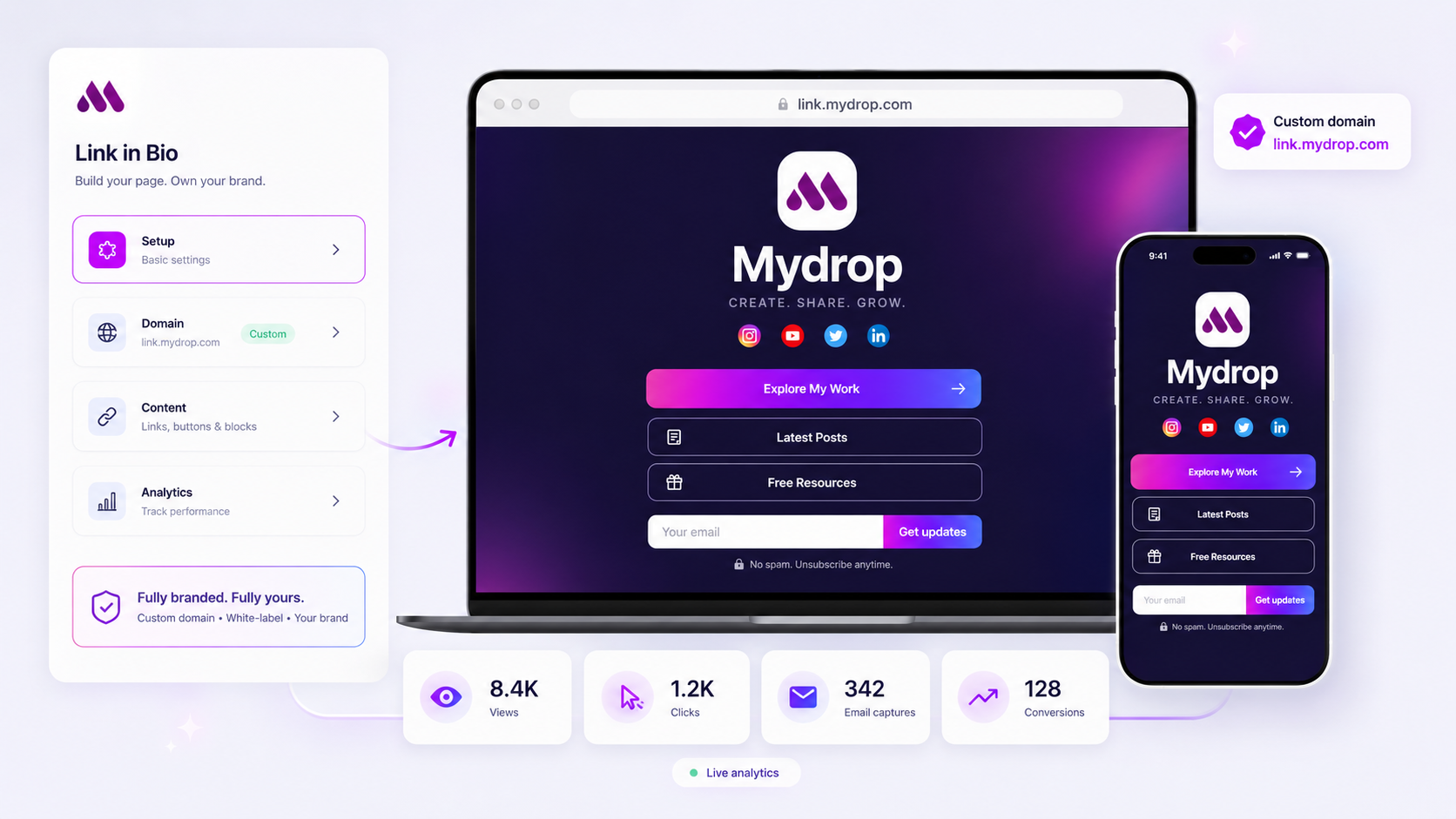
Stop thinking about your link-in-bio as a glorified menu. If you are managing an enterprise brand, that space is high-intent real estate. It should be a dedicated, branded conversion landing page, not a passive list of links. Most tools fail here because they are built for individual creators, not for teams that require server-side conversion tracking, custom domains, and secure, restricted HTML. You are likely losing visibility into enterprise traffic the moment it leaves your social channels because your current tool acts as a digital business card instead of a functional funnel. We have seen this play out across thousands of campaigns: the ad spend is high, the engagement is there, but the attribution is broken. It is frustrating to chase performance metrics when the basic infrastructure is treating your brand like a hobbyist side project. Let’s audit your current stack and see where you are bleeding conversion opportunities.
What the best tools need to handle

High-intent traffic requires infrastructure that can handle more than just clicks. When a user clicks through from a high-stakes campaign, they expect a seamless transition to a branded environment that feels like an extension of your own domain. If your tool forces users onto a generic third-party domain with ads or unbranded styling, you have already lost the trust of a sophisticated enterprise visitor.
Here is the fundamental shift you need to make in how you evaluate your conversion surfaces:
| Capability | Passive Directory (Hobbyist) | Enterprise Conversion Tool |
|---|---|---|
| Domain | Third-party shared slug | Client-owned custom domain |
| Security | Open, unmonitored HTML | Sanitized, restricted injection |
| Tracking | Client-side pixel only | Server-side conversion events |
| Experience | Generic, ad-supported UI | Fully white-labeled branding |
At Mydrop, we see teams struggle most when they try to force a passive link list to behave like a landing page. It is not just about aesthetics; it is about the lifecycle of the visitor. Can they download a media kit? Can they submit a lead capture form? Does that form pass data directly into your CRM or email platform, or does it just sit in a CSV file that someone has to manually export?
Operator rule: If your link-in-bio tool does not support direct, native lead capture that triggers measurable conversion events, it is not a marketing tool. It is just a directory.
Most teams do not have a content problem; they have a decision bottleneck where they are forced to use tools that do not support their security, compliance, or attribution standards. If you cannot track the full path from social post to actual lead, you are not just losing data; you are losing the ability to prove ROI to your stakeholders.
Where basic tools start to break

You hit the ceiling when your "link in bio" stops being a simple directory and starts needing to be a legitimate part of your conversion funnel. If you are managing dozens of brand profiles across multiple regions, a standard link-list tool becomes a massive coordination bottleneck.
The real friction usually appears when a campaign goes live. Your team needs to spin up a new landing page for a seasonal offer, but the basic tool only lets you update a static button list. You end up relying on workarounds: dumping traffic to a homepage that isn't optimized for social users, or worse, manually updating buttons across twenty different profiles as assets evolve.
It gets messy fast. You lose the ability to track the conversion journey because the link-in-bio page doesn't hook into your analytics stack properly. The branding looks "off" because you are restricted to the tool's limited aesthetic, which undermines the trust you worked so hard to build. Most importantly, you lose visibility. You cannot tell if that specific TikTok campaign actually drove the email sign-up or the whitepaper download, because the tool wasn't built to bridge that gap.
At Mydrop, we see this pattern constantly: teams get stuck because their infrastructure wasn't designed for scale. They treat their high-intent traffic like casual blog visitors, rather than what they are: potential leads that need to be captured, tracked, and nurtured.
The buying criteria that matter
When it is time to audit your current stack, don't just look for more button slots. You need to assess your tool's ability to act as a secure, branded extension of your own domain. If your team cannot ship a high-conversion landing page without IT opening a ticket, you are already behind.
Use the following framework to determine if your current "link in bio" tool is actually supporting your enterprise marketing goals or just adding another layer of unmanaged technical debt.
| Criterion | Passive (Standard Tool) | Active (Enterprise Tool) |
|---|---|---|
| Domain Authority | Third-party shared domain (risk) | Dedicated, client-owned custom domain |
| Conversion Data | Client-side only (frequently blocked) | Server-side + secure UTM attribution |
| Content Flexibility | Static buttons only | Dynamic, gated conversion surfaces |
| Governance | Unmanaged, "wild west" | Role-based, secure, compliant |
| Branding | Standardized, limited templates | Fully white-labeled HTML/CSS control |
Decision check: If your link-in-bio tool does not support a client-owned custom domain, you are losing attribution data and brand equity with every single click.
Beyond this table, look for three specific technical non-negotiables:
- Secure, Restricted HTML/CSS: You need the power to inject your own tracking pixels or custom brand elements without exposing the page-or your wider site-to security risks. A tool that provides this in a sanitized, safe way is a game-changer.
- Server-Side Tracking: Relying on client-side cookies is a losing battle in today's privacy-focused web. Your tool must record conversions (email captures, file downloads) server-side to ensure you capture the data, even when users are running aggressive ad-blockers.
- Governance Controls: Managing fifty brands means you cannot have everyone editing the same pages without oversight. Look for tools that allow you to define roles, approval workflows, and locked-down brand asset libraries.
Most teams do not have a content problem; they have a decision bottleneck. If your tool requires a designer to change a link color or an engineer to update a tracking script, you are not moving at the speed of social. You need a platform that empowers your marketers to own the conversion surface while giving your security and brand leads the guardrails they need to sleep at night.
How Mydrop supports this workflow
If you are already managing dozens of brand profiles, adding another point-solution to your stack just adds to the coordination debt. You need a way to build these conversion surfaces that feels like an extension of your existing publishing workflow, not a disconnected side project.
At Mydrop, we designed our Link-in-Bio feature specifically to close that loop. Instead of pointing followers to a generic third-party list, you are essentially deploying a mini-site for every brand in your portfolio. You get the same centralized controls you use for your posts-brand-wide themes, secure access management, and direct analytics-applied to high-intent traffic.
Because it is natively integrated into the platform, you can drag and drop your latest campaign assets, embed social feeds that automatically sync with your public posts, and set up lead capture blocks without ever needing to touch custom code or wait on a developer for a landing page update.
Workflow check: If your team has to leave the platform to update a "link in bio," you are losing time and creating a version control headache. The best tools let you publish a conversion surface as easily as you publish a social post.
We often see teams use this to finally solve the "where do I send them?" problem. Whether it is a direct download for a media kit, a signup form for a gated asset, or just a clean, branded path to a specific campaign, the data stays in your ecosystem. When a visitor clicks a button or submits a lead, that event flows back into your primary analytics. You aren't guessing where the traffic went; you are tracking it from the bio to the conversion.
A simple shortlist checklist
Before you switch tools or double down on your current provider, run your stack through this audit. If you can’t check these boxes, you aren't running an enterprise-grade conversion strategy; you are running a link list.
| Feature | Why it matters | Must-have | Nice-to-have |
|---|---|---|---|
| Custom Domains | Builds brand trust and ownership. | [ ] | |
| Lead Capture | Direct, first-party data collection. | [ ] | |
| Server-Side Tracking | Accurate data, even with script blockers. | [ ] | |
| Role-Based Access | Governs who can edit and publish. | [ ] | |
| Media/File Hosting | Keeps users on your branded surface. | [ ] | |
| Custom HTML/CSS | Full design control for high-end brands. | [ ] |
If your current tool fails the "Must-have" column, it is time to move on. Don't let a legacy tool define the limits of your enterprise conversion capabilities.
Conclusion
The difference between a basic directory and a true conversion surface is your control over the visitor journey. Stop treating your bio link like a digital business card and start treating it like the high-value landing page it actually is.
If you are managing complex, multi-brand operations, the goal should always be to reduce the friction between a follower's interest and your ability to capture that intent. You don't need another tool; you need a more rigorous standard for the ones you already have. Align your infrastructure with your business goals, and you will stop wasting the most valuable real estate in your social strategy.